1. Proizvod je gotovview
The Fellowes Professional Series Adjustable Depth Single Monitor Arm (Model 8041601) is designed to enhance your workspace ergonomics and efficiency. This monitor arm allows for easy adjustment of your LCD monitor, providing optimal viewing control and helping to reduce eye, neck, and shoulder strain. It also helps to free up valuable desk space by elevating your monitor.
Ključne karakteristike:
- Potpuno podesivo: Elevates LCD monitors from 3.5 inches to 16.5 inches above the desk.
- Prošireni doseg: Offers a minimum reach of 2.5 inches to a maximum reach of 21.5 inches.
- Fleksibilno Viewuglovi: Tilts up or down +/- 37 degrees and freely swings left or right with 360-degree rotation capability.
- Jednostavna montaža: Attaches to the desktop via a clamp or through a grommet hole.
- Instalacija bez alata: Mounts to surfaces up to 2.5 inches thick without requiring additional tools.
- VESA usklađeno: Meets VESA mounting standards for broad compatibility.
- Kapacitet težine: Safely holds LCD monitors up to 24 lbs.
2. Sadržaj paketa
Molimo Vas da se uvjerite da su sve komponente prisutne prije početka instalacije:
- Monitor Arm (main assembly)
- Desk Clamp
- Okov za montažu ušica
- Mounting Screws for Monitor
- Uputstvo za upotrebu
3. Postavljanje i instalacija
The Fellowes Professional Series Monitor Arm offers two primary installation methods: desk clamp or grommet mount. Both methods are designed for tool-free installation on surfaces up to 2.5 inches thick.
3.1. Choosing Your Mounting Method:
- Desk Clamp: Ideal for desks without existing grommet holes or when a non-permanent attachment is preferred.
- Montaža ušice: Suitable for desks with an existing grommet hole, providing a more integrated look.
3.2. Koraci instalacije:
- Attach the Mount to Your Desk:
- Za sto Clamp: Postavite clamp on the edge of your desk. Tighten the screw until the mount is securely fastened to the desk surface.
- Za montažu s ušicama: Insert the grommet hardware through the desk hole. Secure it from underneath the desk by tightening the provided nut.
- Attach the Monitor Arm to the Mount: Slide the monitor arm assembly onto the vertical pole of the desk mount. Adjust the height to your initial preference and secure it using the locking mechanism.
- Attach Your Monitor: Align the VESA mounting holes on the back of your monitor with the mounting plate on the arm. Use the provided screws to securely attach the monitor to the arm. Ensure the monitor is centered and stable.
- Upravljanje kablovima: Utilize the integrated cable management clips or channels on the monitor arm to route your display and power cables neatly. This helps to minimize cord clutter and maintain a clean workspace.

Image: The monitor arm securely mounted to a desk, illustrating the desk clamp and how a monitor is attached. Cables are neatly routed along the arm.
4. Rad i podešavanja
The Fellowes Professional Series Monitor Arm is designed for effortless adjustment to achieve your ideal viewing position. All adjustments can be made manually without tools once the monitor is mounted.
4.1. Podešavanje položaja monitora:
- Podešavanje visine: Loosen the height adjustment collar on the main pole, slide the arm up or down to the desired height (between 3.5 and 16.5 inches), and then re-tighten the collar.
- Depth/Reach Adjustment: Extend or retract the arm to achieve your preferred viewing distance. The arm offers a reach from 2.5 inches to 21.5 inches.
- Podešavanje nagiba: Gently tilt the monitor screen up or down to reduce glare and optimize your viewing angle. The arm allows for +/- 37 degrees of tilt.
- Swivel/Pivot Adjustment: Rotate the monitor left or right (180 degrees pivot) or rotate the entire screen 360 degrees to switch between landscape and portrait orientations.
- Podešavanje rotacije: The arm allows for 360-degree rotation of the monitor for easy screen sharing or orientation changes.
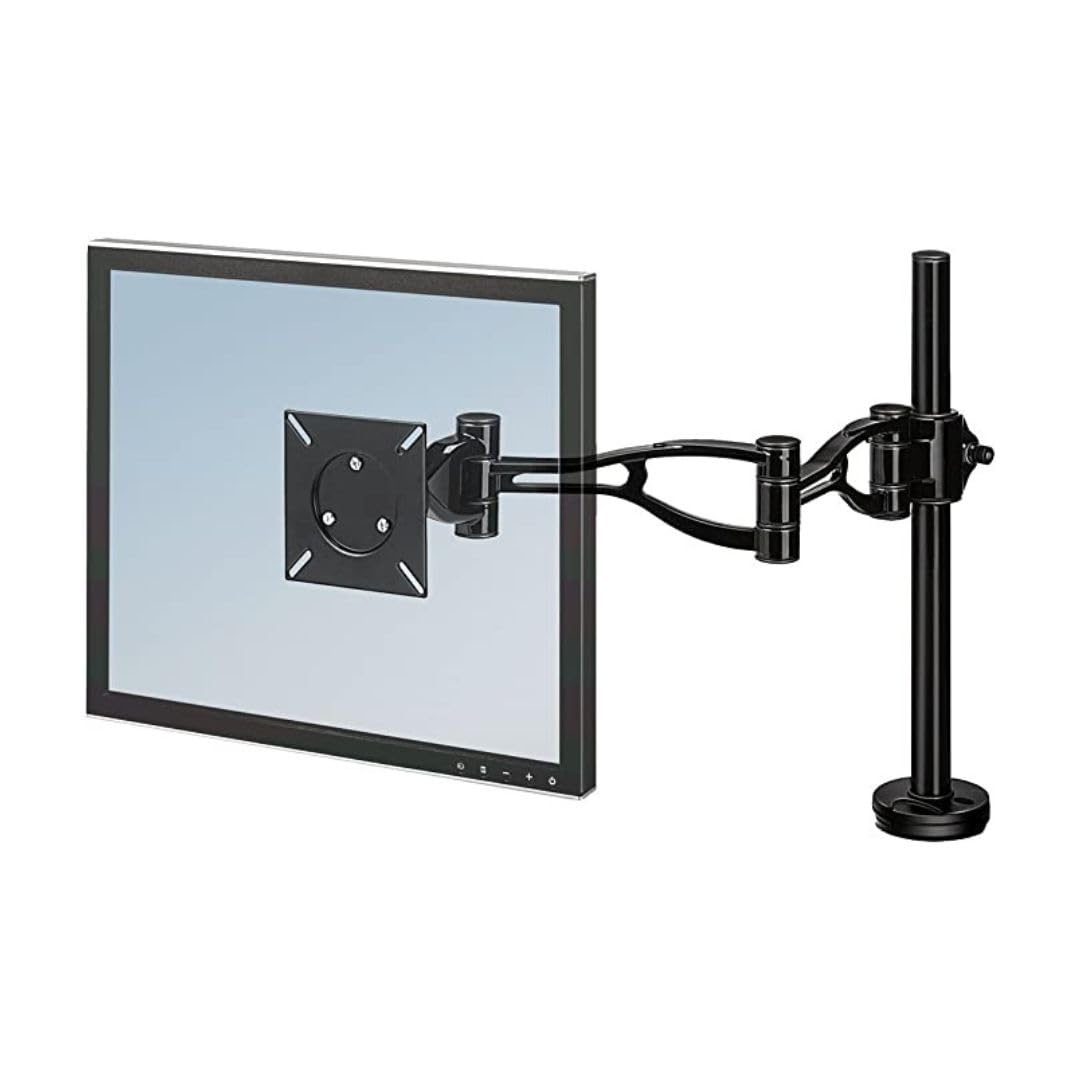
Image: Visual representation of the monitor arm's rotational, pivot, and tilt capabilities, including key dimensions for reach and height.
4.2. Official Product Video:
Video: This video demonstrates the installation and various adjustment capabilities of the Fellowes Professional Series Depth Adjustable Monitor Arm (Model 8041601), showcasing its flexibility and ergonomic benefits.
5. Specifikacije
| Feature | Detalj |
|---|---|
| Brand | Fellowes |
| Broj modela | 8041601 |
| Težina artikla | 7.55 funte |
| Dimenzije proizvoda | 24 x 4.37 x 21 inča |
| Boja | Crna |
| Vrsta materijala | Iron |
| Broj stavki | 1 |
| Screen Size Capacity | Do 32 inča |
| Težina Kapacitet | Do 24 lbs |
| Raspon podešavanja visine | 3.5 do 16.5 inča |
| Reach Adjustment Range | 2.5 do 21.5 inča |
| Tilt Capability | +/- 37 stepeni |
| Mogućnost rotacije | 360 stepeni |
| Standardi za montažu | VESA Compliant |
| Desk Thickness Compatibility | Do 2.5 inča |
6. Održavanje
To ensure the longevity and optimal performance of your Fellowes Monitor Arm, follow these simple maintenance guidelines:
- čišćenje: Obrišite krak monitora mekom,amp krpom. Izbjegavajte upotrebu abrazivnih sredstava za čišćenje ili rastvarača, jer mogu oštetiti završnu obradu.
- Provjerite veze: Periodically check all mounting screws and adjustment points to ensure they remain tight and secure. Re-tighten if necessary.
- podmazivanje: No special lubrication is required for the moving parts.
7. Otkrivanje problema
If you encounter any issues with your monitor arm, please refer to the following common solutions:
- Praćenje propadanja ili zanošenja: Ensure all pivot and tilt tension screws are adequately tightened. Refer to the operating section for adjustment points.
- Arm is Loose on Desk: Check the desk clamp or grommet mount for tightness. Re-secure the mount to the desk surface.
- Teškoće s podešavanjem visine: Ensure the height adjustment collar is fully loosened before attempting to move the arm up or down.
- Cables are Tangled: Re-route cables through the integrated cable management system to prevent tangling and maintain a tidy appearance.
If the issue persists after attempting these solutions, please contact Fellowes customer support for further assistance.
8. Garancija i podrška
This Fellowes product is covered by a manufacturer's warranty. For detailed warranty information, including terms, conditions, and how to make a claim, please refer to the warranty card included with your product or visit the official Fellowes website.
For technical support, replacement parts, or any other inquiries, please contact Fellowes customer service through their official channels.


