1. Uvod
Thank you for choosing the YANZEO S200 2D Barcode Scanner. This high-speed, plug-and-play USB scanner is designed for efficient and accurate decoding of 1D and 2D barcodes from various surfaces, including paper, labels, and digital screens. Its robust design makes it suitable for diverse applications such as point-of-sale (POS), inventory management, and retail operations. This manual provides essential information for setting up, operating, and maintaining your scanner.
2. Sigurnosne informacije
- Do not expose the scanner to extreme temperatures, humidity, or direct sunlight.
- Avoid dropping the scanner from excessive heights, although it is designed for durability.
- Ne pokušavajte rastavljati ili modificirati skener. To će poništiti garanciju.
- Keep the scanning window clean to ensure optimal performance.
- Avoid direct eye exposure to the scanner's light source.
3. Sadržaj paketa
Molimo Vas da provjerite paket za sljedeće stavke:
- YANZEO S200 2D Barcode Scanner
- USB kabel (priložen)
- Korisnički priručnik (ovaj dokument)
4. Podešavanje
The YANZEO S200 scanner is designed for simple plug-and-play operation. No drivers or additional software are required for most operating systems.
4.1 Povezivanje skenera
- Locate an available USB port on your computer or POS system.
- Plug the USB cable of the scanner into the USB port.
- The operating system (Windows, Mac OS, Linux) will automatically detect and install the necessary device drivers. This process usually takes a few seconds.
- Once installed, the scanner is ready for use.

Image: The YANZEO S200 Barcode Scanner connected via USB to a laptop, illustrating its plug-and-play functionality and compatibility with Mac OS, Linux, and Windows operating systems.
5. Uputstvo za upotrebu
5.1 Načini skeniranja
The S200 scanner supports three primary scanning modes to suit different operational needs:
- Način rada tipke okidača: Press the trigger button to activate the scanner and read a barcode.
- Način automatskog otkrivanja: Skener automatski detektuje barkod unutar svog polja view and scans it without requiring a trigger press.
- Način kontinuiranog skeniranja: The scanner continuously emits a scanning beam, reading any barcode that passes through its field.
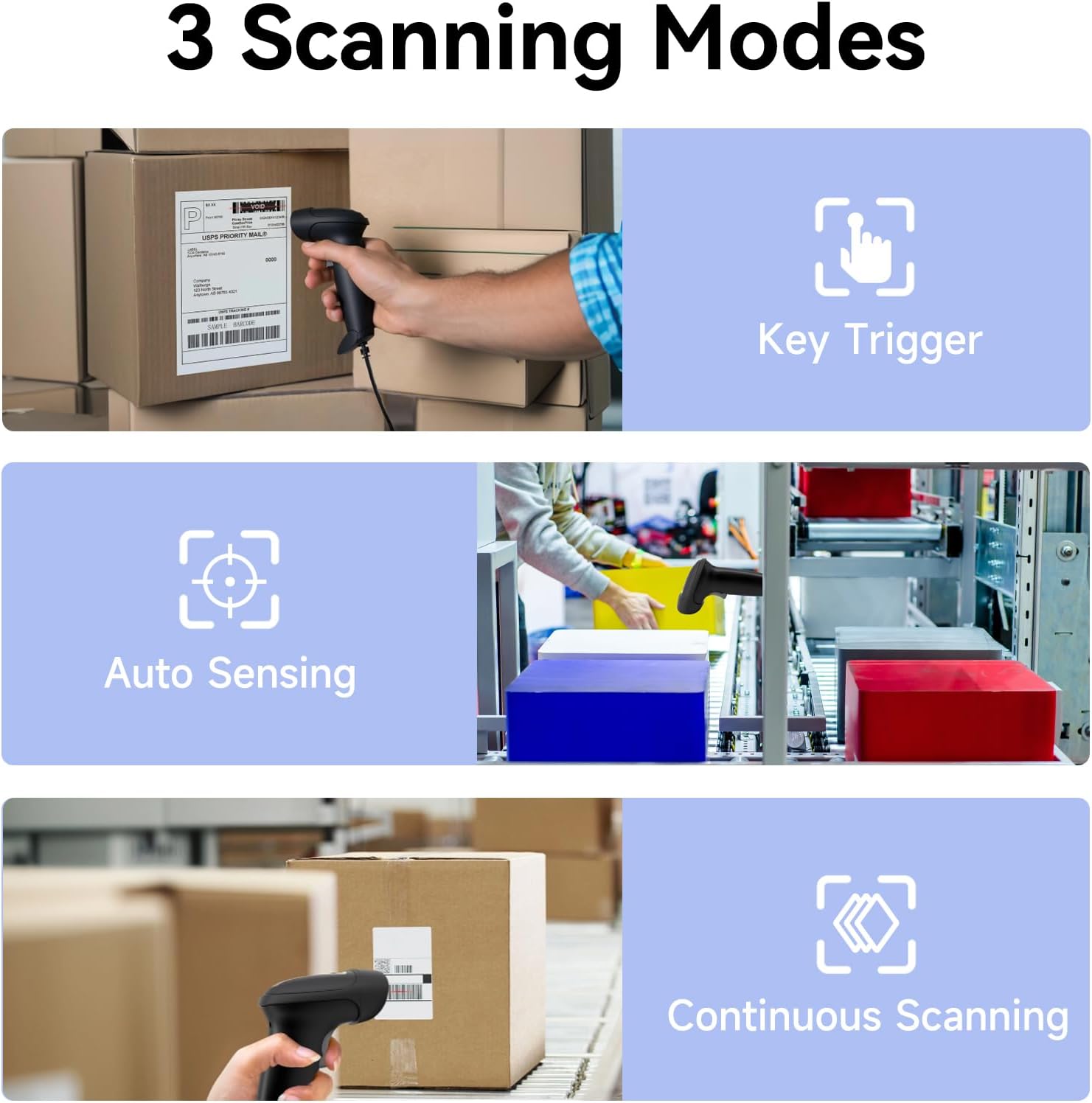
Image: Visual representation of the three scanning modes: Key Trigger (manual scan), Auto Sensing (automatic detection), and Continuous Scanning (constant beam).
5.2 Supported Barcode Types and Decoding Capabilities
The YANZEO S200 is equipped with advanced decoding capabilities to read a wide range of 1D and 2D barcodes, even those that are challenging to scan.
- 1D bar kodovi: UPC/EAN, Kod 128, Kod 39, Kod 93, Kod 11, Isprepleteni 2 od 5, Industrijski 2 od 5, Matrični 2 od 5, Standardni 2 od 5, Codabar, MSI Plessey, GS1 DataBar, itd.
- 2D bar kodovi: QR kod, Data Matrix, PDF417, Astečki kod, Maxicode, itd.
- Challenging Barcodes: The scanner can effectively decode reflective, fuzzy, long, high-density, curved, colorful, damaged, and smudged barcodes, as well as barcodes displayed on digital screens (monitors, smartphones).

Image: The scanner's ability to quickly read diverse barcode types, including those that are reflective, fuzzy QR, long, high-density, curved, and even contaminated.

Image: Demonstrates the scanner's powerful decoding capabilities, showing it can read colorful, damaged, reflective, and smudged barcodes.

Image: The YANZEO S200 scanner demonstrating its ability to read both 1D and 2D barcodes from physical labels and digital screens.
5.3 Kompatibilnost i primjene
The S200 scanner is highly versatile and compatible with various systems and environments:
- Operativni sistemi: Windows (7/8/10/11), Mac OS, Linux.
- Prijave: Ideal for POS systems, warehouse management, retail stores, logistics operations, supermarkets, pharmacies, and more.
- Jezici tastature: Supports multiple keyboard languages including English, Spanish, German, Japanese, French, Italian, and Dutch.

Image: The YANZEO S200 scanner in use across different scenarios: warehouse, supermarket, and pharmacy, demonstrating its suitability for multiple business environments.

Image: The YANZEO S200 scanner highlighting its support for multiple keyboard languages, indicated by various national flags.
6. Održavanje
6.1 Čišćenje skenera
To maintain optimal scanning performance, keep the scanning window clean. Use a soft, lint-free cloth lightly dampened with water or a mild cleaning solution. Avoid abrasive cleaners or solvents.
6.2 Izdržljivost i otpornost na okoliš
The YANZEO S200 is built with an IP54-certified durable housing, making it resistant to dust and water splashes. It is also designed to withstand drops from up to 1.5 meters, ensuring reliable operation in demanding environments.

Image: The YANZEO S200 scanner's durable and industrial-grade construction, featuring IP54 protection and a 1.5-meter drop test rating for tough environments.
7. Otkrivanje problema
- Skener nije prepoznat: Ensure the USB cable is securely connected to both the scanner and the computer. Try a different USB port. Restart your computer.
- Nije moguće skenirati barkodove: Check if the scanning window is clean. Ensure the barcode is within the scanner's range and properly illuminated. Verify the barcode type is supported.
- Netačan izlaz podataka: Ensure the correct keyboard language is selected on your computer if you are scanning non-English characters.
- Nema zvučnog signala: Check the scanner's settings (if applicable, refer to advanced configuration guide) or ensure your computer's volume is not muted.
8. Specifikacije
| Model | S200 |
| Tehnologija skeniranja | CMOS senzor |
| Vrste barkodova | 1D (UPC/EAN, kod 128, kod 39, itd.), 2D (QR kod, matrica podataka, PDF417, itd.) |
| Povezivanje | USB Wired |
| Operativni sistemi | Windows, Mac OS, Linux |
| Ocjena izdržljivosti | IP54 (Otporan na prašinu i vodu) |
| Otpor na pad | 1.5 metara |
| Dimenzije proizvoda | 6.3 x 3.2 x 2.4 inča (16 x 8.1 x 6.1 cm) |
| Težina artikla | 9.6 unce (272 grama) |
9. Garancija i podrška
The YANZEO S200 2D Barcode Scanner comes with a standard manufacturer's warranty. For specific warranty details, please refer to the product packaging or contact your retailer. For technical support, troubleshooting assistance, or any inquiries, please contact Yanzeo customer service through the official webweb-stranicu ili vašu platformu za kupovinu.


