Uvod
The Xech X-609/A is a versatile mini alarm clock designed for students and professionals. It features a digital display, dual alarm functionality, and an integrated Bluetooth speaker. This device is USB-C powered and includes a battery backup for uninterrupted performance. This manual provides detailed instructions for setting up, operating, and maintaining your Xech X-609/A alarm clock.

Figure 1: Xech X-609/A Mini Alarm Clock (Front View)
Sadržaj paketa
Molimo Vas da provjerite paket za sljedeće stavke:
- Xech X-609/A Mini Alarm Clock Unit
- USB-C kabl za punjenje
- Uputstvo za upotrebu
Raspored i kontrole proizvoda
Familiarize yourself with the buttons and ports on your Xech X-609/A alarm clock.

Slika 2: Gornja kontrolna dugmad
The top panel features several control buttons for various functions:
- Dugme za napajanje: Uključuje/isključuje uređaj.
- Dugme za način rada: Switches between time display, alarm settings, and Bluetooth mode.
- Dugme za pojačavanje zvuka/sljedeću pjesmu: Povećava jačinu zvuka ili prelazi na sljedeću pjesmu u Bluetooth načinu rada.
- Dugme za smanjenje jačine zvuka/prethodnu pjesmu: Decreases volume or goes to the previous track in Bluetooth mode.
- Dugme za reprodukciju/pauzu: Plays or pauses music in Bluetooth mode.
- Alarm 1 dugme: Aktivira/deaktivira i postavlja alarm 1.
- Alarm 2 dugme: Aktivira/deaktivira i postavlja alarm 2.
The rear panel typically includes the USB-C charging port.
Setup
1. Uključivanje
- Connect the provided USB-C cable to the charging port on the back of the alarm clock and plug the other end into a compatible USB power adapter (not included).
- Pritisnite i držite Dugme za napajanje on the top panel to turn on the device. The digital display will illuminate.
- The device has an internal battery backup, providing up to 8 hours of operation without external power once fully charged.
2. Initial Time Setting (Auto-Set via Smartphone)
The Xech X-609/A features an auto-set time function when paired with a smartphone via Bluetooth.
- Ensure your alarm clock is powered on.
- Aktivirajte Bluetooth na svom pametnom telefonu.
- Traži available Bluetooth devices and select "Xech X-609/A" (or similar name) to pair.
- Once successfully paired, the alarm clock will automatically synchronize its time with your smartphone's time.
Uputstvo za upotrebu
1. Podešavanje svjetline ekrana
The display brightness can be adjusted to suit your preference:
- While the time is displayed, short press the Dugme za način rada to cycle through different brightness levels.
2. Podešavanje alarma (Dvostruki alarm)
The device supports two independent alarms.
- Za podešavanje alarma 1: Pritisnite i držite Dugme alarma 1 dok cifre sati ne počnu treptati.
- Koristite Dugmad za pojačavanje/smanjivanje jačine zvuka to adjust the hour. Press the Dugme alarma 1 again to confirm the hour and move to minute setting.
- Koristite Dugmad za pojačavanje/smanjivanje jačine zvuka to adjust the minutes. Press the Dugme alarma 1 ponovo da potvrdite minute.
- The alarm icon for Alarm 1 will appear on the display, indicating it is active.
- Za podešavanje alarma 2: Follow the same steps using the Dugme alarma 2.
- To Deactivate an Alarm: Kratko pritisnite odgovarajuće Dugme alarma (Alarm 1 or Alarm 2) when the alarm is not sounding. The alarm icon will disappear from the display.
- Funkcija odgode: When an alarm sounds, short press any button (except the Power button) to activate snooze. The alarm will sound again after a few minutes.
- Zaustavi alarm: To stop an alarm completely, press and hold the corresponding Dugme alarma kada zvuči.
3. Using the Bluetooth Speaker
The Xech X-609/A can play music wirelessly from your smartphone or other Bluetooth-enabled devices.
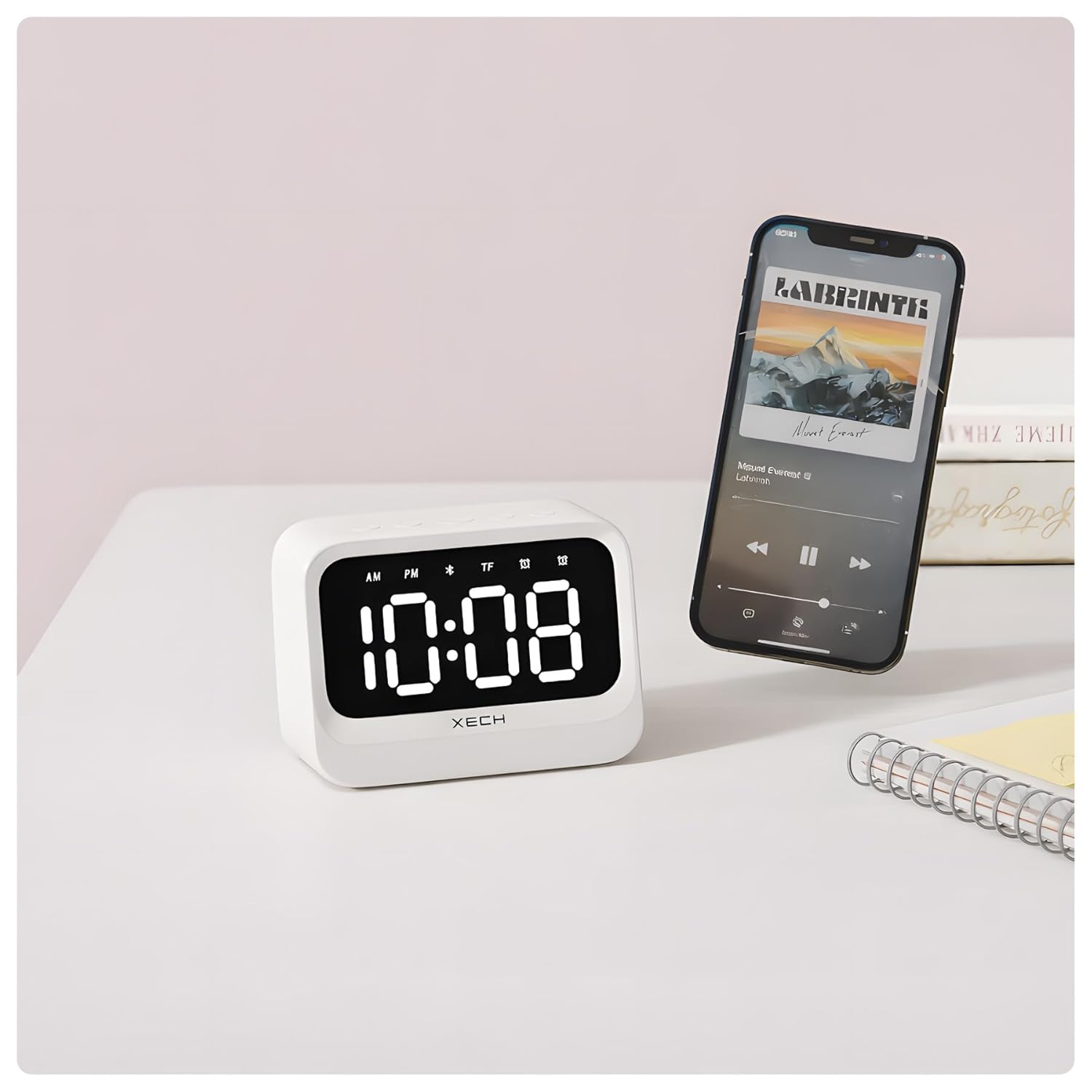
Figure 3: Bluetooth Speaker Functionality
- Pritisnite Dugme za način rada repeatedly until the Bluetooth icon appears on the display. The device is now in pairing mode.
- On your smartphone, go to Bluetooth settings and select "Xech X-609/A" to connect.
- Once connected, you can play audio from your smartphone through the alarm clock's speaker.
- Koristite Dugme za reprodukciju/pauzu za kontrolu reprodukcije.
- Koristite Dugmad za pojačavanje/smanjivanje jačine zvuka to adjust the volume or skip tracks (long press for volume, short press for track change).
Održavanje
To ensure the longevity and optimal performance of your Xech X-609/A alarm clock, follow these maintenance guidelines:
- čišćenje: Use a soft, dry cloth to wipe the surface of the device. Do not use abrasive cleaners, solvents, or chemical sprays, as these can damage the finish.
- Izbjegavajte vodu: This device is not waterproof. Keep it away from water, high humidity, and liquids.
- temperatura: Store and operate the device in a moderate temperature environment. Avoid extreme heat or cold.
- Punjenje: Use only the provided USB-C cable for charging. Avoid overcharging the device for extended periods.
Rješavanje problema
If you encounter issues with your Xech X-609/A, refer to the following common problems and solutions:
| Problem | Mogući uzrok | Rješenje |
|---|---|---|
| Uređaj se ne uključuje. | Slaba baterija ili nema priključka za napajanje. | Connect the USB-C cable to a power source and ensure it is properly plugged in. Allow some time for charging if the battery is completely drained. |
| Alarm se ne oglašava. | Alarm nije aktiviran ili je jačina zvuka preniska. | Ensure the alarm icon is visible on the display. Check the volume level. |
| Bluetooth se ne može povezati. | Device is not in pairing mode, or smartphone Bluetooth is off. | Pritisnite Dugme za način rada until the Bluetooth icon flashes. Ensure Bluetooth is enabled on your smartphone and try re-pairing. Move devices closer. |
| Vrijeme je netačno. | Not paired with a smartphone or manual adjustment needed. | Pair the device with your smartphone via Bluetooth for automatic time synchronization. If manual adjustment is preferred, refer to the operating instructions. |
Specifikacije
| Feature | Detalj |
|---|---|
| Brand | Šeh |
| Broj modela | X-609/A |
| Boja | Bijelo |
| Display Type | Digital |
| Posebne karakteristike | Adjustable Brightness, Dual Alarm, Bluetooth Speaker |
| Dimenzije proizvoda | 10.8Š x 7.8V centimetara |
| Izvor napajanja | Battery Powered (USB-C) |
| Vrsta baterije | 1 nestandardna baterija (uključena) |
| Težina artikla | 250 grama |
Garancija i podrška
Xech products are manufactured with quality and reliability in mind. For warranty information and customer support, please refer to the warranty card included with your product or visit the official Xech website.
Također možete posjetiti Xech Store on Amazon za više informacija i resurse podrške.


