1. Uvod
Thank you for choosing the XGIMI HORIZON 20 4K RGB Triple Laser Home Projector. This manual provides essential information for setting up, operating, and maintaining your device. Please read it thoroughly before use to ensure optimal performance and safety.
2. Sigurnosne informacije
Always follow basic safety precautions when using this product to reduce the risk of fire, electric shock, or injury. Do not attempt to disassemble or modify the projector. Avoid direct eye exposure to the projector lens. Keep the device away from water, heat sources, and direct sunlight. Ensure proper ventilation to prevent overheating.
3. Sadržaj paketa
- XGIMI HORIZON 20 Projector
- Adapter za napajanje
- Daljinski upravljač
- Uputstvo za upotrebu
- Floor Stand (if included in package)
4. Proizvod je gotovview
The XGIMI HORIZON 20 is a high-performance 4K RGB Triple Laser Home Projector designed for cinematic viewing. It features 3200 ISO Lumens, Google TV with licensed Netflix, optical zoom, lens shift, IMAX Enhanced, and Dolby Vision for an immersive experience.

Slika 1: Prednja strana view of the XGIMI HORIZON 20 Projector, showcasing the lens and speaker grille.

Figure 2: The XGIMI HORIZON 20 Projector mounted on its dedicated floor stand in an Elephant Grey finish, compatible with Horizon 20 series projectors. Projector sold separately.
5. Podešavanje
5.1 Postavljanje
Place the projector on a stable, flat surface or mount it using a compatible ceiling mount or the provided floor stand. Ensure the lens is unobstructed and pointed towards your desired projection surface. For optimal image quality, position the projector perpendicular to the screen.
5.2 Priključak za napajanje
Connect the power adapter to the projector's power input and then plug it into a power outlet. The projector will automatically power on or enter standby mode.
5.3 Početna konfiguracija
Upon first power-on, follow the on-screen instructions to complete the initial setup, including language selection, Wi-Fi connection, and Google account login. The projector features automatic keystone correction and autofocus for quick image adjustment.

Figure 3: Diagram illustrating the flexible lens shift capabilities of the XGIMI HORIZON 20, allowing for vertical (±120%) and horizontal (±45%) image adjustment without sacrificing clarity.
6. Uputstvo za upotrebu
6.1 Daljinski upravljač
Use the provided remote control to navigate the Google TV interface. The remote allows for power on/off, volume control, navigation, and quick access to streaming apps like Netflix, YouTube, Prime Video, and Disney+.
6.2 Podešavanje slike
The projector features automatic keystone correction and autofocus. For manual adjustments, navigate to the projector settings. Optical zoom and lens shift provide flexibility in placement without image distortion.
6.3 Upotreba aplikacije
Access a wide range of applications through Google TV. Licensed Netflix is pre-installed for direct streaming. Other apps can be downloaded from the Google Play Store. Ensure a stable internet connection for optimal streaming performance.
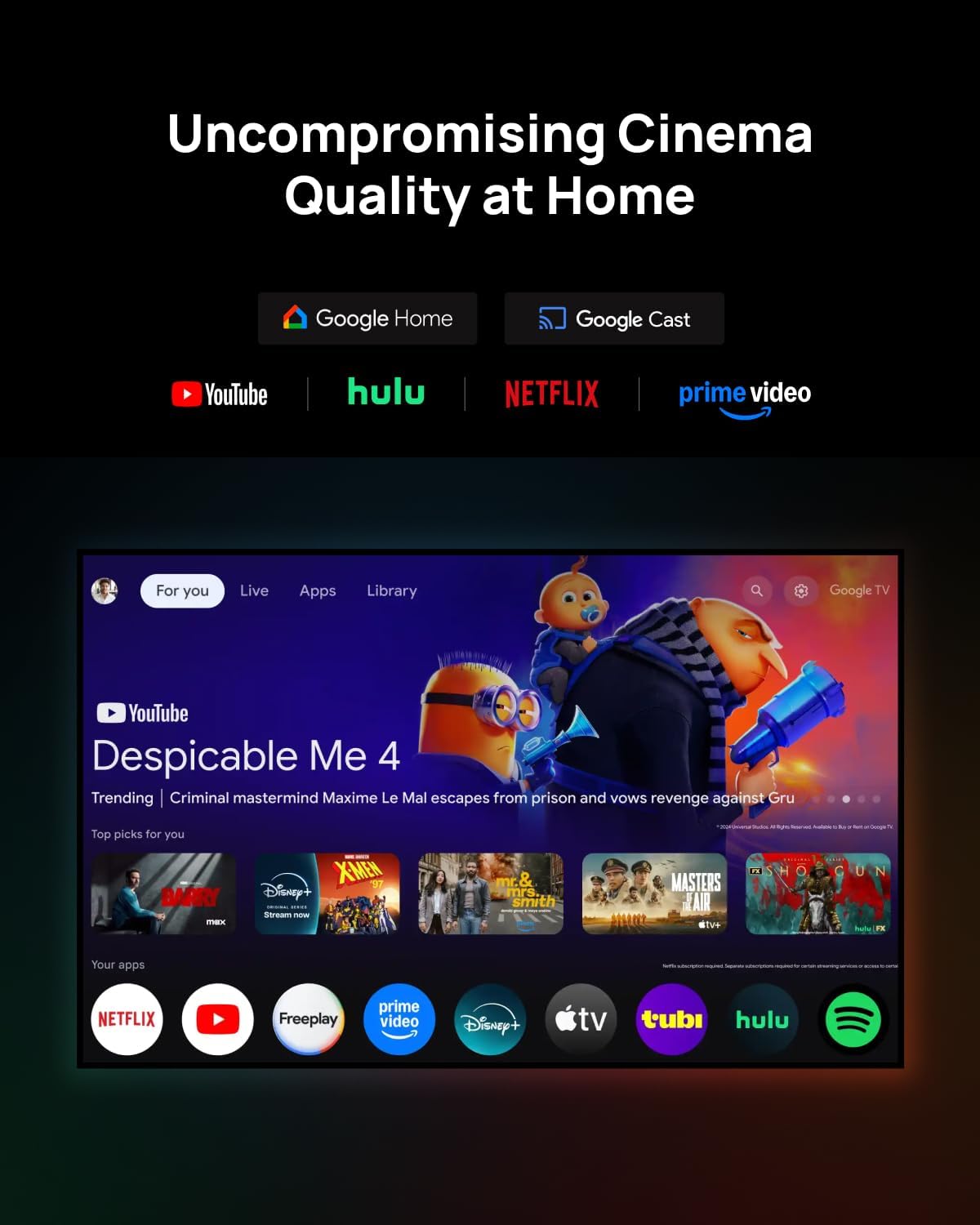
Figure 4: The Google TV interface displayed on the XGIMI HORIZON 20, showing various streaming applications and content recommendations.
7. Povezivanje
The XGIMI HORIZON 20 offers multiple connectivity options:
- HDMI: Povežite eksterne uređaje kao što su igraće konzole, Blu-ray plejeri ili laptopi.
- USB: Reprodukujte medije files direktno sa USB memorijskih uređaja.
- Wi-Fi: Povežite se na kućnu mrežu za streaming i online funkcije.
- Bluetooth: Connect external audio devices like soundbars or headphones.
8. Održavanje
To ensure the longevity and optimal performance of your projector:
- Čišćenje sočiva: Koristite meku krpu koja ne ostavlja dlačice, posebno dizajniranu za optička sočiva. Izbjegavajte abrazivne materijale ili jake hemikalije.
- Čišćenje eksterijera: Obrišite vanjski dio projektora mekom, suhom krpom.
- ventilacija: Ensure the projector's vents are not blocked to prevent overheating.
9. Otkrivanje problema
- Nema slike: Check power connection, input source, and ensure the lens cap is removed.
- Zamućena slika: Adjust focus manually or allow automatic autofocus to recalibrate.
- Nema zvuka: Check volume settings, ensure external audio devices are correctly connected, and verify the audio output settings.
- Daljinski ne reaguje: Replace batteries and ensure no obstructions between the remote and the projector.
10. Specifikacije
| Model | HORIZON 20 |
| Display Technology | RGB trostruki laser |
| Rezolucija | 4K (3840 x 2160) |
| Osvetljenost | 3200 ISO lumena |
| Kontrast Ratio | 100,000:1 |
| Operativni sistem | Google TV |
| Audio | Harman Kardon zvučnici |
| Posebne karakteristike | Optical Zoom, Lens Shift, IMAX Enhanced, Dolby Vision, HDR10+, Filmmaker Mode |
11. Zvanični videozapisi proizvoda
XGIMI HORIZON S Max Unboxing
This video provides an unboxing experience of the XGIMI HORIZON S Max, showcasing its packaging and initial presentation. It highlights the sleek design and premium feel of the projector as it is removed from its box.
12. Garancija i podrška
Your XGIMI HORIZON 20 projector comes with a standard manufacturer's warranty. For detailed warranty terms, technical support, or service inquiries, please refer to the warranty card included in your package or visit the official XGIMI website.


