1. Uvod
The Fairphone Fairbuds XL are over-ear wireless headphones designed for high-quality audio and durability. They feature Active Noise Cancelling (ANC), aptX-HD 24-bit audio, a long-lasting battery, and an IP54 weather-resistant rating. A key aspect of the Fairbuds XL is their modular design, allowing for easy repair and replacement of parts.
This manual provides essential information for setting up, operating, maintaining, and troubleshooting your Fairbuds XL headphones.
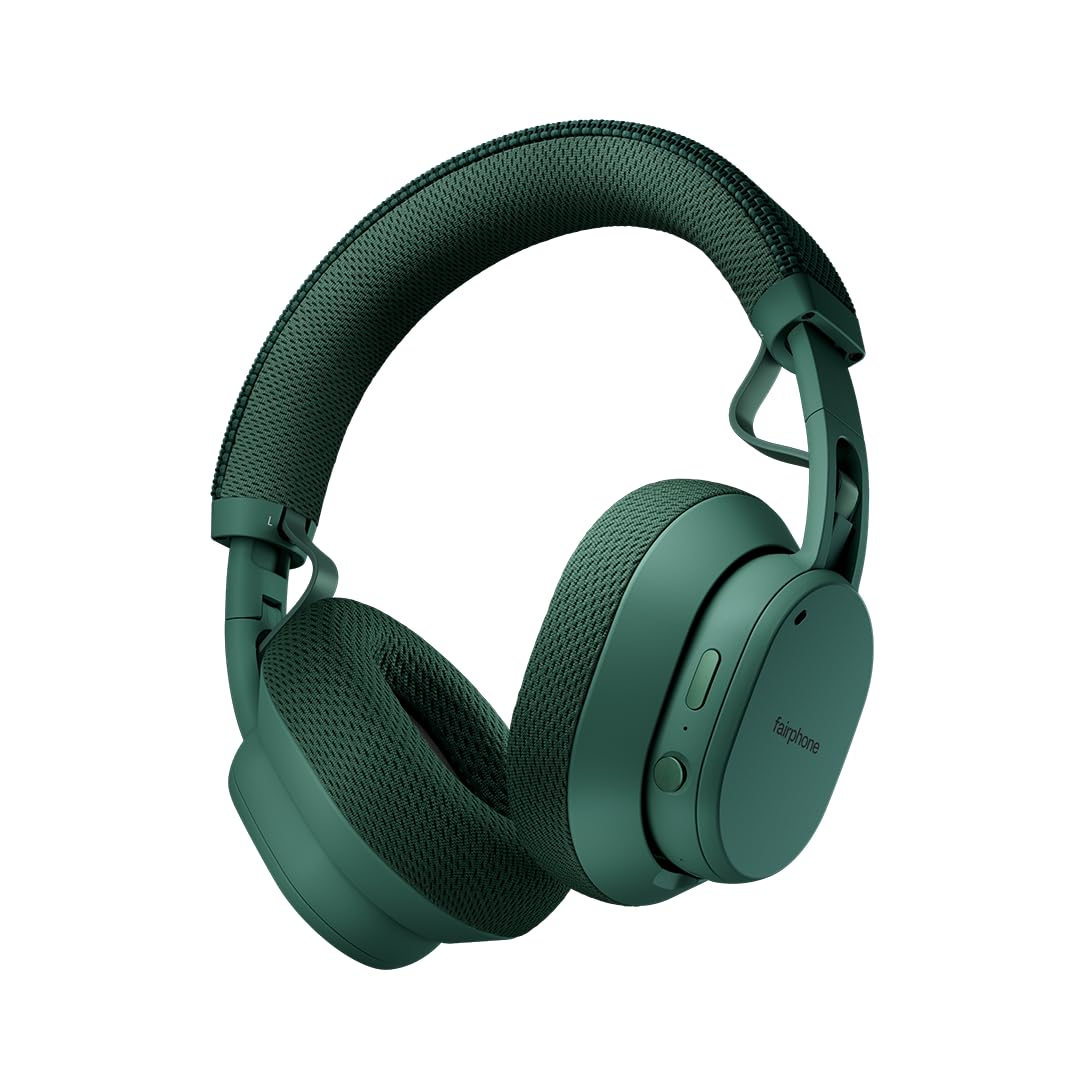
Image: Fairphone Fairbuds XL headphones in Forest Green, showcasing njihov elegantan dizajn.
Video: Prekorview of the Fairbuds XL headphones, highlighting their main features and design.
2. Podešavanje
2.1. Šta se nalazi u kutiji
Upon unboxing your Fairbuds XL, you should find the following items:
- Fairphone Fairbuds XL Wireless Headphones
- Zaštitna torbica
- Korisnički priručnik (ovaj dokument)
- USB-C Charging Cable (not explicitly listed but implied for charging)
2.2. Punjenje slušalica
Before first use, fully charge your Fairbuds XL. Connect the provided USB-C cable to the charging port on the headphones and to a compatible USB power source. The LED indicator will show charging status. A full charge provides up to 30 hours of battery life (26 hours with ANC active).
2.3. Uključivanje / isključivanje napajanja
- Za uključivanje: Pritisnite i držite dugme za napajanje dok se LED indikator ne upali.
- Za isključivanje: Pritisnite i držite dugme za napajanje dok se LED indikator ne ugasi.
2.4. Bluetooth uparivanje
To pair your Fairbuds XL with a device:
- Uvjerite se da su slušalice isključene.
- Pritisnite i držite dugme za napajanje otprilike 5 sekundi dok LED indikator ne zatreperi plavo i crveno, što označava režim uparivanja.
- Na svom uređaju (pametnom telefonu, laptopu itd.) omogućite Bluetooth i potražite dostupne uređaje.
- Select "Fairbuds XL" from the list of found devices.
- Once connected, the LED indicator will show a steady blue light.
2.5. Dual Point Connectivity
The Fairbuds XL support seamless dual point connectivity, allowing you to connect to two devices simultaneously. For example, you can connect to both your laptop and smartphone. To switch between devices, simply play audio on the desired device, and the headphones will automatically switch.
3. Upravljanje slušalicama

Slika: Krupni plan view of the control buttons on the Fairbuds XL ear cup, including the power button and a toggle switch.
3.1. Kontrole nadview
The Fairbuds XL feature physical buttons for intuitive control. Refer to the diagram below for button placement (if available in the physical manual) or the image above for a visual reference.
- Dugme za napajanje: Powers on/off, initiates Bluetooth pairing.
- Toggle Switch/Button: Controls Active Noise Cancelling (ANC) and Ambient Mode.
- Pojačavanje/stišavanje glasnoće: Podešava jačinu zvuka.
- Višenamjensko dugme: Play/pause, skip tracks, answer/end calls.
3.2. Active Noise Cancelling (ANC) and Ambient Mode
The Fairbuds XL offer advanced noise cancellation features:
- Aktivno poništavanje buke (ANC): Reduces external noise for an immersive listening experience. Toggle this mode using the dedicated switch/button.
- Ambijentalni način rada: Allows you to hear your surroundings while still enjoying your audio. Toggle this mode using the dedicated switch/button.
3.3. Reprodukcija zvuka
- Pusti/pauza: Pritisnite višenamjenski taster jednom.
- Sljedeća pjesma: Dvaput pritisnite višenamensko dugme.
- Prethodni zapis: Triput pritisnite višenamensko dugme.
- Podešavanje jačine zvuka: Koristite tipke za pojačavanje/smanjivanje jačine zvuka.
3.4. Pozivanje funkcija
- Odgovori/Završi poziv: Pritisnite višenamjenski taster jednom.
- odbiti poziv: Pritisnite i držite višenamensko dugme.
3.5. Žična veza
For a wired audio experience or when the battery is depleted, connect the Fairbuds XL to your device using a USB-C to USB-C cable (not included, but compatible with the charging port). This allows for charge-free listening.
4. Održavanje
The Fairbuds XL are designed for longevity with easily replaceable parts. Regular cleaning and proper care will extend their lifespan.
4.1. Čišćenje
Obrišite slušalice mekom, suhom krpom. Za tvrdokornu prljavštinu, laganoamp cloth can be used. Avoid using harsh chemicals or abrasive materials. The IP54 rating provides protection against dust and light splashes, but the headphones are not waterproof.
4.2. Zamjena baterije
The 800mAh battery in your Fairbuds XL is designed to be user-replaceable. When the battery's performance degrades after approximately 500 charging cycles, you can replace it with a new one. This process typically involves removing a cover and a few screws.

Slika: Eksplodirala view of the Fairbuds XL headphones, showing individual components like the headband, ear cups, speakers, and battery, emphasizing its modular design.
Video: A short demonstration on how to replace the battery in the Fairbuds XL headphones.
4.3. Replacing Other Modular Parts
Beyond the battery, various other components of the Fairbuds XL, such as the individual speakers, ear cups, headband, and speaker-to-speaker cable, can be replaced. These parts are designed for easy removal and installation, often requiring only a single screwdriver. Consult the official Fairphone support website for detailed guides and spare parts availability.
5. Otkrivanje problema
If you encounter issues with your Fairbuds XL, refer to the following common problems and solutions:
| Problem | Mogući uzrok | Rješenje |
|---|---|---|
| Slušalice se ne uključuju. | Niska baterija. | Punite slušalice pomoću USB-C kabla. |
| Nije moguće uparivanje putem Bluetootha. | Slušalice nisu u načinu rada za uparivanje; Bluetooth uređaja isključen; smetnje. | Ensure headphones are in pairing mode (flashing blue/red LED). Check device Bluetooth settings. Move closer to the device. |
| Nema zvuka ili je kvalitet zvuka loš. | Volume too low; incorrect audio source; loose connection (wired); out of Bluetooth range. | Increase volume. Verify audio output on your device. Reconnect wired cable. Move closer to the Bluetooth device. |
| ANC ne funkcioniše efikasno. | ANC način rada nije aktiviran; nepravilno pristajanje. | Ensure ANC is toggled on. Adjust headphones for a snug fit over your ears. |
If the issue persists, please refer to the official Fairphone support resources.
6. Specifikacije
| Feature | Detalj |
|---|---|
| Naziv modela | Fairbuds XL |
| Broj modela stavke | HEAD-2 |
| Tehnologija povezivanja | Bežično (Bluetooth 5.1) |
| Vrsta audio drajvera | Dinamički drajver (40 mm) |
| Kontrola buke | Aktivno poništavanje buke, način rada za transparentnost |
| Trajanje baterije | Do 30 sati (26 sati sa ANC-om) |
| Vrsta baterije | 1 Lithium Ion battery (included, replaceable) |
| Nivo vodootpornosti | IP54 (Vodootporan) |
| Težina artikla | 324 grama (11.4 unci) |
| Dimenzije proizvoda | 7.68 x 6.89 x 3.07 inča |
| Materijal | Plastika |
| Boja | Forest Green |
| UPC | 850077419072 |
7. Garancija i podrška
Fairphone is committed to product longevity. The Fairbuds XL are designed with repairability in mind, and spare parts are available. The EU Spare Part Availability Duration is 3 Years.
For detailed warranty information, spare parts, and further support, please visit the official Fairphone webstranice ili kontaktirajte njihovu korisničku službu.
Više informacija i podrške možete pronaći na Fairphone Store on Amazon.