Uvod
This manual provides detailed instructions for the installation, operation, and maintenance of your GOWENIC Wall Mount Music Amplifier. This device features a 2.4-inch LCD screen, Bluetooth 5.3 connectivity, and supports multiple audio formats, making it suitable for home or cafe environments. Please read this manual thoroughly before use to ensure proper functionality and safety.
Sigurnosne informacije
- Osigurajte napajanje voltage matches the requirements specified for the amplifier.
- Ne izlažite uređaj vodi, vlazi ili ekstremnim temperaturama.
- Izbjegavajte postavljanje ampuređaj u blizini izvora toplote ili na direktnoj sunčevoj svjetlosti.
- Ne pokušavajte sami otvarati ili popravljati uređaj. Za sve servisne radove obratite se kvalifikovanom osoblju.
- Držite uređaj van domašaja djece.
- Isključite napajanje prije čišćenja ili bilo kakvog održavanja.
Sadržaj paketa
Provjerite da li se u paketu nalaze sve dolje navedene stavke:
- 1 x GOWENIC Wall Mount Music Amplifier
- 1 x Wall Mounted Back Box
- 1 x Remote Control (with CR2025 battery included)
- 1 x Korisnički priručnik (ovaj dokument)
- 1 x odvijač
- 2 x Vijci

Image: Package contents of the GOWENIC Wall Mount Music Amplifier.
Karakteristike proizvoda
- Jasan LCD ekran: A 2.4-inch LCD screen provides easy operation and a clear visual experience.
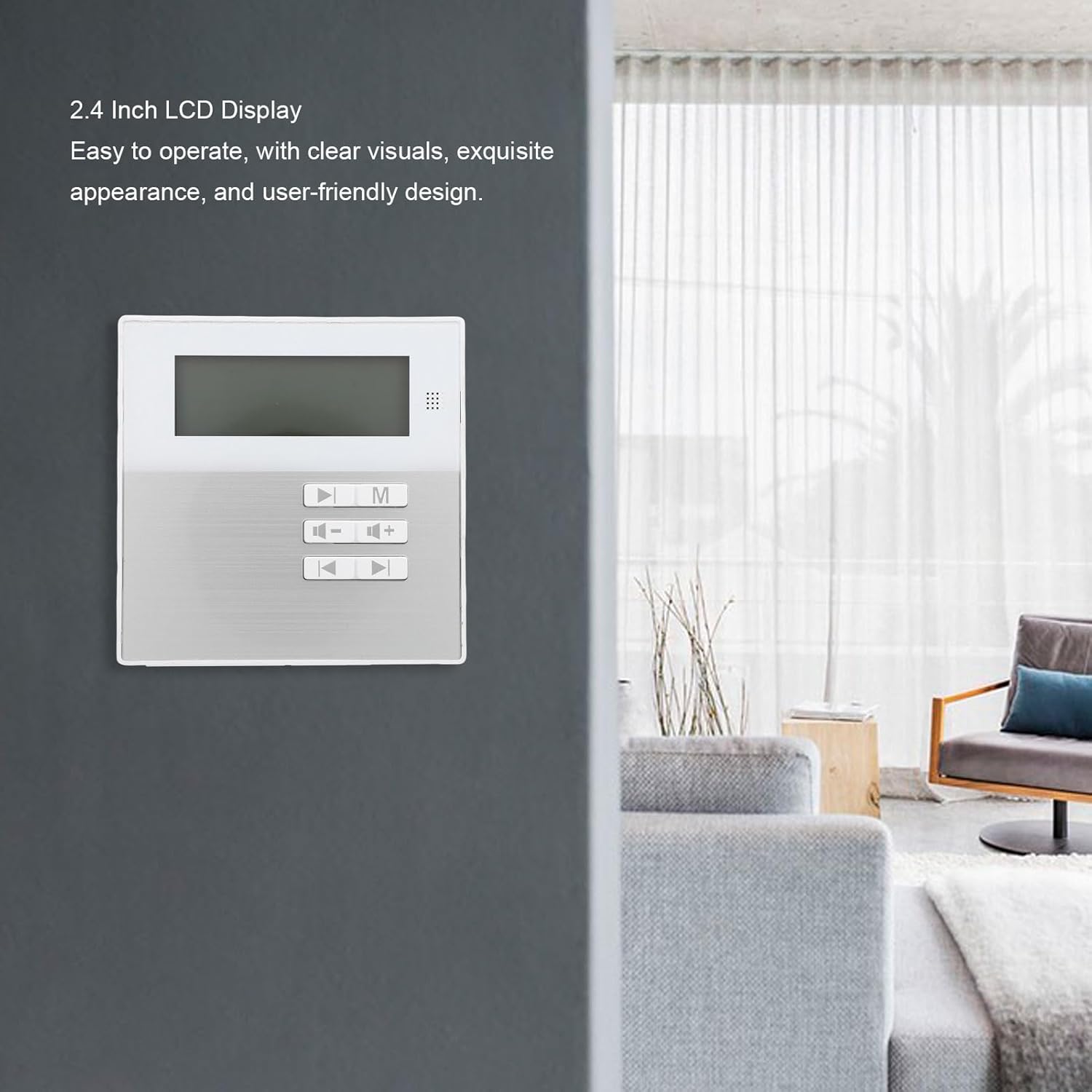
Image: The 2.4-inch LCD display of the amplifier.
- Podrška za više formata: Compatible with various audio formats including MP3, WMA, WAV, and FLAC for flexible playback.
- Dizajn zidnog nosača koji štedi prostor: Designed for wall installation to save space and provide convenient access.
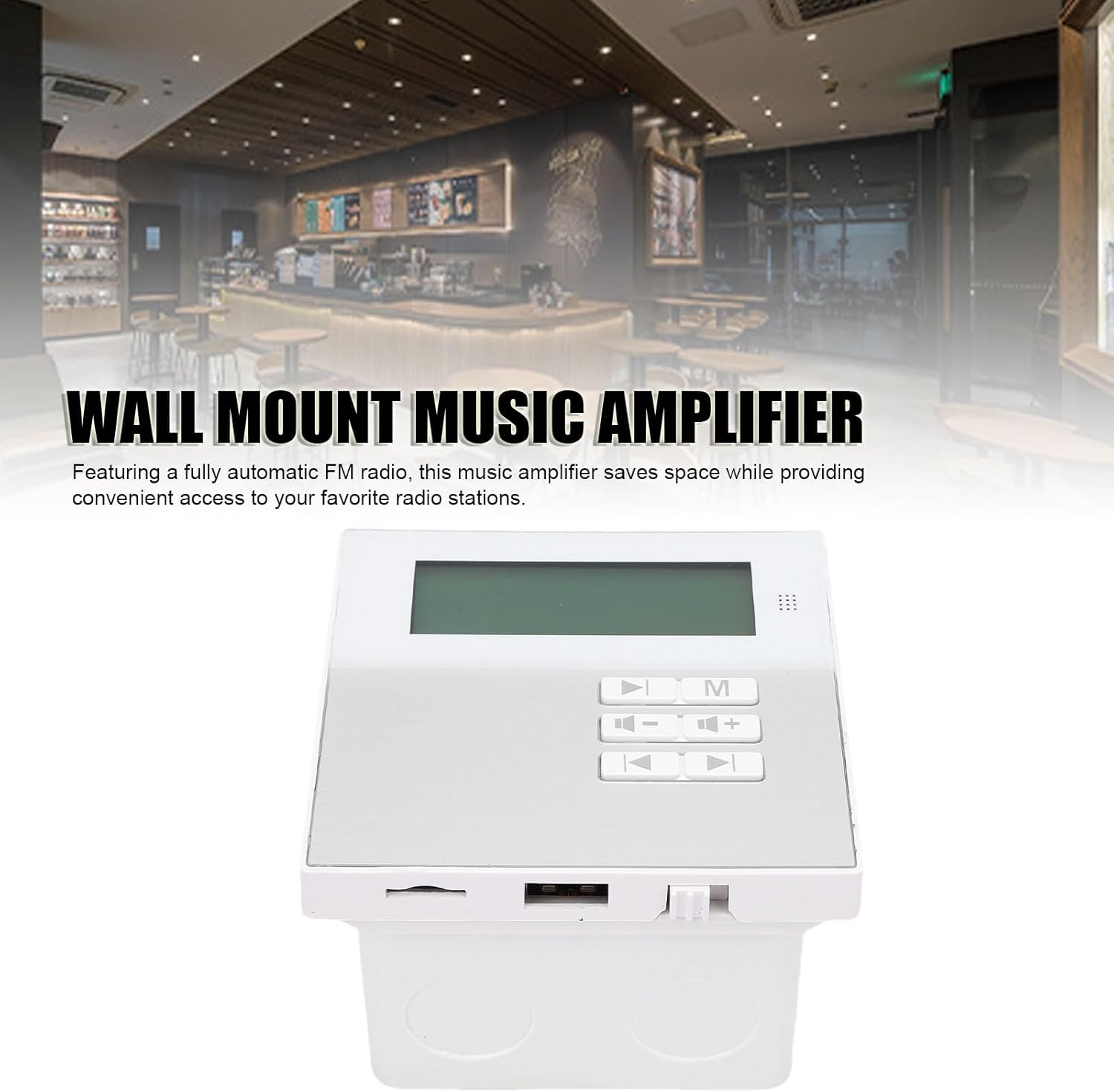
Image: Wall-mounted ampspašivač u sobnom okruženju.
- Bluetooth 5.3 povezivanje: Ensures stable wireless music playback and seamless connection to external Bluetooth devices.
- Zgodan daljinski upravljač: Allows for easy control of music functions, ideal for various settings.
- Built-in Radio Module: Features a built-in radio module for quick radio station search.

slika: Amplifier displaying radio mode.
Postavljanje i instalacija
The GOWENIC Wall Mount Music Amplifier is designed for DIY installation. Follow these general steps:
- Pripremite prostor za instalaciju: Choose a suitable wall location. Ensure there is access to power and speaker wiring.
- Install the Wall Mounted Back Box: Use the provided screws and screwdriver to securely attach the wall mounted back box to the wall. Ensure it is level.
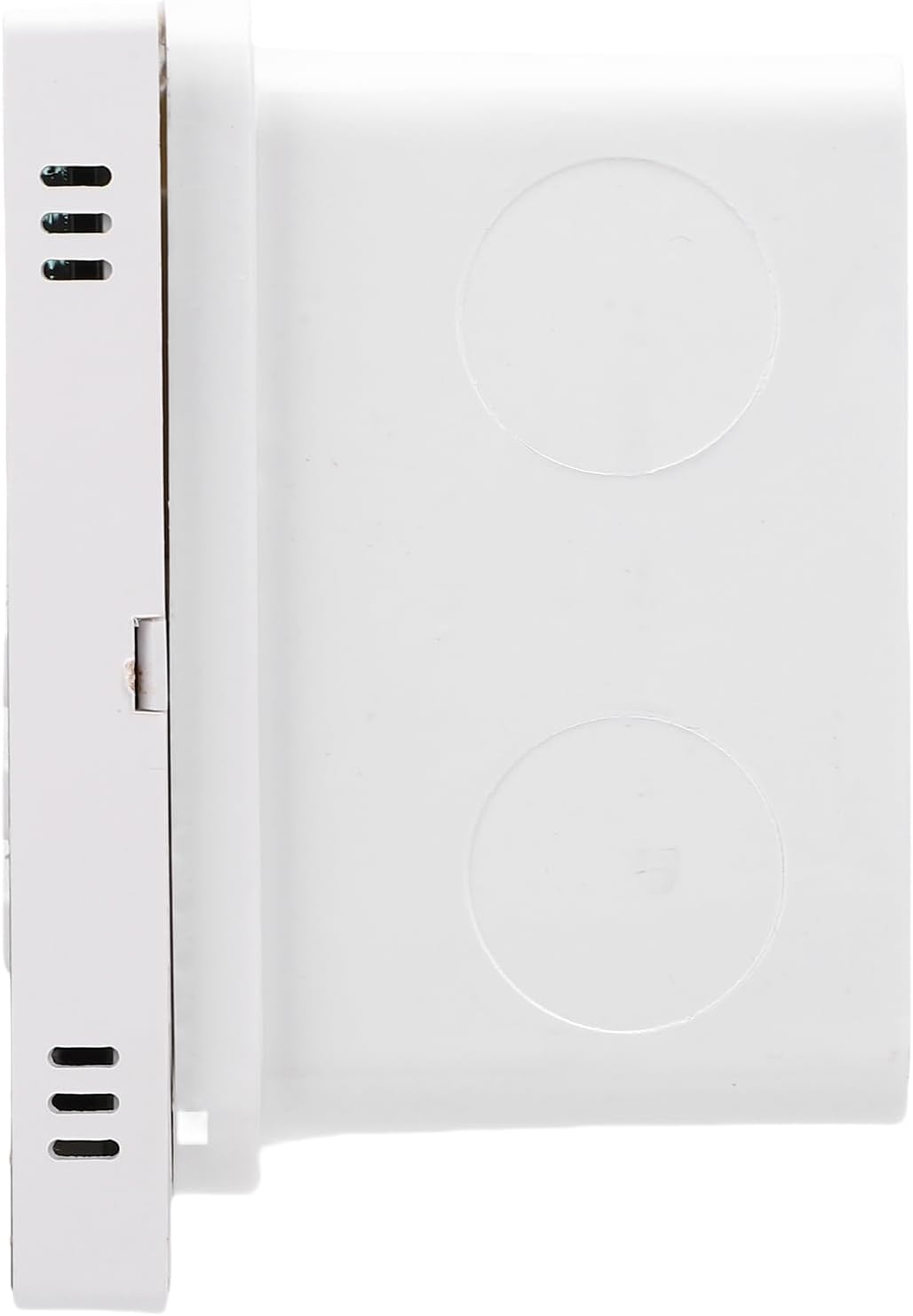
Image: Wall mounted back box.
- Povežite ožičenje: Connect speaker wires and power cables to the amplifier unit. Refer to the wiring diagram (if provided separately or on the unit itself) for correct polarity and connections.

slika: Amplifier unit showing connection ports.
- Montirajte AmpJedinica za spašavanje: Pažljivo umetnite amplifier unit into the installed back box, ensuring all connections are secure and the unit sits flush with the wall.
- Uključeno: Once installed, connect the amplifier to a power source. The LCD screen should illuminate.
Uputstvo za upotrebu
Basic Operation
- Uključivanje/isključivanje: Press the power button on the unit or remote control to turn the ampuključite ili isključite punjač.
- Kontrola jačine zvuka: Use the '+' and '-' buttons on the unit or remote to adjust the volume.
- Odabir načina rada: Press the 'M' button on the unit or remote to cycle through available input modes (e.g., Bluetooth, USB, Memory Card, FM Radio).
Bluetooth veza
- Osigurajte ampLifier je uključen.
- Select Bluetooth mode using the 'M' button. The LCD screen will display "Bluetooth" or a similar indicator.
- Na vašem eksternom Bluetooth uređaju (npr. pametnom telefonu, tabletu) omogućite Bluetooth i potražite dostupne uređaje.
- Select "GOWENIC Amplifier" (or similar name) from the list of found devices to pair.
- Nakon uparivanja, amplifier will indicate a successful connection, and you can play audio from your device.
- The Bluetooth wireless range is approximately 10 meters.
Media Playback (USB/Memory Card)
- Insert a USB drive or a memory card (up to 16GB, not included) containing supported audio files (MP3, WMA, WAV, FLAC) into the respective port on the amplifier.
- Select the appropriate input mode (USB or Memory Card) using the 'M' button.
- The amplifier will automatically detect and begin playing audio files.
- Use the play/pause, next track, and previous track buttons on the unit or remote control to manage playback.
Rad FM radija
- Select FM Radio mode using the 'M' button.
- Use the tuning buttons (often represented by arrow icons) on the unit or remote to scan for radio stations.
- The LCD screen will display the current frequency.
Upotreba daljinskog upravljača
The included remote control provides full functionality for the amplifier. Point the remote control directly at the amplifier's sensor. The remote control distance is approximately 8 meters.
Image: Remote control for the amplifier.
Functions typically include:
- Uključivanje/isključivanje
- Mode Selection (M)
- Jačina/stišavanje (+/-)
- Pusti/Pauza
- Prethodna/sljedeća pjesma
- EQ Settings (if available)
- Numeric Keypad for direct track/station selection
Održavanje
- čišćenje: Koristite meku, suhu krpu za čišćenje površine ampNe koristite tekuća sredstva za čišćenje ili abrazivne materijale.
- Uklanjanje prašine: Periodically wipe away dust from the unit to prevent accumulation, especially around vents.
- Zamjena baterije (daljinski upravljač): Ako se domet daljinskog upravljača smanji ili ako prestane reagirati, zamijenite bateriju CR2025. Osigurajte ispravan polaritet.
- Skladištenje: Ako uređaj skladištite duži period, isključite ga iz struje i čuvajte ga na hladnom i suhom mjestu.
Rješavanje problema
| Problem | Mogući uzrok | Rješenje |
|---|---|---|
| Nema struje | Kabl za napajanje nije priključen; utičnica je neispravna. | Check power cable connection; try a different power outlet. |
| Nema zvuka | Volume too low; incorrect input mode; speaker wires disconnected. | Increase volume; select correct input mode; check speaker wire connections. |
| Bluetooth se ne uparuje | Amplifier not in Bluetooth mode; device too far; interference. | Osigurati amplifier is in Bluetooth mode; move device closer; restart both devices. |
| Daljinski upravljač ne radi | Battery depleted; obstruction between remote and amplifier. | Replace remote control battery; ensure clear line of sight to amplifier sensor. |
| USB/Memory card not recognized | Incorrect format; card/drive faulty; capacity too large. | Osigurati files are supported (MP3, WMA, WAV, FLAC); try another card/drive; ensure capacity is 16GB or less. |
Specifikacije
| Broj modela | GOWENICtum8w0pzsr |
| Izlazna snaga | 2x20W (supports 4 speakers) |
| Impedansa zvučnika | 8 oma |
| Bluetooth verzija | 5.3 |
| Bluetooth udaljenost | Do 10 metara |
| Udaljenost daljinskog upravljača | Do 8 metara |
| Podrška za memorijsku karticu | Maksimalno 16 GB (nije uključeno) |
| Display Screen | LCD ekran od 2.4 inča |
| Rezolucija | 128x64 |
| Totalna harmonijska distorzija | ≤0.03% (1kHz, 1W, 8Ω) |
| Frekvencijski odziv | 20Hz-20kHz |
| Odnos signala i šuma | >81db |
| Muzički formati | MP3, WMA, WAV, FLAC, etc. |
| Baterija daljinskog upravljača | CR2025 (140mAh, included) |
| Težina artikla | 10.8 unce |
| Dimenzije paketa | 5.91 x 4.72 x 3.54 inča |
Garancija i podrška
GOWENIC products are manufactured to high-quality standards. For specific warranty details, please refer to the warranty card included with your product or contact GOWENIC customer support.
For technical support, troubleshooting assistance, or inquiries regarding your GOWENIC Wall Mount Music Amplifier, please contact the manufacturer:
Proizvođač: GOWENIC
Please visit the official GOWENIC website or refer to your purchase documentation for the most up-to-date contact information.