1. Uvod
This manual provides essential information for setting up, operating, and maintaining your XGIMI HORIZON 20 4K RGB Triple Laser Home Projector. Please read it thoroughly to ensure optimal performance and longevity of your device.

Figure 1: The XGIMI HORIZON 20 4K RGB Triple Laser Home Projector with included 3D glasses.
2. Ključne karakteristike
- RGB trostruki laserski mehanizam: Delivers 3200 ISO lumens and a 100,000:1 contrast ratio for vivid and accurate colors.
- Cinematic Certified: Supports IMAX Enhanced, Dolby Vision, HDR10+, and Filmmaker Mode for high-quality visuals.
- Integrisani sistem: Features powerful Harman Kardon speakers, built-in Google TV, and an integrated stand.
- Lossless Optics: Flexible lens shift and optical zoom for setup versatility without clarity loss.
- Igranje na profesionalnom nivou: Offers 1ms response time, 240Hz refresh rate, VRR, and ALLM for a smooth gaming experience.
- Veliki ekran: Capable of projecting visuals up to 300 inches.
- Licensed Netflix: Official Netflix support integrated.
3. Podešavanje
3.1 Raspakivanje
The XGIMI HORIZON 20 comes in premium packaging. Carefully remove the projector and its accessories from the box. A portable box is included for convenient transport and outdoor use.
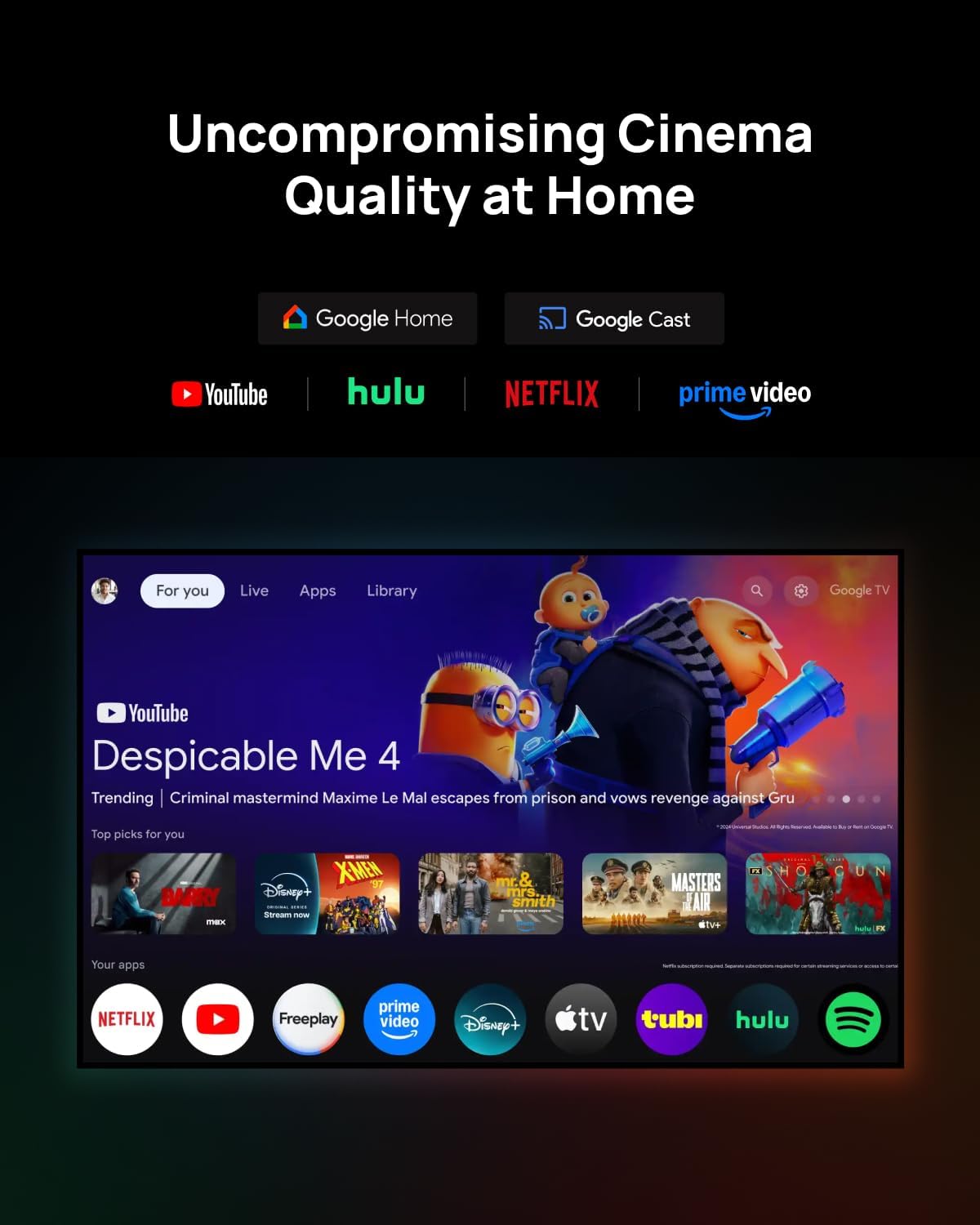
Figure 2: The XGIMI HORIZON 20 projector being unboxed from its protective, portable packaging.
3.2 Postavljanje
The projector can be placed on a flat surface or mounted to the ceiling. Ensure the projector is stable and has adequate ventilation. For ceiling mounting, use a compatible mount (sold separately).

Figure 3: The XGIMI HORIZON 20 projector showcasing its flexible installation options, including dynamic lens shift for optimal image placement.
3.3 Veze
The rear panel of the projector features various ports for connectivity:
- HDMI portovi: Two HDMI ports, one supporting eARC for enhanced audio return.
- USB portovi: One USB 3.0 port and one USB 2.0 port for media playback and external devices.
- Audio izlaz: Digital audio out and an analog audio output (3.5mm jack).
- Ulazna snaga: Spojite adapter za napajanje na ovaj priključak.

Slika 4: Pozadi view of the XGIMI HORIZON 20, highlighting its various connectivity ports for external devices.
4. Operacija
4.1 Uključivanje/isključivanje
Pritisnite dugme za napajanje na projektoru ili daljinskom upravljaču da biste uključili ili isključili uređaj.
4.2 Navigation (Google TV)
The projector runs on Google TV OS, providing a user-friendly interface for accessing apps, streaming services, and settings. Navigate using the provided remote control.

Figure 5: The Google TV interface on the XGIMI HORIZON 20, showing access to popular streaming applications like Netflix, YouTube, and Prime Video.
4.3 Postavke slike
Access the picture settings menu to adjust various display parameters:
- Način slike: Select from predefined modes (e.g., Standard, Filmmaker).
- Svjetlina: Adjust the overall luminance of the image.
- Kontrast: Control the difference between the brightest and darkest areas.
- zasićenje: Modify the intensity of colors.
- Oštrina: Enhance or soften image edges.
- Napredne postavke: Includes options for 11-Point White Balance Correction, 2-Point White Balance Correction, Color Temperature, Dynamic Black Level Enhancer, Gamma, Color Space, and Color Tuner for precise calibration.
4.4 Audio postavke
The projector features an integrated Harman Kardon sound system. Adjust audio settings via the menu:
- Stil zvuka: Izaberite između raznih zvučnih profesionalacafiles (e.g., Standard, Game).
- Osnovne postavke: Adjust Balance, Bass, Treble, enable Surround Sound, and fine-tune Equalizer Detail.
- DTS DRC: Digital Theater System Dynamic Range Control.
- Zvučnici: Toggle internal speakers on/off.
- Kašnjenje zvučnika: Adjust delay for audio synchronization.
- eARC: Enhanced Audio Return Channel settings.
- Način miksiranja: Select stereo or other downmix options.
- Dialog Enhancer: Improve clarity of spoken dialogue.
4.5 Pametne karakteristike
The HORIZON 20 includes several smart features for ease of use:
- Auto Focus: Automatically adjusts the image for optimal clarity.
- Auto Keystone Correction: Ispravlja izobličenje slike kada projektor nije savršeno poravnat s platnom.
- Wall Color Adaption: Podešava boje na osnovu površine zida.
- Rotacija ekrana: Automatically adjusts image orientation.
- Način zaštite očiju: Smanjuje emisiju plavog svjetla za udobnost očiju.
4.6 Lens Shift and Optical Zoom
The projector offers advanced optical adjustments:
- Pomak sočiva: Allows you to move the projected image vertically (up to ±120%) and horizontally (up to ±45%) without moving the projector. This feature maintains image quality without digital scaling or distortion. Note that enabling Lens Shift may disable some automatic smart features like Auto Focus and Auto Keystone Correction.
- optički zum: Provides framing flexibility by adjusting the image size optically, avoiding digital scaling and preserving image quality.
4.7 Režim igranja
For an enhanced gaming experience, the projector offers a dedicated gaming mode with 1ms response time, 240Hz fluidity, VRR (Variable Refresh Rate), and ALLM (Auto Low Latency Mode). When gaming mode is enabled, Keystone correction may be disabled, but Lens Shift and Optical Zoom can be used to maintain image geometry.
Figure 6: The XGIMI HORIZON 20 delivering a high-performance gaming experience with minimal input lag.
4.8 3D Video Support
The HORIZON 20 supports 3D video playback. Compatible 3D glasses (such as XGIMI Active 3D Glasses) are required for viewunošenje 3D sadržaja.

Figure 7: XGIMI Active 3D Glasses, designed for a brighter and clearer 3D viewing experience with long battery life.
5. Održavanje
5.1 Čišćenje
Regularly clean the projector's lens with a soft, lint-free cloth specifically designed for optical surfaces. Use a soft brush or compressed air to remove dust from the vents. Do not use abrasive cleaners or solvents.
5.2 Skladištenje
Kada se projektor ne koristi duži period, čuvajte ga na hladnom i suhom mjestu, idealno u originalnom pakovanju ili zaštitnoj futroli, kako biste spriječili nakupljanje prašine i oštećenja.
6. Otkrivanje problema
If you encounter any issues with your XGIMI HORIZON 20, please refer to the following general troubleshooting steps:
- Nema napajanja: Provjerite je li kabel za napajanje sigurno spojen i je li utičnica funkcionalna.
- Nema slike: Check HDMI or other input connections. Verify the correct input source is selected.
- Zamućena slika: Adjust focus manually or use the auto-focus feature. Ensure the lens is clean.
- Iskrivljena slika: Use keystone correction or lens shift to adjust the image geometry.
- Nema zvuka: Check audio settings, volume levels, and external audio connections.
For more detailed troubleshooting or persistent issues, please contact XGIMI customer support.
7. Specifikacije
| Feature | Specifikacija |
|---|---|
| Model | HORIZON 20 |
| Display Technology | 4K RGB Triple Laser |
| Osvetljenost | 3200 ISO lumena |
| Kontrast Ratio | 100,000:1 |
| Maksimalna veličina prikaza | 300 inča |
| Operativni sistem | Google TV |
| Procesor | MediaTek MT9679 SoC |
| RAM | 4 GB |
| Skladištenje | 128 GB |
| Input Lag (Gaming Mode) | 1ms |
| Refresh Rate (Gaming Mode) | 240Hz |
| HDR podrška | HDR10+, Dolby Vision |
| Audio | Harman Kardon Integrated System |
| Povezivanje | 2x HDMI (1x eARC), 1x USB 3.0, 1x USB 2.0, Digital Audio Out, Analog Audio Out (3.5mm), Wi-Fi, Bluetooth |
| Posebne karakteristike | Lens Shift, Optical Zoom, Auto Focus, Auto Keystone, Wall Color Adaption, Screen Rotation, Eye Protection Mode, VRR, ALLM, 3D Video Support, Licensed Netflix |
8. Garancija i podrška
For warranty information and technical support, please refer to the official XGIMI webweb-mjesto ili dokumentaciju koja dolazi s vašim proizvodom. Također možete posjetiti XGIMI Store on Amazon za dodatne resurse.


