Uvod
The AOC MS200 Wireless Optical Mouse is designed to provide freedom, precision, and comfort for your daily computing tasks. Featuring a stable 2.4 GHz wireless connection, an adjustable optical sensor, and an ergonomic, lightweight design, this mouse is suitable for various applications, from general browsing to tasks requiring higher precision.
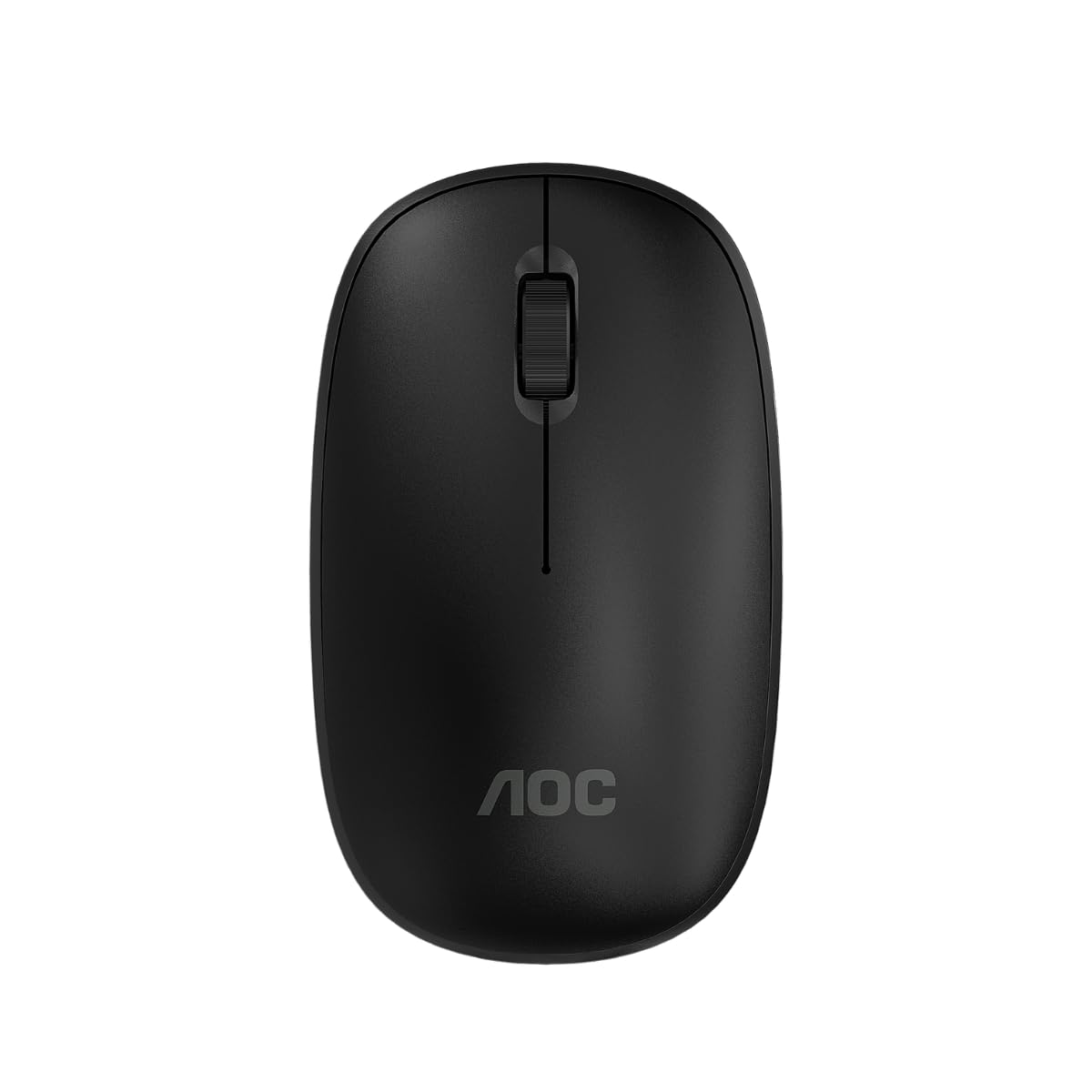
Image: The AOC MS200 Wireless Optical Mouse shown alongside its retail packaging.
Sadržaj paketa
Molimo Vas da provjerite sadržaj paketa kako biste bili sigurni da su svi artikli prisutni:
- AOC MS200 Wireless Optical Mouse
- USB 2.4 GHz Receiver
- Korisnički priručnik (ovaj dokument)
Napomena: Baterije nisu uključene i moraju se kupiti zasebno.
Setup
- Umetnite bateriju: Open the battery compartment cover located on the underside of the mouse. Insert one AA battery (not included), ensuring correct polarity (+/-). Close the cover securely.
- Povežite USB prijemnik: Locate the USB 2.4 GHz receiver, usually stored within the battery compartment or packaged separately. Plug the USB receiver into an available USB port on your computer.
- Uključivanje miša: Turn on the mouse using the power switch, typically located on the underside of the device. The mouse should automatically connect to your computer.
- Instalacija drajvera: Vaš operativni sistem bi trebao automatski prepoznati i instalirati potrebne upravljačke programe. Ručna instalacija upravljačkih programa obično nije potrebna.

Image: The underside of the AOC MS200 mouse, illustrating the optical sensor and the battery compartment.
Uputstvo za upotrebu
The AOC MS200 mouse features a standard three-button layout with a scroll wheel for intuitive navigation.
- Lijevo dugme: Primary click function for selecting items, opening links, etc.
- Desno dugme: Secondary click function, typically opens context menus.
- Točak za pomicanje: Pomičite se gore ili dolje kroz dokumente i web stranice. Kotačić za pomicanje također funkcionira kao srednji gumb kada se pritisne.
DPI podešavanje
The MS200 mouse features an adjustable DPI (Dots Per Inch) setting, allowing you to change cursor sensitivity. The mouse supports 800 and 1200 DPI settings. To switch between DPI modes, press the DPI button located on the top of the mouse, usually below the scroll wheel. Each press cycles through the available DPI settings.

Slika: Vrh view of the AOC MS200 mouse, highlighting the left and right click buttons, scroll wheel, and DPI adjustment button.
Održavanje
Čišćenje
Da biste održali optimalne performanse i higijenu, redovno čistite miš:
- Koristite meku krpu koja ne ostavlja dlačiceampnatopljen vodom ili blagim rastvorom za čišćenje.
- Izbjegavajte upotrebu jakih hemikalija, abrazivnih sredstava za čišćenje ili rastvarača.
- Do not allow liquids to enter the mouse casing.
- Clean the optical sensor on the underside of the mouse with a dry cotton swab to prevent tracking issues.
Zamjena baterije
When the mouse performance degrades or it stops responding, it is likely time to replace the battery:
- Otvorite pretinac za baterije na donjoj strani miša.
- Uklonite staru AA bateriju.
- Umetnite novu AA bateriju, pazeći na ispravan polaritet.
- Zatvorite poklopac odeljka za baterije.
Rješavanje problema
If you encounter issues with your AOC MS200 mouse, refer to the following common solutions:
- Miš ne reaguje:
- Provjerite je li miš uključen.
- Provjerite je li baterija pravilno umetnuta i dovoljno napunjena. Zamijenite je ako je potrebno.
- Provjerite je li USB prijemnik sigurno priključen u ispravan USB priključak na vašem računaru. Pokušajte s drugim USB priključkom.
- Ensure the mouse is within the 10-meter wireless range of the receiver.
- Ponovo pokrenite računar.
- Erratic cursor movement or no tracking:
- Očistite optički senzor na donjoj strani miša.
- Ensure you are using the mouse on a suitable surface. Highly reflective, transparent, or uneven surfaces may affect tracking.
- Kašnjenje ili odgođeni odgovor:
- Smanjite udaljenost između miša i USB prijemnika.
- Move the receiver to a front USB port if possible, to avoid interference from other devices.
- Ensure there are no large metal objects or other wireless devices causing interference between the mouse and receiver.
Specifikacije
| Feature | Specifikacija |
|---|---|
| Broj modela | AOCMS200B-LA |
| Tehnologija povezivanja | Bežično (2.4 GHz) |
| bežični domet | Do 10 metara |
| Senzorna tehnologija | Optički |
| DPI postavke | 800 / 1200 DPI (Adjustable) |
| Broj dugmadi | 3 (Lijevo, Desno, Kotačić za pomicanje/Sredina) |
| Izvor napajanja | Napajanje baterijama (1x AA, nisu uključene) |
| Materijal | Plastika |
| Težina proizvoda | 43 g |
| Dimenzije proizvoda | 10.4 x 6.1 x 0.1 cm (D x Š x V) |
| Trajnost | Switches with up to 2 million clicks lifespan |
| Boja | Crna |
Informacije o garanciji
AOC products are manufactured to the highest quality standards. This product is covered by a manufacturer's warranty. Please refer to the warranty card included with your purchase or visit the official AOC webweb stranicu za detaljne uslove garancije specifične za vašu regiju.
Podrška
For further assistance, technical support, or to inquire about replacement parts, please contact AOC customer service. You can find contact information and additional resources on the official AOC webstranica:
When contacting support, please have your product model (MS200) and any relevant purchase information ready.


