1. Uvod
Thank you for choosing the Skechers SR2147 Glenhaven Digital Watch. This watch combines a robust design with essential digital functions, including a chronograph, calendar, 12/24-hour time format, daily alarm with chime, and an EL backlight. This manual will guide you through the setup, operation, and maintenance of your new timepiece.
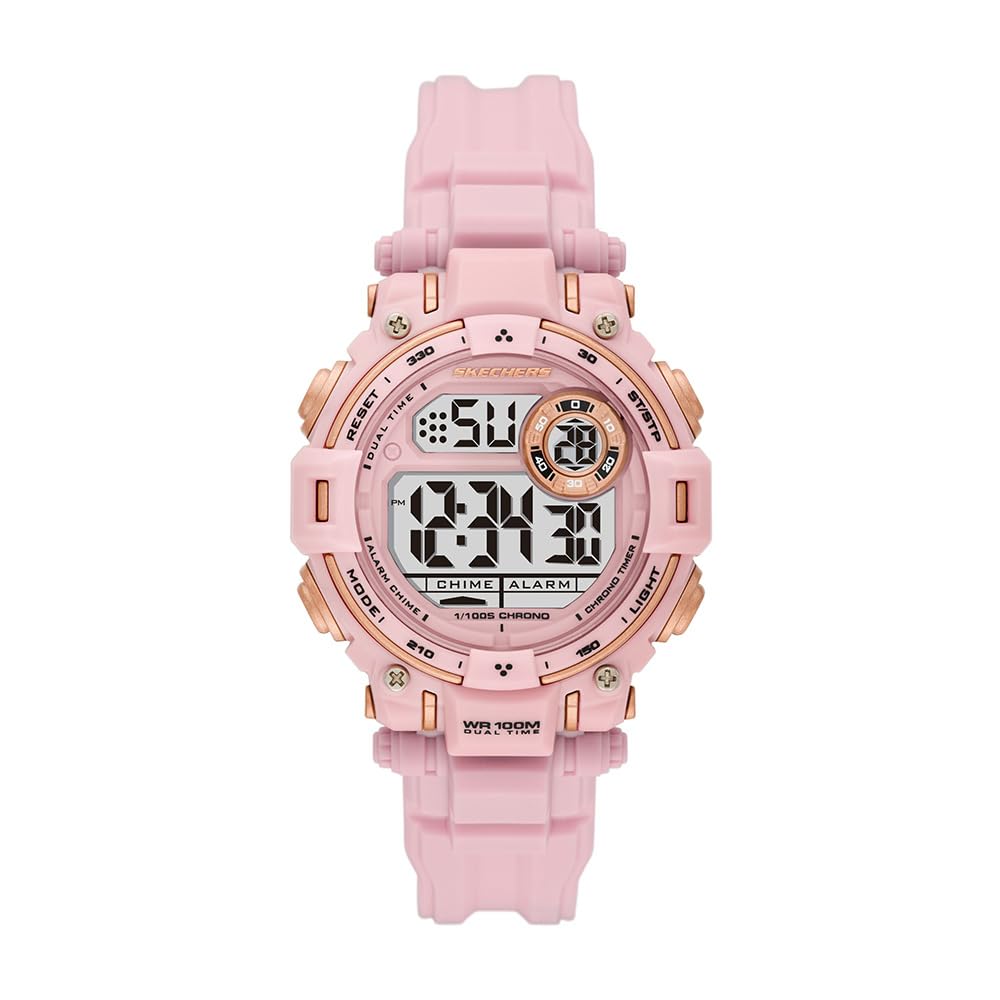
Slika 1: Prednja strana view of the Skechers SR2147 Glenhaven Digital Watch.
2. Podešavanje
2.1 Početna aktivacija
Your watch may arrive in a power-saving mode. If the display is blank, press any button to activate it. If a plastic battery tab is present, gently remove it from the side of the watch to allow the battery to make contact.
2.2 Podešavanje vremena i datuma

Slika 2: Bočna strana view of the watch, highlighting the MODE and RESET buttons.
- Pritisnite MODE više puta pritisnite dugme dok se ne prikaže režim podešavanja vremena (obično označen treperećim brojkama).
- Koristite RESET dugme da biste odabrali cifru ili postavku koju želite podesiti (npr. sati, minute, godina, mjesec, dan).
- Koristite START/STOP button (often located on the opposite side or top right) to increase the value. Hold to advance rapidly.
- Kada su sva podešavanja tačna, pritisnite dugme MODE ponovo pritisnite dugme da biste izašli iz načina podešavanja i vratili se na normalan prikaz vremena.
2.3 Nošenje sata
Adjust the polyurethane strap to fit comfortably around your wrist. The buckle clasp ensures a secure fit.

Figure 3: The Skechers SR2147 watch comfortably worn on a wrist.
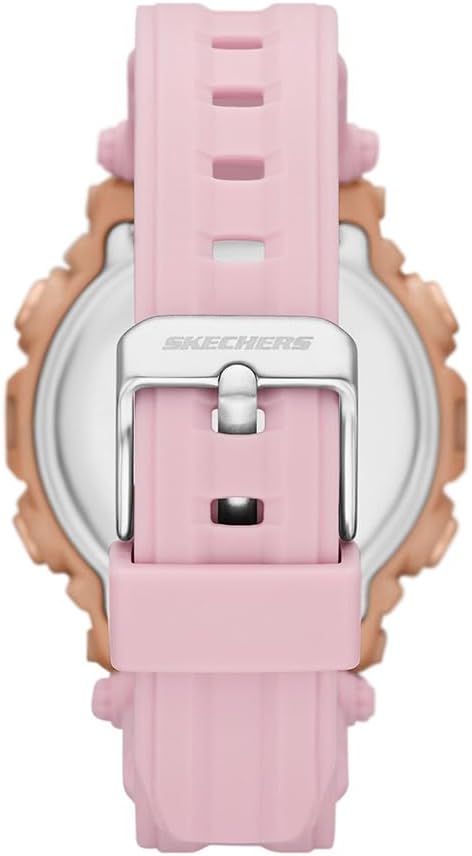
Figure 4: Close-up of the watch's buckle clasp for secure fastening.
3. Uputstvo za upotrebu
3.1 Navigacija kroz režime
Pritisnite MODE button to cycle through the different functions: Time Display → Chronograph → Alarm → Time Setting.
3.2 Hronograf (Štoperica)
- From the Time Display, press MODE until 'CHRONO' or 'STW' appears.
- Pritisnite START/STOP dugme za početak mjerenja vremena.
- Pritisnite START/STOP ponovo za pauzu.
- Pritisnite RESET da biste resetovali štopericu na nulu.
3.3 Dnevni alarm
- From the Time Display, press MODE until 'ALARM' or 'ALM' appears.
- Pritisnite RESET za odabir sati ili minuta.
- Koristite START/STOP dugme za podešavanje vremena alarma.
- Pritisnite MODE da potvrdite i izađete.
- Da biste aktivirali/deaktivirali alarm, obično pritisnite START/STOP while in the alarm display mode. An alarm icon will appear/disappear.
3.4 EL pozadinsko osvjetljenje
Pritisnite LIGHT button (usually on the top left) to illuminate the display for a few seconds in low-light conditions.
3.5 12/24-satni format
While in time setting mode, use the RESET or START/STOP dugme za prebacivanje između 12-satnog (sa indikatorom AM/PM) i 24-satnog formata.
4. Održavanje
4.1 Čišćenje
Redovno brišite sat mekom, suhom krpom. Za tvrdokornu prljavštinu koristite blago suhu krpu.amp cloth and mild soap, then rinse with clean water and dry thoroughly. Avoid harsh chemicals.
4.2 Otpornost na vodu
This watch is water-resistant up to 100 meters (10 ATM). This means it is suitable for swimming and snorkeling, but not for high-impact water sports or scuba diving. Do not operate buttons underwater.
4.3 Zamjena baterije
When the display dims or functions become erratic, the battery may need replacement. It is recommended to have the battery replaced by a qualified watch technician to ensure proper sealing and maintain water resistance.
5. Otkrivanje problema
- Ekran je prazan: Check if the battery tab has been removed. If not, the battery may be depleted. Replace the battery.
- Vrijeme je netačno: Refer to Section 2.2 to reset the time and date. Ensure the 12/24-hour format is set correctly.
- Alarm se ne oglašava: Ensure the alarm is activated (check for the alarm icon on the display). Verify the alarm time is set correctly.
- Dugmad ne reagiraju: The watch may be in a locked mode (unlikely for this model) or the battery is very low. Try replacing the battery. If issues persist, contact customer support.
6. Specifikacije
| Feature | Detalj |
|---|---|
| Broj modela | SR2147 |
| Brand | Skechers |
| Display Type | Digital |
| Movement Type | Kvarc |
| Izvor napajanja | Baterija |
| Materijal kućišta | Polikarbonat |
| Band Material | Poliuretan |
| Kristalni materijal | Mineralno staklo |
| Prečnik kućišta | 40 mm |
| Case Thickness | 14 mm |
| Band Width | 20 mm |
| Band Length | 19 cm |
| Otpornost na vodu | 100 metara (10 bankomata) |
| Težina | 50 grama |
| UPC | 796483670648 |
7. Garancija i podrška
7.1 Ograničena garancija
This Skechers watch is covered by a limited warranty. Please refer to the warranty card included with your purchase for specific terms and conditions. The warranty typically covers manufacturing defects but does not cover normal wear and tear, battery life, or damage caused by improper use or accidents.
7.2 Korisnička podrška
For further assistance, troubleshooting, or warranty claims, please contact Skechers customer support or the retailer from whom you purchased the watch. Keep your proof of purchase for warranty validation.

Figure 5: The Skechers watch product box, containing the watch and documentation.


