1. Uvod
Thank you for choosing the SUNLU S4 Filament Dryer. This device is designed to effectively dry 3D printer filaments, improving print quality and preventing common issues caused by moisture absorption. The S4 features a large capacity for up to four 1KG spools, rapid heating, uniform drying with triple fans, and intelligent humidity control for optimal filament conditioning.
2. Sigurnosna uputstva
- Prije upotrebe uređaja pročitajte sva uputstva.
- Osigurajte napajanje voltage matches the specifications indicated on the device.
- Nemojte rukovati uređajem mokrim rukama ili u damp okruženja.
- Držite uređaj dalje od zapaljivih materijala i izvora toplote.
- Ne blokirajte ventilacione otvore tokom rada.
- Isključite uređaj iz električne utičnice kada ga ne koristite ili prije čišćenja.
- Ne pokušavajte sami rastaviti ili popraviti uređaj. Obratite se korisničkoj podršci za pomoć.
- Čuvati van domašaja djece.
3. Sadržaj paketa
Molimo Vas da provjerite paket za sljedeće stavke:
- SUNLU S4 Filament Dryer Unit
- Adapter za napajanje
- Korisnički priručnik (ovaj dokument)
- 1KG White High Speed PLA+2.0 Filament (bundled item)
4. Proizvod je gotovview
The SUNLU S4 Filament Dryer is designed to provide optimal drying conditions for various 3D printing filaments. Key features include:
- Veliki kapacitet: Accommodates up to four 1KG spools simultaneously, enabling multi-color or multi-machine printing without interruption.
- brzo grijanje: Equipped with a 350W PTC heater, the S4 heats from 25℃ to 50℃ in approximately 30 minutes, ensuring efficient drying.
- Uniform Drying: Three built-in fans (two circulating on sides, one on bottom) maintain a temperature balance within ±3℃ for consistent drying throughout the box.
- Triple Security: Features PTC, temperature switch, and software protection for enhanced safety and real-time temperature monitoring.
- Smart Auto Humidity Control: Allows users to set a desired humidity range (30%~50%). The dryer automatically starts drying when humidity exceeds the set range and stops when it falls below 25% to prevent over-drying.
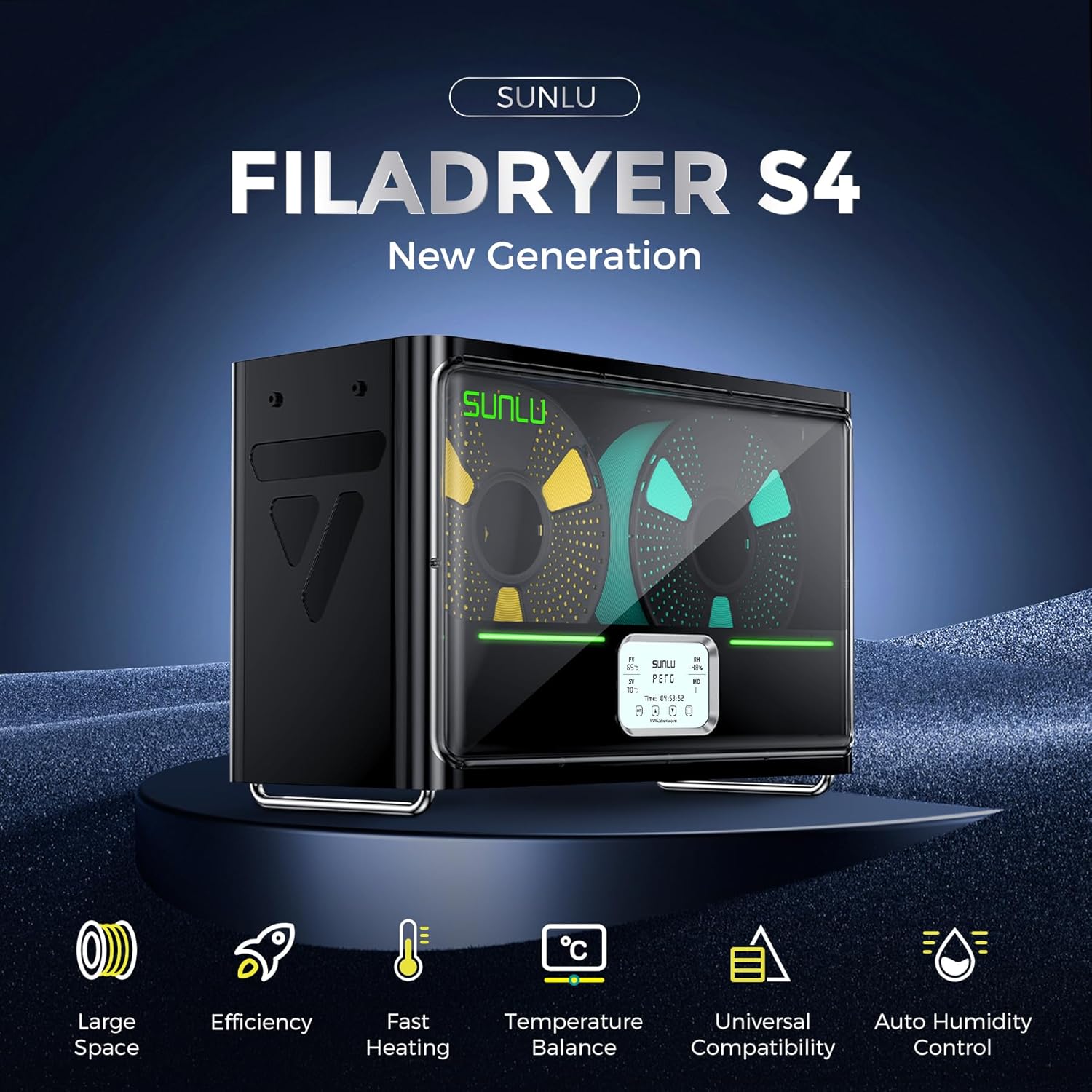
Image: The SUNLU S4 Filament Dryer highlighting its main features including large space, efficiency, fast heating, temperature balance, universal compatibility, and auto humidity control.
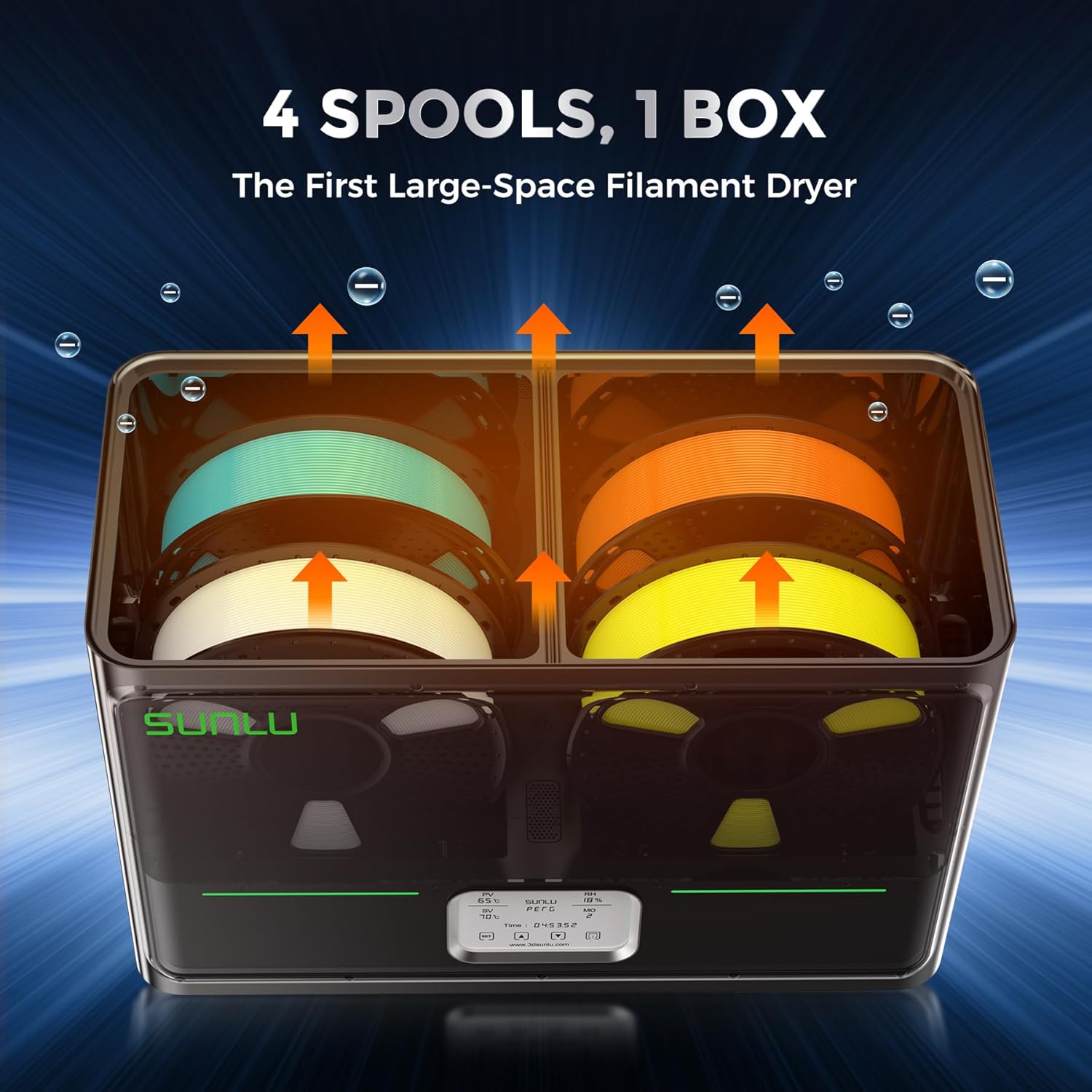
Slika: Interni view of the SUNLU S4 Filament Dryer demonstrating its capacity to hold four 1KG filament spools, with arrows indicating airflow for drying.

Image: A visual comparison showing a 3D printed object made with wet filament (left, rough surface) versus the same object made with dried filament (right, smooth surface), illustrating the benefits of drying.
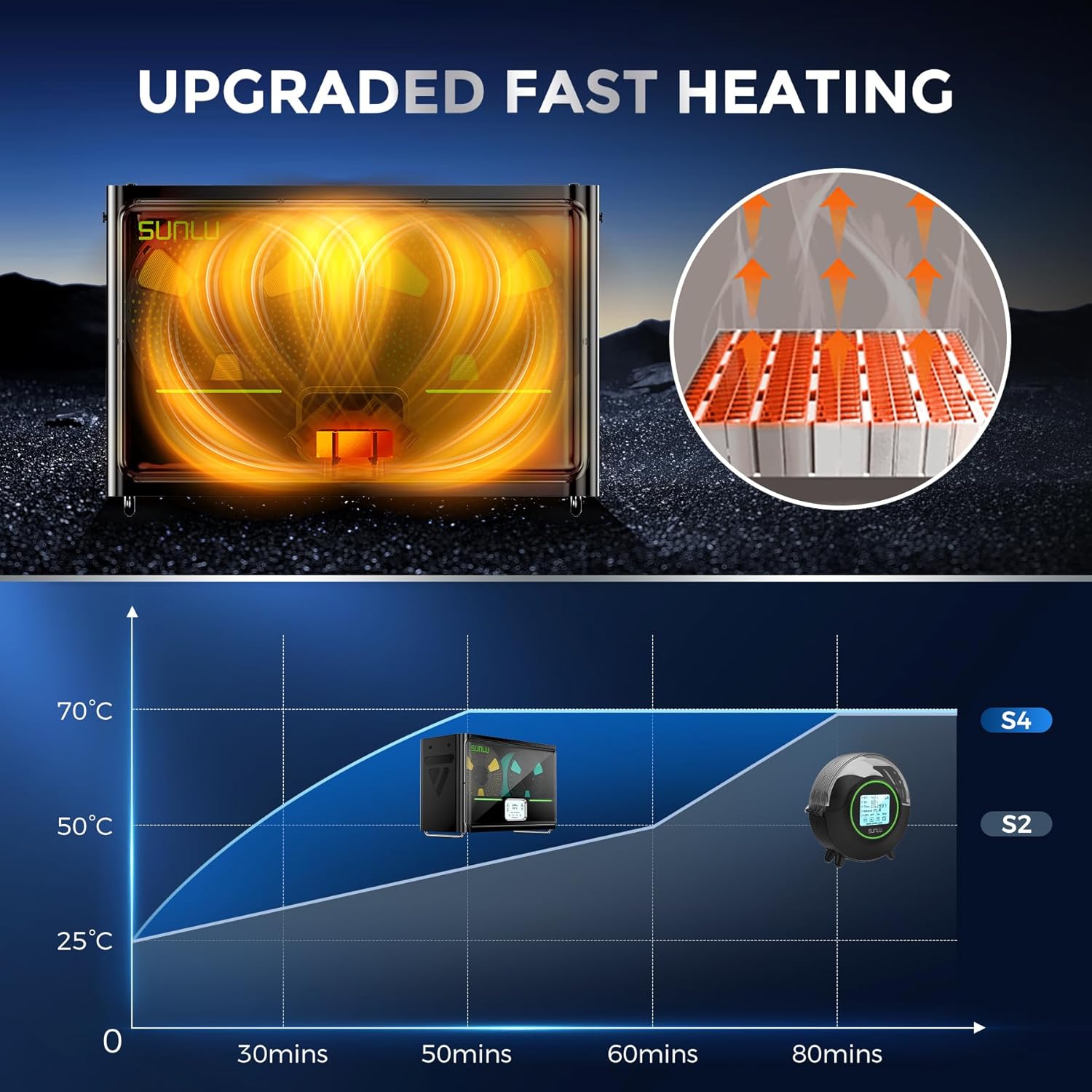
Image: A graph illustrating the rapid heating capability of the SUNLU S4, showing it reaches 50°C from 25°C in approximately 30 minutes, significantly faster than previous models.

Image: An illustration depicting the three internal fans of the SUNLU S4, highlighting their role in circulating air for uniform and 360-degree drying of filament.

Image: A diagram showing the triple security features of the S4: Smart PTC, Temperature Switch, and Software Protection, ensuring safe operation with real-time temperature monitoring.
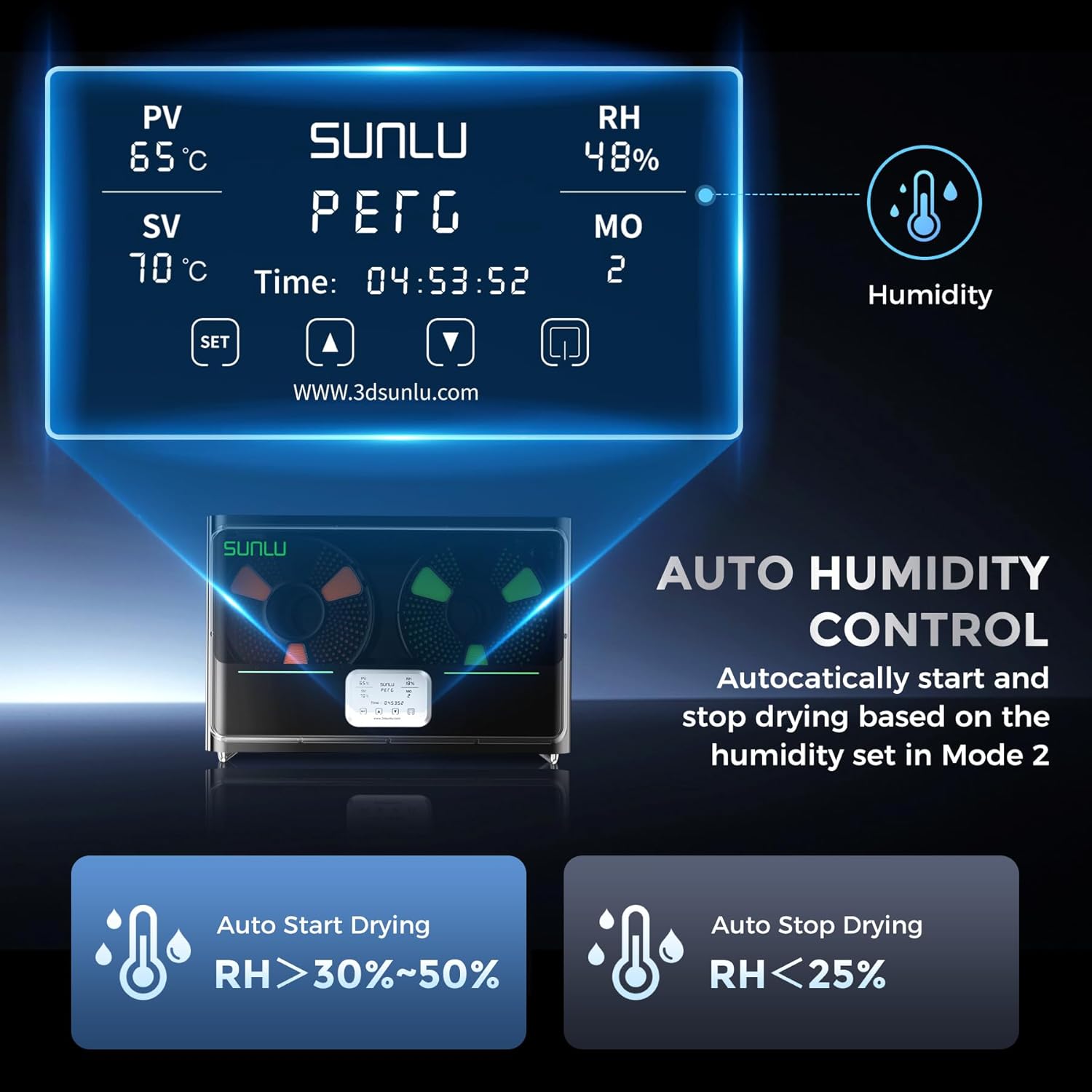
Image: The control panel display of the SUNLU S4, showing current temperature (PV), set temperature (SV), relative humidity (RH), and mode (MO). It also illustrates the auto humidity control logic for starting and stopping drying.
5. Podešavanje
- Raspakirajte: Carefully remove the SUNLU S4 Filament Dryer and all accessories from the packaging.
- plasman: Place the dryer on a stable, flat, and heat-resistant surface, ensuring adequate ventilation around the unit.
- Učitavanje filamenta: Open the lid of the dryer. Place up to four 1KG filament spools onto the internal rollers. Ensure the filament can unroll smoothly.
- Priključite napajanje: Plug the power adapter into the dryer's power input port, then connect the adapter to a suitable power outlet.
- Uključeno: Press the power button to turn on the device. The display will illuminate.
6. Uputstvo za upotrebu
The SUNLU S4 offers various modes for drying filament. Refer to the display and control buttons for operation.
6.1. Osnovni rad
- Uključivanje/isključivanje: Pritisnite dugme za napajanje da uključite ili isključite jedinicu.
- Temperature Setting (SV): Use the 'SET' button to enter temperature adjustment mode. Use the up/down arrows to set the desired drying temperature. Press 'SET' again to confirm.
- Drying Time Setting: The dryer typically operates for a set duration or until humidity targets are met. Consult the on-screen display for current drying time.
6.2. Auto Humidity Control (Mode 2)
This mode allows the dryer to automatically manage humidity levels to prevent over-drying while ensuring optimal conditions.
- Activate Mode 2: Navigate to Mode 2 on the display.
- Set Humidity Range: In Mode 2, you can adjust the target humidity range, typically between 30% and 50%.
- Automatski rad: The S4 will automatically initiate drying when the internal relative humidity (RH) rises above your set range.
- Automatsko zaustavljanje: Drying will automatically cease when the internal RH drops below 25%, preserving filament quality.
Napomena: Always refer to the specific filament manufacturer's recommendations for optimal drying temperatures and durations.
7. Održavanje
- čišćenje: Ensure the device is unplugged before cleaning. Use a soft, dry cloth to wipe the exterior. Do not use abrasive cleaners or solvents.
- Unutrašnje čišćenje: Periodically check the interior for any filament debris or dust. Use a soft brush or compressed air to gently remove any accumulation.
- Skladištenje: When not in use for extended periods, store the dryer in a cool, dry place, away from direct sunlight and moisture.
8. Otkrivanje problema
| Problem | Mogući uzrok | Rješenje |
|---|---|---|
| Uređaj se ne uključuje | Nema napajanja; labava veza | Check power cable connection; ensure outlet is functional. |
| Filament se ne suši efikasno | Incorrect temperature/time settings; heavily saturated filament | Increase drying temperature or duration; ensure correct mode is selected. |
| Temperaturne fluktuacije | Blocked vents; extreme ambient temperature | Ensure vents are clear; operate in a stable room temperature environment. |
| Ekran ne radi | Power issue; internal fault | Uključite i isključite uređaj. Ako problem i dalje postoji, obratite se podršci. |
9. Specifikacije
| Feature | Detalj |
|---|---|
| Model | S4 |
| Brand | SUNLU |
| Heating Power | PTC grijač od 350 W |
| Kapacitet filamenta | Up to 4 x 1KG spools |
| Kontrola temperature | ±3℃ balance |
| Kontrola vlažnosti | Auto start (RH > 30-50%), Auto stop (RH < 25%) |
| Sigurnosne karakteristike | PTC, Temperature Switch, Software Protection |
| ASIN | B0FS74DPRD |
| Datum prve dostupnosti | 6. jul 2025 |
10. Garancija i podrška
SUNLU products are manufactured to high-quality standards. For warranty information, technical support, or service inquiries, please refer to the official SUNLU website or contact your retailer. Please have your product model (S4) and purchase information ready when contacting support.