Uvod
This manual provides detailed instructions for the setup, operation, maintenance, and troubleshooting of your MCHOSE Mix 87 TKL Wired Gaming Keyboard. Please read this manual thoroughly to ensure proper use and to maximize the performance of your device.
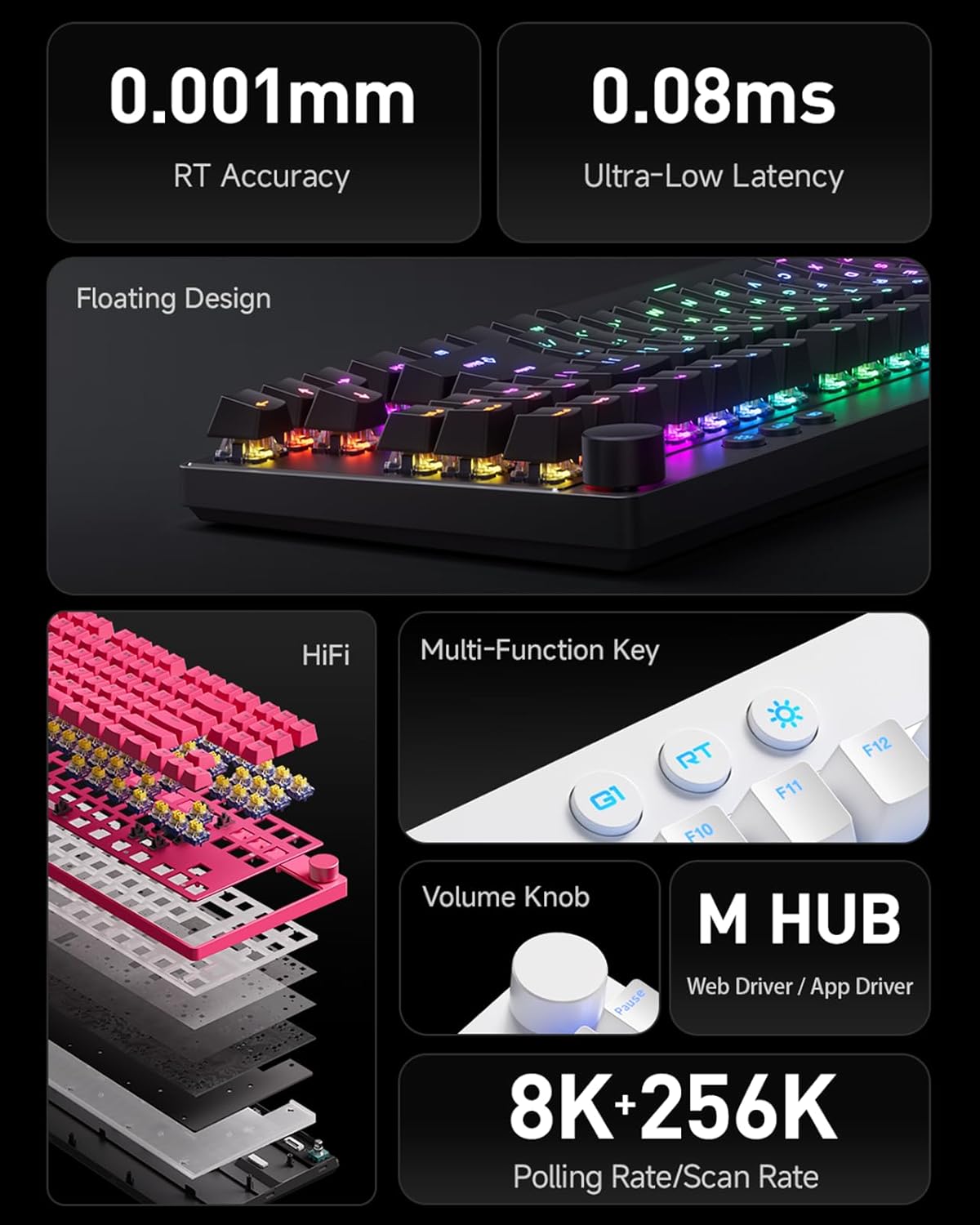
Slika: Prekoview of MCHOSE Mix 87 TKL keyboard features, highlighting 0.001mm RT Accuracy, 0.08ms Ultra-Low Latency, Floating Design, HiFi sound dampening, Multi-Function Key, Volume Knob, M HUB software, and 8K Polling Rate / 256K Scan Rate.
1. Podešavanje
1.1 Sadržaj paketa
Provjerite da li su sve stavke prisutne u paketu:
- MCHOSE Mix 87 TKL Wired Gaming Keyboard
- USB-C kabl
- Korisnički priručnik (ovaj dokument)
- Izvlakač za ključeve (ako je uključen)
- Izvlakač prekidača (ako je uključen)
1.2 Povezivanje tastature
- Locate the USB-C port on the back or side of the MCHOSE Mix 87 keyboard.
- Spojite jedan kraj priloženog USB-C kabla na USB-C port tastature.
- Connect the other end of the USB-C cable to an available USB port on your computer, gaming console (PS5, XBOX), or laptop.
- Vaš operativni sistem će automatski prepoznati tastaturu.
1.3 Driver Installation (MCHOSE Driver)
For advanced customization and features, install the MCHOSE driver software:
- Posjetite službeni MCHOSE webstranica (www.mchose.com) to download the latest MCHOSE driver (M HUB Web/App Driver).
- Pratite uputstva na ekranu da biste dovršili instalaciju.
- The driver allows for key remapping, RGB lighting adjustments, and activation of advanced gaming features like Rapid Trigger and Berserk Mode.
- All settings can be saved to the keyboard's onboard memory.
2. Uputstvo za upotrebu
2.1 Osnovne funkcije tastature
The MCHOSE Mix 87 functions as a standard TKL keyboard for typing and general computer use upon connection.
2.2 Rad dugmeta za jačinu zvuka

Image: Close-up of the volume knob on the MCHOSE Mix 87 TKL keyboard, illustrating its functions: Rotate to Adjust Volume and Press to Mute.
- rotirati: Turn the knob clockwise to increase volume, and counter-clockwise to decrease volume.
- Pritisnite: Pritisnite dugme da biste isključili ili uključili zvuk.
2.3 Multi-Function Keys and RGB Lighting

Image: Close-up of the multi-function keys (G1, RT, Adjustable Lighting) and volume knob on the MCHOSE Mix 87 TKL keyboard.
The keyboard features dedicated multi-function keys for quick access to specific features:
- G1 Key: One-Key Desktop Switch (Customizable). This key can be configured via the MCHOSE driver for various functions.
- RT ključ: One-Key Profile Switching. Use this key to cycle through different Rapid Trigger profiles configured in the MCHOSE driver.
- Lighting Key (Sun icon): Adjustable Lighting Brightness. Press this key to cycle through different RGB brightness levels or lighting effects. Further customization is available through the MCHOSE driver.
2.4 Advanced Customization (MCHOSE Driver)

Image: Diagram illustrating advanced features of the MCHOSE Mix 87 TKL keyboard, including Magnetic Switch Algorithm 3.0, RT Smart (15-Level Adjustability), ADC Direct Connection for WASD keys, and Customizable Dynamic Keystroke Travel (DKS, SOCD, MT, TGL, RS, key macros).
The MCHOSE driver unlocks the full potential of your keyboard:
- Ponovno mapiranje ključa: Dodijelite prilagođene funkcije bilo kojem tasteru.
- RGB rasvjeta: Customize per-key RGB lighting, effects, and brightness.
- Brzi okidač: Adjust the sensitivity and behavior of Rapid Trigger for instant key activation and deactivation.
- Berserk Mode: Activate specialized gaming modes for enhanced performance.
- Podesiva tačka aktiviranja: Set the actuation point for each key from 0.1mm to 4.0mm to match your preference.
- Dynamic Keystroke Travel (DKS): Configure multiple actions based on key press depth.
- Simultaneous Opposite Cardinal Directions (SOCD): Manage conflicting directional inputs for precise movement in games.
- Makro snimanje: Create and assign complex key sequences to a single key.
- Ostale karakteristike: Explore MT (Mod-Tap), TGL (Toggle), and RS (Rapid Stop) functionalities for advanced control.
3. Održavanje
3.1 Čišćenje tastature
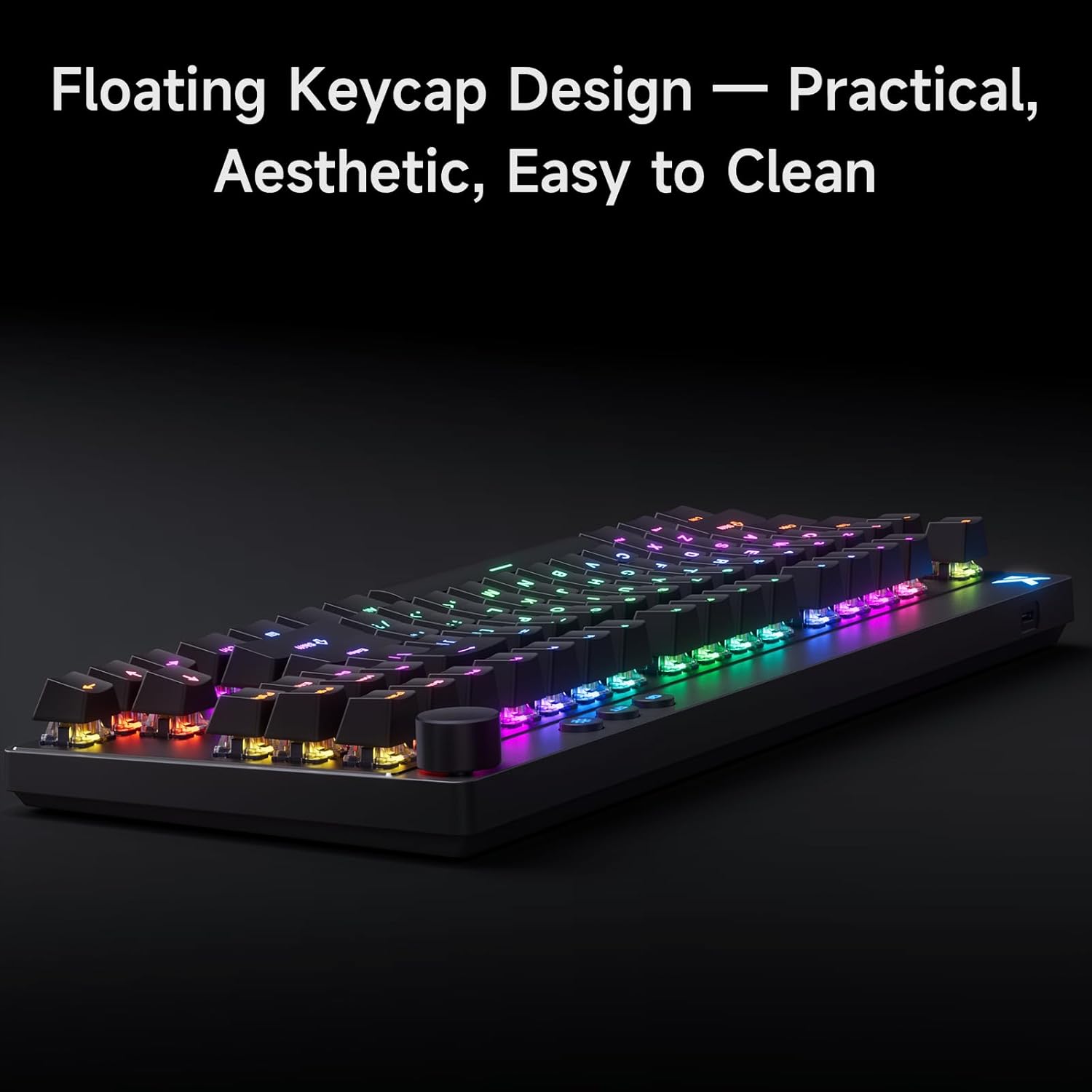
Image: The MCHOSE Mix 87 TKL keyboard showcasing its floating keycap design, which facilitates easy cleaning and maintenance.
The MCHOSE Mix 87 TKL keyboard features a floating keycap design, which makes cleaning easier:
- Uklanjanje prašine: Koristite limenku komprimiranog zraka da otpuhate prašinu i ostatke između tipki.
- Čišćenje tipki: Gently remove keycaps using a keycap puller (if provided). Clean keycaps with a soft, damp cloth and mild soap solution. Ensure keycaps are completely dry before reattaching.
- Čišćenje površine: Wipe the keyboard surface with a soft, lint-free cloth. For stubborn marks, slightly dampen the cloth with water or a mild electronics cleaner. Avoid excessive moisture.
- Održavanje prekidača: The keyboard uses magnetic switches. Avoid disassembling the switches unless you are familiar with the process, as it may void your warranty.
Uvijek isključite tastaturu iz računara prije čišćenja.
4. Otkrivanje problema
4.1 Tastatura ne reaguje
- Provjerite vezu: Ensure the USB-C cable is securely connected to both the keyboard and the computer's USB port. Try a different USB port.
- Integritet kabla: Test with a different USB-C cable if available, to rule out a faulty cable.
- Ponovo pokrenite računar: Ponekad jednostavno ponovno pokretanje sistema može riješiti probleme s povezivanjem.
- Provjera vozača: Verify that the MCHOSE driver is installed correctly and up to date.
4.2 Tipke se ne registruju ili se tipkaju dva puta
- Adaptive Dynamic Calibration 2.0: The keyboard features Adaptive Dynamic Calibration 2.0, which automatically recalibrates key actuation on every press. This should prevent most issues related to inconsistent key presses.
- Clean Keycaps/Switches: Dust or debris under a keycap can interfere with switch operation. Refer to the Maintenance section for cleaning instructions.
- Postavke drajvera: Check the MCHOSE driver for any custom actuation point settings that might be too sensitive or too deep for your typing style. Reset to default if necessary.

Image: A user interacting with the MCHOSE Mix 87 TKL keyboard, illustrating the function of Adaptive Dynamic Calibration 2.0 for precise and stable key actuation without manual adjustment.
4.3 Problemi sa RGB osvjetljenjem
- Podešavanje svjetline: Use the dedicated lighting key (sun icon) to adjust brightness.
- MCHOSE Driver: All RGB lighting customization is managed through the MCHOSE driver. Ensure the driver is running and settings are applied.
- Softverski sukobi: If you have other RGB control software installed, it might conflict with the MCHOSE driver. Try disabling other software.
5. Specifikacije
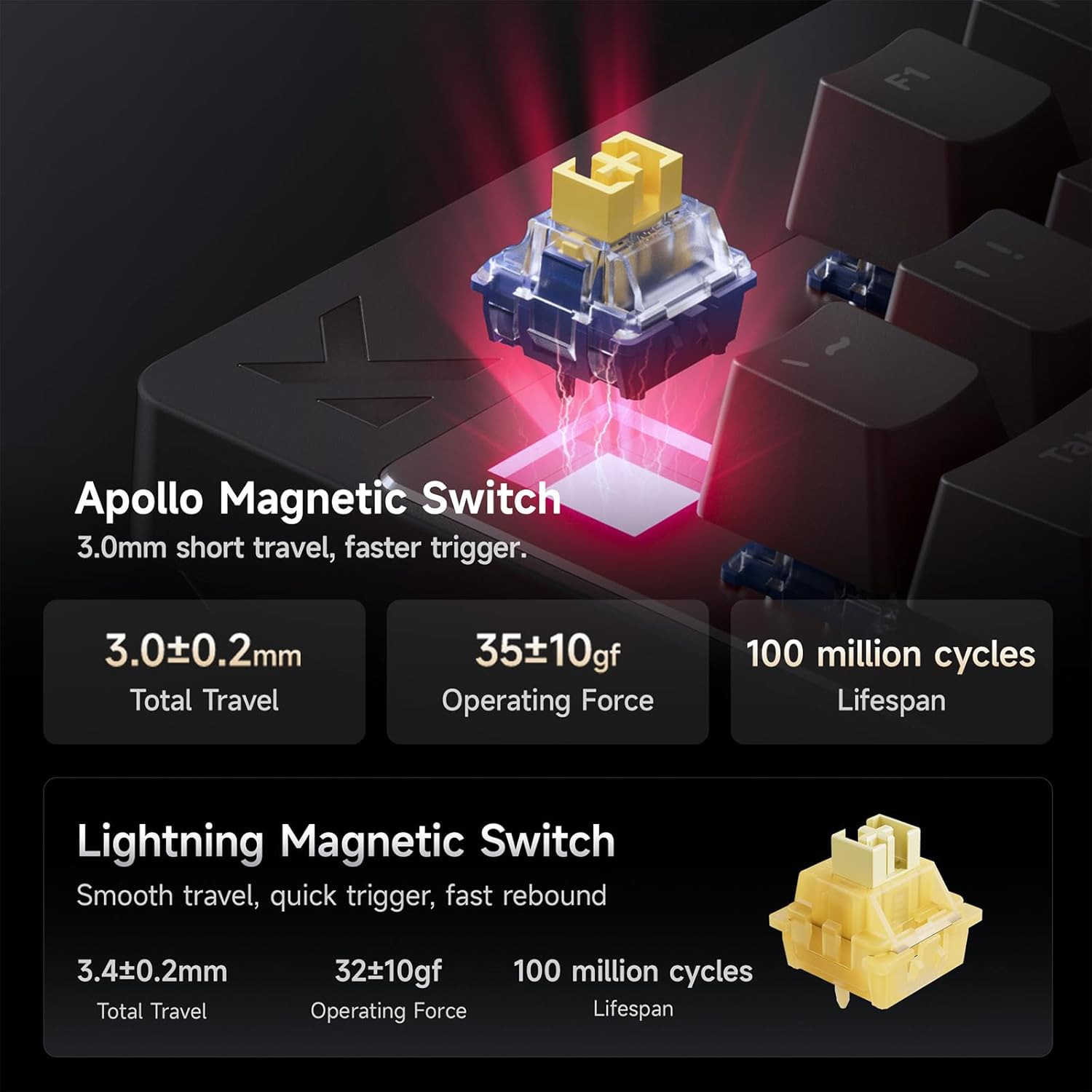
Image: Detailed specifications for the Apollo Magnetic Switch and Lightning Magnetic Switch, including total travel, operating force, and lifespan.
| Feature | Detalj |
|---|---|
| Model | Miješati 87 |
| Layout | TKL (Tenkeyless) |
| Povezivanje | Žični (USB-C) |
| Tip prekidača | Magnetic Hall Effect Switches (e.g., Apollo Magnetic Switch) |
| Tačka aktiviranja | Podesiva od 0.1 mm do 4.0 mm |
| Brza preciznost okidanja | 0.001mm |
| Latencija | 0.08ms (Ultra Esports Edition) |
| Polling Rate | 8K (8000Hz) |
| Scan Rate | Do 256K |
| Kapice | PBT with front-facing shine-through legends, Floating Keycap Design |
| Pozadinsko osvetljenje | RGB |
| Kompatibilni uređaji | PC, Laptop, Gaming Console (PS5, XBOX) |
| Dimenzije proizvoda | 14.5 cm D x 6 cm Š x 1.2 cm V |
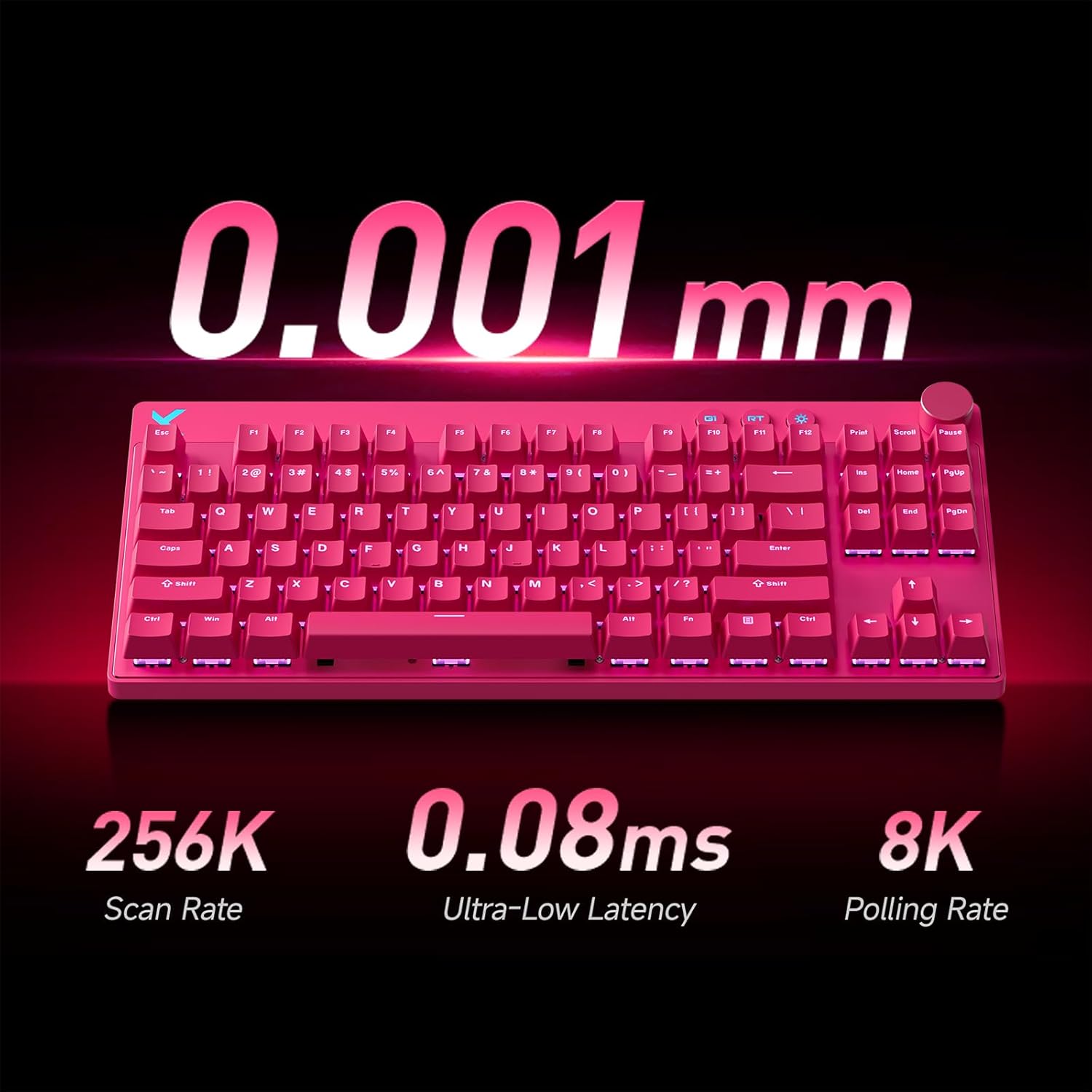
Image: A pink MCHOSE Mix 87 TKL keyboard highlighting key performance metrics: 256K Scan Rate, 0.08ms Ultra-Low Latency, and 8K Polling Rate.
6. Informacije o garanciji
MCHOSE products are covered by a limited warranty against defects in materials and workmanship. The specific duration and terms of the warranty may vary by region and product. Please retain your proof of purchase for warranty claims.
For detailed warranty information, please visit the official MCHOSE websajtu ili kontaktirajte korisničku podršku.
7. Korisnička podrška
If you encounter any issues or have questions regarding your MCHOSE Mix 87 TKL Wired Gaming Keyboard that are not covered in this manual, please contact MCHOSE customer support:
- Webstranica: www.mchose.com (for FAQs, driver downloads, and support contact information)
- Email: Refer to the MCHOSE webstranicu za određene adrese e-pošte za podršku.
- Online resursi: Check the MCHOSE brand store on Amazon for additional product information and support links.


