1. Uvod
Thank you for choosing the SKAPENDY VK84 2.4GHz Wireless Gaming Headset. This headset is designed to provide a high-quality audio experience for gaming across various platforms. It features dual connectivity modes (2.4GHz wireless and Bluetooth), stereo sound, a noise-canceling microphone, and a comfortable design for extended use. Please read this manual carefully to ensure proper setup and operation.

Image 1.1: SKAPENDY VK84 Wireless Gaming Headset and its USB dongle.
2. Sadržaj paketa
- SKAPENDY VK84 Wireless Gaming Headset
- 2.4GHz USB Dongle (za bežičnu vezu)
- USB kabl za punjenje
- Korisnički priručnik (ovaj dokument)
3. Proizvod je gotovview: Controls and Indicators

Slika 3.1: Gotovoview of headset controls and their functions.
- Dugme za način rada (M): Short press to switch between Game Mode and Music Mode. Long press for 3 seconds to connect Bluetooth. Long press for 6 seconds to clear Bluetooth pairing.
- Microphone On/Off Button: Click to toggle microphone mute. Long press for 2 seconds to switch between Bluetooth and 2.4G modes.
- Dugme za pojačavanje zvuka / sljedeću pjesmu: Click to increase volume. Long press for 2 seconds for next track.
- Dugme za smanjivanje jačine zvuka / prethodnu pjesmu: Click to decrease volume. Long press for 2 seconds for previous track.
- Power / Play/Pause / Call Management Button: Long press for 3 seconds to power on. Long press for 4 seconds to power off. Click to play/pause audio or answer/hang up calls. Long press for 2 seconds to reject a call. Double click to redial the last call.
4. Podešavanje
4.1 Početno punjenje
Before first use, fully charge the headset using the provided USB charging cable. Connect the USB cable to a power source (e.g., computer USB port, USB wall adapter) and the charging port on the headset. The charging indicator light will show charging status and turn off when fully charged. A full charge takes approximately 2.5 hours and provides up to 50 hours of playtime.
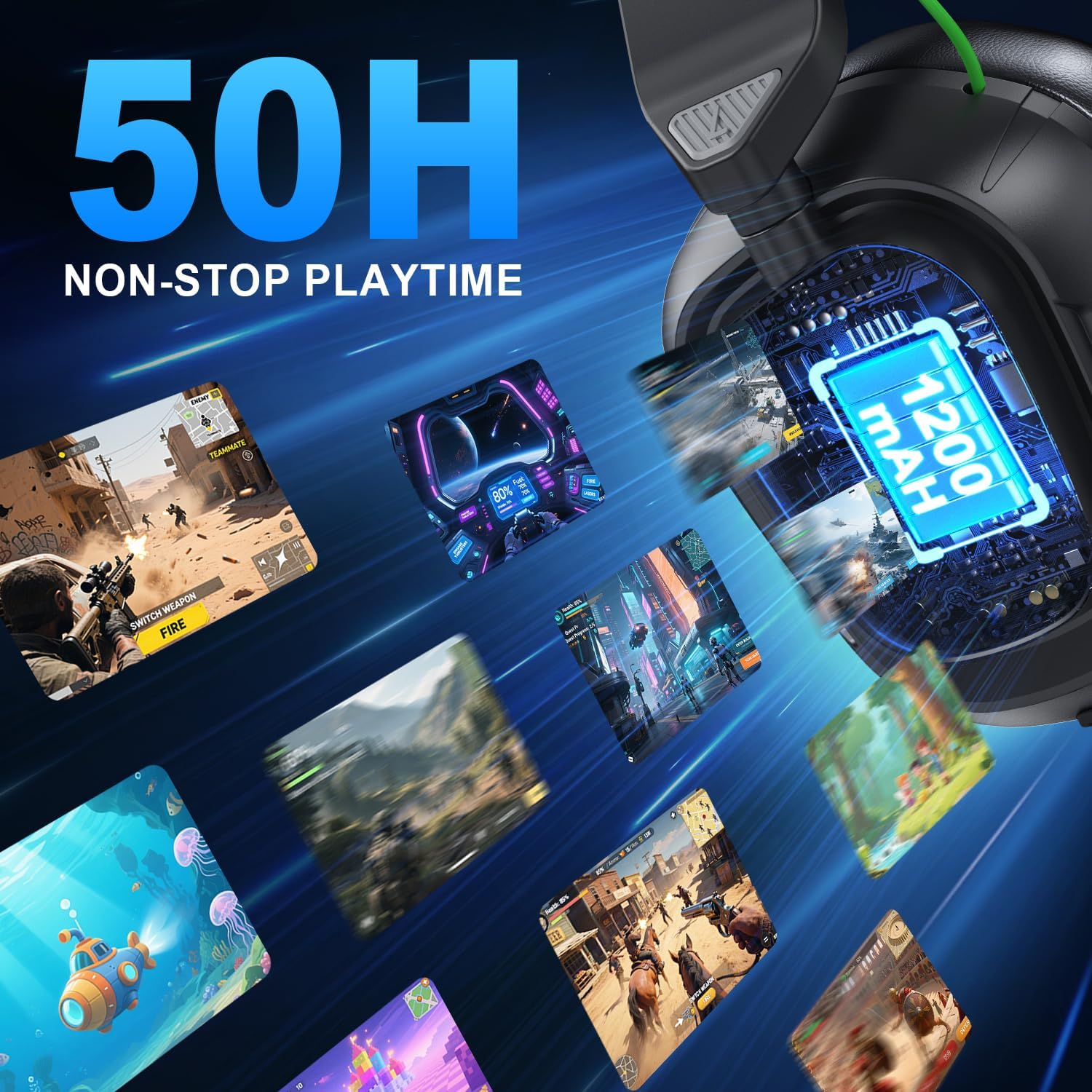
Image 4.1: The headset offers up to 50 hours of playtime on a single charge.
4.2 2.4GHz Wireless Connection (for Xbox Series X|S, Xbox One, Xbox 360, PS5/PS4, PC)
The 2.4GHz wireless mode provides low-latency audio for gaming. This mode requires the use of the included USB dongle.
- For Xbox Consoles (Series X|S, One, 360):
a. Ensure your Xbox controller is an official Xbox controller.
b. Insert the 2.4GHz USB dongle into the USB port of your Xbox console.
c. For Xbox Series X|S and Xbox One, connect the dongle to the 3.5mm audio jack of your official Xbox controller. Ensure it is firmly plugged in. The dongle will flash a blue light when connected correctly.
d. For Xbox 360, connect the dongle directly to a USB port on the console.
e. Power on the headset by long pressing the Power button for 3 seconds. The headset will automatically connect to the dongle. - For PlayStation Consoles (PS5/PS4) & PC:
a. Insert the 2.4GHz USB dongle directly into an available USB port on your PS5, PS4, or PC.
b. Power on the headset by long pressing the Power button for 3 seconds. The headset will automatically connect to the dongle.
c. On PS5/PS4, navigate to Sound Settings and ensure the headset is selected as the audio output and input device.
d. On PC, ensure the headset is selected as the default playback and recording device in your sound settings.

Image 4.2: Correct connection of the 2.4GHz adapter to an Xbox controller.

Image 4.3: Ensure the Xbox adapter is tightly connected to prevent audio issues.
4.3 Bluetooth Connection (for PC/Laptop/Mac, Switch, Mobile Devices)
The Bluetooth mode is suitable for general audio listening and communication with compatible devices.
- Power on the headset by long pressing the Power button for 3 seconds.
- Long press the Mode button (M) for 3 seconds to enter Bluetooth pairing mode. The indicator light will flash, indicating it is ready to pair.
- On your device (PC, Laptop, Mac, Switch, or mobile phone), enable Bluetooth and search for available devices.
- Select "SKAPENDY VK84" from the list of found devices to pair.
- Once paired, the indicator light on the headset will stop flashing.
Note: Bluetooth mode is not compatible with PS4 and PS5 consoles. For Nintendo Switch, the microphone function is not supported via Bluetooth.

Image 4.4: Connectivity options for various devices.
5. Uputstvo za upotrebu
5.1 Uključivanje/isključivanje napajanja
- Uključeno: Dugo pritisnite dugme za napajanje na 3 sekunde.
- Iskljuciti: Dugo pritisnite dugme za napajanje na 4 sekunde.
5.2 Kontrola jačine zvuka
- Povećajte jačinu zvuka: Click the Volume Up button.
- Smanji jačinu zvuka: Click the Volume Down button.
5.3 Isključivanje/uključivanje mikrofona
- Click the Microphone On/Off button to toggle the microphone mute function.
5.4 Mode Switching (Game Mode / Music Mode)
- Short press the Mode button (M) to switch between Game Mode (optimized for immersive sound effects) and Music Mode (optimized for rich and dynamic audio).
5.5 Call Management (Bluetooth Mode Only)
- Odgovori/prekini poziv: Kliknite na dugme za napajanje.
- odbiti poziv: Dugo pritisnite dugme za napajanje na 2 sekunde.
- Ponovno biranje posljednjeg poziva: Dvaput kliknite na dugme za napajanje.
6. Održavanje
- čišćenje: Za čišćenje slušalica koristite meku, suhu krpu. Izbjegavajte upotrebu jakih hemikalija ili abrazivnih materijala.
- Skladištenje: Slušalice čuvajte na hladnom i suhom mjestu, dalje od direktne sunčeve svjetlosti i ekstremnih temperatura.
- Održavanje baterije: Da biste produžili vijek trajanja baterije, izbjegavajte često potpuno pražnjenje slušalica. Redovno ih punite, čak i ako ih ne koristite duži period.
- mikrofon: The microphone is adjustable. Handle it gently when positioning.
7. Otkrivanje problema
| Issue | Mogući uzrok | Rješenje |
|---|---|---|
| Nema zvuka iz slušalica | Slušalice nisu uključene Neispravan način povezivanja Glasnoća je preniska Device audio settings incorrect | Provjerite jesu li slušalice uključene. Verify 2.4GHz dongle is correctly inserted or Bluetooth is paired. Povećajte jačinu zvuka slušalica i uređaja. Check device sound output settings. |
| Mikrofon ne radi | Mikrofon je isključen Incorrect device input settings Bluetooth mode on Switch | Unmute microphone using the button. Check device sound input settings. Microphone is not supported on Switch via Bluetooth. |
| Connection unstable/laggy | Interferencija Distance from dongle/device Niska baterija | Move closer to the dongle/device. Ensure no strong interference sources nearby. Napunite slušalice. |
| Bluetooth not connecting to PS4/PS5 | Bluetooth incompatibility | Bluetooth mode is not compatible with PS4/PS5. Use 2.4GHz mode with the USB dongle for these consoles. |
8. Specifikacije
- Model: VK84
- Povezivanje: 2.4GHz bežični, Bluetooth
- Trajanje baterije: Do 50 sati
- Vrijeme punjenja: Približno 2.5 sata
- Audio drajveri: 50mm high-density dual neodymium
- mikrofon: Adjustable, Noise-Canceling, Omnidirectional
- Dimenzije: 7.48 x 3.54 x 5.51 inča
- Težina artikla: 12 unce
- UPC: 657381061276
9. Zvanični video proizvoda
Video 9.1: Zvanična video prezentacija proizvodaasing the SKAPENDY VK84 2.4GHz Wireless Gaming Headset, its features, and usage.
10. Garancija i podrška
SKAPENDY products are designed for reliability and performance. For warranty information, technical support, or customer service inquiries, please refer to the contact information provided on the product packaging or visit the official SKAPENDY webMolimo sačuvajte dokaz o kupovini za potrebe reklamacije.

