1. Uvod
Hvala na kupoviniasing the GOBOULT Bassbox X20 Bluetooth Speaker. This manual provides essential information for setting up, operating, and maintaining your device. Please read it carefully before use to ensure optimal performance and longevity.

Slika 1.1: Prednja strana view of the GOBOULT Bassbox X20 Bluetooth Speaker.
2. Sadržaj paketa
Ensure all items are present in the package. If any item is missing or damaged, please contact customer support.
- GOBOULT Bassbox X20 Soundbar
- Korisnički priručnik (ovaj dokument)
- Garantni list
- Kabel za punjenje (tip-C)
Note: The product features integrated bass drivers, referred to as 'Subwoofer' in some listings, which are part of the main soundbar unit.
3. Proizvod je gotovview
3.1 Ključne karakteristike
- 20W Bass Boosted Sound: Delivers clear and dynamic audio with enhanced bass.
- Dual Dynamic Drivers: Provides balanced sound across all frequencies.
- Do 6 sati reprodukcije: Produženi vijek trajanja baterije za kontinuiranu reprodukciju zvuka.
- Bluetooth 5.4 tehnologija: Osigurava stabilnu i brzu bežičnu vezu.
- Multi-Connectivity Options: Supports Bluetooth, AUX, TF Card, and USB input.
- Prijenosni dizajn: Kompaktan i lagan za lak transport.
- True Wireless Stereo (TWS) funkcija: Connect two Bassbox X20 speakers for a stereo experience.
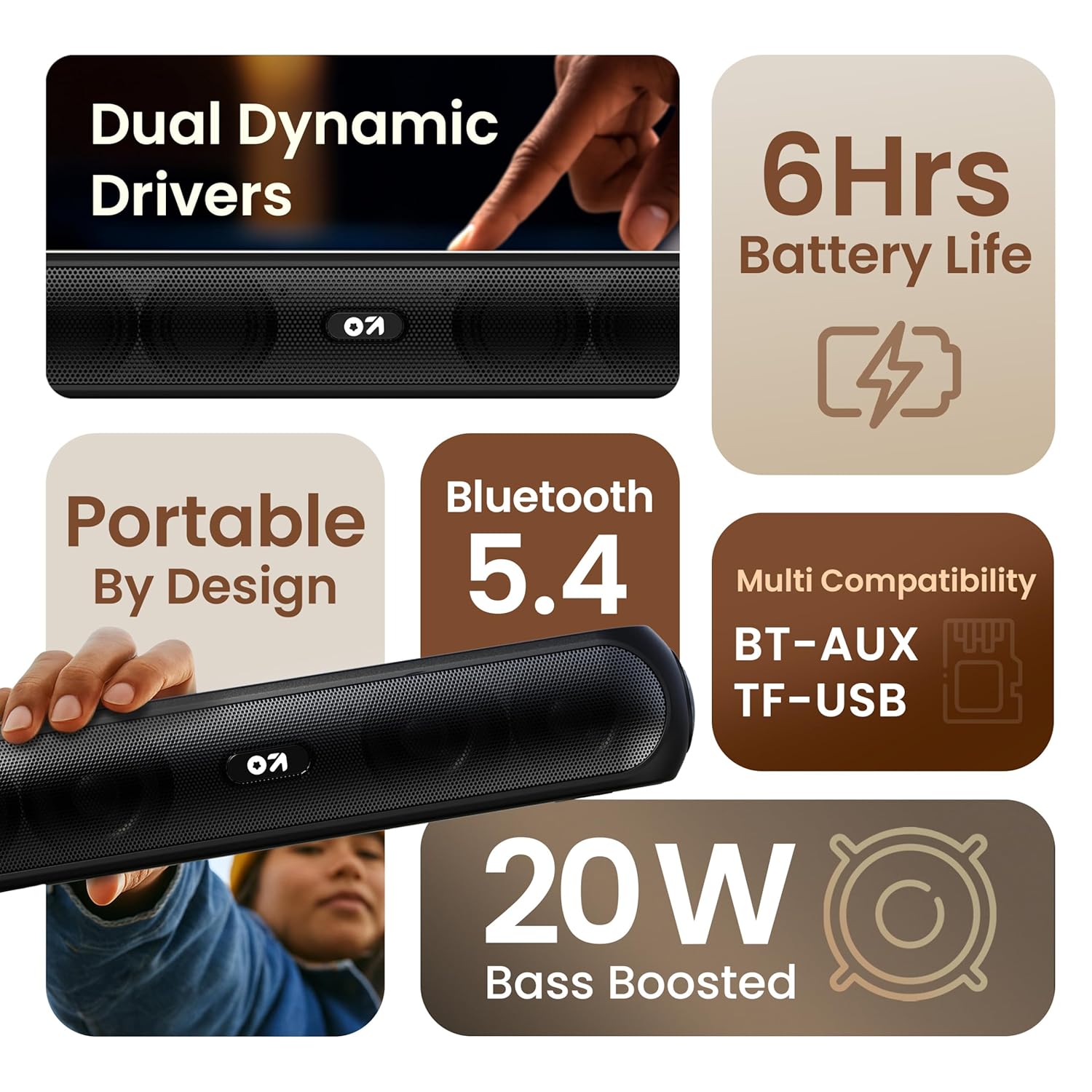
Slika 3.1: Gotovoview of the speaker's main features.
3.2 Kontrole i portovi
Familiarize yourself with the control buttons and input ports on your speaker.
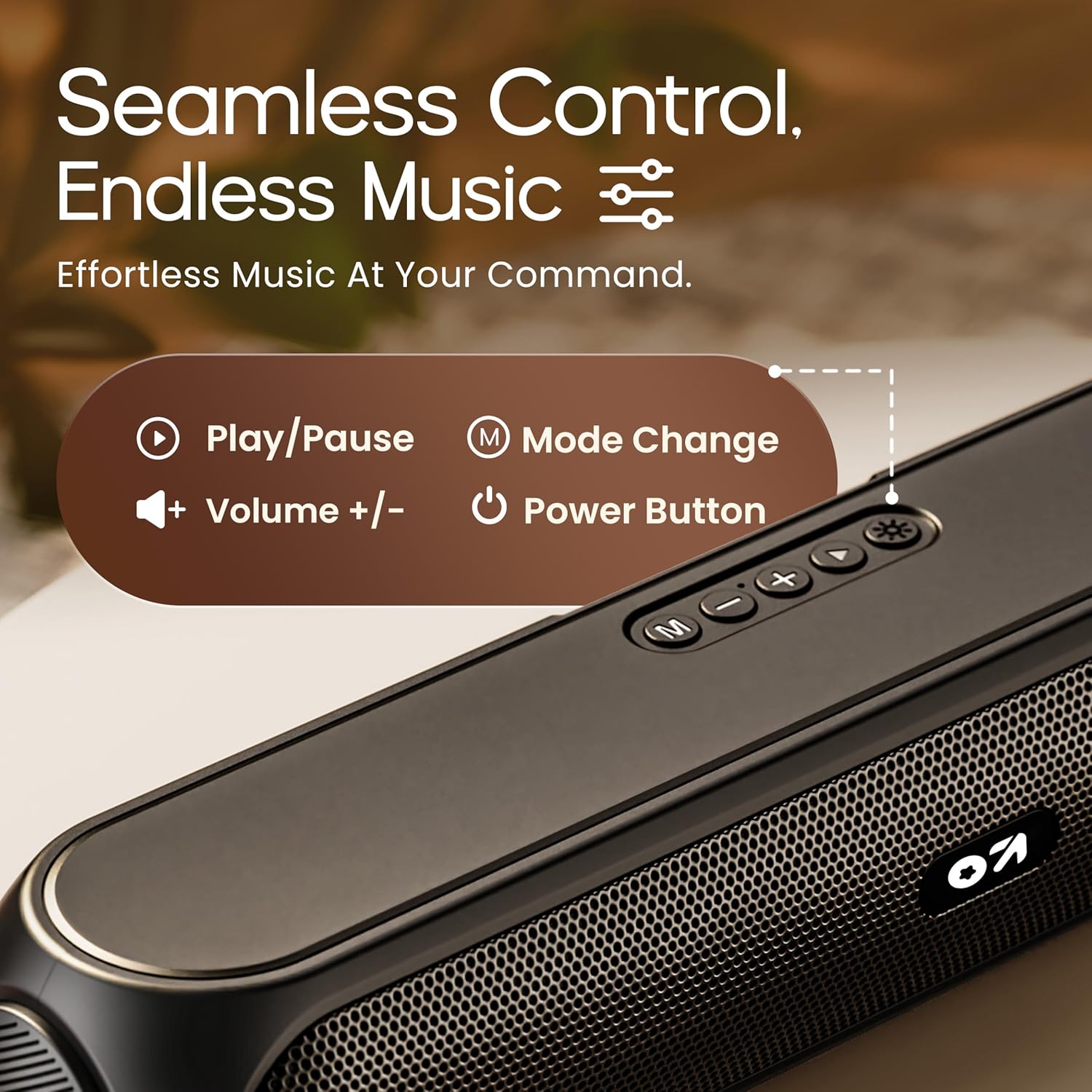
Image 3.2: Top control panel with Play/Pause, Volume, Mode, and Power buttons.
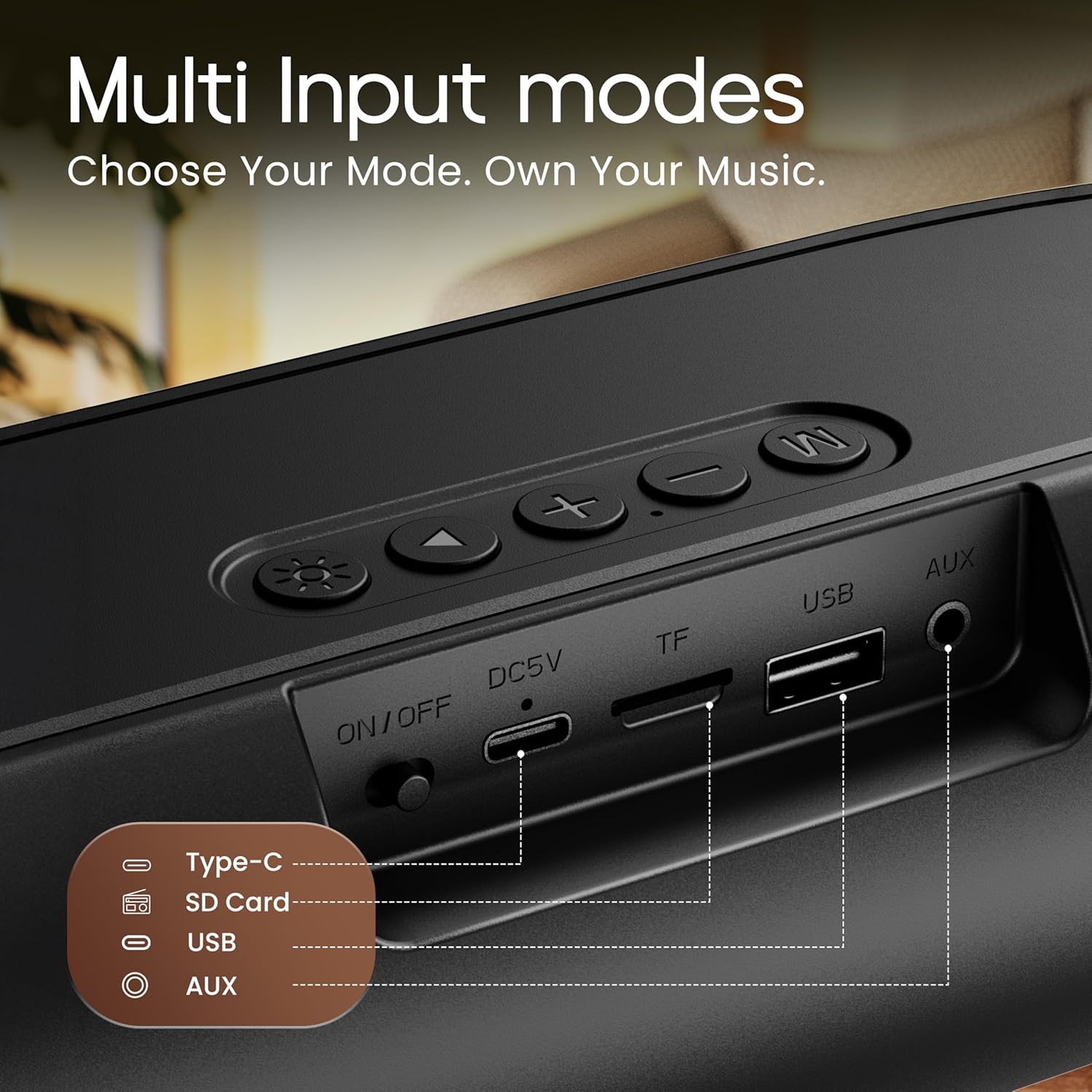
Image 3.3: Rear input panel showing Type-C, TF Card, USB, and AUX ports, along with the ON/OFF switch.
- Dugme za napajanje: Press and hold to power on/off. Short press to change LED light modes (if applicable).
- Dugme za način rada (M): Short press to switch between Bluetooth, AUX, TF Card, and USB modes.
- Dugme za reprodukciju/pauzu: Kratki pritisak za reprodukciju ili pauziranje zvuka.
- Jačina zvuka (+): Kratki pritisak za povećanje jačine zvuka. Dugi pritisak za sljedeću pjesmu.
- Stišavanje (-): Kratki pritisak za smanjenje jačine zvuka. Dugi pritisak za prethodnu pjesmu.
- Port tipa C: Za punjenje zvučnika.
- Utor za TF karticu: Umetnite TF (MicroSD) karticu za direktnu reprodukciju zvuka.
- USB port: Insert a USB drive for direct audio playback.
- AUX priključak: Povežite eksterne audio uređaje putem 3.5 mm audio kabla.
- ON/OFF prekidač: Glavni prekidač za napajanje uređaja.
4. Podešavanje
4.1 Punjenje zvučnika
Prije prve upotrebe, potpuno napunite zvučnik. Koristite priloženi kabel za punjenje tipa C.
- Spojite kraj kabla za punjenje sa Type-C priključkom na zvučniku.
- Connect the USB-A end of the charging cable to a 5V USB power adapter (not included) or a computer's USB port.
- Indikatorska lampica punjenja će se upaliti. Ugasit će se ili promijeniti boju nakon što se uređaj potpuno napuni.
Potpuno punjenje obično traje otprilike 2-3 sata i omogućava do 6 sata reprodukcije.
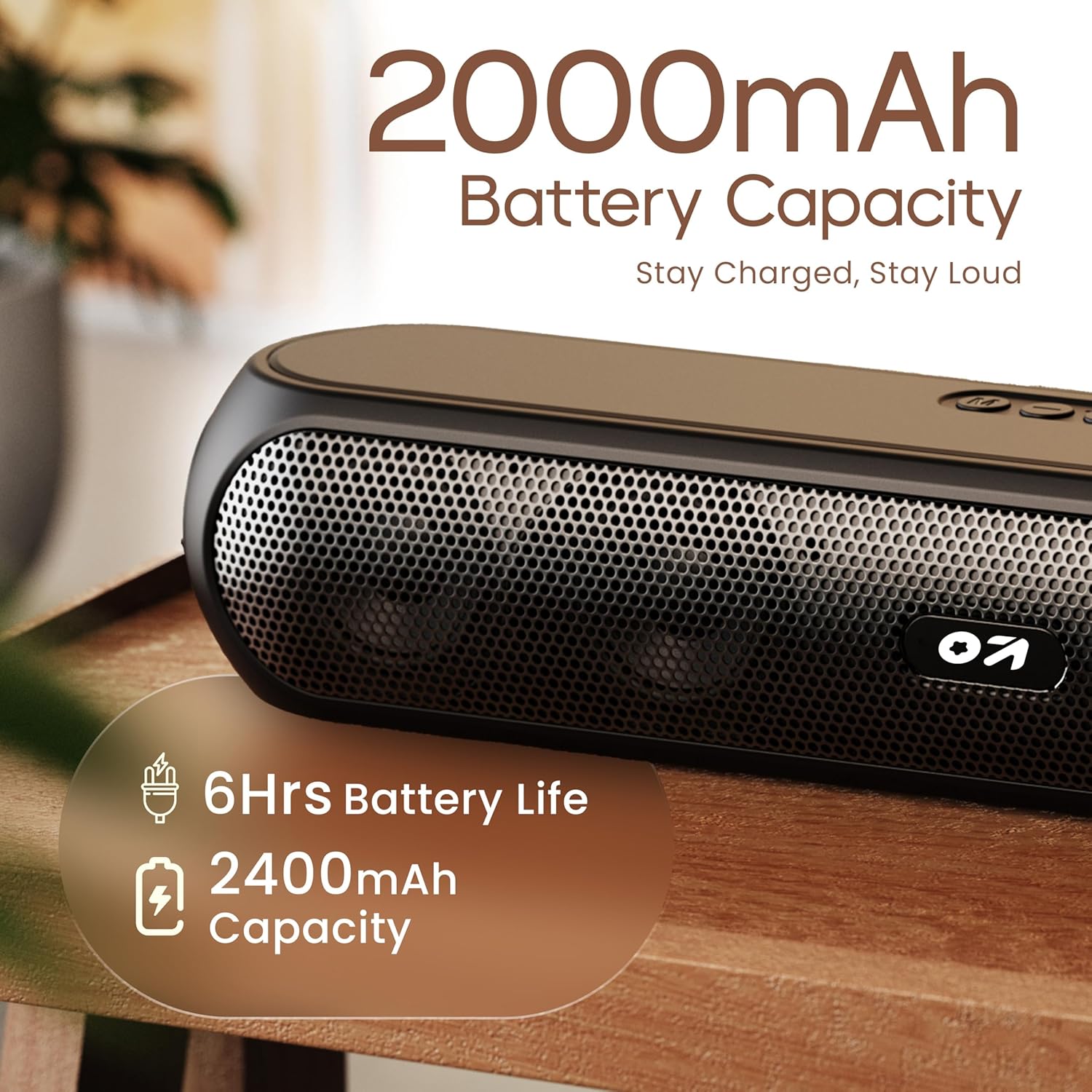
Image 4.1: Battery capacity and estimated playtime.
4.2 Uključivanje/isključivanje napajanja
- To power on, slide the ON/OFF switch to the 'ON' position, then press and hold the Power button on the top panel until the indicator light turns on.
- To power off, press and hold the Power button until the indicator light turns off.
4.3 Bluetooth uparivanje
After powering on, the speaker will automatically enter Bluetooth pairing mode if no other device is connected. The Bluetooth indicator will flash.
- Ensure the speaker is powered on and in Bluetooth mode (indicator flashing).
- Na svom uređaju (pametnom telefonu, tabletu, laptopu) omogućite Bluetooth i potražite dostupne uređaje.
- Select "GOBOULT Bassbox X20" from the list of devices.
- Once connected, the speaker will emit a confirmation sound, and the Bluetooth indicator will stop flashing and remain solid.
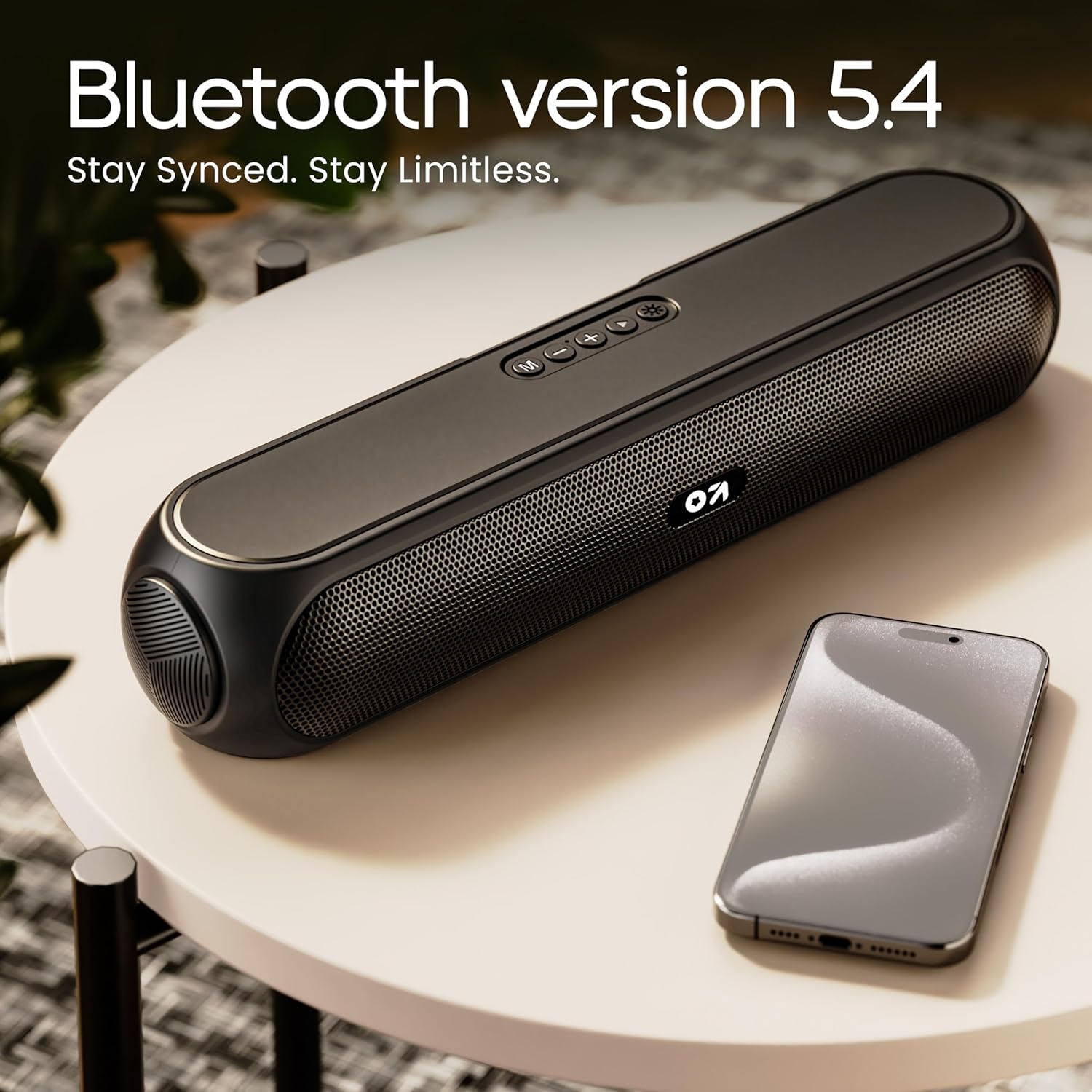
Image 4.2: Bluetooth 5.4 connectivity for seamless pairing.
4.4 Uparivanje putem pravog bežičnog stereo sistema (TWS)
The TWS function allows you to connect two GOBOULT Bassbox X20 speakers for a stereo sound experience.
- Ensure both Bassbox X20 speakers are powered on and not connected to any Bluetooth device.
- On one speaker (this will be the primary speaker), double-press the Mode (M) button. It will emit a sound indicating it's searching for another TWS speaker.
- The second speaker will automatically connect to the primary speaker. Once connected, both speakers will emit a confirmation sound.
- Sada povežite svoj uređaj sa primarnim zvučnikom putem Bluetootha kao što je opisano u odjeljku 4.3. Zvuk će se reproducirati stereo putem oba zvučnika.
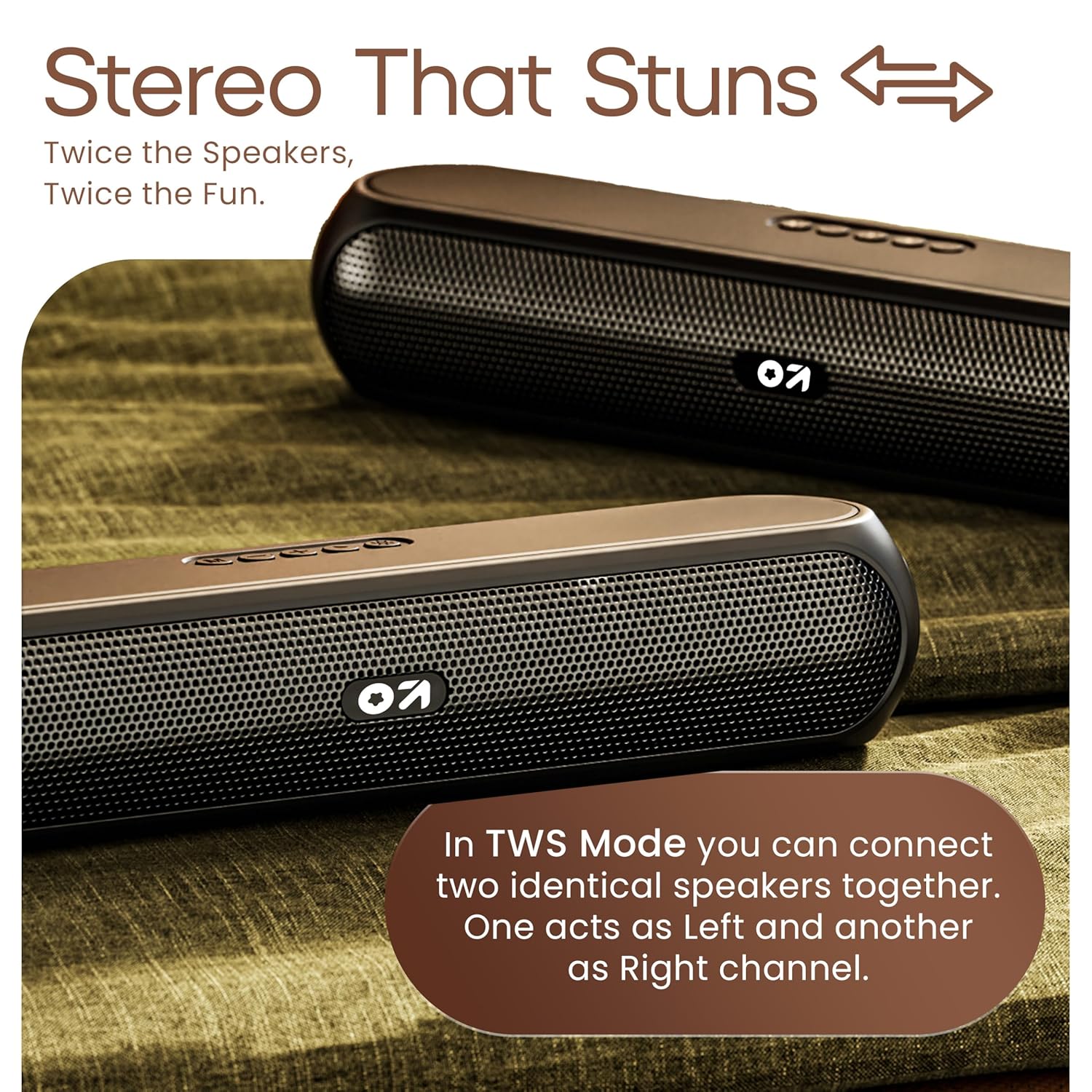
Image 4.3: TWS mode for connecting two speakers.
5. Operacija
5.1 Prebacivanje režima
Pritisnite Način rada (M) button to cycle through available input modes: Bluetooth, AUX, TF Card, and USB.
5.2 Bluetooth režim
After successful pairing (Section 4.3), you can stream audio wirelessly from your connected device. Use the speaker's volume controls or your device's volume controls to adjust the sound level.
5.3 AUX način rada
- Spojite jedan kraj 3.5 mm audio kabela (nije uključen) na AUX priključak zvučnika.
- Drugi kraj priključite na audio izlaz vašeg eksternog uređaja (npr. MP3 plejera, računara).
- Pritisnite Način rada (M) dugme dok zvučnik ne uđe u AUX režim.
- Control playback and volume from your external device or the speaker's controls.
5.4 TF Card / USB Mode
- Insert a TF (MicroSD) card or a USB drive containing audio fileu odgovarajući priključak na zvučniku.
- The speaker will automatically switch to TF Card or USB mode and begin playing audio. If not, press the Način rada (M) dugme da biste odabrali ispravan način rada.
- Use the speaker's controls to play/pause, skip tracks, and adjust volume.
6. Održavanje
- Keep the speaker away from water, moisture, and extreme temperatures. While water-resistant, it is not waterproof.
- Očistite zvučnik mekom, suhom krpom. Ne koristite abrazivna sredstva za čišćenje ili rastvarače.
- Izbjegavajte ispuštanje ili izlaganje zvučnika jakim udarcima.
- Kada se ne koristi duži period, zvučnik čuvajte na hladnom i suhom mjestu i periodično ga punite kako biste održali bateriju u ispravnom stanju.
7. Otkrivanje problema
| Problem | Mogući uzrok | Rješenje |
|---|---|---|
| Zvučnik se ne uključuje. | Low battery. Main power switch off. | Napunite zvučnik. Provjerite je li prekidač za uključivanje/isključivanje u položaju 'UKLJUČENO'. |
| Nije moguće uparivanje putem Bluetootha. | Zvučnik nije u režimu uparivanja. Bluetooth uređaja je isključen. Previše je udaljen od zvučnika. | Ensure speaker is in Bluetooth pairing mode (flashing indicator). Enable Bluetooth on your device. Move device closer to speaker (within 10 meters). |
| Nema zvuka. | Volume too low. Incorrect mode selected. Cable not connected properly (AUX). | Increase volume on speaker and device. Press 'M' button to select correct input mode. Reconnect AUX cable securely. |
| Uparivanje TWS-a nije uspjelo. | Speakers already connected to other devices. | Disconnect both speakers from any Bluetooth devices before attempting TWS pairing. Ensure both speakers are Bassbox X20 models. |
8. Specifikacije
| Feature | Detalj |
|---|---|
| Naziv modela | Bassbox X20 |
| Vrsta zvučnika | Prijenosni Bluetooth zvučnik |
| Izlazna snaga | 20 Watts |
| Bluetooth verzija | 5.4 |
| Bluetooth domet | Do 10 metara (33 stope) |
| Mogućnosti povezivanja | Bluetooth, Auxiliary (3.5mm), USB, TF Card |
| Vrsta baterije | Lithium Polymer |
| Trajanje baterije | Do 6 sati (pri 70% volumena) |
| Port za punjenje | Type-C (DC5V) |
| Dimenzije proizvoda | 89D x 38Š x 68V milimetra |
| Težina artikla | 655 grama |
| Nivo vodootpornosti | Vodootporno (nije vodootporno) |
| Uključene komponente | X20 Soundbar, User Manual, Warranty Card, Charging Cable |
9. Garancija i podrška
The GOBOULT Bassbox X20 Bluetooth Speaker comes with a 1 godina garancije proizvođača od datuma kupovine. Ova garancija pokriva nedostatke u proizvodnji i izradi pri normalnoj upotrebi.
For warranty claims, technical support, or any inquiries, please refer to the contact information provided on your warranty card or visit the official GOBOULT website.
Molimo sačuvajte račun kao dokaz o kupovini u svrhu garancije.


