Uvod
This manual provides essential information for the safe and efficient use of your Sony FW-65BZ40L Professional Display. Please read these instructions thoroughly before operating the unit and retain them for future reference. The Sony FW-65BZ40L is a 65-inch professional display designed for various commercial environments, offering 4K resolution, high contrast, and a broad color range for captivating visuals.
Setup
1. Raspakivanje
Carefully remove the display from its packaging. Ensure all components listed in the packing materials are present. It is recommended to retain the original packaging for potential future transport or service.
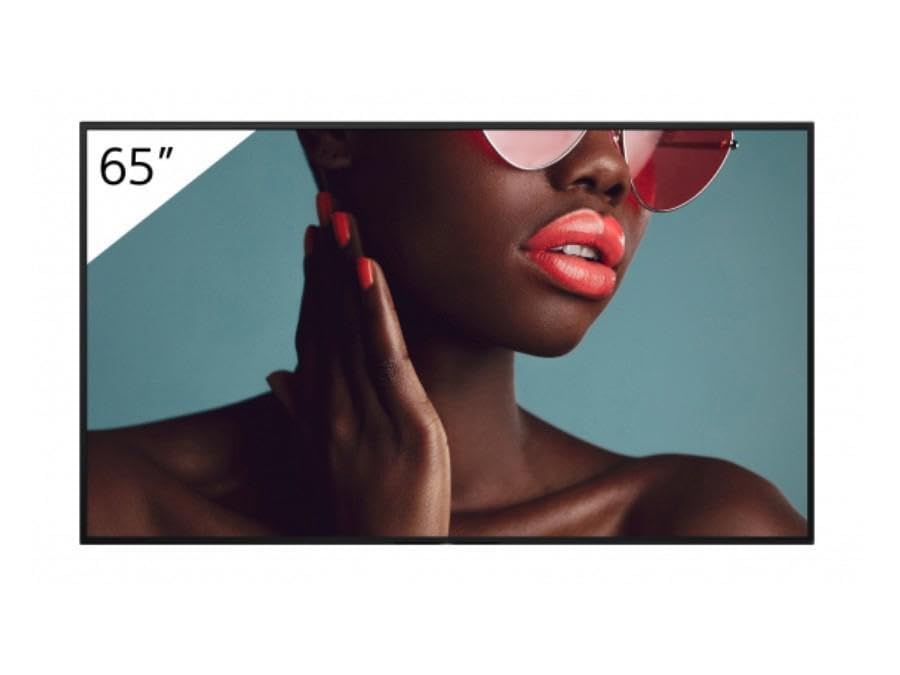
Slika: Front view of the Sony FW-65BZ40L Professional Display, showcasing its slim bezel and screen.
2. Montiranje i postavljanje
The FW-65BZ40L offers adaptable mounting options. Refer to the separate mounting guide (if provided) for detailed instructions on wall mounting or stand installation. Ensure the display is placed on a stable, level surface or securely mounted to a wall structure capable of supporting its weight. Allow adequate ventilation around the display.
3. Veze
- Priključak za napajanje: Connect the power cord securely to the display's power input and then to a suitable AC power outlet.
- Izvori ulaza: Connect your video sources (e.g., computers, media players) to the display's HDMI or other available input ports. Ensure cables are securely fastened.
- Mrežna veza: For network features, connect an Ethernet cable to the LAN port or proceed with Wi-Fi setup during initial configuration.
4. Početno uključivanje
Press the power button on the display or the remote control. Follow the on-screen prompts for initial setup, which may include language selection, network configuration, and basic display settings.
Uputstvo za upotrebu
1. Osnovni rad
- Uključivanje/isključivanje: Use the power button on the display or remote control.
- Odabir ulaza: Use the "Input" or "Source" button on the remote to switch between connected devices (e.g., HDMI 1, HDMI 2).
- Navigacija menijem: Use the arrow keys and "Enter" button on the remote to navigate the on-screen menu.
2. Postavke slike
Access the "Picture" or "Display" settings in the main menu to adjust parameters such as brightness, contrast, color, sharpness, and backlight. The display features advanced processing for superior visuals and Motionflow XR for smooth motion in fast scenes.
3. Connectivity (Wi-Fi, Chromecast)
The FW-65BZ40L includes built-in Wi-Fi and Chromecast for easy wireless content sharing. To set up Wi-Fi, navigate to Network Settings in the menu and select your wireless network. For Chromecast, ensure your device is on the same network as the display and use a compatible application to cast content.
4. Professional Modes
This display is equipped with professional modes and settings for easy content management and integration into commercial systems. Refer to the advanced settings menu for options related to scheduling, input locking, and other professional features.
Održavanje
1. Čišćenje ekrana
- ekran: Nježno obrišite ekran mekom krpom koja ne ostavlja dlačice. Za tvrdokorne mrlje, lagano obrišiteampOperite krpu vodom ili sredstvom za čišćenje ekrana. Ne prskajte tekućinu direktno na ekran.
- Casing: Obrišite casinObrišite mekom, suhom krpom. Izbjegavajte upotrebu abrazivnih sredstava za čišćenje ili rastvarača.
2. Neprekidni rad
The FW-65BZ40L is engineered for continuous 24/7 operation. Ensure proper ventilation to prevent overheating, especially in enclosed spaces. Regular software updates, when available, can help maintain optimal performance.
Rješavanje problema
Ako naiđete na probleme sa ekranom, pogledajte sljedeće uobičajene probleme i rješenja:
| Problem | Mogući uzrok / rješenje |
|---|---|
| Nema snage | Check if the power cord is securely connected to both the display and the power outlet. Verify the power outlet is functional. |
| No Picture / "No Signal" Message | Ensure the input source (e.g., HDMI cable) is correctly connected. Select the correct input source using the remote control. Check the source device is powered on. |
| Loša kvaliteta slike | Adjust picture settings (brightness, contrast, sharpness). Ensure the input source is providing a high-quality signal. Check cable connections. |
| Problemi s Wi-Fi povezivošću | Ensure the Wi-Fi router is on and within range. Re-enter the Wi-Fi password. Restart the display and router. |
Ako problem i dalje postoji nakon isprobavanja ovih rješenja, obratite se Sonyjevoj korisničkoj podršci.
Specifikacije
| Feature | Detalj |
|---|---|
| Brand | Sony |
| Model | FW-65BZ40L |
| Veličina ekrana | 65 inča |
| Rezolucija | 4K UHD 2160p |
| Aspect Ratio | 16:9 |
| Odnos kontrasta slike | 1200:1 |
| Povezivanje | Built-in Wi-Fi, Chromecast |
| Operacija | Designed for 24/7 continuous use |
Garancija i podrška
Your Sony FW-65BZ40L Professional Display is covered by a limited warranty. Please refer to the warranty card included with your product or visit the official Sony support website for detailed warranty terms and conditions. For technical assistance, troubleshooting beyond this manual, or service requests, please contact Sony customer support through their official channels.
Online podrška: Posjetite Sony podršku webstranica za često postavljana pitanja, upravljačke programe i ažuriranja softvera.
Telefonska podrška: Contact the Sony customer service hotline for direct assistance.


