1. Uvod
Welcome to your new Baseus BC1 Open Ear Earbuds. This manual provides detailed instructions for setup, operation, and maintenance to ensure you get the best experience from your device. The Baseus BC1 earbuds feature a comfortable open-ear design, secure tri-curve clip, rich sound with powerful bass, clear calls with 4-mic AI noise reduction, IP55 water resistance, and precise button control.
2. Sadržaj paketa
Molimo Vas da provjerite sadržaj paketa kako biste bili sigurni da su svi artikli prisutni:
- Baseus BC1 Open Ear Earbuds (Left & Right)
- Futrola za punjenje
- Uputstvo za upotrebu
- Kabel za punjenje tipa C

3. Proizvod je gotovview
The Baseus BC1 Open Ear Earbuds are designed for comfort and high-quality audio, allowing you to stay aware of your surroundings. The compact charging case provides extended battery life and convenient storage.

4. Podešavanje
4.1. Punjenje
Prije prve upotrebe, potpuno napunite slušalice i kutijicu za punjenje.
- Spojite priloženi kabel za punjenje tipa C na priključak za punjenje na kućištu i izvor napajanja.
- Potpuno punjenje kućišta traje otprilike 1.5 sat.
- The earbuds offer up to 7.5 hours of listening on a single charge, and up to 38 hours total with the fully charged case.

4.2. Uključivanje/isključivanje
- Uključeno: Otvorite kućište za punjenje i slušalice će se automatski uključiti.
- Iskljuciti: Place the earbuds back into the charging case and close the lid; they will power off automatically.
4.3. Bluetooth uparivanje
- Otvorite kutijicu za punjenje. Slušalice će automatski ući u način uparivanja, što će biti naznačeno trepćućim LED svjetlom.
- Na vašem uređaju (pametnom telefonu, tabletu itd.) idite na postavke Bluetootha i omogućite Bluetooth.
- Traži "Baseus BC1" in the list of available devices and select it to connect.
- Once connected, you will hear a confirmation tone, and the LED indicator on the earbuds will turn off.
4.4. Nošenje slušalica
Za optimalnu udobnost i kvalitet zvuka, slijedite ove korake za nošenje slušalica:
- Gently clip each earbud onto your ear, ensuring the main body rests comfortably behind your earlobe.
- Adjust the earbud to find the most comfortable and secure position. The tri-curve ergonomic clip is designed to adapt to various ear shapes.
- Ensure the sound outlet is aligned with your ear canal to experience the best sound quality.


5. Uputstvo za upotrebu
5.1. Kontrole dugmadi
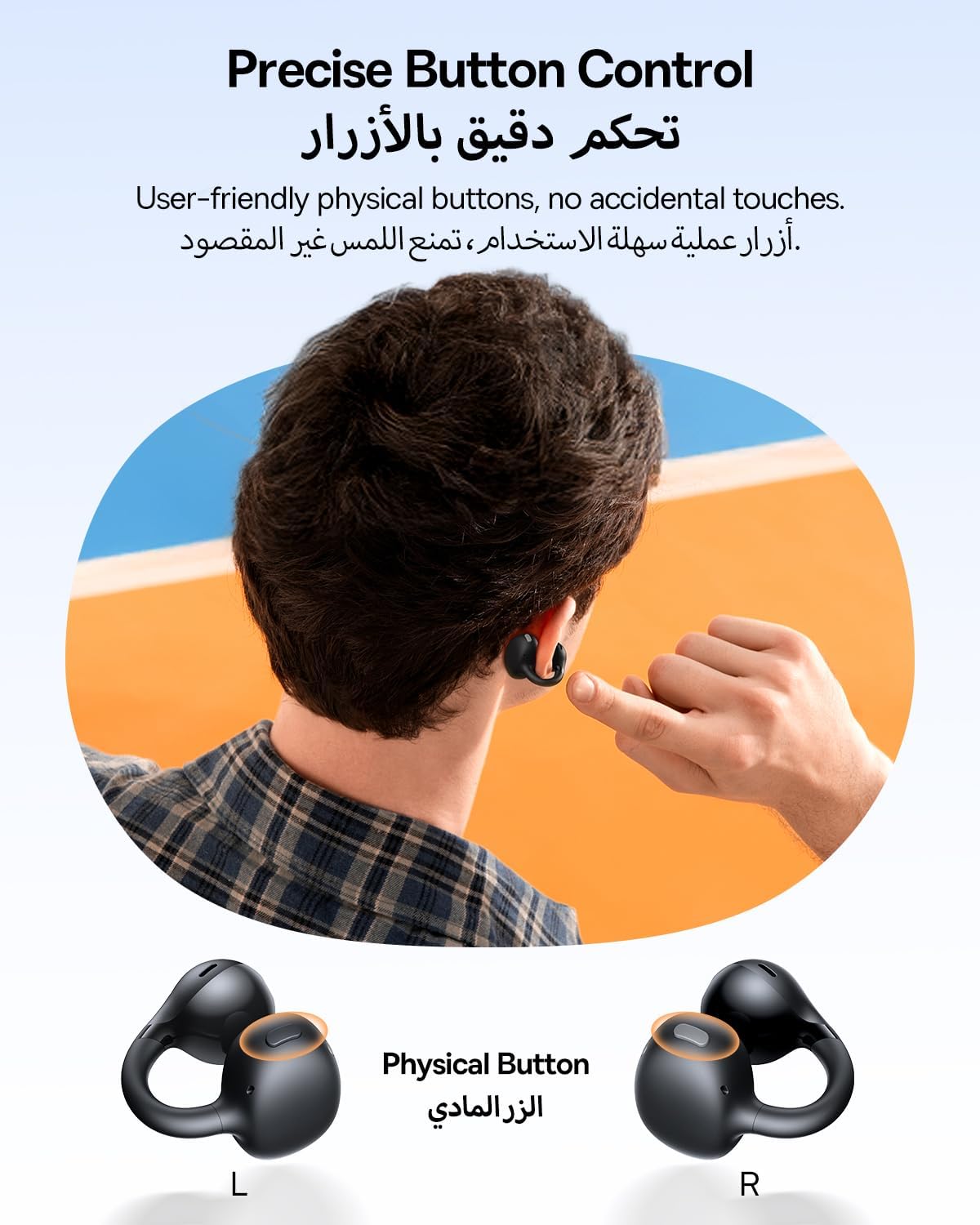
The Baseus BC1 earbuds feature physical buttons for precise control, minimizing accidental touches. The functions are as follows:
- Pusti/pauza: Jednom pritisnite dugme na bilo kojoj slušalici.
- Povećavanje glasnoće: Single press the button on the right earbud.
- Smanjivanje jačine zvuka: Single press the button on the left earbud.
- Sljedeća pjesma: Long press the button on the right earbud for 1.5 seconds.
- Prethodni zapis: Long press the button on the left earbud for 1.5 seconds.
- Odgovori/Završi poziv: Double press the button on either earbud.
- odbiti poziv: Long press the button on either earbud for 1.5 seconds during an incoming call.
- Glasovni asistent: Triple press the button on the right earbud.
- Cycle Modes (Game/Movie/Normal): Triple press the button on the left earbud.
5.2. App Customization
Download the official Baseus app from your device's app store to unlock advanced features and personalize your listening experience:
- Prilagodljivi EQ: Adjust the equalizer settings to fine-tune the audio to your preference.
- Sound Profiles: Choose from various preset sound profiles for different music genres or listening scenarios.
- Touch Control Personalization: Reassign touch control functions to suit your needs.

5.3. Višestruka veza
The Baseus BC1 earbuds support simultaneous connection to two devices, allowing seamless switching between them:
- Pair the earbuds with your first device (e.g., smartphone).
- Isključite slušalice iz Bluetooth postavki prvog uređaja. Slušalice će ponovo ući u način uparivanja.
- Pair the earbuds with your second device (e.g., tablet or laptop).
- Manually reconnect the earbuds to the first device from its Bluetooth settings.
- The earbuds will now be connected to both devices simultaneously, allowing you to switch audio sources without re-pairing.

6. Održavanje
6.1. Čišćenje
To ensure optimal performance and longevity of your earbuds:
- Regularly clean the earbuds and the charging contacts inside the case using a clean, dry cotton swab.
- Ako je potrebno, lagano dampen the cotton swab with alcohol for disinfection.
- Avoid issues such as the earbuds being unable to charge or power on due to prolonged lack of cleaning.
6.2. Skladištenje
- Kada se ne koriste, uvijek čuvajte slušalice u kutijici za punjenje kako biste ih zaštitili od prašine i oštećenja.
- If the earbuds will not be used for an extended period, charge the case at least once every three months to maintain battery health.
7. Otkrivanje problema
If you encounter any issues with your Baseus BC1 earbuds, please refer to the following common problems and solutions:
- Slušalice se ne uparuju: Ensure Bluetooth is enabled on your device and the earbuds are in pairing mode. Try forgetting previous pairings on your device and re-pairing.
- Samo jedna slušalica radi: Place both earbuds back in the charging case, close the lid for 10 seconds, then open it again. If the issue persists, perform a factory reset.
- Loš kvalitet zvuka: Ensure the earbuds are worn correctly and the sound outlet is aligned with your ear canal. Check the EQ settings in the Baseus app.
- Slušalice se ne pune: Clean the charging contacts on both the earbuds and the case. Ensure the charging cable is properly connected to a working power source.
7.1. Factory Reset
If the earbuds are not functioning correctly, a factory reset may resolve the issue:
- Remove the pairing information of the earbuds from your device's Bluetooth settings (e.g., "Forget This Device").
- Place both earbuds into the charging case, ensuring they are securely in place.
- Close the charging case for 3 seconds, then reopen it.
- With the charging case open, long press the button on the charging case for 10 seconds until the indicator light flashes white twice. This indicates that the reset is complete.
- After the factory reset, use the initial Bluetooth pairing method (Section 4.3) to reconnect and resume normal use.
8. Specifikacije
| Feature | Detalj |
|---|---|
| Naziv modela | BC1 |
| Broj modela stavke | PM153 |
| Brand | Baseus |
| Boja | Crna |
| Postavljanje uha | Otvori uho |
| Form Factor slušalica | Otvori uho |
| Tehnologija povezivanja | Bežični |
| Bežična komunikacijska tehnologija | Bluetooth |
| Impedansa | 16 Ohm |
| Kontrola buke | Nema |
| Priključak za slušalice | Nema Jacka |
| Kontrolni metod | Pritisnite dugme |
| Nivo vodootpornosti | Vodootporan (IP55) |
| Vrijeme punjenja | 1.5 sati |
| Težina artikla | 111 grama |
| Dimenzije paketa | 13.4 x 8.5 x 4.2 cm |
| Uključene komponente | Uputstvo za upotrebu |
| Materijal | Plastika |
| Kompatibilni uređaji | Phones, tablets, desktop computers, laptops, mobile phones, smart speakers, TVs, digital video game players |
9. Sigurnosne informacije
- Avoid prolonged listening at high volume levels to prevent potential hearing damage.
- Ne koristite slušalice u situacijama u kojima bi nemogućnost slušanja ambijentalnih zvukova mogla biti opasna (npr. vožnja, vožnja bicikla, hodanje u saobraćaju).
- Držite slušalice i kutijicu za punjenje dalje od ekstremnih temperatura, direktne sunčeve svjetlosti i vlage.
- Do not attempt to disassemble, repair, or modify the product. This may void the warranty and cause damage.
- Čuvati van dohvata djece i kućnih ljubimaca kako biste spriječili slučajno gutanje ili zloupotrebu.
- Proizvod i njegovu bateriju odložite odgovorno u skladu s lokalnim propisima.
10. Jamstvo i podrška
For warranty information, technical support, or any product-related inquiries, please refer to the official Baseus webstranicu ili kontaktirajte svog lokalnog distributera.
You can also visit the official Baseus Store for more information: Baseus Store


