1. Proizvod je gotovview
The Bewinner MP3 Music Player with Camera is a portable multimedia device designed for music playback, photo and video recording, and other entertainment functions. It features a responsive touchscreen, Bluetooth connectivity, and expandable storage.

Slika 1.1: Prednja strana view of the Bewinner MP3 Player displaying time and date, alongside its USB-C charging cable.
Ključne karakteristike:
- 2.01-inch IPS HD Touchscreen Display
- Built-in 720P Digital Camera with 90-degree rotating lens
- Bluetooth 5.4 Povezivanje
- Expandable Storage up to 128GB (via memory card)
- Support for multiple audio formats (MP3, WMA, WAV, APE, FLAC, AAC LC, M4A, OGG)
- Integrated Speaker and Voice Recorder
- Additional functions: FM Radio, E-book reader, Photo viewer, Alarms, Stopwatch
2. Vodič za postavljanje
2.1 Punjenje uređaja
- Connect the provided USB-C cable to the charging port on the MP3 player.
- Drugi kraj USB-C kabla priključite na kompatibilni USB adapter za napajanje (nije uključen) ili na USB priključak računara.
- The device will indicate charging status on the screen. A full charge typically takes approximately 2 hours.
2.2 Installing a Memory Card
The device supports memory card expansion up to 128GB. A memory card is required for storing a large number of songs, photos, and videos.
- Locate the memory card slot on the side of the MP3 player.
- Pažljivo umetnite memorijsku karticu u utor dok ne klikne na mjesto. Provjerite je li kartica pravilno orijentirana.
- Da biste uklonili, lagano gurnite karticu prema unutra dok ne iskoči.
2.3 Uključivanje/isključivanje
- Za uključivanje: Pritisnite i držite dugme za napajanje dok se ekran ne osvijetli.
- Za isključivanje: Press and hold the Power button until the power-off prompt appears, then confirm on the touchscreen.
3. Uputstvo za upotrebu
3.1 Navigacija kroz interfejs
The MP3 player features a 2.01-inch touchscreen for navigation. Swipe left/right or tap icons to access different functions.
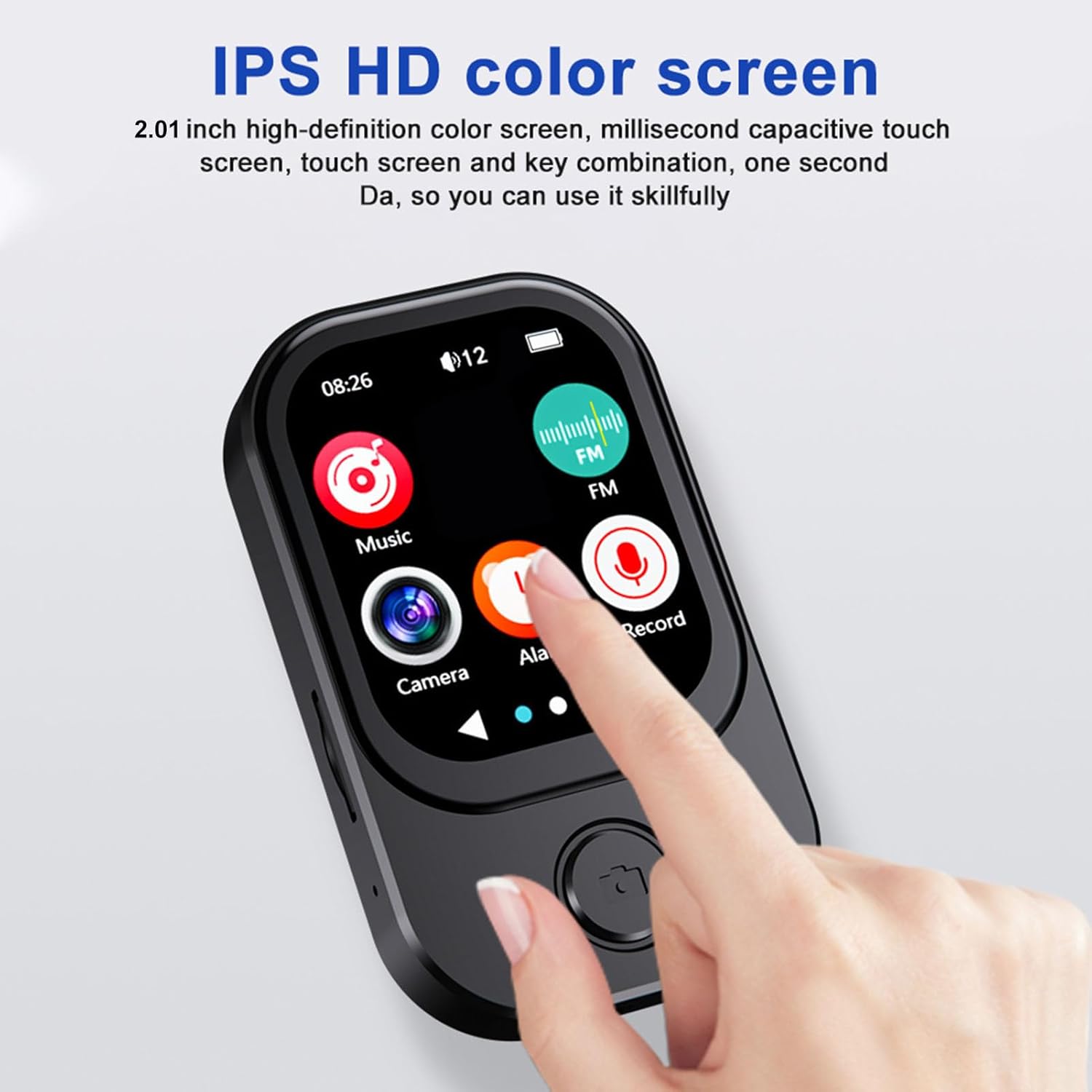
Image 3.1: A finger interacting with the responsive touchscreen interface of the MP3 player.
3.2 Reprodukcija muzike
- From the main menu, tap the 'Music' icon.
- Pregledajte svoju muzičku biblioteku po izvođaču, albumu, žanru ili mapi.
- Dodirnite pjesmu da biste započeli reprodukciju.
- Use the on-screen controls for play/pause, skip tracks, and volume adjustment.
3.3 Korištenje kamere
The integrated camera allows for both photo and video recording.
- From the main menu, tap the 'Camera' icon.
- The camera lens can be rotated 90 degrees for flexible shooting angles.
- Tap the screen to take a photo or switch to video recording mode.
- Recorded photos and videos are saved to the memory card.

Image 3.2: The MP3 player highlighting its rotating camera lens and various recording functions.
3.4 Bluetooth povezivost
- From the main menu, navigate to 'Settings' and then 'Bluetooth'.
- Turn Bluetooth on and search for available devices.
- Select your desired headphones or speaker from the list to pair.
3.5 Ostale funkcije
- FM radio: Access the FM Radio app to scan for and listen to local radio stations.
- Diktafon: Use the built-in microphone to record voice memos.
- E-knjige: Transfer compatible e-book files to the device and read them using the e-book reader.
- Reprodukcija video zapisa: Videos may require format conversion before playback on the device. Refer to the device's software for compatible formats.
4. Održavanje
4.1 Čišćenje
- Za čišćenje ekrana i kućišta uređaja koristite meku, suhu krpu koja ne ostavlja dlačice.
- Avoid using abrasive cleaners, solvents, or aerosol sprays, as these can damage the device.
4.2 Skladištenje
- Uređaj čuvajte na hladnom i suhom mjestu, dalje od direktne sunčeve svjetlosti i ekstremnih temperatura.
- When not in use for extended periods, ensure the battery is partially charged (around 50%) to prolong its lifespan.
5. Otkrivanje problema
5.1 Uređaj se ne uključuje
- Provjerite je li uređaj potpuno napunjen. Spojite ga na izvor napajanja i pričekajte nekoliko minuta prije nego što ga ponovo pokušate uključiti.
- If the battery is completely drained, it may take a few minutes of charging before the device responds.
5.2 Cannot Connect to Bluetooth Device
- Ensure Bluetooth is enabled on both the MP3 player and the target device.
- Make sure both devices are within the effective Bluetooth range (typically 10 meters).
- Pokušajte odvojiti i ponovo upariti uređaje.
5.3 Loš kvalitet zvuka
- Proverite zvuk file format and ensure it is supported.
- If using wired headphones, ensure they are fully plugged into the 3.5mm audio port.
- If using Bluetooth, ensure a stable connection and that the volume is appropriately set on both devices.
5.4 Storage Issues / Memory Card Not Detected
- Ensure the memory card is correctly inserted into the slot.
- Try removing and reinserting the memory card.
- Verify that the memory card is not damaged and is formatted correctly (e.g., FAT32).
6. Specifikacije
| Feature | Specifikacija |
|---|---|
| Broj modela | Bewinner6rb3g52470-13 |
| Dimenzije | Approx. 67.5 x 41 x 13.5mm (2.7 x 1.6 x 0.5in) |
| Težina | 3.74 unce |
| Boja | Crna |
| Baterija | Ugrađena litijum-jonska baterija od 500 mAh |
| Ekran | 2.01 inčni IPS ekran |
| Bluetooth verzija | BT 5.4 |
| Photo Resolution | 1280x720 |
| Rezolucija snimanja video zapisa | 1280x720 |
| Port za punjenje | Tip C |
| Audio port | 3.5mm |
| Podrška za memorijsku karticu | Do 128 GB |
| Podržani audio formati | MP3, WMA, WAV, APE, FLAC, AAC LC, M4A, OGG |
7. Garancija i podrška
For warranty information and customer support, please refer to the documentation provided at the time of purchase or contact your retailer. You may also visit the official Bewinner websajt za dalju pomoć.


