1. Uvod
Welcome to the CHiQ LF32FT 32-inch Full HD Google TV. This manual provides essential information for setting up, operating, and maintaining your new television. Please read it thoroughly to ensure optimal performance and safety.
The CHiQ LF32FT offers a Full HD display with HDR10 for enhanced contrast and vibrant colors. It features the Google TV OS, providing access to a wide range of applications and voice control via Google Assistant. Integrated Dolby Audio and dbx-tv technologies deliver a rich sound experience. Its metallic frameless design ensures a sleek aesthetic suitable for various living spaces.
2. Sigurnosne informacije
Uvijek slijedite ove osnovne sigurnosne mjere opreza prilikom korištenja televizora:
- Ne izlažite TV kiši ili vlazi kako biste spriječili požar ili strujni udar.
- Ne otvarajte TV casing. Za sve servisne radove obratite se kvalifikovanom osoblju.
- Osigurajte odgovarajuću ventilaciju. Ne blokirajte ventilacijske otvore.
- Postavite televizor na stabilnu, ravnu površinu kako biste spriječili njegov pad.
- Držite televizor dalje od izvora toplote kao što su radijatori, grijalice, peći ili drugi uređaji koji proizvode toplotu.
- Isključite televizor iz struje tokom oluje sa grmljavinom ili kada ga ne koristite duži period.
- Koristite samo dodatke/pribor koje je odredio proizvođač.
- Čistite samo suhom krpom.
3. Šta se nalazi u kutiji
Prilikom otvaranja paketa, provjerite da li su prisutni svi sljedeći elementi:
- CHiQ LF32FT 32-inch Full HD Google TV
- Power Cable
- Daljinski upravljač
- Baterije za daljinski upravljač
- TV stalci (2 komada)
- Korisnički priručnik (ovaj dokument)

Image: The CHiQ LF32FT television with its dimensions (718.4mm width, 420.7mm height, 69.2mm depth without stand) and a list of included accessories: power cable, remote control, batteries, stands, and user manual.
4. Podešavanje
4.1 Pričvršćivanje TV postolja
- Pažljivo postavite televizor ekranom prema dolje na meku, ravnu površinu kako biste spriječili oštećenja.
- Poravnajte svaki stalak s odgovarajućim otvorima za vijke na donjoj strani televizora.
- Pričvrstite stalke pomoću priloženih vijaka.
Alternatively, the TV supports VESA 20x20 cm wall mounting. Ensure to use appropriate wall mount hardware (not included) and follow the wall mount manufacturer's instructions.

Image: The CHiQ LF32FT television placed on a wooden TV stand in a modern living room, showcasing its slim design and stable base.
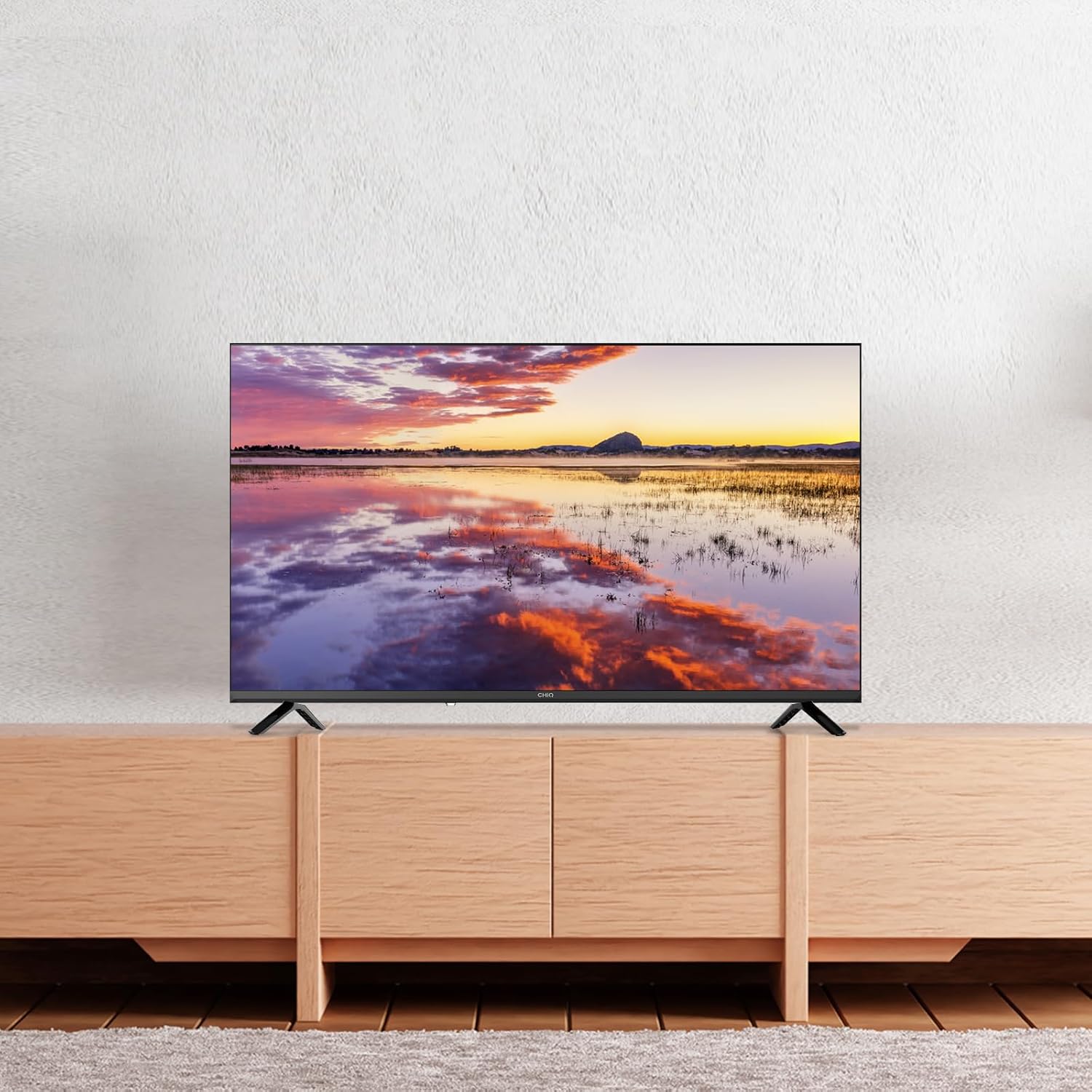
Image: The CHiQ LF32FT television mounted on a wall above a wooden console, demonstrating its suitability for wall installation.
4.2 Povezivanje perifernih uređaja
Your CHiQ LF32FT TV offers multiple connectivity options:
- HDMI 1.4 x 3: For connecting devices like Blu-ray players, gaming consoles, or set-top boxes.
- USB 2.0 x 2: Za povezivanje USB diskova za reprodukciju medija ili za ažuriranje softvera.
- AV IN x 1: Za starije uređaje koji koriste kompozitni video i stereo audio.
- LAN x 1: Za žičanu internet vezu.
- Headphone x 1: Za povezivanje slušalica.
- RF x 1: Za povezivanje antene ili kablovske televizije.
- CI+ x 1: For Conditional Access Module (CAM) to decrypt pay-TV channels.
- Optical x 1: Za digitalni audio izlaz na soundbar zvučnike ili kućne kino sisteme.

Slika: Detaljna view of the rear panel of the CHiQ LF32FT TV, highlighting the available ports including HDMI, USB, AV In, LAN, Headphone, RF, CI+, and Optical connections.
4.3 Početno uključivanje i podešavanje mreže
- Priključite kabl za napajanje na TV i utičnicu.
- Pritisnite dugme za napajanje na daljinskom upravljaču ili televizoru.
- Follow the on-screen instructions to select your language, country, and connect to your Wi-Fi network (supports dual-band Wi-Fi).
- Prijavite se sa svojim Google računom da biste pristupili funkcijama Google TV-a.
5. Uputstvo za upotrebu
5.1 Google TV OS and Smart Features
Your CHiQ LF32FT runs on Google TV OS, offering a personalized experience with access to over 10,000 apps including Netflix, Disney+, YouTube, and Prime Video. The interface organizes content from all your streaming services in one place.

Image: The Google TV home screen displaying a variety of streaming application icons such as Netflix, Disney+, YouTube, and Prime Video, indicating a centralized content hub.
5.2 Glasovno upravljanje pomoću Google Assistanta
Control your TV using your voice with Google Assistant. Simply press the Google Assistant button on your remote and speak your commands. You can search for movies, open apps, get weather updates, and more.

Image: A hand holding a smartphone, demonstrating voice control with Google Assistant to interact with the CHiQ TV, which displays various app icons.
5.3 Chromecast Built-in and Multi-device Connection
With Chromecast built-in, you can easily cast your favorite videos, photos, and apps from your smartphone or tablet directly to the TV. The TV also supports DLNA for media sharing across your home network.

Image: A family watching content on the CHiQ LF32FT TV, with a smartphone in the foreground showing content being cast to the larger screen, illustrating the multi-device connection feature.
5.4 Postavke slike i zvuka
The TV features Full HD resolution, offering double the clarity of standard HD. HDR10 technology enhances contrast, providing deeper blacks and brighter whites for a more immersive viewing iskustvo.

Image: A split screen comparison on the CHiQ LF32FT TV, showing the enhanced clarity and detail of Full HD (FHD) on the left versus standard HD on the right, with a mountain landscape as the subject.

Image: A split screen comparison on the CHiQ LF32FT TV, illustrating the visual improvement with HDR10 on the left, showing richer colors and deeper contrast in a vibrant aurora borealis scene, compared to a non-HDR image on the right.
For audio, Dolby Audio provides multi-channel cinema-quality sound. dbx-tv offers personalized audio modes (Cinema, News, Sport) for clear dialogues and dynamic bass.

Image: The CHiQ LF32FT TV displaying a violinist, with "Dolby Audio" branding, emphasizing the professional audio tuning capabilities.

Image: The CHiQ LF32FT TV displaying a scenic view, with "dbx-tv" branding and text indicating personalized audio modes like Cinema, News, Night, and Sport, suggesting customizable sound experiences.
5.5 Zvanični videozapisi proizvoda
Video: This video from CHiQ showcases the M9 32-inch LED TV, highlighting its features such as direct backlight technology, vibrant colors, and the sleek design. It also demonstrates the Google Play Store and Google Assistant integration.
Video: This CHiQ video highlights the Full HD 40-inch televisions from 2025, emphasizing features like frameless metallic design, HDR10, Dolby Audio, dbx-tv, Google Cast, Google Assistant, and Bluetooth connectivity. It visually demonstrates the enhanced picture and sound quality.
Video: This video from CHIQ - Home Entertainment introduces a 2022 Smart TV with Android 11. It highlights the full-screen design, Google Assistant integration, HDR10, and dbx-tv audio, showcasing a seamless user experience and vibrant display.
6. Održavanje
- Čišćenje ekrana: Gently wipe the screen with a soft, lint-free cloth. For stubborn marks, use a screen-specific cleaner applied to the cloth, not directly to the screen.
- CasinČišćenje: Koristite meku, suhu krpu za brisanje TV-aasing. Izbjegavajte upotrebu abrazivnih sredstava za čišćenje ili rastvarača.
- ventilacija: Pazite da ventilacijski otvori na stražnjoj strani televizora nisu blokirani kako biste spriječili pregrijavanje.
- Kabl za napajanje: Regularly check the power cable for any damage. If damaged, replace it immediately with an approved cable.
7. Otkrivanje problema
| Problem | Moguće rješenje |
|---|---|
| Nema struje | Provjerite je li kabel za napajanje sigurno spojen na TV i utičnicu. Osigurajte da utičnica radi. |
| Nema slike, ali je zvuk prisutan | Check the input source. Ensure the connected device is powered on and its cables are properly connected. |
| Nema zvuka, ali je slika prisutna | Check the volume level and mute settings. Ensure external audio devices are properly connected and configured. |
| Daljinski upravljač ne radi | Zamijenite baterije. Provjerite da nema prepreka između daljinskog upravljača i IR senzora televizora. |
| Problemi sa Wi-Fi vezom | Restart your router and the TV. Ensure the TV is within range of your Wi-Fi network. Check network settings on the TV. |
8. Specifikacije
| Feature | Detalj |
|---|---|
| Brand | CHiQ |
| Broj modela | LF32FT |
| Veličina ekrana | 32 inča (81 cm) |
| Display Technology | LED |
| Rezolucija | 1080p (Full HD) |
| Refresh Rate | 60 Hz |
| Posebne karakteristike | HDR10, Google TV OS, Dolby Audio, dbx-tv, Chromecast Built-in, DLNA, Metallic Frameless Design |
| Tehnologija povezivanja | Bluetooth 5.0, HDMI, USB, Wi-Fi (Dual-band) |
| Aspect Ratio | 16:9 |
| Dimenzije proizvoda | 18 x 71.84 x 46.67 cm; 3.5 kg |
| Ocjena energetske efikasnosti | E |

Image: The energy efficiency label for the CHiQ LF32FT TV, showing an 'E' rating and energy consumption of 26 kWh/1000h.

Image: A product information sheet detailing various technical parameters and specifications for the CHiQ LF32FT TV. For more details, refer to the EPREL baza podataka.
9. Jamstvo i podrška
Your CHiQ LF32FT television comes with a standard manufacturer's warranty. For specific warranty terms and conditions, please refer to the warranty card included in your product packaging or visit the official CHiQ website.
For technical support, troubleshooting assistance, or service requests, please contact CHiQ customer support through their official channels. Keep your purchase receipt and product serial number handy when contacting support.


