1. Uvod
Thank you for choosing the KTC H32S5 31.5-inch QHD Curved Gaming Monitor. This manual provides essential information for setting up, operating, and maintaining your monitor to ensure optimal performance and longevity. Please read this manual thoroughly before using the product.
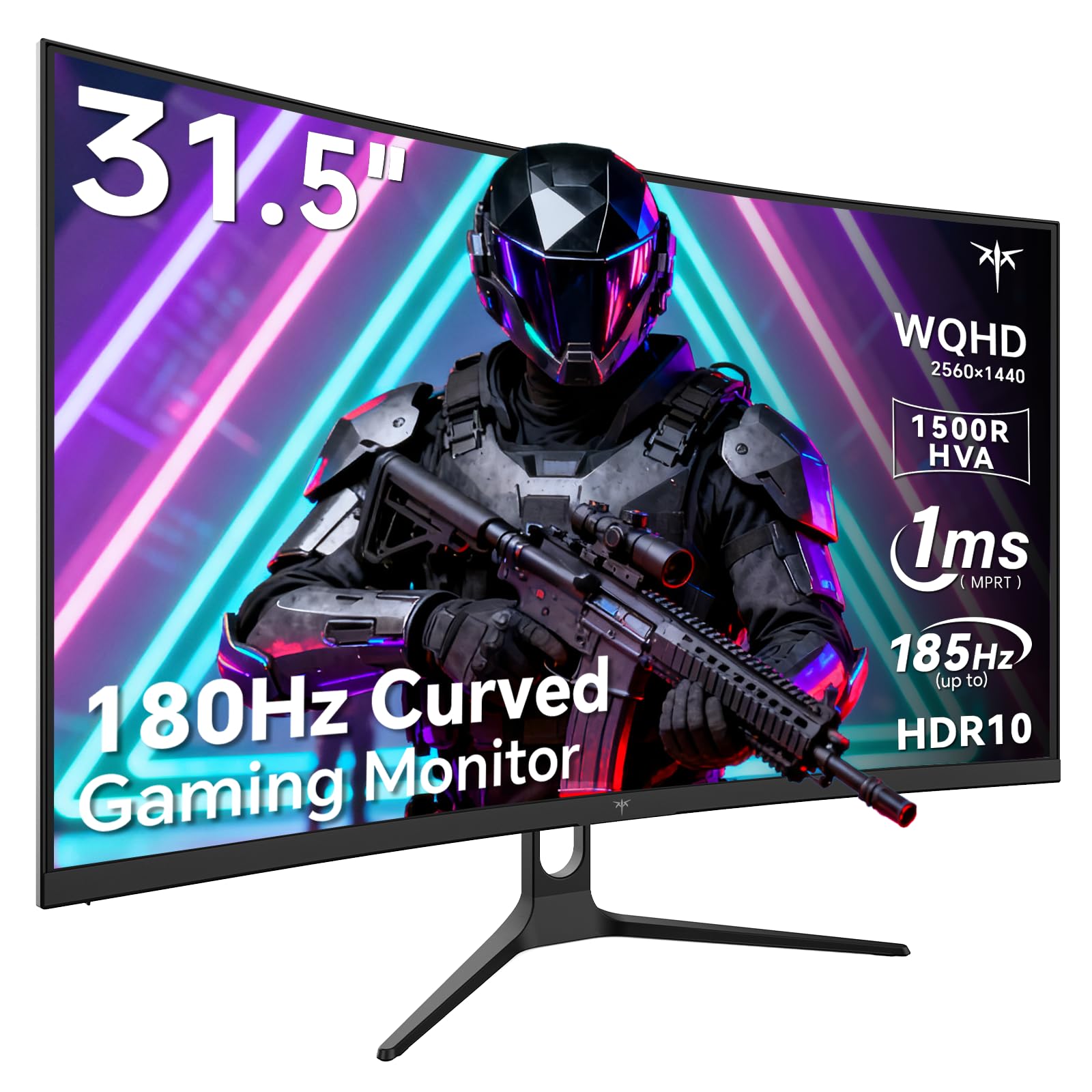
Image 1: KTC H32S5 31.5-inch QHD Curved Gaming Monitor.
2. Sadržaj paketa
Provjerite da li su sve stavke prisutne u paketu:
- 31.5" 2K Curved Monitor x1
- Monitor Stand x1
- Vodič za brzi početak (QSG) x1
- DP kabl x1
- Adapter za napajanje x1
3. Monitor Setup
3.1 Pričvršćivanje postolja
Carefully attach the monitor stand to the back of the monitor following the instructions in the Quick Start Guide. Ensure all screws are tightened securely.
3.2 VESA Wall Mount Installation
The monitor supports VESA 100mm x 100mm mounting. If you prefer to wall-mount the monitor, remove the stand and attach a compatible VESA mount (not included) to the designated holes on the back of the monitor. Ensure the wall mount can support the monitor's weight (approximately 16.87 pounds).

Slika 2: Pozadi view of the monitor showing connectivity ports and VESA mount area.
3.3 Povezivanje na uređaje
Connect your devices using the available ports:
- DisplayPort 1.4 (x2): For connecting to PCs and other devices supporting up to 185Hz refresh rate.
- HDMI 2.0 (x2): For connecting to gaming consoles, laptops, and desktops supporting up to 144Hz refresh rate.
- USB 2.0 (x2): For connecting peripherals (upgrade only).
- Priključak za slušalice: Za audio izlaz.
- DC ulaz napajanja: Spojite priloženi adapter za napajanje.
3.4 Početno uključivanje
After connecting all necessary cables, press the power button to turn on the monitor. The monitor will automatically detect the input signal. If no signal is detected, ensure your device is powered on and the correct input source is selected on the monitor.
4. Uputstvo za upotrebu
4.1 On-Screen Display (OSD) meni
The OSD menu allows you to adjust various monitor settings. Refer to the Quick Start Guide for detailed instructions on navigating the OSD menu using the monitor's control buttons.
4.2 Postavke ekrana
- rezolucija: The monitor features WQHD (2560 x 1440) resolution for sharp and detailed images.
- Brzina osvježavanja: Enjoy a smooth visual experience with a 180Hz refresh rate, overclockable to 185Hz via DisplayPort.
- Vrijeme odgovora: A 1ms MPRT response time minimizes motion blur, ideal for fast-paced gaming.
- Adaptivna sinhronizacija: Adaptive FreeSync technology eliminates screen tearing and stuttering for fluid gameplay.
- Raspon boja: Experience vivid and realistic colors with 99% sRGB color gamut coverage, 126% sRGB color volume, and a 5000:1 contrast ratio. HDR10 support provides enhanced contrast and a wider color palette.
- Njega očiju: Features like Low Blue Light and Flicker-Free technology help reduce eye strain during extended use.

Image 3: Visual representation of the monitor's high refresh rate for smoother gaming.

Image 4: Demonstration of Adaptive Sync technology eliminating screen tearing.

Image 5: Illustration of the 1500R curved display for an immersive viewing iskustvo.
4.3 GamePlus Mode
Activate GamePlus mode for in-game enhancements such as a customizable crosshair, on-screen timer, and display modes optimized for FPS (First-Person Shooter) and RTS (Real-Time Strategy) games.

Slika 6: Gotovoview of GamePlus features including Crosshair, Timer, FPS, and RTS modes.
5. Održavanje
To ensure the longevity and optimal performance of your KTC H32S5 monitor, follow these maintenance guidelines:
- Čišćenje ekrana: Nježno obrišite ekran mekom krpom koja ne ostavlja dlačice. Za tvrdokorne mrlje, laganoampen the cloth with water or a mild, non-abrasive screen cleaner. Avoid using alcohol, ammonia, or abrasive cleaners.
- Čišćenje eksterijera: Koristite meku, suhu krpu za čišćenje monitora casing.
- Rukovanje: Avoid touching the screen directly with your fingers or sharp objects. Do not place heavy objects on the monitor.
- ventilacija: Ensure adequate ventilation around the monitor to prevent overheating. Do not block the ventilation openings.
- Iskljuciti: Uvijek isključite monitor i iskopčajte ga iz strujne utičnice prije čišćenja ili ako ga nećete koristiti duži period.
6. Otkrivanje problema
Ako naiđete na bilo kakve probleme s monitorom, pogledajte sljedeće uobičajene korake za rješavanje problema:
- Nema prikaza/Crni ekran:
- Provjerite je li kabel za napajanje sigurno spojen i na monitor i na utičnicu.
- Provjerite da li je video kabl (DP ili HDMI) čvrsto povezan i sa monitorom i sa računarom/uređajem.
- Provjerite je li na monitoru odabran ispravan ulazni izvor putem OSD izbornika.
- Ponovo pokrenite računar/uređaj.
- Treperenje ili iskrivljena slika:
- Provjerite video kabel na oštećenja ili labave spojeve. Pokušajte s drugim kabelom ako je dostupan.
- Podesite brzinu osvježavanja u postavkama ekrana vašeg računara.
- Ensure Adaptive Sync is enabled in both the monitor's OSD and your graphics card settings.
- Problemi sa bojom:
- Reset the monitor's color settings to factory defaults via the OSD menu.
- Adjust color temperature or gamma settings in the OSD.
- Nema zvuka:
- Ensure headphones are properly connected to the headphone jack.
- Check audio settings on your connected device and the monitor's OSD.
Ako problem i dalje postoji nakon što ste isprobali ove korake, obratite se korisničkoj podršci.
7. Specifikacije proizvoda
| Feature | Specifikacija |
|---|---|
| Brand | KTC |
| Broj modela | H32S5 |
| Veličina ekrana | 31.5 inča |
| Rezolucija | 2560 x 1440 piksela (QHD širokokutni ekran 1440p) |
| Aspect Ratio | 16:9 |
| Zakrivljenost | 1500R |
| Refresh Rate | 180Hz (up to 185Hz via DP) |
| Vrijeme odgovora | 1ms MPRT |
| Tip panela | HVA |
| Gamut boja | 99% sRGB coverage, 126% sRGB volume |
| Kontrast Ratio | 5000:1 |
| Osvetljenost slike | 300 Candela |
| HDR podrška | HDR10 |
| Povezivanje | DisplayPort 1.4 x2, HDMI 2.0 x2, USB 2.0 x2 |
| Audio | Priključak za slušalice |
| Prilagodljivost | Tilt adjustment (-5° to 20°) |
| VESA Mount | 100mm x 100mm |
| Dimenzije proizvoda | 5.8 x 27.9 x 20.4 inča |
| Težina artikla | 16.87 funte |
| Voltage | 19 volti (DC) |
8. Informacije o garanciji
This product is subject to a 30-day return/replacement policy. For detailed warranty terms and conditions, please refer to the documentation provided with your purchase or contact the seller directly.
9. Korisnička podrška
For any questions, technical assistance, or support regarding your KTC H32S5 monitor, please contact the seller, KTC-Official, through the Amazon messaging system. They are available to assist you with product inquiries and troubleshooting.
Također možete posjetiti KTC trgovina na Amazonu za više informacija i proizvoda.
10. Zvanični video proizvoda
Watch this official product video from KTC-Official for a closer look at the KTC 32 Inch 2K 180Hz Curved Gaming Monitor.


