1. Uvod
Thank you for choosing the Parsonver G01 GPS Smart Watch. This manual provides essential information for the proper setup, operation, and maintenance of your device. Please read it carefully to ensure optimal performance and longevity of your smartwatch.

Image: The Parsonver G01 Smart Watch displayed with various outdoor activity scenes, highlighting its versatile use.
2. Sadržaj paketa
Prilikom otvaranja paketa, provjerite da li su svi artikli prisutni:
- 1x Parsonver G01 Smart Watch
- 1x Magnetni kabel za punjenje
- 1x uputstvo za upotrebu

Image: An illustration detailing the package contents, including the smartwatch, charging cable, and user manual.
3. Vodič za postavljanje
3.1 Punjenje pametnog sata
Before initial use, fully charge your Parsonver G01 Smart Watch. The device features a 520mAh battery, providing extended usage time.
- Spojite magnetni kabel za punjenje na kontakte za punjenje na stražnjoj strani sata.
- Uključite USB-A kraj kabla u standardni USB adapter za napajanje (nije uključen) ili USB port računara.
- Ekran sata će prikazivati status punjenja. Potpuno punjenje obično traje otprilike 2 sata.

Image: The smartwatch connected to its magnetic charging cable, illustrating the charging process and battery life indicators.
3.2 Instalacija i uparivanje aplikacije
To unlock the full functionality of your smartwatch, download and install the companion application on your smartphone.
- Scan the QR code provided in the quick start guide or search for "Glory Fit" in your smartphone's app store (compatible with iOS 9.0/Android 5.0 or above).
- Install the "Glory Fit" application.
- Otvorite aplikaciju i pratite uputstva na ekranu da kreirate nalog ili se prijavite.
- Provjerite je li Bluetooth omogućen na vašem pametnom telefonu.
- In the app, navigate to the device pairing section and select your Parsonver G01 Smart Watch from the list of available devices.
- Potvrdite zahtjev za uparivanje i na pametnom telefonu i na satu.
4. Uputstvo za upotrebu
4.1 Osnovna navigacija
The Parsonver G01 features a 1.95-inch HD touchscreen for intuitive interaction.
- Prevucite gore/dolje: Pristupite brzim postavkama ili obavještenjima.
- Prevucite lijevo/desno: Navigate through widgets and main functions.
- Dodirnite: Odaberite stavku ili potvrdite radnju.
- Pritisnite bočno dugme: Povratak na početni ekran ili uključivanje/isključivanje.
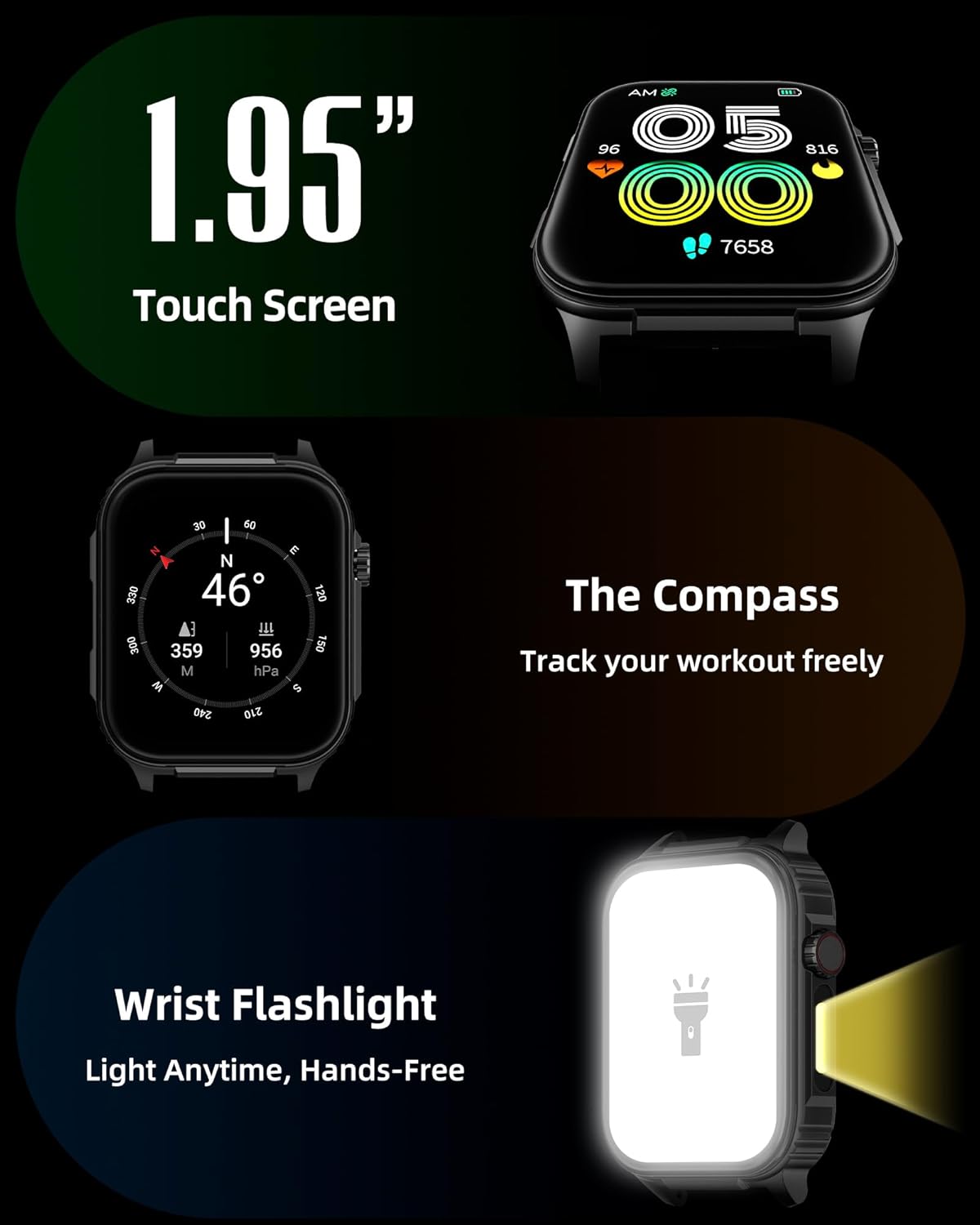
Slika: Detaljna view of the smartwatch screen, illustrating its 1.95-inch size, along with icons for compass and flashlight functions.
4.2 Bluetooth pozivi i pametna obavještenja
Stay connected by making and receiving calls directly from your wrist and receiving instant notifications.
- Upućivanje poziva: Once paired via Bluetooth 5.3, access the call function on your watch to dial numbers or select contacts.
- Primanje poziva: Incoming calls will display on the watch screen, allowing you to answer or reject them.
- Obavještenja: The watch provides vibration alerts for SMS, WhatsApp, Facebook, and other app notifications. Note: Direct replies from the watch are not supported.

Image: A man on a mountain trail interacting with his Parsonver G01 Smart Watch to manage a Bluetooth call, with notification icons floating above.

Image: The smartwatch screen showing incoming messages and app notifications, demonstrating its smart notification feature.
4.3 Brojčanici sata
Personalizirajte svoj sat s preko 400 dostupnih izgleda sata ili kreirajte vlastite prilagođene dizajne.
- Access the watch face market through the "Glory Fit" app.
- Browse and download various styles, from classic to modern.
- Use the DIY function to upload custom photos and create unique watch faces.

Image: The smartwatch screen showcasing a variety of watch face designs, illustrating the customization options.
4.4 Built-in GPS and Compass
Track your outdoor activities and navigate with precision, even without your phone.
- GPS praćenje: The built-in GPS accurately records your route, distance, and pace during outdoor workouts like running, hiking, and cycling. Ensure you are in an open area for optimal GPS signal acquisition.
- kompas: Utilize the integrated compass for navigation and orientation during your adventures.

Image: A cyclist wearing the Parsonver G01 Smart Watch, with the watch display showing GPS tracking data and a map.

Image: Hikers on a mountain trail, with the smartwatch displaying compass and GPS navigation features.
4.5 LED lampica
The integrated LED flashlight provides convenient illumination when needed.
- Access the flashlight function from the quick settings menu or a dedicated shortcut.
- The flashlight provides hands-free lighting for various situations.

Image: The smartwatch with its LED flashlight illuminated, demonstrating its utility in dark environments.
4.6 sportskih modova
The watch supports over 100 built-in sports modes to track your physical activities.
- Select your desired sport from the activity menu.
- The watch will track metrics such as calories burned, steps, distance, and heart rate in real-time.
- Examples include running, cycling, yoga, hiking, football, and more.

Image: An athlete tying shoelaces, with the smartwatch displaying various sports tracking metrics like steps, calories, distance, and heart rate.

Image: A visual representation of the smartwatch's extensive range of over 100 built-in sports modes, including running, football, and cycling.
4.7 Monitoring zdravlja
The Parsonver G01 provides comprehensive health monitoring features to help you maintain a healthy lifestyle.
- Praćenje srčanog ritma: Kontinuirano praćenje otkucaja srca 24/7.
- Praćenje kiseonika u krvi (SpO2): Track your blood oxygen levels in real-time.
- Praćenje spavanja: Analizira spavanjetages (deep, light, awake) to provide insights into your sleep quality.
- Stress and Mood Monitoring: Pomaže vam da razumijete i upravljate svojim nivoima stresa.
- Sedentarni podsjetnici: Podstiče vas da se krećete nakon perioda neaktivnosti.
- Vježbe disanja: Guided breathing sessions to help reduce stress.
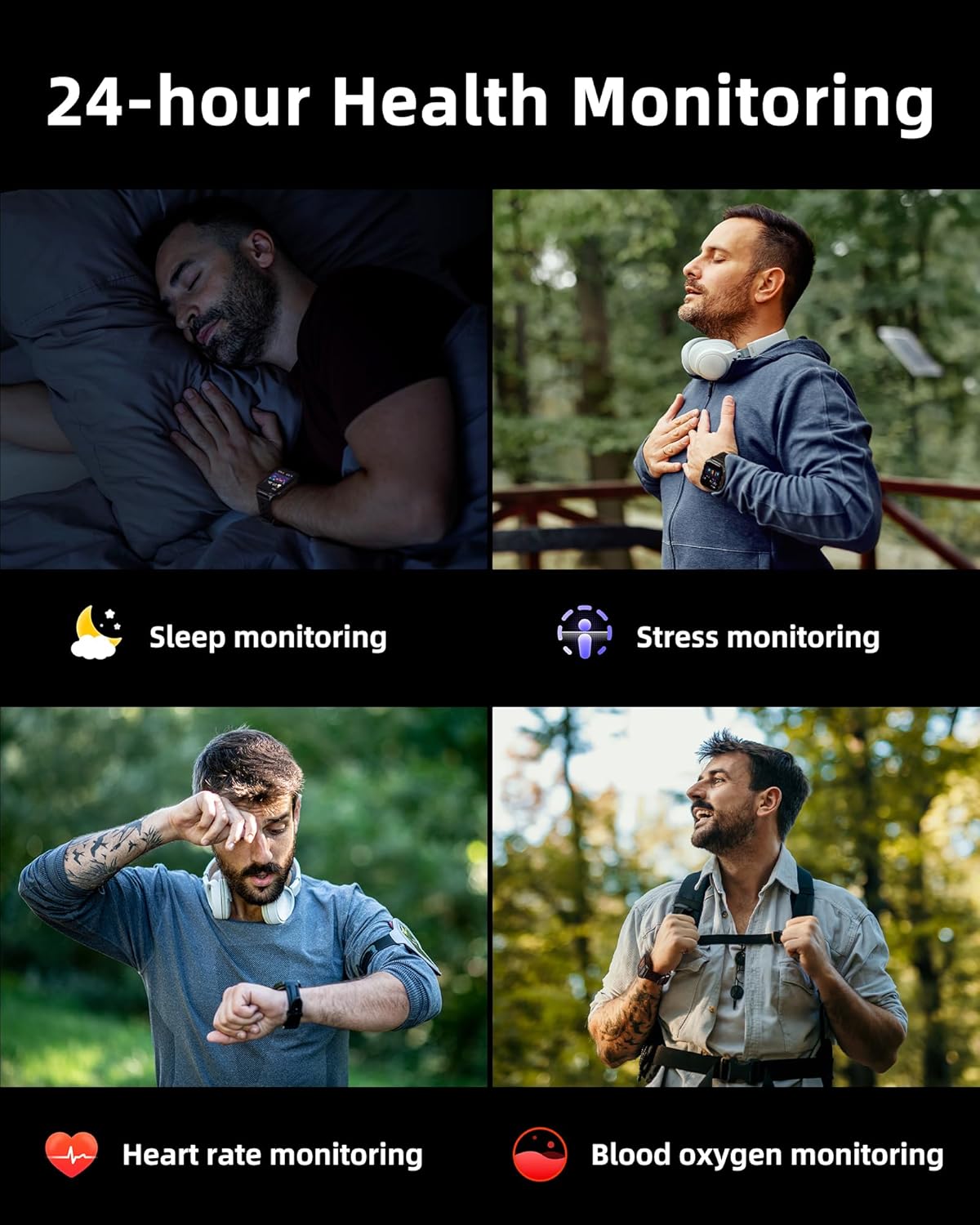
Image: A collage illustrating the smartwatch's 24-hour health monitoring capabilities, including sleep, stress, heart rate, and blood oxygen tracking.

Image: A man sleeping, with the smartwatch on his wrist, and a graphic showing detailed sleep analysis data.
4.8 Ostale praktične funkcije
The Parsonver G01 includes a variety of additional features to assist with daily tasks:
- Alarm: Postavite više alarma.
- Tajmer i štoperica: For precise timing.
- Kalkulator: Osnovne aritmetičke funkcije.
- Kalendar: View datumi i raspored.
- Kontrola muzike: Play, pause, skip tracks on your connected phone.
- Vremenska prognoza: Primajte vremenske informacije u stvarnom vremenu.
- Glasovni asistent: Interagujte s glasovnim asistentom na vašem telefonu.
- Daljinsko upravljanje kamerom: Daljinski aktivirajte kameru telefona.
- Pronađite telefon: Pronađite svoj izgubljeni pametni telefon.
- Podizanje za buđenje: Automatically activate the screen when you raise your wrist.

Image: A display of various practical functions on the smartwatch, including alarm, timer, stopwatch, calculator, calendar, music control, and weather.
5. Održavanje
5.1 Otpornost na vodu
The Parsonver G01 Smart Watch has an IP68 waterproof rating, meaning it is resistant to dust and can withstand immersion in water up to 1.5 meters for 30 minutes. It is suitable for daily splashes, hand washing, and light rain.
Važna napomena:
- The IP68 rating does not make the watch suitable for swimming, showering, or sauna use. Exposure to hot water, steam, or high-pressure water jets may compromise the water resistance.
- Izbjegavajte pritiskanje dugmadi pod vodom.
- If the watch gets wet, dry it thoroughly before charging or using the touchscreen.

Image: A hand wearing the smartwatch under running water, illustrating its IP68 waterproof capabilities for everyday use.
5.2 Čišćenje i njega
- Redovno čistite sat i remen mekom, suhom krpom.
- Ako je potrebno, koristite malo damp krpu blagim sapunom, zatim isperite i temeljito osušite.
- Izbjegavajte upotrebu jakih hemikalija, abrazivnih sredstava za čišćenje ili rastvarača, jer oni mogu oštetiti završnu obradu i komponente sata.
- Keep the charging contacts clean and free of debris to ensure proper charging.
6. Otkrivanje problema
If you encounter issues with your Parsonver G01 Smart Watch, refer to the following common solutions:
- Sat se ne uključuje: Provjerite je li sat potpuno napunjen. Spojite ga na punjač na najmanje 30 minuta.
- Ne može se upariti sa pametnim telefonom:
- Provjerite je li Bluetooth omogućen na vašem telefonu i satu.
- Provjerite je li sat unutar Bluetooth dometa vašeg telefona.
- Ponovo pokrenite i sat i telefon.
- Check if the "Glory Fit" app has necessary permissions on your phone.
- Inaccurate GPS data:
- Pobrinite se da se nalazite na otvorenom vanjskom prostoru sa čistim view neba za bolji satelitski prijem.
- Allow sufficient time for the watch to acquire a GPS signal before starting an activity.
- Screen lights up during sleep: This can be caused by wrist movements activating the raise-to-wake feature. You may be able to disable or adjust the sensitivity of the raise-to-wake feature in the watch settings or the companion app.
- Kratko trajanje baterije:
- Frequent use of GPS, Bluetooth calls, and continuous health monitoring can consume more battery.
- Reduce screen brightness or shorten screen-on time.
- Onemogućite nepotrebna obavještenja.
- Compass inaccuracy: Calibrate the compass if available in the watch settings or app. Ensure no strong magnetic fields are nearby.
If the issue persists, consult the FAQ section within the "Glory Fit" app or contact customer support.
7. Specifikacije
| Feature | Specifikacija |
|---|---|
| Broj modela | G01 |
| Veličina ekrana | 1.95 inča |
| Display Type | Full Touch Screen HD |
| Kapacitet baterije | Litij polimer 520 mAh |
| Tipična upotreba Trajanje baterije | 7-10 dana |
| Vrijeme pripravnosti | Do 40 dana |
| Vrijeme punjenja | Approx. 2 Hours (Magnetic Fast Charging) |
| Povezivanje | Bluetooth 5.3 |
| Kompatibilnost operativnog sistema | iOS 9.0 / Android 5.0 or above |
| Ocjena vodootpornosti | IP68 |
| Ugrađene karakteristike | GPS, Compass, LED Flashlight |
| Monitoring zdravlja | Heart Rate, Blood Oxygen, Sleep, Stress, Mood |
| Sportski modovi | 100+ |
| Težina artikla | 47 grama (1.66 unci) |
| Kapacitet memorije | 256 MB |
8. Garancija i podrška
Parsonver is committed to providing reliable products and dedicated customer support. For any questions, technical assistance, or warranty inquiries, please refer to the contact information provided with your purchase or visit the official Parsonver website.


