1. Uvod
This manual provides essential information for the safe and efficient operation of your TOPTRO Quadra Projector. Please read this manual thoroughly before using the projector and retain it for future reference. The TOPTRO Quadra Projector is designed to deliver a high-quality visual and audio experience with its advanced features and smart capabilities.
2. Sigurnosne informacije
- Ne blokirajte ventilacijske otvore. Osigurajte dovoljan protok zraka oko projektora kako biste spriječili pregrijavanje.
- Ne izlažite projektor kiši ili vlazi kako biste izbjegli strujni udar ili požar.
- Koristite samo adapter za napajanje koji dolazi s projektorom.
- Izbjegavajte gledanje direktno u sočivo projektora kada je lamp je uključen, jer jarko svjetlo može uzrokovati oštećenje oka.
- Postavite projektor na stabilnu, ravnu površinu kako biste spriječili njegov pad.
- Ne pokušavajte sami rastavljati ili popravljati projektor. Za sve servisne radove obratite se kvalifikovanom osoblju.
3. Sadržaj paketa
Provjerite da li su sve stavke prisutne u paketu:
- 1 x TOPTRO Quadra Projector
- 1 x HDMI kabl
- 1 x Uputstvo za upotrebu
- 1 x daljinski upravljač
4. Proizvod je gotovview
Familiarize yourself with the main components and interfaces of your TOPTRO Quadra Projector.
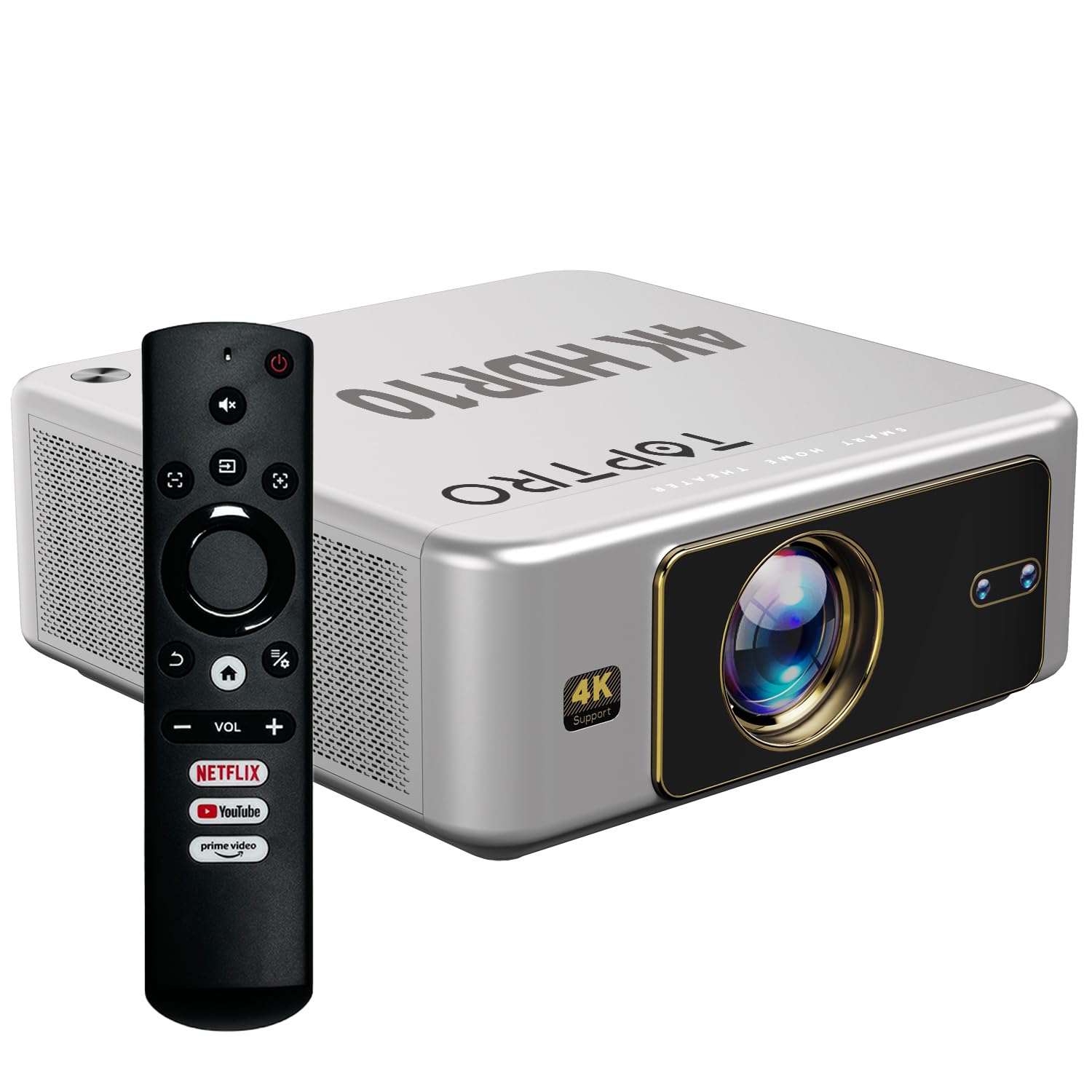
Slika 4.1: Prednja strana view of the TOPTRO Quadra Projector with included remote control.

Figure 4.2: Rear panel of the projector displaying the power input, audio jack, HDMI ports, and USB ports.
5. Podešavanje
5.1 Placement and Projection Size
Position the projector on a stable surface. The TOPTRO Quadra Projector supports a maximum screen size of 300 inches. Adjust the distance from the wall or screen to achieve your desired image size.

Figure 5.1: Recommended projection distances for different screen sizes.
5.2 Priključak za napajanje
- Spojite kabel za napajanje na ulazni priključak za napajanje projektora.
- Drugi kraj kabla za napajanje uključite u odgovarajuću električnu utičnicu.
5.3 Početno uključivanje i osnovne postavke
- Pritisnite dugme za napajanje na projektoru ili daljinskom upravljaču da ga uključite.
- Upon first use, the projector may guide you through initial setup steps, including language selection and network connection.
5.4 Fokus i korekcija trapezoidnog izobličenja
The TOPTRO Quadra Projector features AI-powered automatic focus and keystone correction. This system automatically adjusts the image for optimal clarity and shape.
- Auto Focus: The projector will automatically adjust the image sharpness.
- Auto Keystone: The projector will automatically correct trapezoidal distortion to ensure a rectangular image.
- Auto Obstacle Avoidance & Screen Fit: The projector can detect obstacles and adjust the image to fit the screen area.
If automatic adjustments are not satisfactory, manual adjustments can be made through the settings menu. Navigate to the 'Display & Sound' settings to access these options.

Slika 5.2: Funkcije automatske korekcije slike.
6. Operacija
6.1 Korisnički interfejs i navigacija
The TOPTRO Quadra Projector runs on a Net-Flix Certified Linux OS, providing a user-friendly interface. Use the remote control to navigate through menus and select applications.

Figure 6.1: Home screen with pre-installed streaming applications.
6.2 Povezivanje
The projector offers various connectivity options for external devices.
- HDMI: Connect your laptop, MacBook, Blu-ray player, TV sticks, TV boxes, or gaming consoles (e.g., PS4) using the dual HDMI ports. The projector supports HDMI CEC and HDMI EARC for enhanced audio return channel functionality.
- USB: Two USB ports are available for connecting pendrives or hard disks to play media files direktno.
- 3.5 mm audio izlaz: Connect external headphones or speakers for a personalized audio experience.
- Wi-Fi: Utilize the 6th Gen Dual Band Wi-Fi (2.4 GHz + 5 GHz) for internet access and streaming.
- Bluetooth 5.2: Connect Bluetooth speakers, headphones, or other compatible audio devices. The projector also supports two-way Bluetooth, allowing it to function as a Bluetooth speaker.
- Miracast: Wirelessly mirror your screen from compatible devices.

Slika 6.2: Opcije povezivanja za eksterne uređaje.
6.3 Postavke ekrana
Adjust image quality and display features through the 'Display & Sound' menu.
- Način slike: Select from various preset picture modes (e.g., Vivid) or customize settings like brightness, contrast, and color.
- 4K HDR10+ Support: The projector plays true 4K resolution HDR10+ videos, offering enhanced contrast and color depth.
- MEMC (Procjena pokreta, Kompenzacija pokreta): This technology improves video smoothness and clarity, especially for fast-moving scenes, by interpolating frames.

Figure 6.3: MEMC technology for smoother visuals.
6.4 Audio postavke
Manage audio output and formats via the 'Display & Sound' menu.
- Dolby Atmos & Dolby Digital Plus: The projector supports these advanced audio technologies for immersive sound.
- eARC način rada: Enable eARC for high-quality audio return from compatible devices.
- Izlazni format: Select the appropriate audio output format (e.g., Auto, PCM, Passthrough, Dolby Digital, Dolby Digital Plus) based on your connected audio system.

Figure 6.4: Immersive audio with Dolby Atmos support.
7. Održavanje
Pravilno održavanje osigurava dugotrajnost i optimalne performanse vašeg projektora.
- Čišćenje sočiva: Pažljivo obrišite sočivo projektora mekom krpom koja ne ostavlja dlačice, posebno dizajniranom za optičke površine. Izbjegavajte abrazivne materijale ili jake hemikalije.
- Eksterijerno čišćenje: Za čišćenje vanjske strane projektora koristite meku, suhu krpu.
- Prevencija prašine: The TOPTRO Quadra Projector features a fully sealed optical engine, which helps prevent dust, dirt, and moisture from entering the light path. This design reduces the need for frequent internal cleaning and maintains consistent image quality.
8. Otkrivanje problema
Ako naiđete na probleme s projektorom, pogledajte sljedeće uobičajene probleme i rješenja:
| Problem | Mogući uzrok | Rješenje |
|---|---|---|
| Nema prikazane slike | Incorrect input source selected; loose HDMI/USB connection; power issue. | Verify input source in settings; check cable connections; ensure projector is powered on. |
| Nema zvuka | Volume too low or muted; incorrect audio output setting; external audio device not connected properly. | Adjust volume; check 'Sound output' settings; ensure external speakers are connected and powered. |
| Slika je mutna ili iskrivljena | Focus or keystone correction issues; projector not placed correctly. | Allow auto-focus/keystone to complete. If issues persist, manually adjust focus and keystone in 'Display & Sound' settings. Ensure the projector is perpendicular to the screen. |
| Daljinski upravljač ne radi | Batteries are low or depleted; remote not pointed at IR receiver; obstruction. | Zamijenite baterije; osigurajte nesmetanu vidljivost IR prijemnika projektora. |
| Fan noise is noticeable | Normal operation; projector is working hard; ventilation blocked. | Ensure adequate ventilation around the projector. Fan noise is a normal part of projector operation, especially during high-performance tasks. |
9. Specifikacije
Key technical specifications of the TOPTRO Quadra Projector:
| Feature | Detalj |
|---|---|
| Brand | TOPTRO |
| Naziv modela | TOPTRO Quadra Projector 4K HDR10+ Dolby |
| Dimenzije proizvoda | 24 x 20 x 10 cm |
| Težina artikla | 2 kg |
| Hardversko sučelje | 3.5mm Audio, Bluetooth 5.2, Dual HDMI (CEC, EARC), Dual USB |
| Kompatibilni uređaji | Gaming Console, Laptop, Smartphone, Speaker, Television |
| Posebne karakteristike | Dolby Atmos - Dolby Digital Plus, 4K HDR 10+/HLG, Net-Flix Certified Linux OS, 2GB RAM, 32GB ROM, Auto Focus & Keystone, Native 1080p Full HD & True 4K Support, 32000 Lumens Brightness (2600 ANSI), 15W Big Speakers, HDMI ARC, Dual HDMI, Built-in Apps, Dual 5G & 2.4G WiFi 6, Bluetooth, WiFi Display, Electronic Focus & 6D Electronic correction, Fully Sealed Optical Engine, MEMC |
| Display Technology | LCD |
| Osvetljenost slike | 32000 lumena (2600 ANSI) |
| Odnos kontrasta slike | 22000:1 |
| Aspect Ratio | 16:9 |
| Native Screen Resolution | 1920 x 1080 (Full HD) |
| Podržana rezolucija | Up to 3840 x 2160 Pixels (4K) |
| Refresh Rate | 60 Hz |
| Lamp Život | 50000 sata |
| Form Factor | Prijenosni |
| Vrsta montaže | Ceiling Mount |
| Zemlja porijekla | Kina |
10. Garancija i podrška
For warranty information, technical support, or service inquiries, please contact TOPTRO Projectors India using the details below:
- Email: support@toptro.in or sreeprojectors@gmail.com
- Whatsapp: 8341888860
- Webstranica: toptro.in
Please have your product model number (Quadra 4K HDR10+ Dolby) and purchase details ready when contacting support.


