1. Sigurnosne informacije
Please read all safety information before using your device to ensure safe and proper use. Failure to follow these instructions may result in injury or damage to the device.
- Sigurnost baterije: Do not disassemble, puncture, or modify the battery. Avoid exposing the battery to high temperatures or direct sunlight.
- Otpornost na vodu i prašinu: The OUKITEL G3 is IP68/IP69K rated for water and dust resistance. Ensure all ports are securely closed before exposing the device to water or dust. Avoid prolonged submersion or exposure to high-pressure water jets.
- temperatura: Operate the device within a temperature range of 0°C to 35°C (32°F to 95°F). Extreme temperatures can damage the device and reduce battery life.
- Usluga: Only authorized service personnel should repair this product. Unauthorized repairs may void your warranty.
2. Sadržaj paketa
Verify that all items are present in your OUKITEL G3 package:
- 1x OUKITEL G3 Rugged Phone
- 1x punjač od 10 W
- 1x Data Cable (USB-C)
- 1x Manual

Image: The OUKITEL G3 smartphone, charger, data cable, and user manual as found in the product packaging.
Video: An unboxing demonstration of the OUKITEL G3 Rugged Smartphone, showcasintelefon i njegovu priloženu dodatnu opremu.
3. Podešavanje
3.1 Početno podešavanje
- Uključeno: Press and hold the Power button located on the right side of the device until the OUKITEL logo appears.
- Pratite upute na ekranu: The device will guide you through selecting your language, connecting to Wi-Fi, and setting up your Google account.
3.2 Umetanje SIM/TF kartice
The OUKITEL G3 supports Dual SIM (Nano + Nano) or Nano + TF card for flexible network and storage options.
- Pronađite ladicu za SIM karticu sa strane telefona.
- Koristite priloženi alat za izbacivanje SIM kartice da biste otvorili ladicu.
- Pažljivo umetnite Nano-SIM karticu(e) i/ili TF karticu u predviđene utore.
- Lagano gurnite ladicu nazad u uređaj dok ne klikne na svoje mjesto.

Image: The SIM card tray of the OUKITEL G3, showing the correct placement for Nano-SIM cards and a TF (microSD) card.
3.3 Punjenje uređaja
The OUKITEL G3 is equipped with a 6300mAh battery and supports 10W fast charging.
- Connect the USB-C end of the data cable to the phone's charging port.
- Connect the USB-A end of the data cable to the 10W charger.
- Uključite punjač u utičnicu.
- Indikator punjenja će se pojaviti na ekranu.
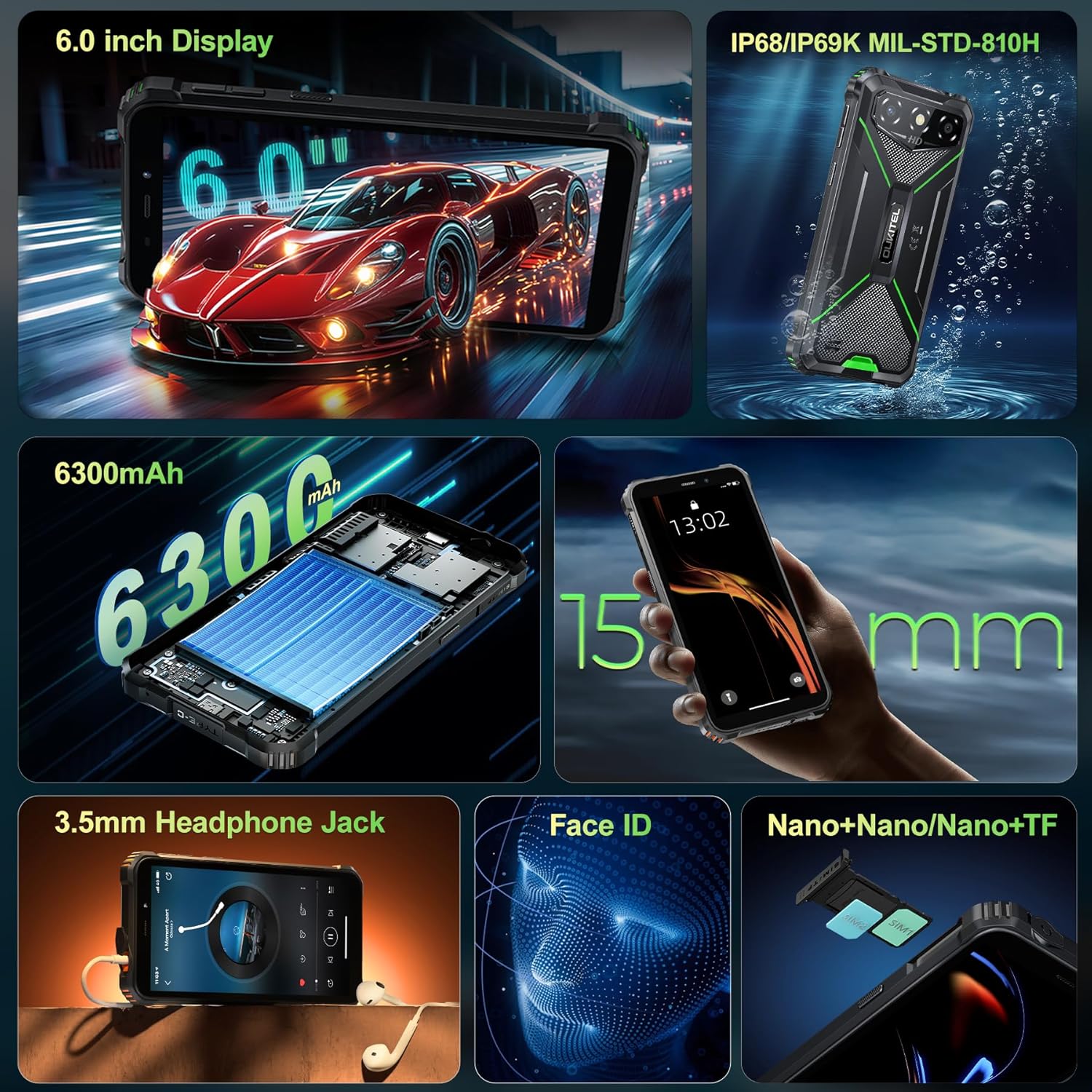
Image: The OUKITEL G3 phone being charged with its included 10W charger and USB-C cable.
4. Upravljanje vašim OUKITEL G3
4.1 Osnovna navigacija
Your OUKITEL G3 runs on the latest Android 14, offering a clean and responsive user interface.
- Početni ekran: Prevucite prstom lijevo ili desno da biste pristupili različitim panelima početnog ekrana.
- Ladica za aplikacije: Swipe up from the bottom of the screen to open the app drawer and view sve instalirane aplikacije.
- Obavještenja i brze postavke: Prevucite prstom prema dolje s vrha ekrana da biste pristupili obavještenjima i brzim postavkama.
4.2 Karakteristike ekrana
The 6-inch HD display provides a bright and clear viewing iskustvo.
- Podešavanje svjetline: Adjust screen brightness manually or enable adaptive brightness in Settings > Display.
- Brzina osvježavanja: The display operates at a 60Hz refresh rate for smooth visuals.
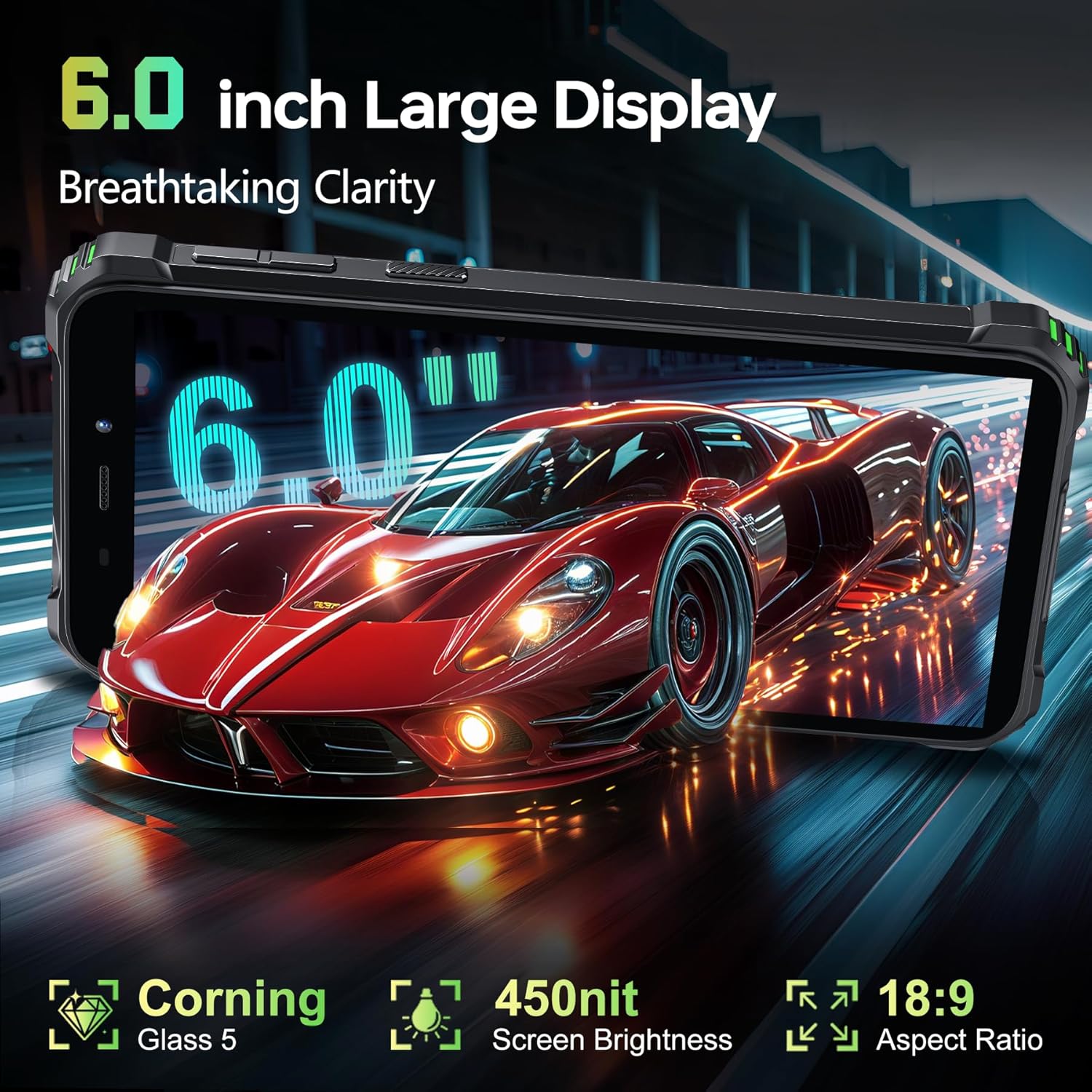
Image: The OUKITEL G3's 6-inch HD display showcasing a dynamic image, highlighting its clarity and color reproduction.
4.3 Korištenje kamere
Zabilježite trenutke glavnom kamerom od 13 MP i prednjom kamerom od 5 MP.
- Otvorite aplikaciju Kamera: Tap the Camera icon on your home screen or app drawer.
- Prebacivanje kamera: Dodirnite ikonu prekidača kamere da biste prelazili između zadnje i prednje kamere.
- Snimanje fotografije/videozapisa: Dodirnite dugme okidača da biste snimili fotografiju ili pokrenuli/zaustavili snimanje videa.
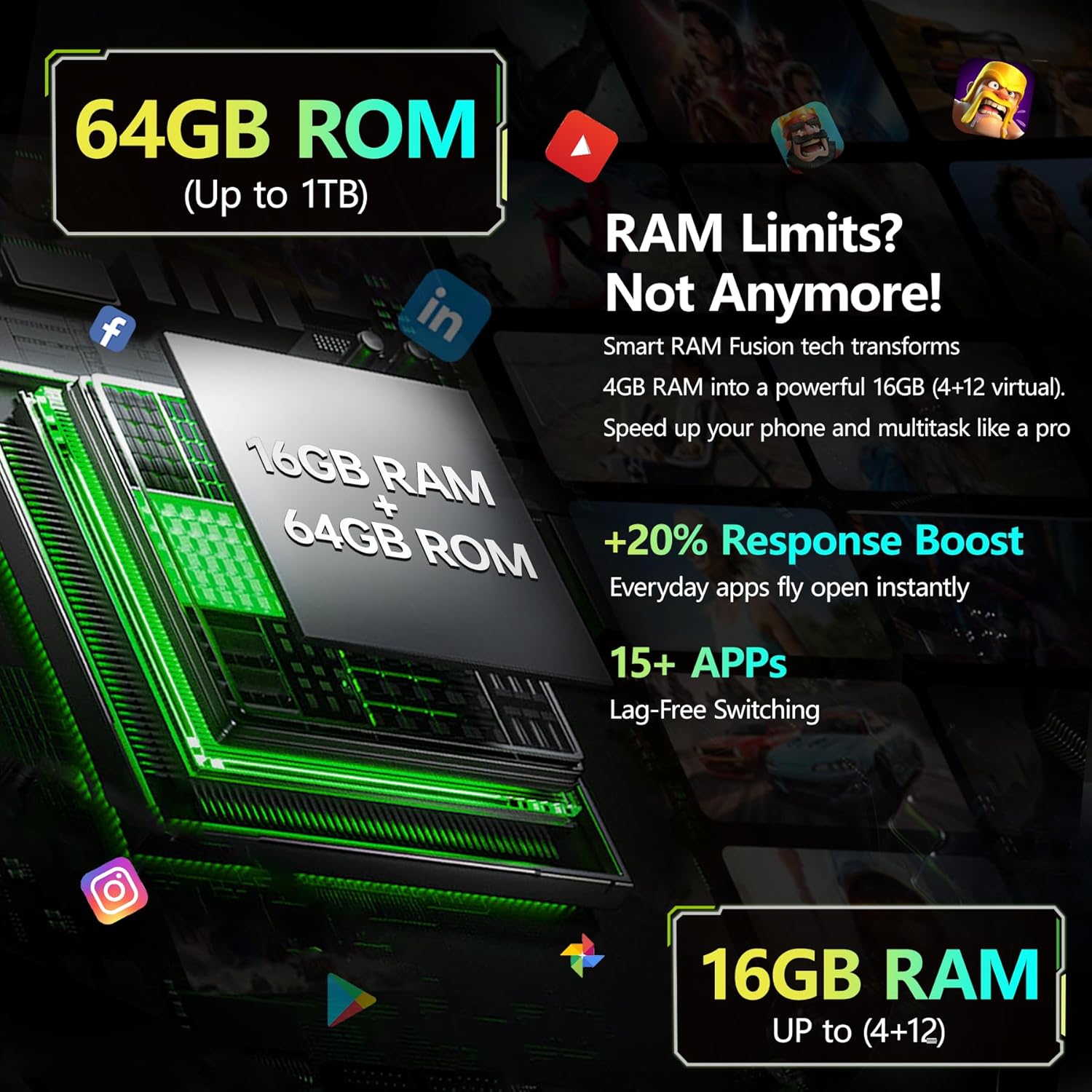
Slika: Detaljna view of the OUKITEL G3's rear camera setup, featuring the 13MP main camera lens and LED flash.
4.4 Povezivanje
Stay connected with various connectivity options.
- 4G Dvije SIM kartice: Supports two Nano-SIM cards for separate mobile networks.
- Wi-Fi: Connect to 2.4G and 5G Wi-Fi networks for internet access.
- Bluetooth: Uparite se s Bluetooth uređajima poput slušalica ili zvučnika.
- GPS: Utilize GPS, GLONASS, Beidou, and Galileo for accurate navigation.
4.5 Posebne karakteristike
- ID lica: Unlock your phone securely using facial recognition.
- USB OTG: Connect USB devices such as flash drives or keyboards using an OTG adapter (sold separately).
- 3.5 mm audio priključak: Povežite žičane slušalice za reprodukciju zvuka.
Video: A promotional video highlighting various features of the OUKITEL G3 Rugged Phone, including its durability and performance.
5. Održavanje
5.1 Waterproof and Dustproof Care
The OUKITEL G3 is designed to withstand harsh environments with IP68, IP69K, and MIL-STD-810H certifications.
- Ensure all port covers are tightly sealed before exposing the phone to water or dust.
- After exposure to water, dry the device thoroughly before charging or opening any ports.
- Avoid using the phone in extreme underwater conditions or high-pressure water.
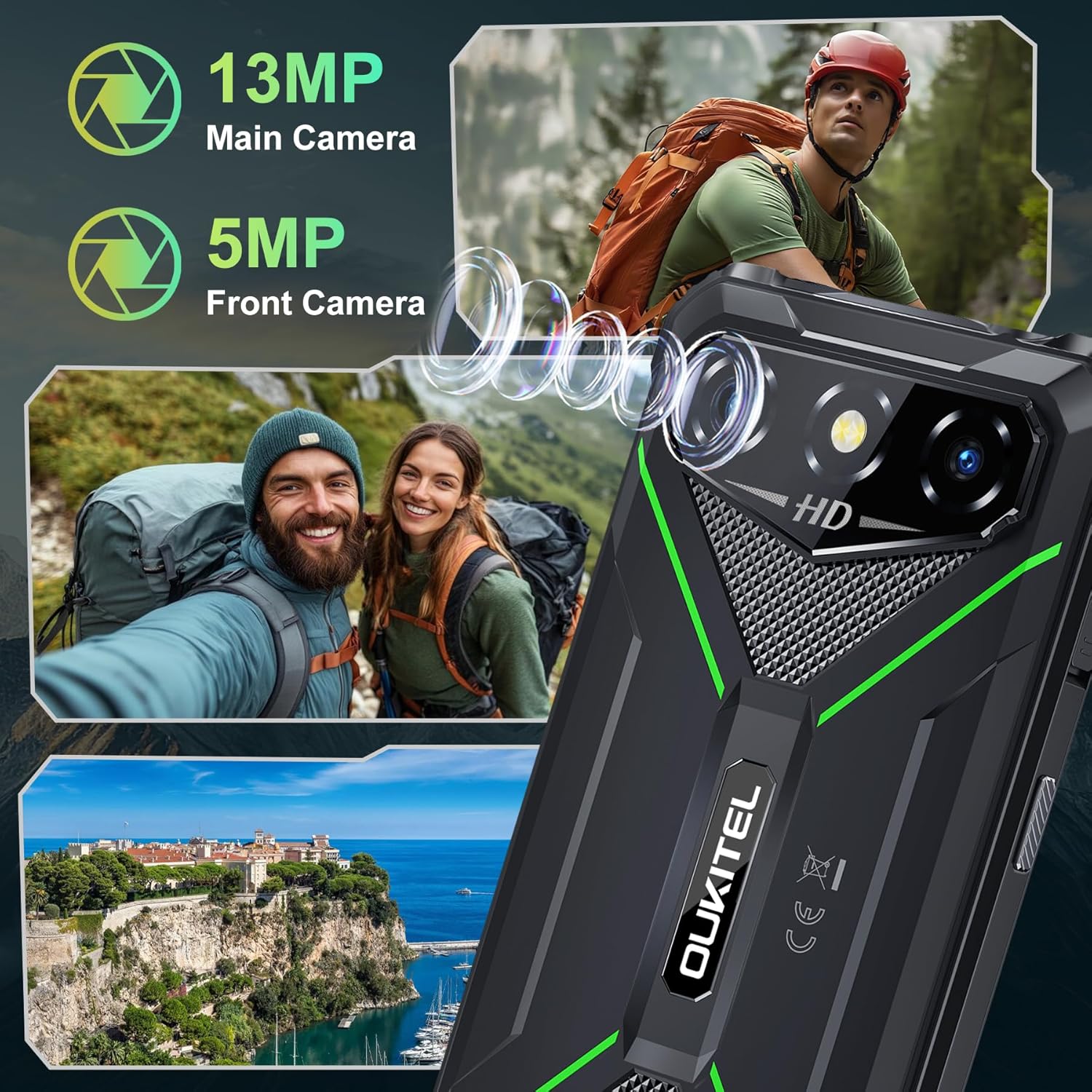
Image: The OUKITEL G3 rugged smartphone shown with water splashing on it, illustrating its waterproof capabilities.
5.2 Optimizacija baterije
To maximize the life of your 6300mAh battery:
- Izbjegavajte često potpuno pražnjenje baterije.
- Reduce screen brightness and disable unnecessary features like Bluetooth or Wi-Fi when not in use.
- Zatvorite pozadinske aplikacije koje prekomjerno troše energiju.
- The phone supports reverse charging, allowing it to act as a power bank for other devices.
6. Otkrivanje problema
If you encounter issues with your OUKITEL G3, try the following steps:
- Uređaj ne reagira: Pritisnite i držite dugme za napajanje oko 10 sekundi da biste prisilno ponovo pokrenuli računar.
- Problemi s punjenjem: Ensure the charger and cable are properly connected and undamaged. Try a different outlet.
- Problemi s mrežom: Check if your SIM card is correctly inserted. Verify your mobile data or Wi-Fi connection settings.
- Padovi aplikacije: Obrišite keš memoriju i podatke problematične aplikacije u Postavkama > Aplikacije. Ako problem i dalje postoji, deinstalirajte i ponovo instalirajte aplikaciju.
- Vraćanje na tvorničke postavke: Kao krajnje rješenje, možete izvršiti fabričko vraćanje na postavke (Postavke > Sistem > Opcije resetovanja > Izbriši sve podatke). Warning: This will erase all data on your phone. Back up important information first.
7. Specifikacije
| Feature | Detalj |
|---|---|
| Naziv modela | OUKITEL G3 |
| Operativni sistem | Android 14 |
| Veličina ekrana | 6 inča |
| Veličina instalirane RAM memorije | 16 GB |
| Kapacitet memorije | 64 GB (proširivo do 1 TB) |
| Ocjena snage baterije | 6300 mAh |
| Vrijeme razgovora telefonom | 45 sata |
| Zadnja kamera | 13 MP |
| Prednja kamera | 5 MP |
| Cellular Technology | 4G |
| Podrška za bežične operatere | T-Mobile (Not AT&T or Verizon) |
| Connectivity Technologies | Bluetooth, USB, Wi-Fi (2.4G+5G) |
| Posebne karakteristike | Built-In GPS, Dual SIM, Rugged Body, Supports USB OTG, Face ID, 3.5mm Audio Jack |
| IP Rating | IP68, IP69K |
| Military Standard | MIL-STD-810H |
| Težina artikla | 1.22 funte |
| Dimenzije paketa | 8.11 x 4.5 x 2.16 inča |
8. Garancija i podrška
Your OUKITEL G3 Rugged Smartphone comes with a manufacturer's warranty. Please refer to the warranty certificate included in your package for specific terms and conditions.
Za tehničku podršku, pomoć u rješavanju problema ili reklamacije, obratite se OUKITEL-ovoj korisničkoj službi putem njihove službene webweb-mjesto ili kontakt informacije navedene u vašoj dokumentaciji o garanciji.


