Uvod
Thank you for choosing the Ballu Convection Panel Space Heater. This manual provides essential information for the safe and efficient operation of your new heater. Please read it thoroughly before use and retain it for future reference.
The Ballu Convection Panel Space Heater (Model NCA1-4.6-PRO) is designed for indoor use, offering smart heating solutions with programmable thermostat, WiFi app control, and inverter technology for energy efficiency. It is compatible with Alexa for convenient voice control.
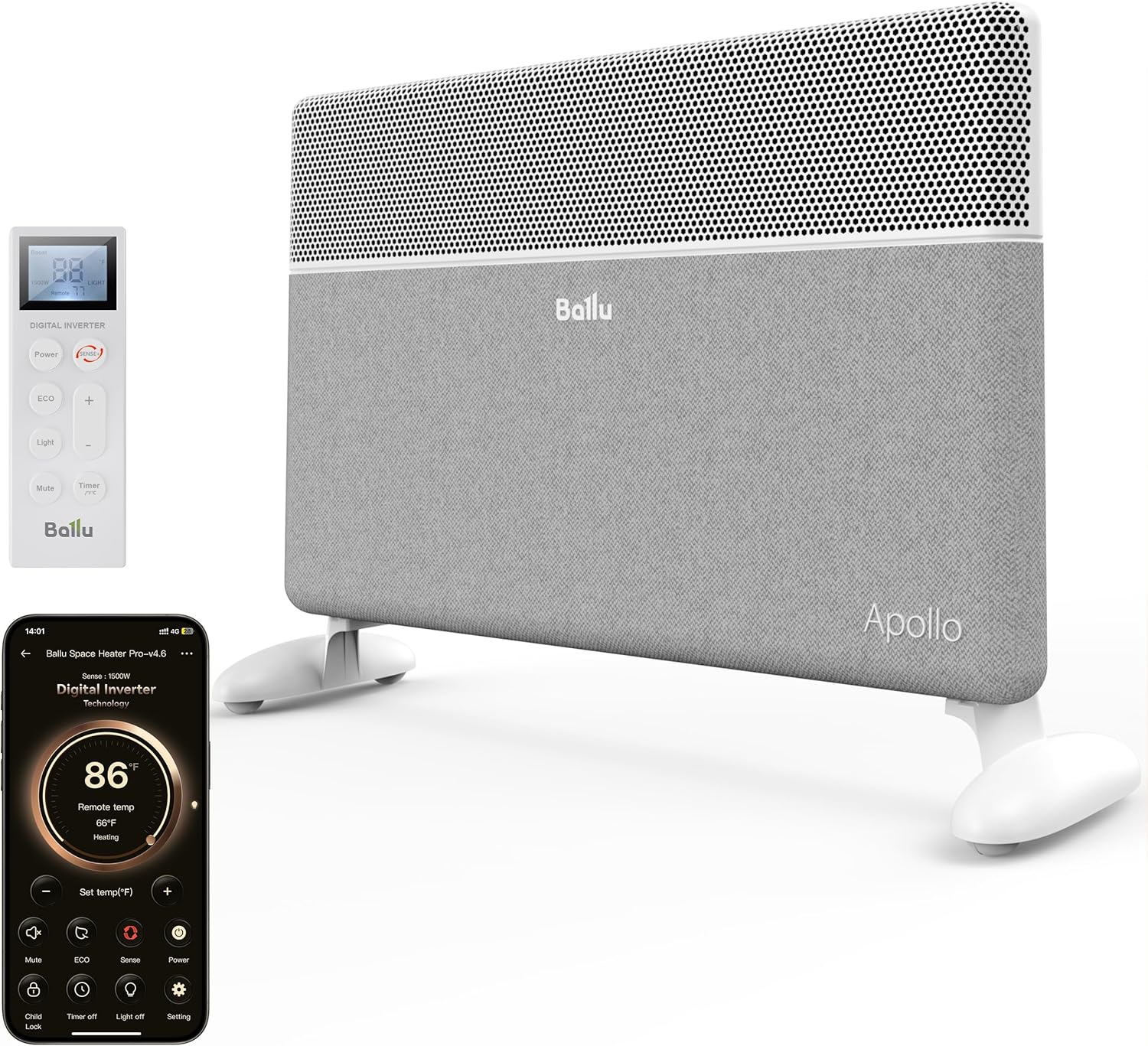
Image: The Ballu Convection Panel Space Heater, shown with its remote control and a smartphone displaying the control app. The heater is white and gray, standing on white feet.
Važne informacije o sigurnosti
Uvijek se pridržavajte osnovnih sigurnosnih mjera opreza prilikom korištenja električnih uređaja kako biste smanjili rizik od požara, strujnog udara i ozljeda.
- plasman: Ensure the heater is placed on a stable, level surface. Maintain a safe distance from combustible materials.
- Napajanje: Connect the heater to a properly grounded outlet. Do not overload circuits. The power cord is V0-rated flame-retardant.
- Zaštita od pregrijavanja: The heater includes built-in overheat protection. If the heater overheats, it will automatically shut off. Unplug the cord and allow 15 minutes to cool down before attempting to restart.
- Zaštita od prevrtanja: Equipped with smart tip-over protection, the heater will automatically shut off if accidentally knocked over.
- Zaključavanje za djecu: Utilize the child lock function to prevent unintended changes to settings.
- Ne pokrivajte: Nikada ne prekrivajte grijalicu, jer to može dovesti do pregrijavanja i opasnosti od požara.
- Nadzor: Close supervision is necessary when any appliance is used by or near children or individuals with reduced physical, sensory, or mental capabilities.
- Samo za unutrašnju upotrebu: Ovaj uređaj je dizajniran samo za unutrašnju upotrebu.

Image: A close-up of the top of the heater, clearly showing the 'DO NOT COVER' warning for safety.
Setup
1. Raspakivanje
Carefully remove the heater and all accessories from the packaging. Retain the packaging for future storage or transport. The heater comes with a dust-proof storage bag for off-season protection.
Video: Prekorview of the Ballu Convection Panel Space Heater, highlighting its features and design. This video is provided by Ballu Direct.
2. Opcije instalacije
The Ballu Convection Panel Space Heater offers two installation methods: freestanding with portable casters or wall-mounted. All necessary accessories are included for both options.
Freestanding Installation (with Casters)
Attach the provided caster wheels to the base of the heater. The wheels are designed for easy movement across various floor surfaces. No tools are required for this installation.
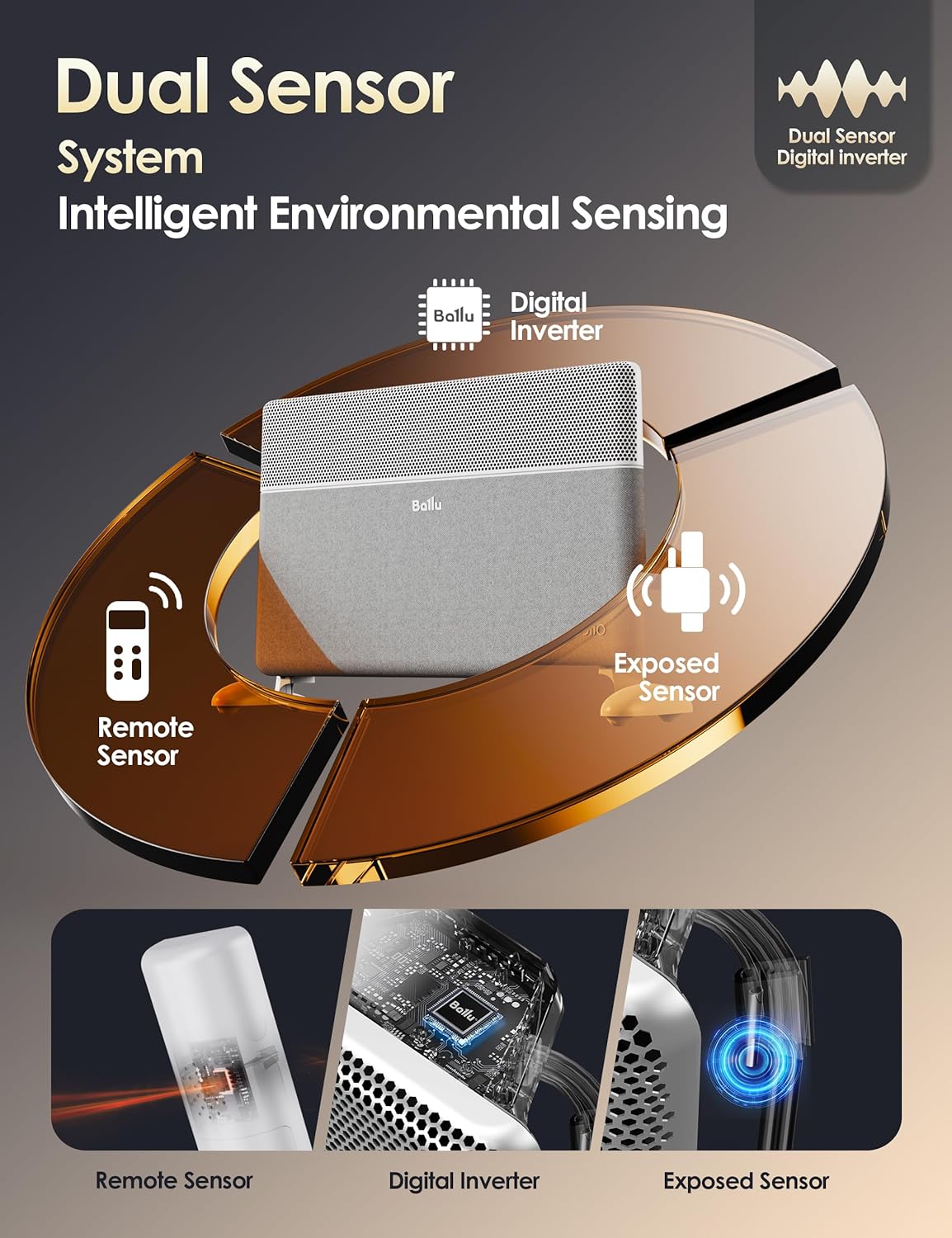
Image: The Ballu heater shown with its detachable wheels, illustrating its portability for freestanding use.
Zidna instalacija
The heater can be securely mounted to a wall using the included brackets and screws. Follow the detailed instructions in the quick start guide for proper wall mounting. Ensure the mounting location is suitable and provides adequate clearance from other objects.

Image: The Ballu heater is shown mounted on a wall in a bedroom, demonstrating its space-saving installation option.
3. Podešavanje daljinskog upravljača
The remote control requires two AAA batteries (not included). Open the battery compartment on the back of the remote and insert the batteries, observing polarity. The remote features an LED display showing set temperature, current room temperature, and heating mode.
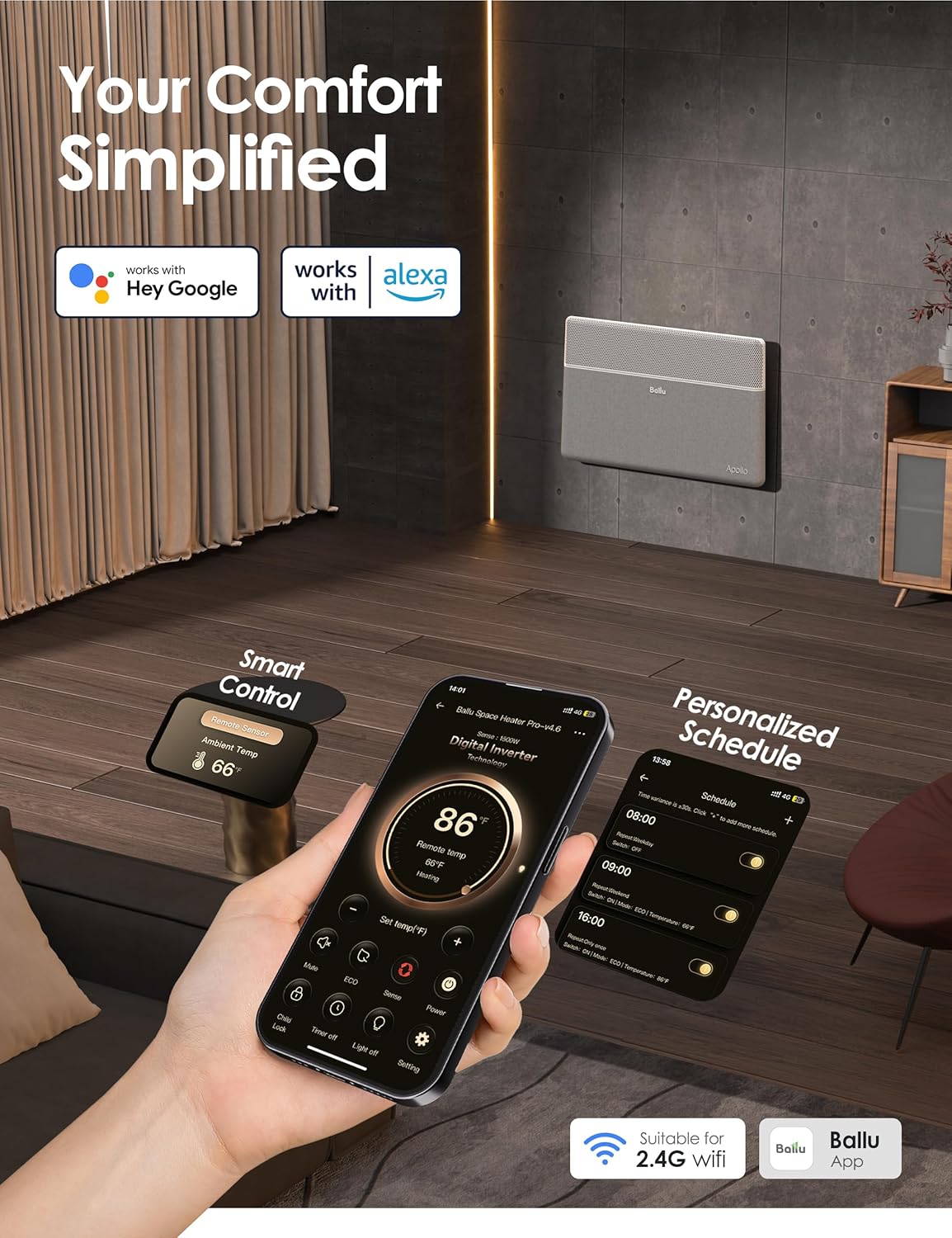
Image: A close-up of the remote control for the Ballu heater, showing its digital display and various control buttons.
Operacija
1. Kontrolna tabla
The heater features an intuitive touch control panel located on the top of the unit. This panel allows you to power on/off, select modes, adjust temperature, set timers, and manage WiFi connectivity.

Slika: Detaljna view of the heater's top control panel, showing the digital temperature display and touch-sensitive buttons for various functions.
2. Daljinski upravljač
The remote control provides convenient access to all heater functions from a distance. It includes buttons for Power, ECO mode, Light (to turn off display lights), Mute (for button beeps), Timer, and temperature adjustment (+/-). The remote has a built-in temperature sensor for accurate readings in its vicinity.
Video: A user demonstrates the unpacking, remote control, and app functions of the Ballu Convection Panel Space Heater, highlighting its quiet operation and portability.
3. App Control (WiFi)
The Ballu Space Heater can be controlled via a smartphone app (Smart Life app, available on Google Play and App Store) and is compatible with Alexa. This allows for advanced features such as:
- Remote Power On/Off: Control the heater from anywhere.
- Podešavanje temperature: Precisely set your desired room temperature.
- Odabir načina rada: Switch between Boost, Comfort, and ECO modes.
- Zakazivanje: Create personalized heating schedules for different times of the day or week.
- Power Level Setting: Adjust power output (e.g., 1500W or 750W).
- Aktivacija brave za djecu: Remotely enable or disable the child lock.
- Light Off Function: Turn off the display lights for undisturbed sleep.
- upravljanje glasom: Integrate with Alexa for hands-free operation.

Image: A smartphone screen displaying the Ballu heater's control app, showing temperature settings, modes, and scheduling options.
4. Načini grijanja
- Boost Mode (Red Indicator): Fast heating with full 1500W power. Disregards temperature settings initially. After 3 hours, it automatically switches to Comfort mode.
- Comfort Mode (Yellow Indicator): Default setting, maintains temperature between 50-86°F (10-30°C).
- ECO Mode (Green Indicator): Energy-saving mode, maintains temperature between 50-86°F (10-30°C) but saves approximately 4°F/2°C of energy compared to Comfort mode.
5. Funkcija brave za djecu
To activate the child lock, long-press the up and down temperature buttons on the control panel simultaneously for 2 seconds. This prevents accidental changes to settings. To deactivate, repeat the process.
Održavanje
- čišćenje: Ensure the heater is unplugged and completely cooled before cleaning. Use a soft, damp cloth to wipe the exterior. Do not use abrasive cleaners or allow water to enter the unit.
- Skladištenje: When not in use, especially during off-season, store the heater in a cool, dry place. Use the provided dust-proof storage bag to protect it from dust and debris. Ensure the heater is completely cooled down before covering.
Rješavanje problema
| Problem | Mogući uzrok | Rješenje |
|---|---|---|
| Grijač se ne uključuje. | Nije uključeno, napajanje je isključenotage, overheat protection activated, tip-over protection activated. | Check power connection. Verify power supply. If overheat/tip-over protection is active, unplug, allow 15 minutes to cool, then retry. |
| Heater is on but no heat. | Temperature setting is too low, ECO mode active. | Increase the target temperature. Switch to Comfort or Boost mode if faster heating is desired. |
| Problemi s WiFi vezom. | Incorrect WiFi password, router too far, 2.4GHz network not selected. | Ensure correct password. Move heater closer to router. Confirm connection to a 2.4GHz WiFi network. Reset WiFi on the control panel if needed. |
| Daljinski upravljač ne radi. | Baterije su prazne ili nepravilno umetnute. | Replace batteries (2x AAA). Check battery polarity. |
| Beeping sounds are annoying. | Zadana postavka. | Use the "Mute" button on the remote control or app to silence button beeps. |
For further assistance, please contact customer service at Support@ballu.com.
Specifikacije
- Brand: ballu
- Broj modela: NCA1-4.6-PRO
- Boja: Fabric White
- Form Faktor: Floor Standing / Wall Mount
- Unutarnja/vanjska upotreba: Indoor
- Dimenzije proizvoda: 4"D x 27"Š x 16"H
- Pokrivenost grijanja: Up to 250 sq ft (Primary), Over 500 sq ft (Supplemental)
- Vrsta plamenika: Jež grijaći element
- Izlazna toplota: 1500 Watts
- Vrsta goriva: Električni
- Voltage: 120 Volts
- Amperage: 12.5 Amps
- Podešavanje minimalne temperature: 40 stepena Farenhajta
- Postavka maksimalne temperature: 86 stepena Farenhajta
- Posebne karakteristike: Bladeless, Child Lock, Digital Display, Fast Heating, Flame Resistant, Overheat Protection, Tip-over Protection, Energy Efficient, Noiseless, Programmable Thermostat, Wi-Fi Enabled.
- Težina artikla: 13.87 funte
Garancija i podrška
The Ballu Convection Panel Space Heater is backed by a 2 godine garancije, ensuring long-term performance and peace of mind. For warranty claims, technical support, or any product-related inquiries, please contact:
Email: Support@ballu.com
Please have your model number (NCA1-4.6-PRO) and purchase date available when contacting support.


