Uvod
Thank you for choosing the MIATONE Seattle T-01A PRO Bluetooth Headphones. This manual provides essential information for setting up, operating, and maintaining your headphones. Please read it carefully before use to ensure optimal performance and longevity of your device.
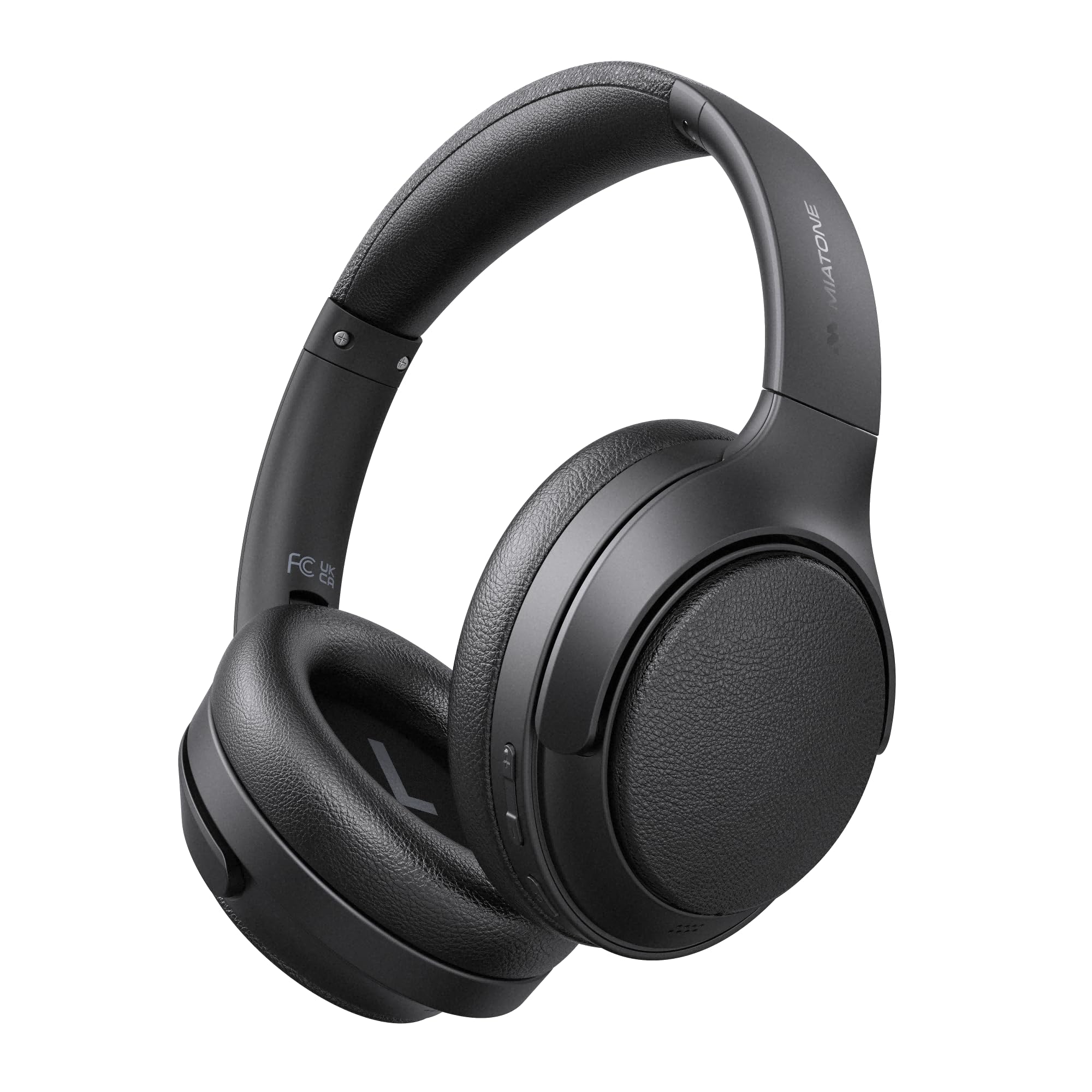
Image: MIATONE Seattle T-01A PRO Bluetooth Headphones in black, showcasing njihov elegantan dizajn.
Sadržaj paketa
Provjerite da li su sve stavke prisutne u paketu:
- MIATONE Seattle T-01A PRO Headphones x 1
- USB-C to USB-A Charging Cable x 1
- 3.5 mm AUX audio kabl x 1
- Torba za nošenje x 1
- Korisnički priručnik x 1

Image: Contents of the MIATONE Seattle T-01A PRO package, including headphones, cables, carrying case, and manual.
Product Overview
The MIATONE Seattle T-01A PRO headphones feature a comfortable, foldable design with soft earcups and an adjustable headband for extended wear. They incorporate advanced audio technology for a superior listening experience.
Ključne karakteristike:
- Hybrid Active Noise Cancelling (ANC): Smanjuje ambijentalnu buku do 48 dB.
- 5 AI Microphones: Ensures clear voice calls even in noisy environments.
- Dual Dynamic Drivers: 40mm and 10mm LCP drivers deliver rich bass and clear treble.
- Dug vijek trajanja baterije: Up to 60 hours of playback (45 hours with ANC).
- Višetačka veza: Povežite se s dva uređaja istovremeno.
- Wired & Wireless Modes: Supports Bluetooth 5.4 and 3.5mm AUX connection.

Image: Diagram illustrating the adjustable headband, foldable shaft, multi-axis rotation, and soft earpads for enhanced comfort and portability.

Slika: Eksplodirano view of the headphone earcup, highlighting the 40mm and 10mm LCP dual dynamic drivers.
Setup
1. Punjenje slušalica
Before first use, fully charge the headphones. Connect the provided USB-C charging cable to the headphone's charging port and the other end to a USB power adapter (not included) or a computer's USB port. The LED indicator will show charging status and turn off when fully charged.
- Brzo punjenje od 5 minuta omogućava do 10 sati reprodukcije.
- Potpuno punjenje traje približno 2 sati.

Image: Visual representation of the headphones' extended battery life, indicating up to 60 hours of playback.
2. Uključivanje/isključivanje
- Uključeno: Press and hold the Power button for 2 seconds until the LED indicator flashes.
- Iskljuciti: Pritisnite i držite dugme za napajanje 3 sekunde dok se LED indikator ne ugasi.
3. Bluetooth uparivanje
When powered on for the first time, the headphones will automatically enter pairing mode. The LED indicator will flash blue and red alternately.
- Omogućite Bluetooth na svom uređaju (pametni telefon, tablet, računar).
- Traži "MIATONE Seattle" in the list of available devices.
- Select "MIATONE Seattle" to connect. The LED indicator will turn solid blue when connected.
4. Multipoint Connection
Slušalice podržavaju istovremeno povezivanje s dva Bluetooth uređaja.
- Pair the headphones with the first device (e.g., smartphone).
- Isključite Bluetooth na prvom uređaju. Slušalice će ponovo ući u način rada za uparivanje.
- Pair the headphones with the second device (e.g., PC).
- Ponovo omogućite Bluetooth na prvom uređaju. Slušalice će se automatski povezati s oba uređaja.
Note: Audio playback will only come from one device at a time. You can switch between devices by pausing playback on one and starting it on the other.

Image: Diagram showing the headphones connected simultaneously to a smartphone and a laptop via multipoint Bluetooth.
5. Žična veza (AUX način rada)
To use the headphones in wired mode, connect one end of the 3.5mm AUX audio cable to the headphone's AUX port and the other end to your audio source's 3.5mm jack. The headphones will automatically switch to AUX mode. Bluetooth functions will be disabled in wired mode.

Image: Illustration of both wired (AUX) and wireless (Bluetooth 5.4) connection options for the headphones.
Uputstvo za upotrebu
1. Active Noise Cancelling (ANC) Modes
The headphones offer Hybrid ANC and Ambient Sound modes.
- ANC uključen: Press the ANC button once to activate Active Noise Cancelling. This mode reduces external noise by up to 48dB, ideal for travel or noisy environments.
- Način ambijentalnog zvuka: Press the ANC button again to switch to Ambient Sound mode. This allows you to hear your surroundings while still enjoying your audio.
- ANC isključen: Press the ANC button a third time to turn off all noise control features.

Image: A woman wearing the headphones, demonstrating the -48dB noise reduction capability in various environments like trains, airplanes, and cafes.
2. Pozivanje funkcija
The integrated 5 AI microphones ensure clear communication.
- Odgovori/Završi poziv: Pritisnite višenamjenski taster jednom.
- odbiti poziv: Pritisnite i držite višenamensko dugme 2 sekunde.
- Aktivirajte glasovnog asistenta: Dvaput pritisnite višenamensko dugme.

Image: A woman wearing the headphones, illustrating the effectiveness of the 5 AI microphones and AI noise cancelling for clear calls in various settings.
3. Reprodukcija muzike
- Pusti/pauza: Pritisnite višenamjenski taster jednom.
- Sljedeća pjesma: Pritisnite i držite dugme za pojačavanje jačine zvuka 2 sekunde.
- Prethodni zapis: Pritisnite i držite dugme za smanjenje jačine zvuka 2 sekunde.
4. Kontrola jačine zvuka
- Povećavanje glasnoće: Pritisnite dugme za pojačavanje zvuka jednom.
- Smanjivanje jačine zvuka: Pritisnite dugme za smanjivanje jačine zvuka jednom.
Održavanje
1. Čišćenje
- Obrišite slušalice mekom, suhom krpom.
- Nemojte koristiti abrazivna sredstva za čišćenje ili rastvarače.
- Održavajte priključak za punjenje čistim od prašine i ostataka.
2. Skladištenje
- Kada se ne koriste, slušalice čuvajte u priloženoj torbici za nošenje kako biste ih zaštitili od prašine i oštećenja.
- Izbjegavajte skladištenje na ekstremnim temperaturama ili visokoj vlažnosti.

Image: Hands placing the foldable MIATONE Seattle headphones into their protective carrying case for convenient storage and transport.
Rješavanje problema
| Problem | Mogući uzrok | Rješenje |
|---|---|---|
| Nije moguće uključiti | Niska baterija | U potpunosti napunite slušalice. |
| Nije moguće uparivanje putem Bluetootha | Headphones not in pairing mode / Bluetooth disabled on device | Ensure headphones are in pairing mode (flashing blue/red). Enable Bluetooth on your device and search again. |
| Nema zvuka | Volume too low / Not connected / AUX cable inserted | Increase volume. Ensure headphones are connected. If using Bluetooth, remove AUX cable. |
| ANC nije efikasan | ANC not activated / High-frequency noise | Press the ANC button to activate. ANC is most effective against low-frequency noise. |
| Loš kvalitet poziva | Microphone obstructed / Weak Bluetooth signal | Ensure microphones are clear. Move closer to your connected device. |
Specifikacije
| Feature | Specifikacija |
|---|---|
| Naziv modela | T-01A PRO |
| Kontrola buke | Hybrid Active Noise Cancelling (up to 48dB) |
| Tehnologija povezivanja | Wireless (Bluetooth 5.4), Wired (3.5mm AUX) |
| Driver Size | 40mm + 10mm Dual Dynamic Drivers |
| Impedansa | 32 Ohma |
| Trajanje baterije | Do 60 sati (ANC isključen), do 45 sati (ANC uključen) |
| Mikrofoni | 5 AI Microphones for calls |
| Posebne karakteristike | Multipoint Connection, Ambient Sound Mode, Foldable Design |
| Dimenzije | 22.4 x 17.7 x 7.5 cm |
| Težina | 540 g |
Garancija i podrška
MIATONE products are designed for reliability and performance. For warranty information and customer support, please refer to the warranty card included in your package or visit the official MIATONE website. Sačuvajte račun o kupovini za reklamacije.
For further assistance, please contact MIATONE customer service.


