1. Uvod
Thank you for choosing the LIGE FV21-D Women's Smartwatch. This device combines elegant design with advanced fitness and communication features to enhance your daily life. This manual provides detailed instructions for setup, operation, and maintenance to ensure optimal use of your smartwatch.
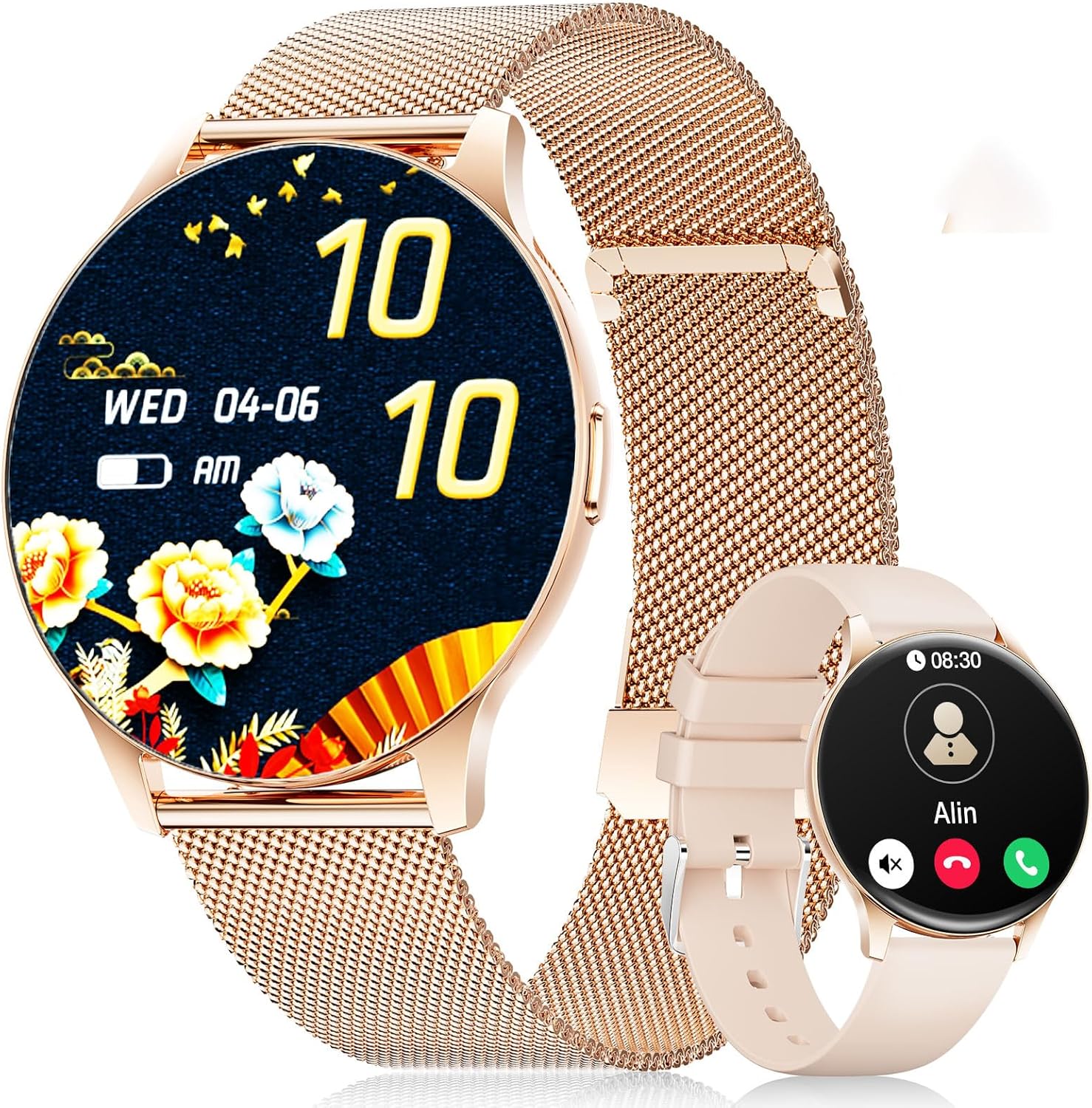
Image: The LIGE FV21-D Smartwatch, showcasing its rose gold casing with a mesh strap and an alternative beige silicone strap. The main display shows a floral watch face, while the smaller inset shows a call interface.
2. Sadržaj paketa
Molimo Vas da provjerite da li se u Vašem paketu nalaze svi artikli:
- LIGE FV21-D Smartwatch
- Metal Mesh Strap (Rose Gold)
- Silicone Strap (Beige)
- Kabel za punjenje
- Korisnički priručnik (ovaj dokument)
3. Podešavanje
3.1 Punjenje pametnog sata
- Connect the charging cable to the charging port on the back of the smartwatch.
- Plug the USB end of the charging cable into a standard USB power adapter (not included) or a computer's USB port.
- The watch display will indicate charging status. Ensure the watch is fully charged before first use. A full charge typically takes approximately 2 hours.
3.2 Uključivanje/isključivanje napajanja
- Uključeno: Press and hold the side button for a few seconds until the LIGE logo appears.
- Iskljuciti: Press and hold the side button, then select the "Power Off" option on the screen.
3.3 Instalacija i uparivanje aplikacije
To unlock the full functionality of your smartwatch, you need to pair it with your smartphone using the dedicated application.
- Preuzmite aplikaciju: Traži "FitCloudPro" in your smartphone's app store (Apple App Store for iOS or Google Play Store for Android) and install it.
- Omogući Bluetooth: Provjerite je li Bluetooth omogućen na vašem pametnom telefonu.
- Otvorite aplikaciju: Launch the FitCloudPro app and follow the on-screen instructions to create an account or log in.
- Dodaj uređaj: In the app, navigate to the "Device" or "Add Device" section. The app will search for available smartwatches.
- Odaberite svoj sat: Select "FV21-D" or the corresponding device name from the list.
- Potvrdite uparivanje: Zahtjev za uparivanje može se pojaviti i na vašem telefonu i na pametnom satu. Potvrdite uparivanje na oba uređaja.
- Dajte dozvole: Dodijelite potrebne dozvole (npr. obavještenja, lokaciju, kontakte) aplikaciji za punu funkcionalnost.
Note: The smartwatch supports Android 4.4+ and iOS 9.0+ operating systems.
4. Uputstvo za upotrebu
4.1 Osnovna navigacija
- Ekran na dodir: The 1.43-inch HD AMOLED touch display allows for intuitive interaction.
- Prevucite gore/dolje: Skrolajte kroz menije i obavještenja.
- Prevucite lijevo/desno: Pristupite brzim funkcijama ili različitim widgetima.
- Dodirnite: Odaberite stavku ili potvrdite radnju.
- Bočno dugme: Press to return to the home screen or wake the display. Long press for power options.
4.2 Prilagođavanje izgleda sata
Your smartwatch offers over 200 customizable watch faces. You can change them directly on the watch or through the FitCloudPro app.
- Na Satu: Long-press the home screen, then swipe left or right to browse available watch faces. Tap to select.
- Preko aplikacije: Open the FitCloudPro app, go to the "Watch Faces" section, and choose from the gallery. You can also upload your own photos to create custom watch faces.
4.3 Phone Function (Bluetooth Call)
Once paired, you can make and receive calls directly from your smartwatch.
- Upućivanje poziva: Access the "Dialer" or "Contacts" function on the watch to initiate a call.
- Primanje poziva: Kada primite poziv, sat će prikazati ID pozivaoca. Poziv možete direktno odgovoriti ili odbiti s ekrana sata.
4.4 sportskih modova
The smartwatch supports over 120 sports modes, including yoga, cycling, running, and more. To start a workout:
- Navigate to the "Sports" or "Workout" menu on your watch.
- Odaberite željenu aktivnost.
- Tap to start tracking. The watch will record data such as duration, calories burned, and heart rate.
- To end a workout, swipe or tap the screen and select the "End" option.
4.5 Monitoring zdravlja
The FV21-D smartwatch provides comprehensive health tracking features:
- Monitor otkucaja srca: Neprekidno prati vaš puls tokom cijelog dana. View podaci u stvarnom vremenu na satu ili detaljni trendovi u aplikaciji.
- Sleep Tracker: Automatically monitors your sleep patterns, including deep sleep, light sleep, and wake times. Access sleep analysis in the FitCloudPro app.
- Pedometar: Tracks your daily steps taken.
- Calorie Measurement: Estimates calories burned based on activity and personal data.
- SpO2 (Blood Oxygen) Monitor: Mjeri nivo zasićenosti krvi kisikom.
- Praćenje menstrualnog ciklusa: For female users, the app can track and predict menstrual cycles.
Note: This device is not a medical device. Health data is for reference only and should not be used for medical diagnosis or treatment.
4.6 Obavještenja i podsjetnici
Receive notifications directly on your wrist:
- Pozivi i poruke: Get alerts for incoming calls, SMS, and messages from various apps (e.g., WhatsApp, Facebook). Configure app notifications in the FitCloudPro app.
- Alarm: Set alarms through the app to vibrate on your wrist.
- Sedentarni podsjetnik: The watch can remind you to move after periods of inactivity.
- Informacije o vremenu: View current weather conditions and forecasts (requires app synchronization).
- Glasovni asistent: Access your smartphone's voice assistant directly from the watch.
4.7 Otpornost na vodu (IP68)
The FV21-D smartwatch is IP68 waterproof, meaning it is resistant to dust and can withstand immersion in water up to 1.5 meters for 30 minutes. It is suitable for daily use, such as washing hands, rain, and sweating during exercise. However, it is not recommended for hot showers, saunas, or diving, as steam and hot water can damage the seals.
5. Održavanje
5.1 Cleaning the Smartwatch
- Obrišite ekran i kućište sata mekom krpom koja ne ostavlja dlačice.
- Ako je potrebno, lagano dampIsperite krpu vodom. Izbjegavajte upotrebu jakih hemikalija ili abrazivnih materijala.
- Prije punjenja provjerite je li sat potpuno suh.
5.2 Zamjena remena
Your smartwatch comes with two interchangeable straps: a metal mesh strap and a silicone strap. To replace them:
- Locate the quick-release pins on the underside of the strap where it connects to the watch body.
- Slide the pin inwards to detach the strap.
- Align the new strap with the watch lugs and insert one end of the pin into the hole.
- Slide the quick-release pin inwards, position the strap, and release the pin to secure it. Ensure both ends of the pin are properly seated.
5.3 Njega baterija
- Izbjegavajte često potpuno pražnjenje baterije.
- Redovno punite sat, čak i ako ga ne koristite, kako biste održali bateriju u ispravnom stanju.
- Čuvajte sat na hladnom i suhom mjestu kada ga ne koristite duži period.
6. Otkrivanje problema
| Issue | Moguće rješenje |
|---|---|
| Sat se ne uključuje. | Provjerite je li sat potpuno napunjen. Spojite ga na punjač na najmanje 30 minuta. |
| Nije moguće uparivanje sa pametnim telefonom. |
|
| Obavještenja se ne primaju. |
|
| Netačni zdravstveni podaci. |
|
| Kratko trajanje baterije. |
|
If you encounter issues not listed here or require further assistance, please refer to the support section.
7. Specifikacije
| Feature | Detalj |
|---|---|
| Broj modela | FV21-D |
| Display | 1.43 Inch HD AMOLED (466 x 466) |
| Dimenzije | 1.81 x 1.81 x 0.87 inča |
| Težina artikla | 6.7 unce |
| Povezivanje | Bluetooth |
| Kompatibilnost operativnog sistema | Android 4.4+ i iOS 9.0+ |
| Otpornost na vodu | IP68 |
| Vrsta baterije | Litijum-polimer (potreban 1, uključen) |
| Posebne karakteristike | Pedometer, Fitness Tracker, Multi-Sport Tracker, Heart Rate Monitor, Oximeter (SpO2), Sleep Tracker, Bluetooth Call, Music Player, Voice Assistant, Reminders, Alarm Clock, Text Messages, Notifications, Sedentary Reminder, Cycle Tracking. |
| Kapacitet memorije | 256 MB |
| GPS | GPS putem pametnog telefona |
8. Garancija i podrška
LIGE is committed to ensuring your satisfaction with the FV21-D Smartwatch. Should you have any questions, require technical support, or encounter any issues with your device, please do not hesitate to contact our customer service team.
Please refer to the contact information provided with your purchase documentation or visit the official LIGE webstranica za detalje o podršci.


