Uvod
This user manual provides comprehensive instructions for the Chieftec AS-02B-TG-OP Midi Tower PC Case. It covers essential information regarding product features, installation procedures, operational guidelines, maintenance tips, and technical specifications. Please read this manual thoroughly before installing or operating your PC case to ensure proper functionality and longevity.
Product Overview
The Chieftec AS-02B-TG-OP is a Midi Tower PC case designed for optimal cooling and a modern aesthetic. It features a sleek brushed front panel, a tempered glass side panel, and a pre-installed 120mm PWM fan for efficient heat dissipation.
Ključne karakteristike:
- Sleek brushed front panel design.
- Tempered glass side panel for component visibility.
- Optimized interior layout for efficient cooling.
- Pre-installed 120mm PWM fan at the rear.
- Support for various motherboard form factors (ATX, micro ATX, Mini-ITX).
- Multiple expansion bays for storage devices.
- Front I/O panel with USB 2.0, USB Type-C, and audio ports.
Identifikacija komponente:

Slika 1: Prednje-lijevo view of the Chieftec AS-02B-TG-OP PC case, showcasing the brushed front panel and the tempered glass side panel.

Slika 2: Direktno ispred view of the Chieftec AS-02B-TG-OP PC case, highlighting the brushed finish of the front panel.

Slika 3: Front-right angle view of the Chieftec AS-02B-TG-OP PC case, showing the subtle design elements.
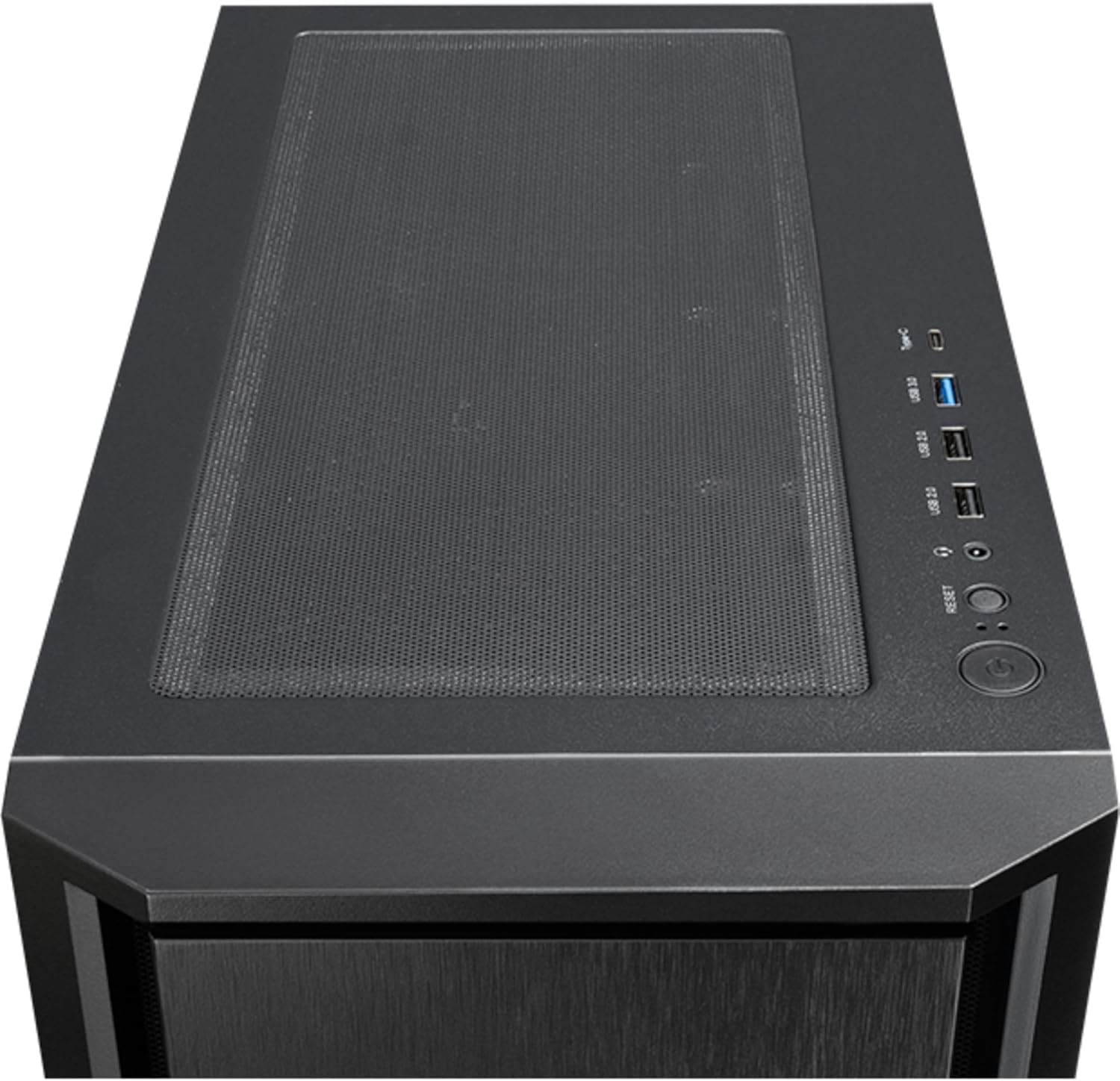
Slika 4: Top view of the Chieftec AS-02B-TG-OP PC case, showing the top ventilation and the front I/O panel with USB ports and audio jacks.

Slika 5: Pozadi view of the Chieftec AS-02B-TG-OP PC case, detailing the expansion slots, rear fan mount, and PSU opening.

Slika 6: Dno view of the Chieftec AS-02B-TG-OP PC case, showing the case feet and bottom dust filter area.
Postavljanje i instalacija
This section guides you through the process of installing components into your Chieftec AS-02B-TG-OP PC case.
1. Preparing the Case:
- Postavite kućište na stabilnu, ravnu površinu.
- Carefully remove the tempered glass side panel by unscrewing the thumb screws at the rear.
- Uklonite suprotnu bočnu ploču da biste pristupili području za upravljanje kablovima.
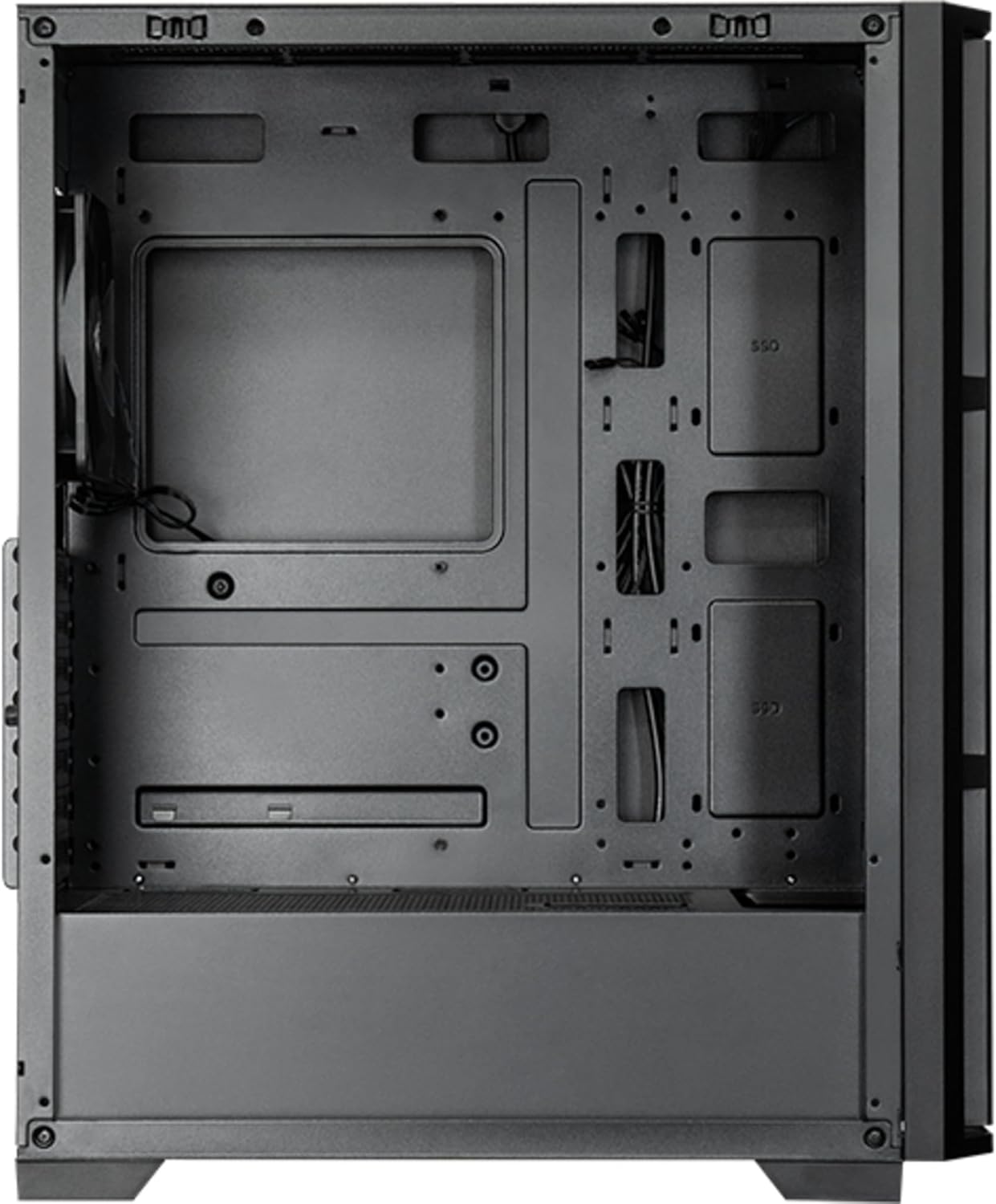
Slika 7: Enterijer view of the main compartment, showing the motherboard tray and fan mounting points.
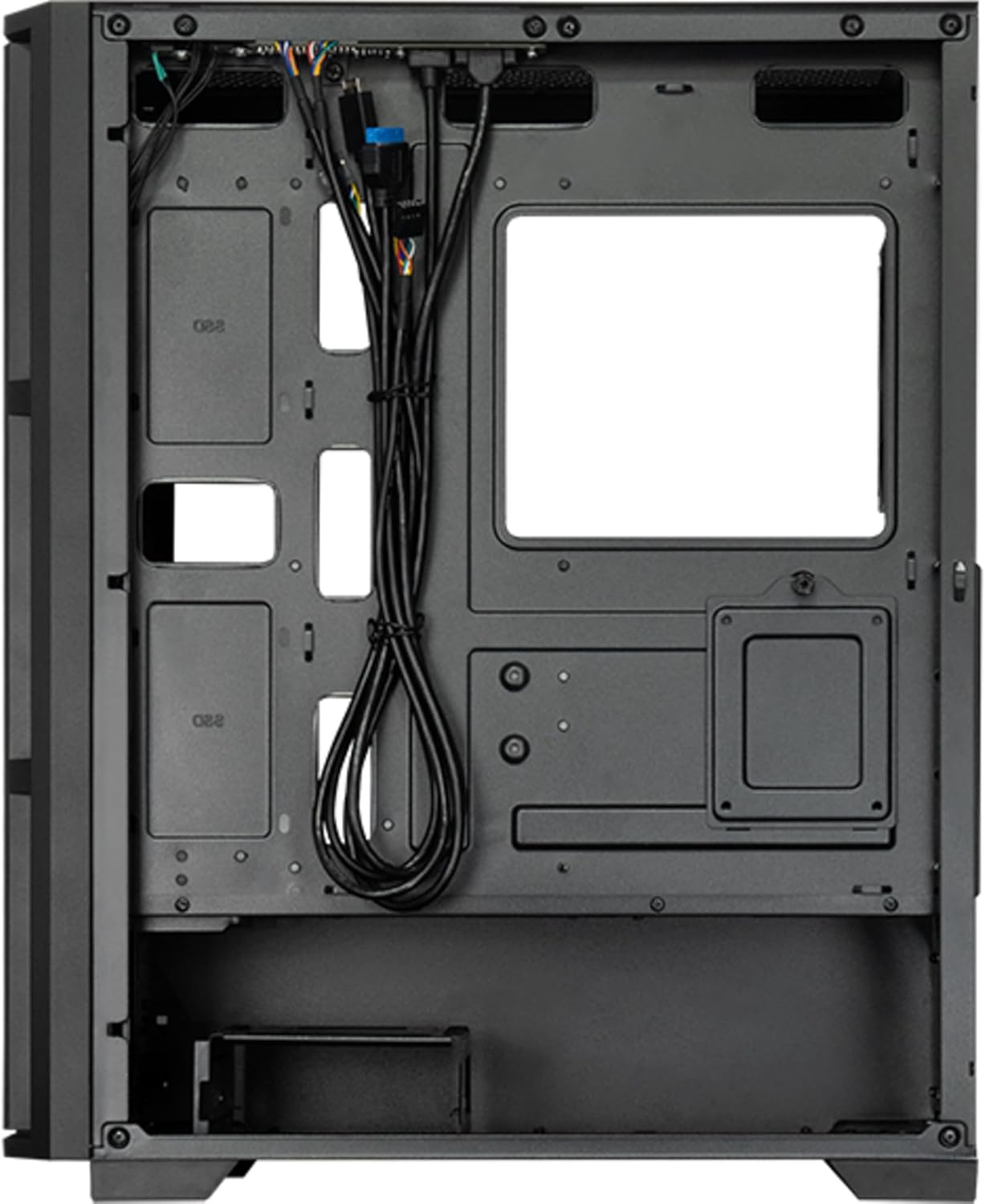
Slika 8: Enterijer view from the backside, illustrating the cable management routes and drive mounting locations.
2. Instalacija matične ploče:
- Instalirajte I/O štitnik u zadnji otvor kućišta.
- Align your ATX, micro ATX, or Mini-ITX motherboard with the standoffs inside the case.
- Pričvrstite matičnu ploču pomoću priloženih vijaka.
3. Instalacija jedinice za napajanje (PSU):
- The PSU is not included. Install your ATX power supply into the dedicated compartment at the bottom rear of the case.
- Pričvrstite napajanje vijcima sa stražnje strane kućišta.
4. Storage Drive Installation:
- Install 3.5" HDDs into the drive cages located at the bottom.
- Install 2.5" SSDs/HDDs into the dedicated mounting points behind the motherboard tray.
- Secure all drives with appropriate screws.
5. Graphics Card and Expansion Cards:
- Uklonite potrebne poklopce slotova za proširenje na stražnjoj strani kućišta.
- Umetnite grafičku karticu ili druge kartice za proširenje u PCIe utore na matičnoj ploči.
- Pričvrstite kartice vijcima.
6. Upravljanje kablovima:
- Route all power and data cables through the cutouts and tie-down points behind the motherboard tray.
- Connect the front panel I/O cables (USB, audio, power switch, reset switch, LED indicators) to the corresponding headers on your motherboard.
- Ensure cables do not obstruct airflow.
7. Ugradnja ventilatora i sistema za hlađenje:
- The case includes one pre-installed 120mm PWM fan at the rear.
- Additional fans can be installed at the front (up to 3x 120mm/140mm) and top (up to 2x 120mm/140mm).
- Radiators up to 360mm can be installed at the front and up to 280mm at the top.
- Connect fan power cables to the motherboard fan headers.
Uputstvo za upotrebu
Once all components are installed and secured, and the side panels are reattached, your PC is ready for operation.
Uključivanje:
- Spojite kabel za napajanje iz vašeg napajanja u zidnu utičnicu.
- Pritisnite dugme za napajanje koje se nalazi na gornjoj I/O ploči kućišta.
- The system should boot up, and any installed lighting will illuminate.
Front I/O Panel Usage:
- USB 2.0 portovi (x2): For connecting peripherals such as keyboards, mice, and USB drives.
- USB Type-C priključak (x1): Za povezivanje modernih USB-C uređaja.
- Audio Jacks (Headphone/Microphone): Za povezivanje slušalica, zvučnika ili mikrofona.
- Dugme za resetiranje: To restart the computer.
Održavanje
Redovno održavanje pomaže u osiguravanju optimalnih performansi i produžava vijek trajanja komponenti vašeg računara.
čišćenje:
- Eksterijer: Koristite meku, damp krpom obrišite vanjske površine. Izbjegavajte abrazivna sredstva za čišćenje.
- Filteri za prašinu: The case features dust filters (e.g., on the top and bottom). Regularly remove and clean these filters with compressed air or by rinsing with water (ensure they are completely dry before reinstallation).
- unutrašnjost: Periodically use compressed air to remove dust buildup from fans, heatsinks, and other internal components. Ensure the system is powered off and unplugged before cleaning the interior.
Protok zraka:
- Ensure adequate space around the case for proper airflow.
- Izbjegavajte blokiranje ventilacijskih otvora.
Rješavanje problema
Ovaj odjeljak se bavi uobičajenim problemima s kojima se možete susresti.
Nema napajanja:
- Check if the power cable is securely connected to both the PSU and the wall outlet.
- Ensure the power switch on the PSU itself is in the "ON" position.
- Provjerite je li kabel prekidača za napajanje na prednjoj ploči ispravno spojen na priključak matične ploče.
Ventilatori se ne okreću:
- Check if fan power cables are securely connected to the motherboard fan headers or a fan controller.
- Ensure fan speed settings in BIOS/UEFI or operating system are not set to zero RPM.
USB/audio na prednjoj ploči ne radi:
- Verify that the USB and audio cables from the front panel are correctly connected to the corresponding headers on the motherboard.
- Check motherboard drivers for USB and audio functionality.
Specifikacije
| Feature | Detalj |
|---|---|
| Naziv modela | AS-02B-TG-OP |
| Brand | Chieftec |
| Form Factor | Midi Tower |
| Boja proizvoda | Crna |
| Supported Motherboard Form Factors | ATX, micro ATX, Mini-ITX |
| Dimenzije (Š x D x V) | 215 mm x 390 mm x 485 mm (8.46" x 15.35" x 19.09") |
| Težina artikla | 5.3 kg (približno 11.68 lbs) |
| 3.5" Expansion Bays | 2 |
| 2.5" Expansion Bays | 2 |
| 5.25" Expansion Bays | 0 |
| Slotovi za proširenje | 7 |
| Side Window | Yes (Tempered Glass) |
| Osvetljenje | Yes (Multi-color) |
| Maksimalna visina CPU hladnjaka | 16.5 cm |
| Prednji I / O portovi | 2x USB 2.0, 1x USB Type-C, Audio In/Out |
| Unaprijed instalirani ventilatori | 1x 120mm PWM (Rear) |
| Supported Front Fans (Max) | 3x 120 mm ili 3x 140 mm |
| Supported Top Fans (Max) | 2x 120 mm ili 2x 140 mm |
| Supported Front Radiators | 120mm, 140mm, 240mm, 280mm, 360mm |
| Supported Top Radiators | 120 mm, 140 mm, 240 mm, 280 mm |
| Uključeno napajanje | br |
Informacije o garanciji
The Chieftec AS-02B-TG-OP PC case comes with a 2-godišnja garancija proizvođača from the date of purchase. This warranty covers defects in materials and workmanship under normal use. It does not cover damage caused by misuse, accident, modification, unauthorized repair, or improper installation.
Molimo sačuvajte svoj dokaz o kupovini za zahtjeve u vezi s garancijom.
Podrška
For technical assistance, troubleshooting beyond this manual, or warranty inquiries, please contact Chieftec customer support.
- Webstranica: Refer to the official Chieftec webstranica za resurse podrške i kontakt informacije.
- E-pošta/Telefon: Specific contact details can typically be found on the product packaging or the official Chieftec support page.
When contacting support, please have your product model (AS-02B-TG-OP) and proof of purchase readily available.


