1. Uvod
The NiTHO NEXUS DARK OPS is a versatile wireless controller designed for multi-platform gaming. It offers compatibility with PC (Windows), Nintendo Switch, Switch Lite, Switch OLED, Android, and iOS devices. This controller features a precise 6-axis gyro, four levels of vibration, and magnetic Hall Effect triggers for enhanced gaming accuracy and responsiveness. Customizable RGB lighting and a programmable turbo function further enrich the gaming experience. This manual provides essential information for setting up, operating, maintaining, and troubleshooting your controller.

The NiTHO NEXUS DARK OPS controller features an ergonomic design for comfortable extended gameplay sessions.
2. Sadržaj paketa
- NiTHO NEXUS DARK OPS Wireless Controller
- USB-C kabl za punjenje
- Korisnički priručnik (ovaj dokument)
3. Raspored kontrolera

Detaljno view of the controller's components and their labels.
- Left Rocker: Analogni džojstik za kretanje i kontrolu kamere.
- - Ključ: System function button.
- Gumb za uparivanje: Used to initiate Bluetooth pairing mode.
- Cross Arrow Key (D-Pad): Directional input for navigation and specific game actions.
- TURBO dugme: Activates and adjusts the turbo function.
- Dugme HOME: Vraća se na početni ekran sistema.
- Ključ snimka ekrana: Pravi snimke ekrana tokom igranja.
- + Ključ: System function button.
- A/B/X/Y tipke: Standardni akcijski dugmići.
- Right Rocker: Analogni džojstik za kretanje i kontrolu kamere.
- Mode Indicator Light: Displays current connection mode and battery status.
- R1/L1 (Shoulder Buttons): Top trigger buttons.
- R2/L2 (Trigger Buttons): Bottom trigger buttons with Hall Effect technology.
- TYPE-C priključak za punjenje: Za punjenje kontrolera.
- Force Online Button: For specific connection scenarios.
4. Podešavanje i povezivanje
The NiTHO NEXUS DARK OPS controller supports wireless connection via Bluetooth to various platforms.

The controller is compatible with Nintendo Switch, PC, Android, and iOS devices.
4.1 General Pairing Instructions
- Provjerite da li je kontroler dovoljno napunjen.
- Pritisnite i držite Dugme za uparivanje on the controller until the Mode Indicator Light begins to flash rapidly, indicating it is in pairing mode.
- On your device (Switch, PC, Android, iOS), navigate to the Bluetooth settings.
- Traži available Bluetooth devices and select "NEXUS DARK OPS" or a similar name.
- Once connected, the Mode Indicator Light will become solid.
4.2 Povezivanje sa Nintendo Switch konzolom
- U izborniku HOME odaberite Kontrolori > Promjena Grip/Red.
- While on this screen, press and hold the Dugme za uparivanje on the NEXUS DARK OPS controller.
- The controller will pair with the Switch, and the player indicator lights will illuminate.
4.3 Povezivanje sa računarom (Windows)
- Idi na Postavke > Uređaji > Bluetooth i drugi uređaji.
- Provjerite je li Bluetooth uključen On.
- Kliknite Dodajte Bluetooth ili drugi uređaj > Bluetooth.
- Pritisnite i držite Dugme za uparivanje na kontroleru.
- Select "NEXUS DARK OPS" from the list of devices to pair.
4.4 Povezivanje s Android/iOS uređajima
- Omogućite Bluetooth na svom Android ili iOS uređaju.
- Idite na Bluetooth postavke.
- Pritisnite i držite Dugme za uparivanje na kontroleru.
- Select "NEXUS DARK OPS" from the list of available devices to connect.
5. Uputstvo za upotrebu
5.1 RGB osvjetljenje
The controller features customizable RGB lighting with 7 vibrant colors and 4 dynamic lighting modes.

Explore 7 colors and 4 lighting modes including Jumping, Colorful Constant, Rainbow Mixing, and Breathing effects.
To cycle through the lighting modes or colors, refer to the specific button combination in the quick start guide included with your product. Typically, a dedicated button or a combination with the TURBO button controls RGB effects.
5.2 Vibraciona povratna informacija
The controller includes dual motors for vibration feedback with 4 adjustable levels: Off, Low, Medium, and High.

Adjust vibration intensity from 0% to 100% for personalized feedback.
To adjust vibration intensity, consult the quick start guide for the specific button sequence, often involving the TURBO button and a directional input.
5.3 Turbo funkcija
The programmable turbo function allows for rapid-fire actions with three speed settings: 5, 10, or 15 shots per second.

Set your turbo speed to 5, 10, or 15 shots per second for competitive advantage.
To activate turbo for a button, press and hold the TURBO button, then press the desired action button. Repeat the process to adjust speed or deactivate turbo for that button.
5.4 Magnetic Hall Effect Triggers
The controller is equipped with magnetic Hall Effect triggers. This technology provides smooth, accurate trigger response and helps prevent common issues like analog stick drift, ensuring long-lasting precision.

Magnetic Hall Effect triggers offer precise and durable input.
5.5 6-Axis Gyro Motion Sensor
A precise 6-axis gyro sensor is integrated into the controller, allowing for responsive motion control in games that support it. This feature captures tilts and rotations, enhancing gameplay in racing, action, and adventure titles.
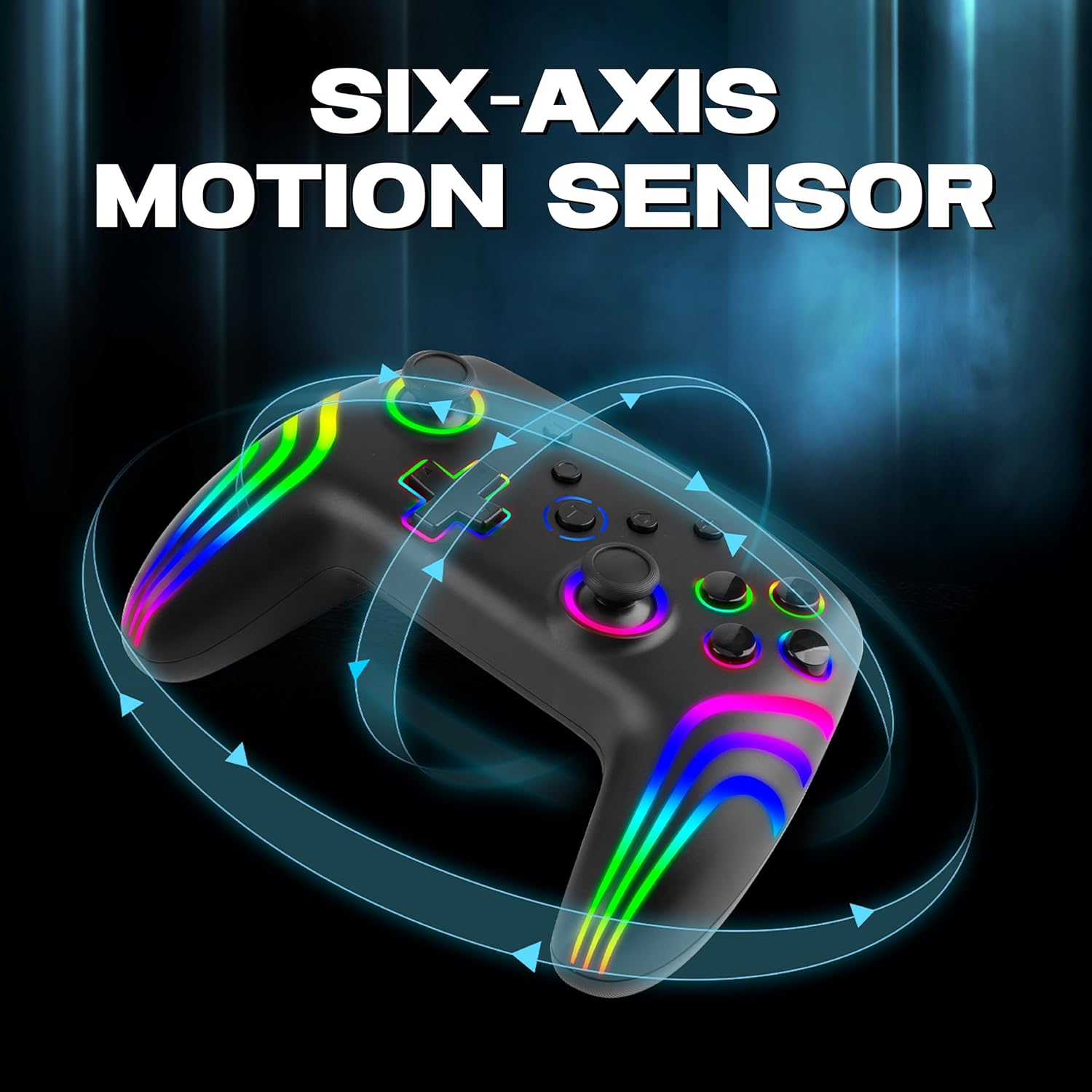
The 6-axis gyro provides accurate motion sensing for immersive gameplay.
6. Punjenje kontrolera
The NiTHO NEXUS DARK OPS controller is equipped with a built-in 800mAh rechargeable battery.

The 800mAh battery offers up to 9 hours of gameplay on a 2.5-hour charge.
- Connect the supplied USB-C charging cable to the TYPE-C charging port on the controller.
- Connect the other end of the cable to a USB power source (e.g., console, PC, USB wall adapter).
- The Mode Indicator Light will typically show charging status (e.g., blinking while charging, solid when fully charged).
- A full charge takes approximately 2.5 hours and provides up to 9 hours of continuous gameplay.
7. Održavanje
- čišćenje: Za čišćenje kontrolera koristite meku, suhu krpu. Izbjegavajte upotrebu jakih hemikalija ili abrazivnih materijala.
- Skladištenje: Kontroler čuvajte na hladnom i suhom mjestu, dalje od direktne sunčeve svjetlosti i ekstremnih temperatura.
- Održavanje baterije: Da biste produžili vijek trajanja baterije, izbjegavajte često potpuno pražnjenje kontrolera. Redovno ga punite, čak i ako se ne koristi duži period.
- Izbjegavajte kapi: Zaštitite kontroler od padova i udaraca, koji mogu oštetiti unutrašnje komponente.
8. Otkrivanje problema
- Kontroler se ne uključuje:
- Ensure the controller is fully charged. Connect it to a power source and wait for the charging indicator.
- If the battery is completely drained, it may take a few minutes of charging before the controller responds.
- Unable to pair the controller:
- Make sure the controller is in pairing mode (Mode Indicator Light flashing rapidly).
- Provjerite je li Bluetooth omogućen na vašem uređaju i je li vidljiv.
- Move the controller closer to your device.
- Remove any previous pairings of the controller from your device's Bluetooth settings and try pairing again.
- Ponovo pokrenite i kontroler i uređaj.
- Kontroler se često isključuje:
- Ensure there are no obstructions or sources of interference (e.g., Wi-Fi routers, other Bluetooth devices) between the controller and your device.
- Keep the controller within the effective Bluetooth range (typically up to 10 meters).
- Check the controller's battery level. Low battery can affect connection stability.
- Dugmad ili džojstici ne reaguju:
- Ensure the controller is properly connected to your device.
- Test the controller on another device or game to determine if the issue is specific to one setup.
- Perform a factory reset if available (refer to the quick start guide for specific instructions, often involves a small reset button).
- Motion sensor (gyro) not working:
- Verify that the game you are playing supports motion controls.
- Ensure the controller is properly calibrated. Some systems or games may require manual calibration.
- If connected to PC, ensure necessary drivers or software are installed and updated.
9. Specifikacije
| Broj modela | NEXUS DARK OPS |
| Povezivanje | bežični (Bluetooth) |
| Kompatibilnost | PC (Windows), Nintendo Switch / Lite / OLED / Switch 2, Android, iOS |
| Vrsta baterije | Built-in Rechargeable Nonstandard Battery |
| Kapacitet baterije | 800mAh |
| Vrijeme igranja | Do 9 sati |
| Vrijeme punjenja | Približno 2.5 sata |
| Port za punjenje | USB Type-C |
| Dimenzije (DxŠxV) | 16.1 x 6.5 x 11.1 cm |
| Težina | 270 g |
| Karakteristike | RGB Lighting, Hall Effect Triggers, 6-Axis Gyro, Dual Motor Vibration, Turbo Function, Programmable Buttons |
10. Garancija i podrška
For warranty information, please refer to the documentation provided at the time of purchase or contact your retailer. Specific warranty terms may vary by region and retailer.
10.1 Tehnička podrška
If you encounter issues not covered in the troubleshooting section or require further assistance, please contact NiTHO customer support:
- Manufacturer Support Email: nithoamazonin@mtm-t.com
- Importer Support Email (India): marketgateindia@gmail.com


