Scosche CPD32LT

Scosche FoundIT Charge 32W Car Charger Instruction Manual

Model: CPD32LT

Product Overview

The Scosche FoundIT Charge is a dual-port car charger designed for your vehicle's 12V cigarette lighter socket. It features 32W total power output, including a 20W USB-C Power Delivery port and a 12W USB-A port. A key feature is its built-in locator, compatible with Apple Find My and Android Find Hub, allowing users to track the charger's location. The device includes an internal rechargeable battery to maintain locator functionality even when unplugged.

Ključne karakteristike:

  • Built-in Locator: Compatible with Apple Find My and Android Find Hub for tracking.
  • Dual-Port Punjenje: One 20W USB-C PD port and one 12W USB-A port for simultaneous charging.
  • Ukupan izlaz: 32W combined power output.
  • Unutrašnja baterija: Maintains locator function when unplugged or vehicle is off.
  • Zaštita privatnosti: Encrypted location data, visible only to authorized users.
  • Automatsko paljenje: Activates when connected to the vehicle's 12V socket.
Scosche FoundIT Charge 32W Car Charger with phone displaying locator map and a car in the background
Image 1: Scosche FoundIT Charge 32W Car Charger. This image displays the charger alongside a smartphone showing its location tracking capabilities, with a car in the background, illustrating its primary function as a car charger with an integrated locator.

Postavljanje i instalacija

  1. Insert into 12V Socket: Plug the Scosche FoundIT Charge directly into your vehicle's 12V cigarette lighter socket. The charger will power on automatically.
  2. Download Locator App:
    • For Apple devices: Download the Apple Find My app from the App Store.
    • For Android devices: Download the Android Find Hub app from the Google Play Store.
  3. Uparite uređaj: Follow the on-screen instructions within the chosen locator app to pair your Scosche FoundIT Charge. The app will guide you through the connection process, typically involving a prompt when the device is first detected.
  4. Potvrdite vezu: Once paired, confirm that the charger's location is visible within the app.
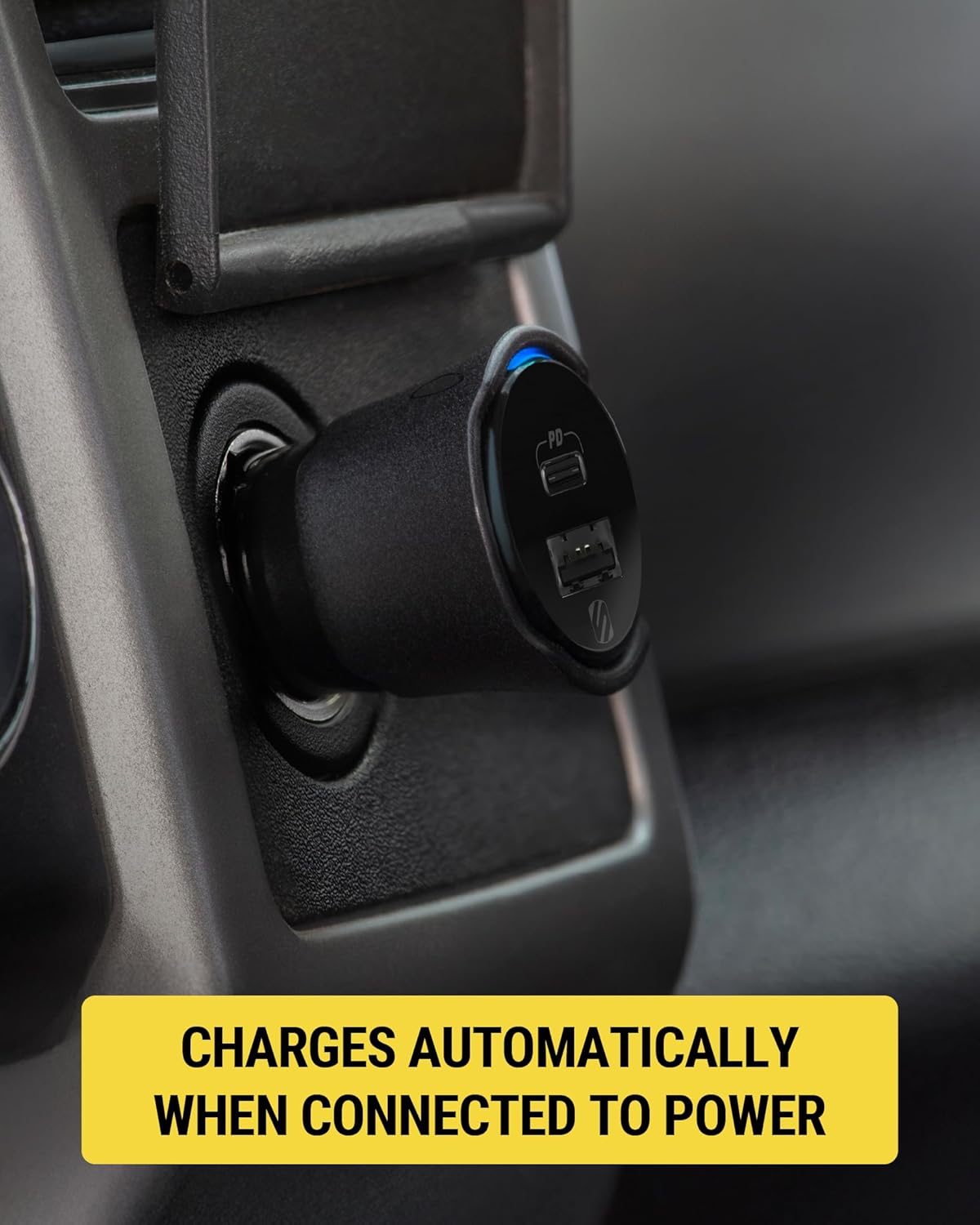
Scosche FoundIT Charge 32W Car Charger plugged into a vehicle's 12V power outlet
Image 2: The Scosche FoundIT Charge securely inserted into a car's 12V power outlet, ready for use. This demonstrates the physical installation step.
Close-up of the Scosche FoundIT Charge 32W Car Charger in a vehicle's 12V power outlet, showing a blue indicator light
Slika 3: Krupni plan view of the charger in the 12V socket, highlighting the illuminated blue indicator light, which signifies that the device is powered on and operational.

Uputstvo za upotrebu

Uređaji za punjenje:

  • USB-C PD priključak (20W): Use this port with a compatible USB-C cable for fast charging of modern smartphones (e.g., iPhone 12 series and newer, Samsung Galaxy S23/S24/S25) and tablets.
  • USB-A Port (12W): Use this port with a compatible USB-A cable to charge other accessories such as older smartphones, headphones, or GPS units.
  • Istovremeno punjenje: Both ports can be used simultaneously to charge two devices. The total output is 32W.
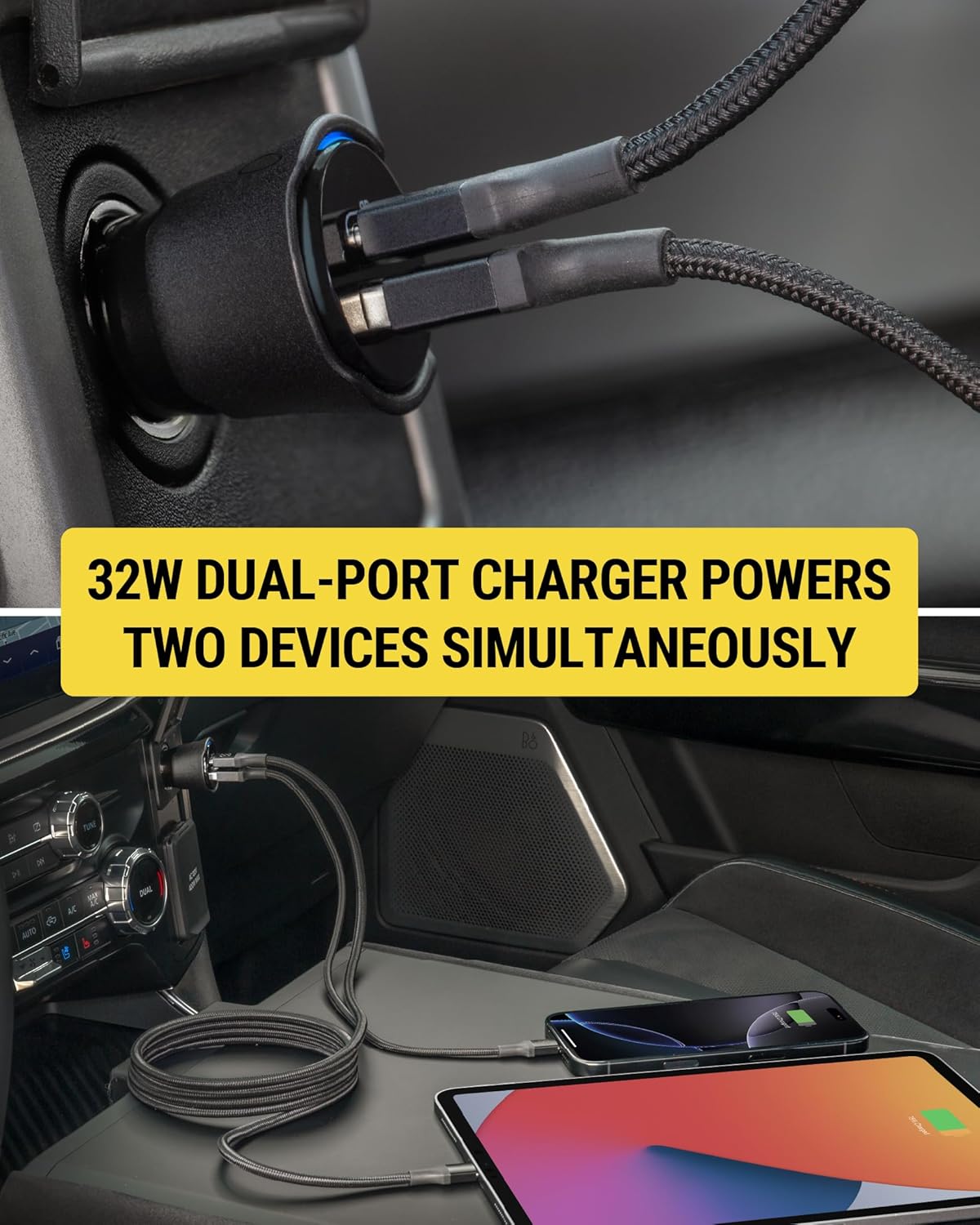
Scosche FoundIT Charge 32W Car Charger simultaneously charging a smartphone and a tablet
Image 4: The dual-port charger actively charging both a smartphone and a tablet, demonstrating its capability to power multiple devices concurrently.

Using the Locator Function:

  • Locate Your Charger: Open the Apple Find My or Android Find Hub app on your paired device. The app will display the last known location of your FoundIT Charge.
  • Reprodukuj zvuk: If within Bluetooth range, you can use the app to make the charger emit a sound, helping you pinpoint its exact location.
  • Dobijte upute: The app can provide directions to the charger's location, useful for finding your parked vehicle or a misplaced charger.
  • Podijeli lokaciju: You can share the charger's location with trusted individuals through the app.
Smartphone screen displaying the Apple Find My app with the Scosche FoundIT Charge's location and options to play sound or get directions
Image 5: A smartphone screen showing the Find My app interface, with the Scosche FoundIT Charge's location marked on a map, along with options to play a sound or receive directions.

Zvanični video proizvoda:

Video 1: Official product video demonstrating the features and functionality of the Scosche FoundIT Charge, including its dual-port charging and built-in item locator.

Održavanje

  • Unutrašnja baterija: The FoundIT Charge contains an internal rechargeable battery that powers the locator function. This battery recharges automatically when the charger is plugged into a live 12V socket. It can maintain the locator function for up to 3 months between charges. Regular use in your vehicle will keep the internal battery charged.
  • čišćenje: Use a dry, soft cloth to clean the exterior of the charger. Avoid using liquid cleaners or solvents.
  • Skladištenje: Kada se punjač ne koristi duži period, čuvajte ga na hladnom i suhom mjestu.

Rješavanje problema

ProblemMogući uzrokRješenje
Uređaj se ne puni.
  • Loose connection in 12V socket.
  • Neispravan kabl za punjenje.
  • Vehicle's 12V socket is not powered.
  • Device incompatibility or excessive power draw.
  • Ensure the charger is firmly seated in the 12V socket.
  • Pokušajte s drugim kabelom za punjenje.
  • Verify the vehicle's 12V socket is active (e.g., by testing with another device).
  • Ensure your device is compatible with USB-C PD or standard USB-A charging.
Locator not updating or found.
  • Charger's internal battery is depleted.
  • Problem s Bluetooth vezom.
  • App not properly configured or updated.
  • Plug the charger into a 12V socket in a running vehicle to recharge its internal battery.
  • Ensure Bluetooth is enabled on your phone and the charger is within range.
  • Check for updates to the Apple Find My or Android Find Hub app. Re-pair the device if necessary.
Spora brzina punjenja.
  • Korištenje kabela koji ne podržava brzo punjenje.
  • Uređaj ne podržava brzo punjenje.
  • Multiple devices drawing power simultaneously.
  • Use a high-quality USB-C to USB-C or USB-C to Lightning cable for fast charging.
  • Confirm your device supports 20W USB-C Power Delivery.
  • Charging two devices simultaneously may distribute power, potentially reducing individual charging speeds.

Specifikacije

  • Model: CPD32LT (FoundIT Charge)
  • Unos: 12 Volts (from vehicle's 12V socket)
  • Izlaz:
    • USB-C PD Port: 20W
    • USB-A Port: 12W
    • Ukupna snaga: 32W
  • Povezivanje: Bluetooth (for locator function)
  • Težina: Otprilike 3.2 unci
  • Dimenzije: Approximately 2.55 inches (length) x 1.21 inches (diameter)
  • Materijal: Plastika
  • Posebne karakteristike: Fast Charging, Multi-Device Charging, Built-in Locator (Apple Find My & Android Find Hub compatible)
Diagram showing the dimensions and port types of the Scosche FoundIT Charge 32W Car Charger
Image 6: A detailed diagram illustrating the physical dimensions and the specific output wattage for both the 20W USB-C and 12W USB-A ports on the charger.

Povezani dokumenti - CPD32LT

Preview Scosche FoundIT™ Charge: 32W Dual-Port Car Charger with Apple Find My Locator
Uputstvo za upotrebu i proizvod iznadview for the Scosche FoundIT™ Charge, a 32W dual-port USB car charger featuring a built-in item locator compatible with Apple Find My and Android Find Hub networks. Learn how to set up, use, and troubleshoot.
Preview Scosche DoubleUP DCLSP402SW 12V auto adapter sa USB-C PD - Korisnički priručnik
Naučite kako koristiti Scosche DoubleUP DCLSP402SW, svestrani 12V auto adapter koji ima dva 12V priključka, jedan 12V pomoćni priključak i dva 20W USB-C priključka za napajanje. Uključuje podešavanje i funkcije preko...view.
Preview Scosche PowerUp 32K Prijenosni hub za napajanje Uputstvo za upotrebu
Korisnički priručnik za Scosche PowerUp 32K prijenosni hub za napajanje, s detaljnim opisom njegovih karakteristika, podešavanja i rada, uključujući punjenje, izlaznu snagu i funkcije svjetiljke.
Preview Scosche OBD2QC3 OBDII/USB-A adapter za auto punjač s Qualcomm brzim punjenjem - Korisnički priručnik
Korisnički priručnik za Scosche OBD2QC3, OBDII/USB-A adapter za automobilski punjač s Qualcomm tehnologijom brzog punjenja. Ovaj vodič pruža upute za instalaciju, funkcije i informacije o podršci za napajanje kamera za automobil i drugih USB uređaja.
Preview Scosche BTFM8 Bluetooth FM odašiljač i auto punjač - uputstvo za upotrebu
Detaljno korisničko uputstvo za Scosche BTFM8 Bluetooth FM odašiljač. Naučite kako da podesite, uparite, strimujete muziku, obavljate pozive, koristite glasovne asistente i punite uređaje pomoću ovog auto adaptera.
Preview Scosche GoBat 10K Power Bank uputstvo za upotrebu i specifikacije
Uputstvo za upotrebu i specifikacije za prenosnu power bank bateriju Scosche GoBat 10K od 10,000 mAh. Naučite kako da punite svoje uređaje i power bank bateriju. view tehničke detalje i razumjeti informacije o usklađenosti.