1. Uvod
This manual provides comprehensive instructions for the Inateck Nomad N0158 Foldable Keyboard and Mouse Set. It covers product features, setup procedures, operational guidelines, maintenance tips, and troubleshooting information to ensure optimal performance and user experience. This set is designed for multi-device connectivity, supporting up to three devices simultaneously across various operating systems including Windows, macOS, Android, and iOS.
2. Sadržaj paketa
Provjerite da li se u vašem paketu nalaze sve dolje navedene stavke:
- Inateck Nomad N0158 Foldable Keyboard
- Bežični miš
- Accessory Bag (600D two-tone splash-proof RPET recycled material)
- Folding Stand (suitable for 4-13 inch iPads, smartphones, and tablets)
- USB-C kabl za punjenje
- Uputstvo za upotrebu
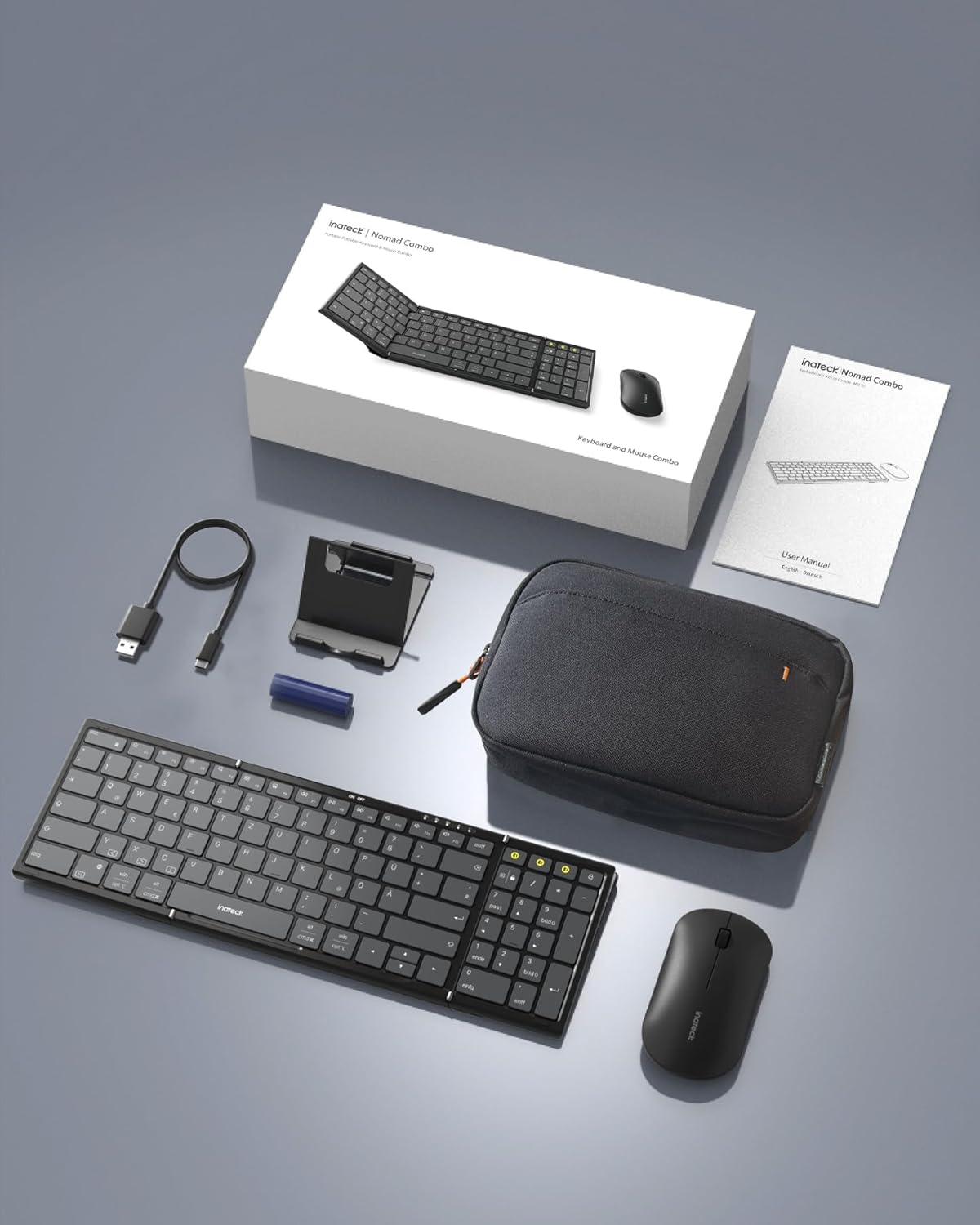
Image: All components included in the Inateck Nomad N0158 package: the foldable keyboard, wireless mouse, accessory bag, folding stand, and USB-C charging cable.
3. Proizvod je gotovview
3.1 Funkcije tastature
- Sklopivi dizajn: Compact for portability.
- Raspored u punoj veličini: 99 keys with a separate numeric keypad for efficient data entry and document editing.
- Povezivanje više uređaja: Connects to up to 3 devices via 2.4G, Bluetooth 1 (BT1), and Bluetooth 2 (BT2).
- Dug vijek trajanja baterije: Over 90 hours of continuous use, up to 180 days standby. Rechargeable via Type-C port.
- Stable Hinge: Features a seamless metal hinge with magnetic locking for stability when unfolded.

Image: The Inateck Nomad N0158 keyboard unfolded, showcasing its full-size layout with six rows of main keys and a dedicated numeric keypad.

Slika: Detaljna view of the keyboard's seamless metal hinge and magnetic locking system, designed for stability when the keyboard is open.
3.2 Funkcije miša
- Bežična povezanost: Connects via 2.4G USB dongle and two Bluetooth channels (BT1, BT2).
- Dug vijek trajanja baterije: Over 50 hours of continuous operation, with extended standby time.
4. Vodič za postavljanje
4.1 Punjenje tastature
- Pronađite USB-C priključak za punjenje na tastaturi.
- Povežite priloženi USB-C kabl na tastaturu i izvor napajanja (npr. USB port računara, USB adapter za zid).
- Indikatorska lampica punjenja će se upaliti. Nakon što se uređaj potpuno napuni, lampica će se promijeniti ili ugasiti.
The mouse typically uses a replaceable battery (often pre-installed with a pull tab) or may be rechargeable. Refer to the mouse's specific instructions for charging or battery installation.
4.2 Pairing the Keyboard and Mouse
The keyboard and mouse support multiple connection methods: 2.4G wireless (for mouse only, via USB dongle) and Bluetooth (BT1, BT2 for both keyboard and mouse).
4.2.1 2.4G Wireless Connection (Mouse Only)
- Locate the 2.4G USB dongle, usually stored within the mouse or accessory bag.
- Umetnite USB adapter u dostupan USB port na računaru.
- Turn on the mouse. It should automatically connect to the dongle.
4.2.2 Bluetooth Connection (Keyboard and Mouse)
The keyboard and mouse each have two Bluetooth channels (BT1 and BT2) for connecting to different devices.
- Uključite uređaj: Provjerite da li su tastatura i miš uključeni.
- Odaberite Bluetooth kanal:
- For the keyboard, press the dedicated BT1 or BT2 button.
- For the mouse, switch to the desired Bluetooth mode (BT1 or BT2) using its mode switch.
- Aktivirajte način uparivanja:
- For the keyboard, dugi pritisak the selected BT1 or BT2 button until the indicator light flashes, indicating pairing mode.
- For the mouse, long press its Bluetooth pairing button (refer to mouse-specific instructions if not obvious) until its indicator light flashes.
- Omogućite Bluetooth na svom uređaju: On your computer, tablet, or smartphone, go to Bluetooth settings.
- Traži uređaji: Vaš uređaj će skenirati dostupne Bluetooth uređaje.
- Odaberite i povežite se: Choose "Inateck Keyboard" and/or "Inateck Mouse" from the list of found devices. Follow any on-screen prompts to complete the pairing.

Image: Illustration of the keyboard and mouse connected to multiple devices (laptop, tablet, smartphone) via 2.4G, BT1, and BT2 channels. Short press to switch channels, long press to activate pairing mode.
5. Uputstvo za upotrebu
5.1 Prebacivanje između povezanih uređaja
Once paired with multiple devices, you can easily switch between them:
- tastatura: Short press the BT1 or BT2 button to switch to the corresponding paired device.
- miš: Use the mode switch on the mouse to select between 2.4G, BT1, or BT2.
5.2 Using the Folding Stand
The included folding stand is designed to hold 4-13 inch iPads, smartphones, and tablets, providing an ergonomic viewing angle while using the keyboard. Ensure the stand is placed on a stable, flat surface.
5.3 Keyboard Usage Notes
- Stabilna površina: Always place the keyboard on a flat, stable surface. The folding hinge is not designed to lock, and typing on uneven surfaces may cause instability.
- Raspored tipkovnice: The keyboard features a QWERTZ layout. Ensure your device's operating system is configured to match this layout for correct character input.
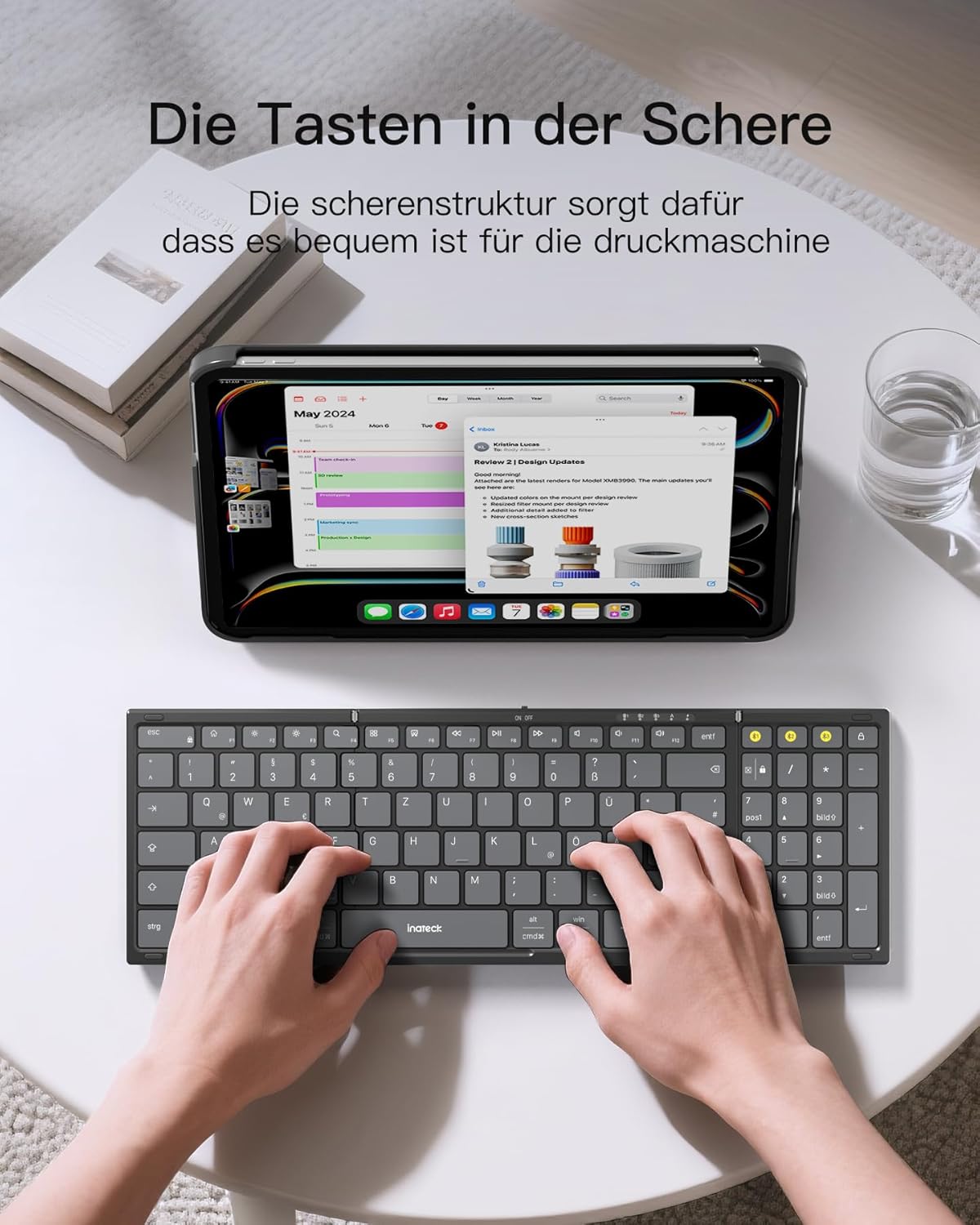
Image: A user demonstrating typing on the Inateck Nomad N0158 foldable keyboard, with a tablet positioned on the included stand for an optimal workspace setup.
6. Održavanje
6.1 Čišćenje
- Use a soft, dry, lint-free cloth to clean the keyboard and mouse surfaces.
- Za tvrdokornu prljavštinu, lagano dampOperite krpu vodom ili blagim, neabrazivnim sredstvom za čišćenje. Izbjegavajte prekomjernu vlagu.
- Do not use harsh chemicals, solvents, or abrasive materials, as these can damage the product finish.
6.2 Skladištenje
- When not in use, fold the keyboard and store it along with the mouse and stand in the provided accessory bag.
- Čuvajte proizvod na hladnom i suvom mestu dalje od direktne sunčeve svetlosti i ekstremnih temperatura.
- The accessory bag is made from splash-proof material, offering protection during travel.
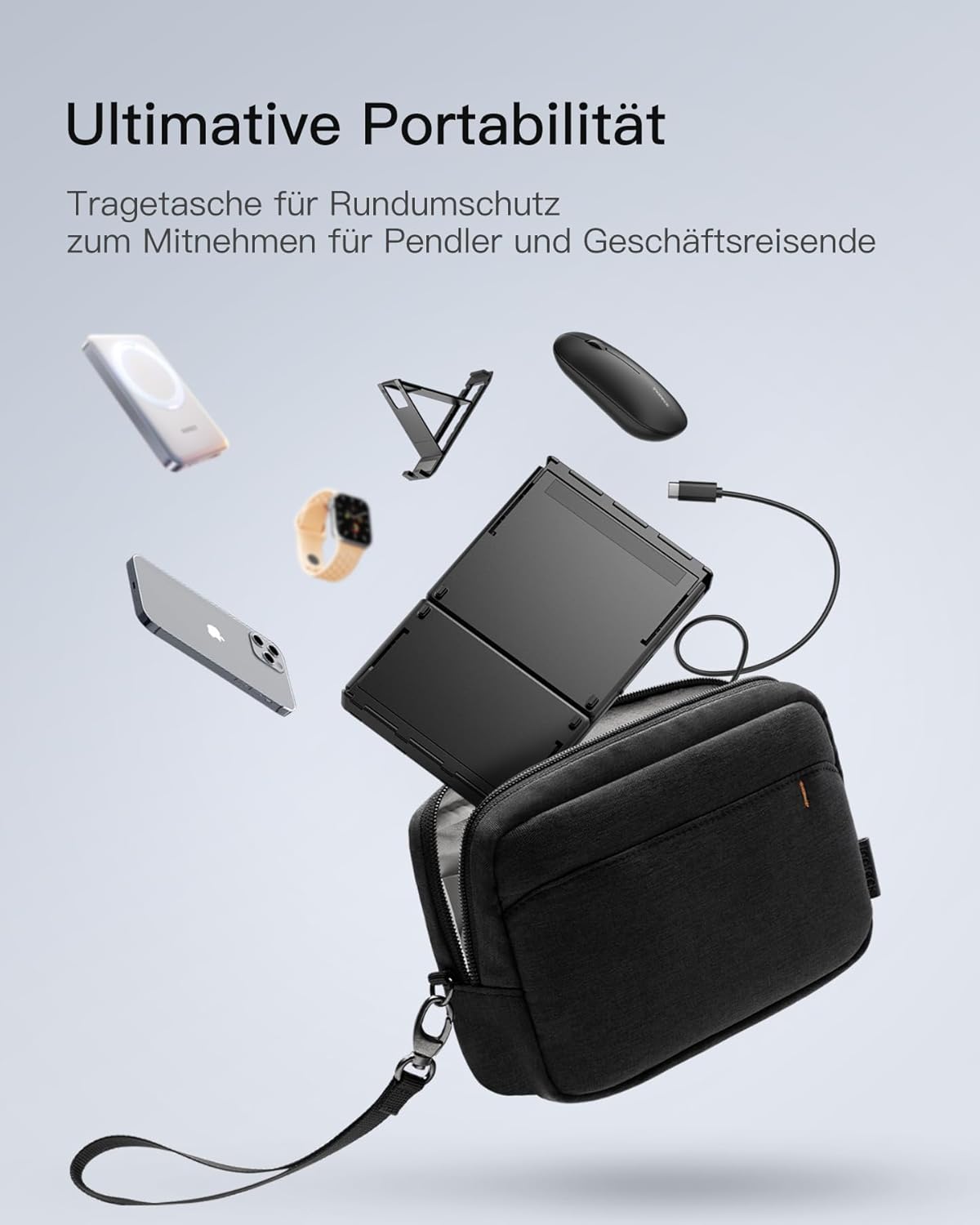
Image: The Inateck Nomad N0158 accessory bag, designed for ultimate portability and protection of the keyboard, mouse, and folding stand during transport.
6.3 Njega baterija
- Recharge the keyboard regularly to maintain battery health, even if not used frequently.
- Izbjegavajte potpuno pražnjenje baterije tokom dužeg perioda.
- If the mouse uses replaceable batteries, ensure they are inserted correctly and replace them when power is low.
7. Otkrivanje problema
7.1 Problemi s povezivanjem
- Uređaj se ne povezuje:
- Provjerite je li tastatura/miš napunjen i uključen.
- Verify that the correct Bluetooth channel (BT1/BT2) is selected and in pairing mode (flashing indicator).
- Na svom uređaju isključite Bluetooth, a zatim ga ponovo uključite.
- Remove any previous pairings for the keyboard/mouse from your device's Bluetooth settings and attempt to pair again.
- For 2.4G mouse connection, ensure the USB dongle is securely inserted and the mouse is in 2.4G mode.
- Intermitentna veza:
- Ensure there are no obstructions between the keyboard/mouse and your device.
- Približite se uređaju kako biste isključili probleme s dometom.
- Provjerite ima li smetnji od drugih bežičnih uređaja.
7.2 Incorrect Keyboard Output (e.g., 'Y' appears instead of 'Z')
This issue typically occurs when the device's operating system keyboard layout does not match the physical QWERTZ layout of the Inateck keyboard. To resolve this, adjust your device's keyboard language settings:
For Windows/Android/macOS/iOS:
- Idite na svoj uređaj Postavke.
- Navigirajte do Jezik i unos or similar (e.g., "Other settings > Language and input methods" on Android).
- Nađi Fizička tastatura or Hardverska tastatura postavke.
- Select the "Nomad" or "Inateck Keyboard" entry.
- Set the keyboard layout to Njemački (QWERTZ).
7.3 Keyboard Instability
The keyboard's folding hinge does not lock. For stable typing, always ensure the keyboard is placed on a completely flat and firm surface. Avoid using it on uneven surfaces like a lap, bed, or soft cushions, as this can cause the keyboard to fold unexpectedly.
8. Specifikacije
| Brand | Inateck |
| Model | N0158 |
| Tehnologija povezivanja | Bluetooth, 2.4G Wireless (Mouse) |
| Posebne karakteristike | 3 Bluetooth Channels, Ergonomic (design) |
| Kompatibilni uređaji | Laptop, Personal Computer, Smartphone (iPad, iPhone, Mac, Android, Windows) |
| Opis tastature | Foldable keyboard mouse set wireless |
| Preporučene upotrebe proizvoda | Ured, putovanja |
| Raspored tipkovnice | QWERTZ |
| Izvor napajanja | Battery Powered (Rechargeable via USB-C for keyboard) |
| Trajanje baterije tastature | 90+ hours continuous use, 180 days standby |
| Trajanje baterije miša | 50+ hours continuous use, extended standby |
| Dimenzije proizvoda (rasklopljeno) | 40.54 x 11.49 x 3 cm |
| Težina proizvoda | 756 g |

Image: Visual representation of the Inateck Nomad N0158 keyboard's dimensions when folded (18.4 cm) and unfolded (34.2 cm x 11.5 cm), alongside a tablet (27.9 cm) and smartphone (14.6 cm) for scale.
9. Garancija i podrška
Inateck products are designed for reliability and performance. For warranty information, technical support, or customer service inquiries, please refer to the official Inateck webweb-mjesto ili direktno kontaktirajte njihovu korisničku podršku. Sačuvajte račun za kupovinu u slučaju reklamacije.
Službeno Webstranica: www.inateck.com


