1. Uvod
The CNBRO Smart Bracelet Fitness Tracker is a screenless wearable device designed to monitor various health and fitness metrics. This manual provides essential information for setting up, operating, and maintaining your device to ensure optimal performance.
Šta je u kutiji?
- 1 x Smart Bracelet
- 1 x Kutija proizvoda
- 1 x Uputstvo za upotrebu
- 1 x Charging Line
Ključne karakteristike
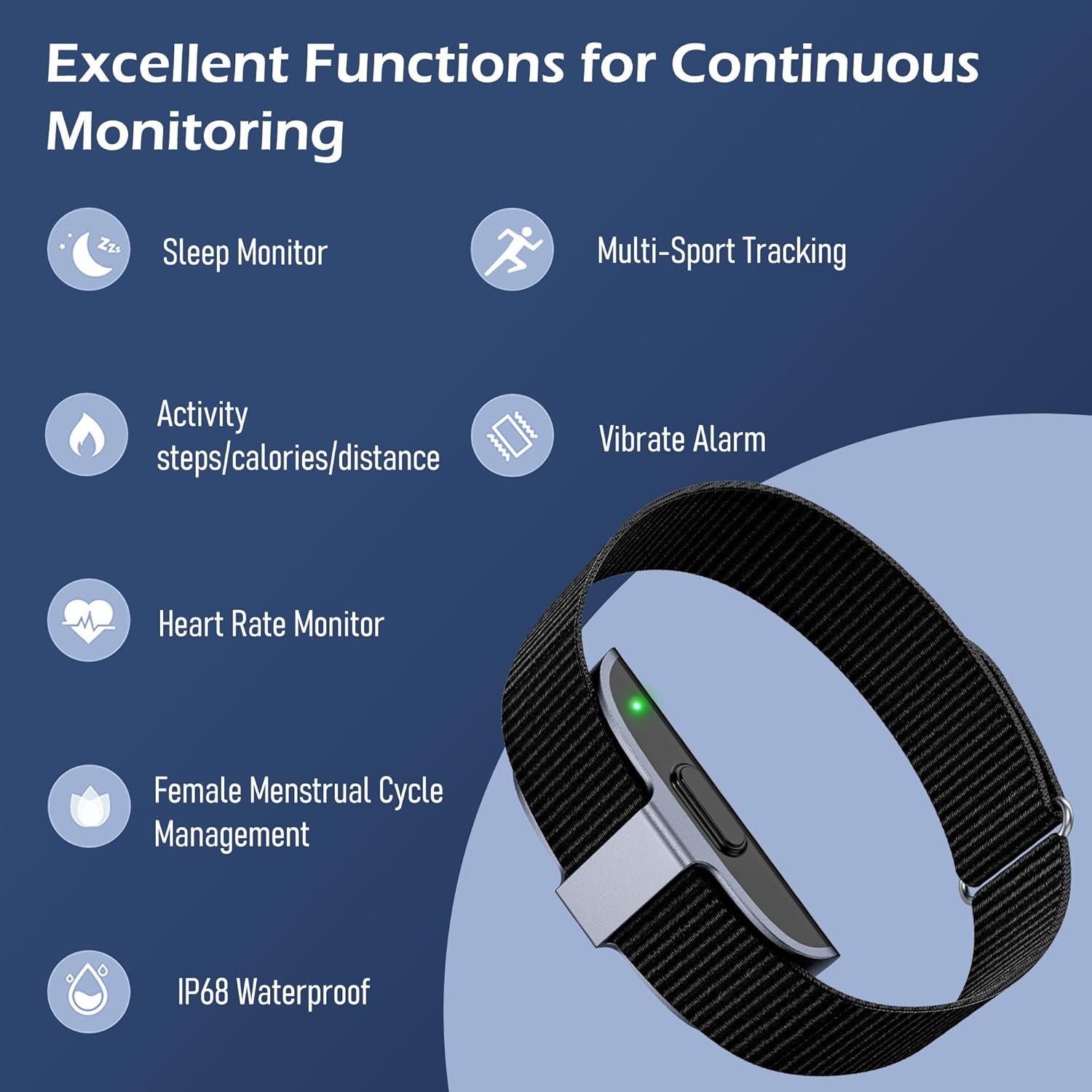
This image illustrates the primary functions of the smart bracelet, including sleep monitoring, multi-sport tracking, activity data (steps, calories, distance), vibrate alarm, heart rate monitoring, female menstrual cycle management, and IP68 waterproofing.
- Monitor otkucaja srca: Continuous heart rate tracking and alerts for irregular patterns.
- Monitor spavanja: Prati santages (awake, REM, light, deep) and analyzes sleep quality.
- Praćenje aktivnosti: Bilježi korake, potrošene kalorije i pređenu udaljenost.
- Više sportskih modova: Supports over 50 sports modes for detailed exercise tracking.
- Vibrate Alarm: Silent alarms for reminders.
- Upravljanje ženskim menstrualnim ciklusom: Tracks and predicts menstrual and ovulation periods.
- IP68 vodootporan: Resistant to dust and water immersion up to 1.5 meters for 30 minutes.
- Screenless Design: Minimalist design for 24/7 wear with low power consumption.
2. Sigurnosne informacije
Please read the following safety guidelines carefully before using your smart bracelet.
- Otpornost na vodu: The device is IP68 waterproof, suitable for hand washing, sweating, and rain. Do not use it for swimming, diving, or in hot water (e.g., hot showers or saunas), as this may damage the device.
- Medical Device Disclaimer: This device is not a medical device. Data provided is for reference only and should not be used for medical diagnosis or treatment. Consult a healthcare professional for any health concerns.
- Punjenje: Use only the provided charging cable. Do not attempt to disassemble or modify the device.
- iritacija kože: If you experience any skin irritation or discomfort, discontinue use and consult a doctor. Ensure the bracelet is worn comfortably, not too tight or too loose.
3. Podešavanje
3.1 Punjenje uređaja
Before first use, fully charge your smart bracelet. A full charge typically takes about 2 hours.
- Connect the charging cable to the charging port on the smart bracelet.
- Uključite USB kraj kabla za punjenje u standardni USB adapter za napajanje (nije uključen) ili USB port računara.
- The device will indicate charging status (e.g., a light indicator).

This image displays the charging process of the smart bracelet and its IP68 waterproof capability during hand washing.
3.2 Preuzimanje i instaliranje aplikacije
The smart bracelet requires the JCWear app to function and display data. Ensure your smartphone meets the system requirements:
- iOS: Verzija 10.0 ili novija
- Android: Verzija 5.1 ili novija
The app is not compatible with PCs, iPads, or tablets.
- Scan the QR code provided in the product packaging or search for "JCWear" in your smartphone's app store (Apple App Store for iOS, Google Play Store for Android).
- Preuzmite i instalirajte aplikaciju.
- Slijedite upute na ekranu da biste kreirali račun i postavili svog profesionalca.file.

This image displays the JCWear app interface, highlighting its capabilities for tracking stress, daily activity, heart rate, sleep, and exercise, as well as women's health features.
3.3 Uparivanje sa vašim pametnim telefonom
Provjerite je li Bluetooth omogućen na vašem pametnom telefonu.
- Open the JCWear app on your smartphone.
- Navigate to the device pairing section (usually found in settings or a dedicated 'Device' tab).
- The app will search for available devices. Select your smart bracelet from the list.
- Confirm the pairing request on both the app and, if prompted, on your phone's Bluetooth settings.
- Once paired, the app will synchronize data with your bracelet.
4. Uputstvo za upotrebu
Since the CNBRO Smart Bracelet is screenless, all data viewing and most settings adjustments are performed through the JCWear app.
4.1 Praćenje otkucaja srca
The bracelet continuously monitors your heart rate. Data is automatically synced to the JCWear app.
- Wear the bracelet snugly on your wrist.
- Open the JCWear app and navigate to the 'Heart Rate' section to view real-time data, historical trends, and receive alerts for irregular heartbeats.
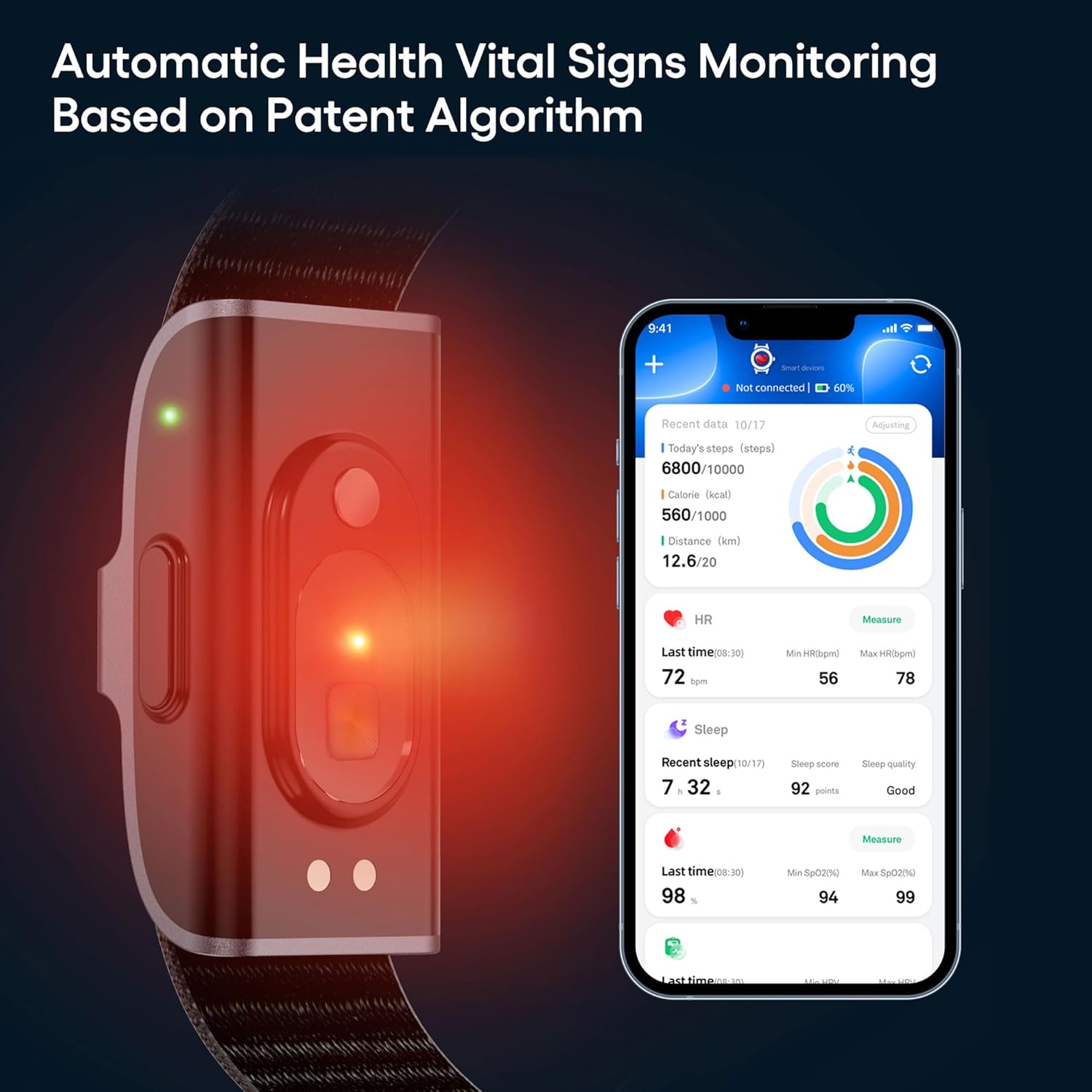
This image shows the smart bracelet actively monitoring vital signs, with the corresponding data for steps, calories, distance, heart rate, sleep, and SpO2 displayed on the JCWear app interface.
4.2 Nadgledanje spavanja
The bracelet automatically tracks your sleep patterns when worn during sleep.
- Wear the bracelet to bed.
- In the JCWear app, access the 'Sleep' section to view your sleep duration, quality analysis (awake, REM, light, deep sleep stages), and sleep scores.
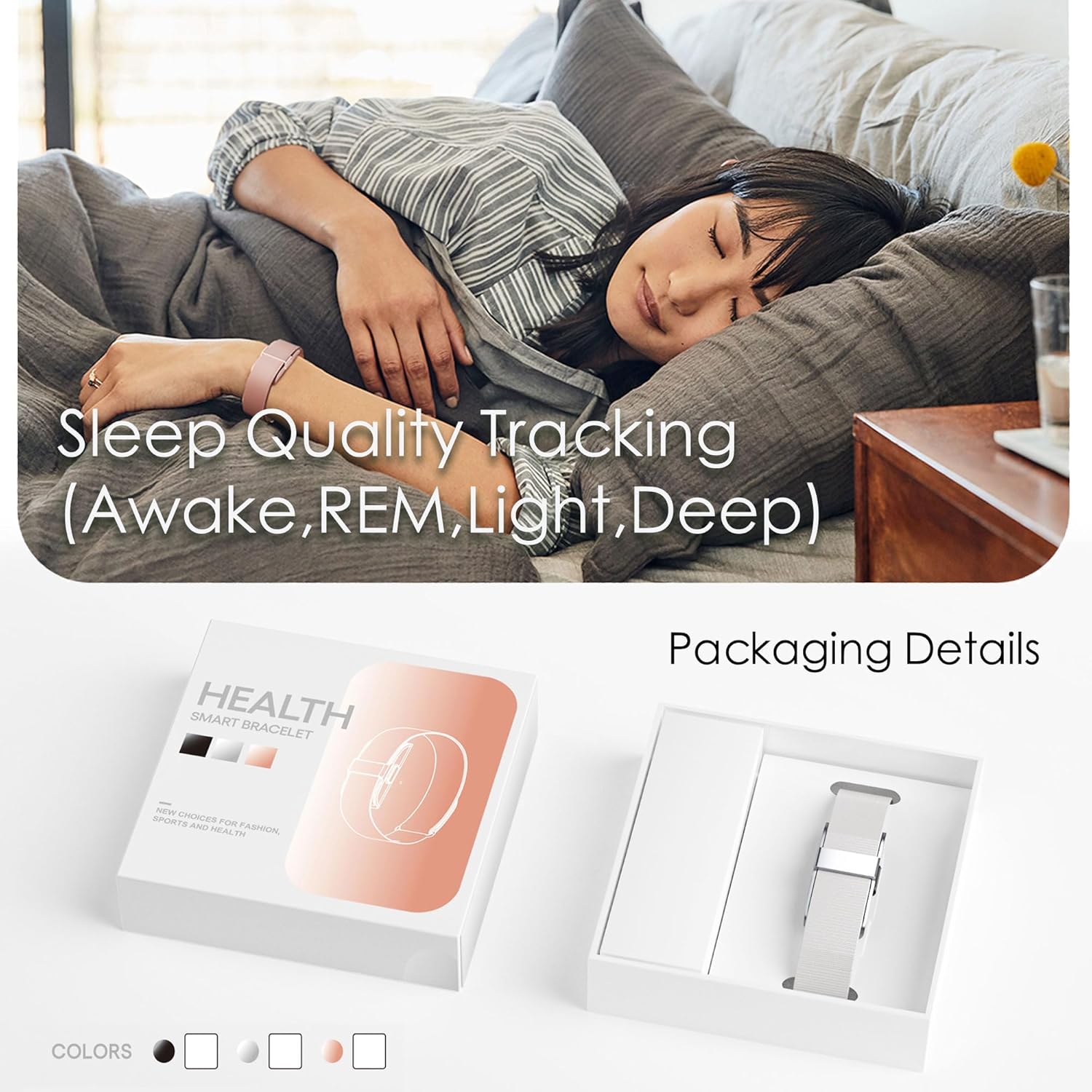
This image depicts the smart bracelet's sleep tracking function while a person is asleep, along with a view of the product's packaging.
4.3 Activity Tracking (Pedometer, Calories, Distance)
The bracelet continuously tracks your daily activity.
- Wear the bracelet throughout the day.
- Open the JCWear app to view your steps, calories burned, and distance covered in the 'Activity' or 'Dashboard' section.
4.4 Više sportskih modova
The bracelet supports over 50 sports modes for detailed exercise tracking.
- In the JCWear app, navigate to the 'Exercise' or 'Sports' section.
- Select your desired sport (e.g., running, cycling, hiking).
- Start the activity tracking from the app. The bracelet will record relevant data such as exercise time, heart rate, and mileage.
- End the activity in the app to save the workout data.

This image illustrates the multi-sport tracking feature, showing a person exercising and the JCWear app interface with icons for over 50 different sports modes.
4.5 Vibrate Alarm
Set silent alarms through the JCWear app.
- Open the JCWear app and go to 'Settings' or 'Device'.
- Select 'Alarm' and set your desired time. The bracelet will vibrate at the set time.
4.6 Female Menstrual Cycle Management
This feature helps track and predict menstrual cycles and ovulation periods.
- In the JCWear app, navigate to the 'Women's Health' or 'Physiological Cycle' section.
- Input your menstrual cycle data as prompted.
- The app will provide predictions and reminders for menstrual cycles, pregnancy preparation, and pregnancy periods.
5. Održavanje
5.1 Čišćenje uređaja
Regular cleaning helps maintain hygiene and device performance.
- Wipe the bracelet and band with a soft, damp tkanina.
- Izbjegavajte korištenje jakih kemikalija ili abrazivnih sredstava za čišćenje.
- Prije punjenja provjerite jesu li kontakti za punjenje čisti i suhi.
5.2 Njega baterija
Da biste maksimalno produžili vijek trajanja baterije:
- Charge the device fully when the battery is low.
- Izbjegavajte ekstremne temperature, koje mogu utjecati na performanse baterije.
- The 95mAh battery provides approximately 7-10 days of working time and up to 15-20 days of standby time on a full charge.
6. Otkrivanje problema
If you encounter issues with your smart bracelet, try the following solutions:
| Problem | Moguće rješenje |
|---|---|
| Device not turning on/charging |
|
| Nije moguće upariti se sa pametnim telefonom |
|
| Netačna očitavanja podataka |
|
| Aplikacija ne sinhronizira podatke |
|
7. Specifikacije
| Feature | Detalj |
|---|---|
| Broj modela | JYYH2208FS |
| Povezivanje | Bluetooth 5.0 |
| Kapacitet baterije | 95mAh litijum -polimer |
| Vrijeme punog punjenja | Približno 2 sata |
| Radno vrijeme | 7-10 dana (tipična upotreba) |
| Vrijeme pripravnosti | Do 15-20 dana |
| Naziv aplikacije | JCWear |
| Sistemski zahtjevi | iOS 10.0 ili noviji, Android 5.1 ili noviji |
| Waterproof Rating | IP68 |
| Materijal kućišta | Legura cinka |
| Band Material | Silikon |
| Tip kopče | Kopča |
| Težina artikla | 3.52 unci (0.1 kilograma) |
| Posebne karakteristike | Alarm Clock, Calorie Counter, Distance Tracker, Pedometer, Water Resistance |
8. Garancija i podrška
For any questions, technical support, or warranty inquiries regarding your CNBRO Smart Bracelet Fitness Tracker, please contact the manufacturer or your retailer. Refer to your purchase documentation for specific warranty terms and contact information.