1. Uvod
The SilverStone CS383 is a high-performance full tower chassis designed for Network Attached Storage (NAS) and workstation applications. It supports a wide range of components, including SSI-EEB motherboards, multiple storage drives, and advanced cooling solutions. This manual provides detailed instructions for the assembly, operation, and maintenance of your CS383 chassis.

Slika 1.1: Prednja strana view of the SilverStone CS383 chassis with the door open, showing the hot-swappable drive bays.
Ključne karakteristike:
- Supports motherboards up to E-ATX / SSI-EEB form factors.
- Includes 8 hot-swappable 3.5" or 2.5" drive trays with support for SAS-12G / SATA-6G drives.
- Features 8 expansion slots, accommodating GPUs or adapter cards up to 340mm in length.
- Supports liquid cooling radiators up to 420mm or air coolers up to 186mm tall.
- Capable of housing dual power supplies or up to 4 additional 5.25" drive bay devices.
2. Podešavanje sistema
2.1 Priprema šasije
Before installing components, ensure the chassis is placed on a stable, flat surface. Remove the side panels by unscrewing the thumbscrews at the rear and sliding the panels backward.

Slika 2.1: Bočna strana view of the CS383 chassis.
2.2 Instalacija matične ploče
- Install the necessary motherboard standoffs into the chassis tray according to your motherboard's form factor (SSI-EEB, SSI-CEB, E-ATX, ATX, Micro-ATX, Mini-ITX).
- Pažljivo postavite matičnu ploču na odstojnike, poravnavajući rupe za vijke.
- Pričvrstite matičnu ploču vijcima.

Figure 2.2: Internal layout showing motherboard mounting area.

Figure 2.3: Workstation-grade component support, including SSI-EEB motherboard and dual PSU options.
2.3 Drive Installation (Hot-Swappable Bays)
The CS383 features eight hot-swappable drive bays for 3.5" or 2.5" SAS-12G / SATA-6G drives.
- Open the front door of the chassis.
- Press the release latch on a drive tray and pull it out.
- Mount your 3.5" or 2.5" drive into the tray using the provided screws.
- Slide the loaded drive tray back into the bay until it clicks into place.
- Ensure all drives are properly connected to the backplane for power and data.

Figure 2.4: Detail of the hot-swappable drive bays.
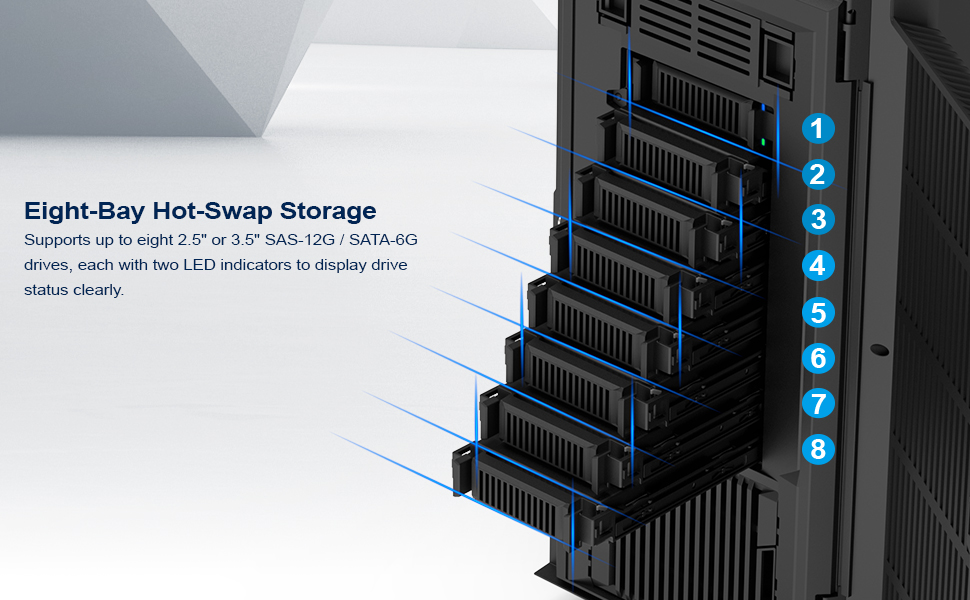
Figure 2.5: Eight-bay hot-swap storage with drive status indicators.
2.4 Instalacija napajanja
The chassis supports standard ATX (PS2) power supplies and offers an optional secondary PSU slot.
- Mount your primary power supply in the designated bottom-rear compartment.
- Secure it with screws from the rear of the chassis.
- For dual PSU configurations, install the second power supply in the lower front 5.25" bay area.
2.5 Instalacija kartice za proširenje
The CS383 provides eight expansion slots for graphics cards, network adapters, or RAID controllers.
- Uklonite potrebne poklopce utora sa stražnje strane kućišta.
- Insert your expansion card into the corresponding PCIe slot on the motherboard.
- Secure the card with screws or the tool-less retention mechanism.

Figure 2.6: Expansion slots for adapter cards.
2.6 Instalacija sistema za hlađenje
The chassis supports various cooling configurations, including liquid cooling radiators up to 420mm and air coolers up to 186mm tall.
- radijatori: Mount liquid cooling radiators to the top panel.
- obožavatelji: Two 92mm fans are pre-installed behind the drive bays for efficient cooling. Additional fans can be installed as needed.

Figure 2.7: Top panel supporting up to a 420mm liquid cooling radiator.

Figure 2.8: Internal component clearance diagram.
2.7 Additional Storage Options
Beyond the hot-swappable bays, the CS383 offers additional mounting points for 2.5" SSDs and 3.5" HDDs, as well as three 5.25" drive bays at the bottom front.

Figure 2.9: Additional 2.5" SSD and 3.5" HDD mounting locations.
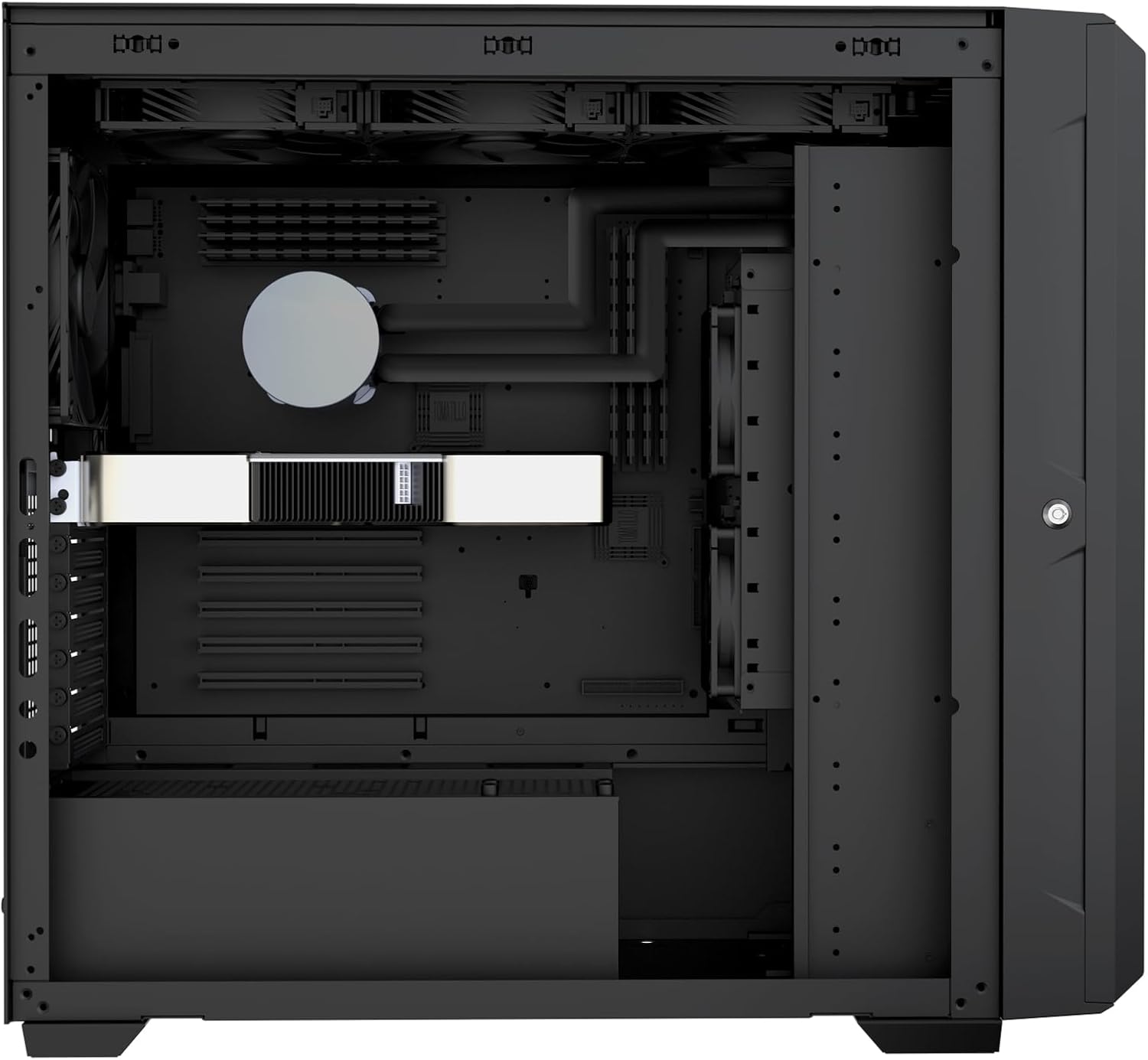
Figure 2.10: Three 5.25" drive bays.
3. Operacija
3.1 Front Panel Controls and I/O
The front panel provides essential controls and connectivity options:
- Dugme za napajanje: Pokreće ili isključuje sistem.
- Dugme za resetiranje: Ponovo pokreće sistem.
- USB portovi: Za povezivanje eksternih uređaja.
- Audio priključci: Za slušalice i mikrofone.
- Drive Activity LEDs: Indicate read/write activity for each hot-swappable drive.

Figure 3.1: Front panel I/O and controls.
3.2 Diskovi koji se mogu brzo zamijeniti
The hot-swappable drive bays allow for adding or removing drives while the system is running, provided your operating system and RAID controller support this feature.
- Ensure the drive is properly unmounted or ejected from the operating system before removal.
- Open the front door and press the release latch on the desired drive tray.
- Carefully pull the drive tray out.
- To insert a new drive, mount it into an empty tray and slide it into the bay until it locks.
- The operating system should detect the new drive automatically.
Napomena: Always refer to your operating system and RAID controller documentation for specific hot-swap procedures to prevent data loss.
4. Održavanje
4.1 Čišćenje filtera za prašinu
The CS383 includes removable dust filters in key areas to prevent dust buildup and maintain optimal cooling performance. Regular cleaning is recommended.
- Locate the dust filters (e.g., at the bottom of the chassis).
- Gently slide out or unclip the filters.
- Clean the filters using compressed air or by rinsing them with water. Ensure they are completely dry before reinstallation.
- Sigurno vratite filtere.
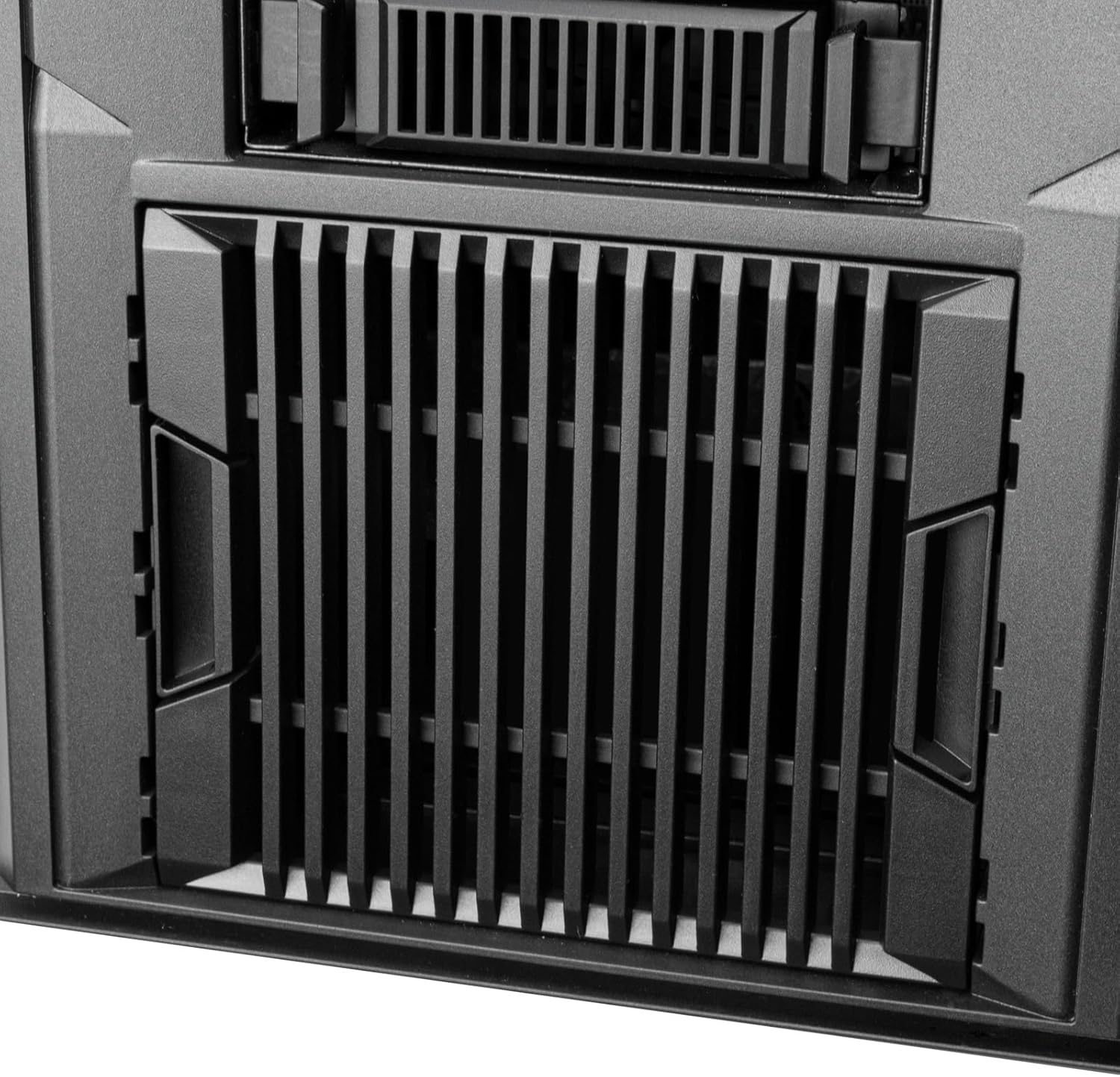
Figure 4.1: Removable dust filter at the bottom of the chassis.
4.2 Održavanje ventilatora
Periodically check the chassis fans for dust accumulation. Clean them with compressed air to ensure unrestricted airflow.
Oprez: Disconnect power to the system before performing any internal cleaning or maintenance.
5. Otkrivanje problema
- Sistem se ne uključuje:
- Ensure the power supply is properly connected to the wall outlet and the power switch on the PSU is in the 'ON' position.
- Verify all power cables (24-pin ATX, 8-pin CPU, PCIe, SATA) are securely connected to the motherboard and components.
- Provjerite priključak dugmeta za napajanje na prednjoj ploči na matičnu ploču.
- Diskovi nisu otkriveni:
- Confirm drives are fully seated in their hot-swap trays and the trays are locked into the bays.
- Verify SATA/SAS data and power cables from the backplane are connected to the motherboard/RAID controller and power supply.
- Check BIOS/UEFI settings to ensure SATA/SAS ports are enabled.
- Problemi sa pregrijavanjem:
- Ensure all chassis fans are spinning and not obstructed.
- Clean dust filters and internal components regularly.
- Provjerite da li ventilatori za CPU i GPU ispravno funkcionišu.
- Consider optimizing fan curves in BIOS/UEFI or adding additional cooling if temperatures remain high under load.
- U/I na prednjoj ploči ne radi:
- Check the internal cable connections from the front panel to the motherboard (USB headers, audio headers).
6. Specifikacije
| Feature | Detalj |
|---|---|
| Naziv modela | CS383 (SST-CS383) |
| Brand | SilverStone |
| Tip slučaja | pun toranj |
| Materijal | Legirani čelik, aluminij |
| Boja | Crna |
| Kompatibilnost matične ploče | SSI-EEB, SSI-CEB, Extended ATX, ATX, Micro-ATX, Mini-ITX |
| Drive Bays (Hot-Swap) | 8 x 3.5"/2.5" SAS-12G / SATA-6G |
| Slotovi za proširenje | 8 |
| Podrška za dužinu GPU-a | Do 340 mm |
| Podrška za visinu CPU hladnjaka | Do 186 mm |
| Podrška radijatora | Do 420 mm (vrh) |
| Podrška za napajanje | Standard ATX (PS2), Dual PSU capable |
| Dimenzije proizvoda (DxŠxV) | 23.15" x 9.77" x 20.79" (588 mm x 248 mm x 528 mm) |
| Težina artikla | 42.3 funte (19.18 kg) |
7. Garancija i podrška
7.1 Jamstvo za proizvod
SilverStone Technology products are covered by a limited warranty. The specific terms and duration of the warranty may vary by region and product. Please retain your proof of purchase for warranty claims.
7.2 Tehnička podrška
For technical assistance, troubleshooting, or further inquiries regarding your SilverStone CS383 chassis, please visit the official SilverStone Technology website or contact their customer support department. You can find contact information and support resources at www.silverstonetek.com.


