1. Uvod
Thank you for choosing the Riflewell 7.0 Cu Ft Large Fingerprint Safe Box. This manual provides essential information for the safe and efficient operation of your new security safe. Please read these instructions carefully before use and retain them for future reference.
This safe is designed to protect your valuables, including documents, cash, pistols, and jewelry, with advanced fingerprint and password locking mechanisms, dual alarm systems, and robust construction.
2. Šta je uključeno
Prilikom raspakivanja, molimo Vas da provjerite da li su sve sljedeće komponente prisutne:
- 1 x Riflewell 7.0 Cu Ft Safe Box
- 4 x ključa za hitne slučajeve
- 1 x USB Type-C Cable (for external power)
- 4 x Anti-slip Foot Pads
- 6 x ekspanzijski vijci (za montažu)
- 1 x Korisnički priručnik (ovaj dokument)

3. Značajke proizvoda
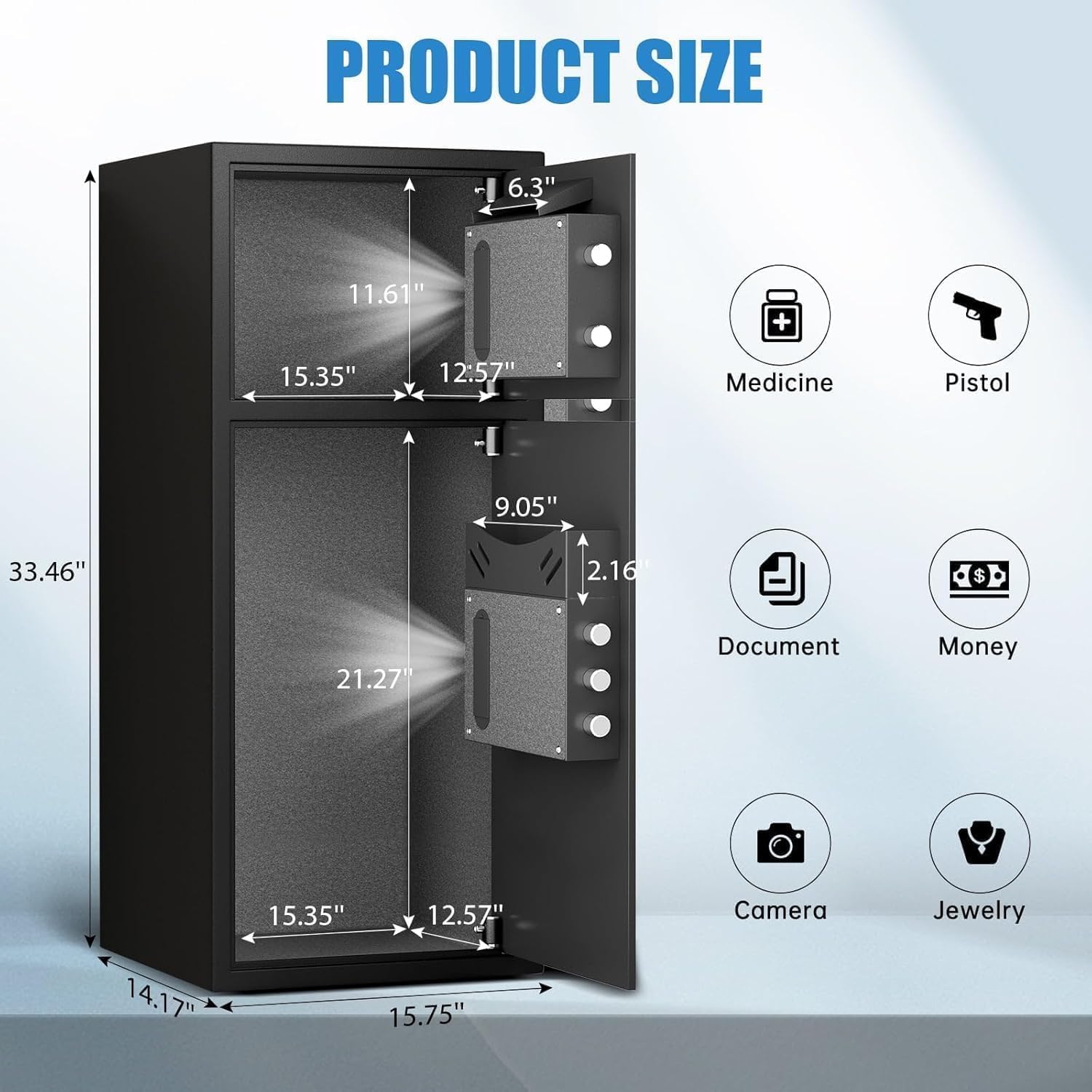
- Ekstra veliki kapacitet: External size 14.17"D x 15.75"W x 33.5"H, with a 7.0 cubic feet capacity. Features a double-door design for separate access.
- Poboljšana sigurnost: Equipped with a fingerprint and password lock system. Features 3D glowing digital buttons and a unique embedded fingerprint design (US appearance patent).
- Deposit Slot: A convenient front slot allows for easy deposit of money or coins without opening the main door.
- Unutrašnja organizacija: Includes a metal storage box for smaller items and soft flannel lining to protect valuables from scratches. Internal LED lights illuminate the interior.
- Anti-Theft Construction: Made of reinforced low carbon alloy steel with micro-slit laser cutting precision. Features a pry-resistant thickened door and five solid live bolts.
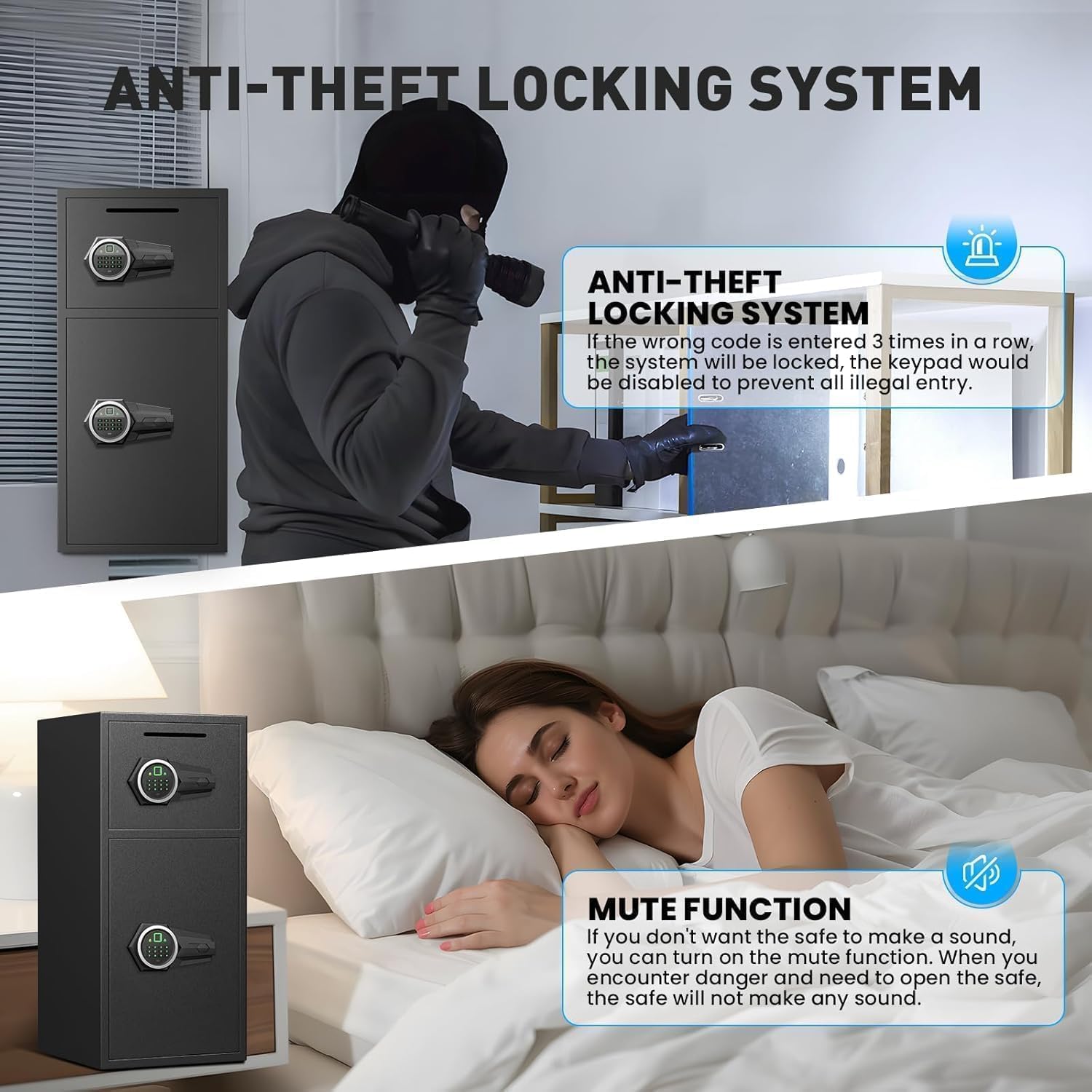
- Dvostruki alarmni sistem: Activates an alarm (up to 70 decibels) after three consecutive incorrect password attempts or violent vibrations. Includes a mute function for silent operation.
- Snaga u nuždi: Universal emergency power jack (USB Type-C) ensures access even if internal batteries are depleted.


4. Podešavanje
4.1 First Time Opening (Using Emergency Key)
Before initial use, you must open the safe using the emergency key to install batteries and set up your access methods.
- Pronađite ključaonicu za hitne slučajeve, obično skrivenu iza poklopca na ploči s tastaturom.
- Insert an emergency key and turn it counter-clockwise to its limit.
- Okrenite dugme u smeru kazaljke na satu da otvorite vrata.
4.2 Instalacija baterije
The electronic lock requires 4 AA alkaline batteries (not included). Do not use lithium or rechargeable batteries.
- Sa otvorenim vratima sefa, pronađite odjeljak za baterije na unutrašnjoj strani vrata.
- Skinite poklopac baterije.
- Umetnite 4 AA alkalne baterije, pazeći na ispravan polaritet.
- Vratite poklopac baterije.
4.3 Setting Up Fingerprint
You can program multiple fingerprints for convenient access.
- With the safe door open, short press the red 'SETTING BUTTON' located inside the door.
- Place your finger on the fingerprint collector. When you hear a short beep, remove your finger.
- Repeat placing and removing your finger four times until the safe confirms successful registration.
4.4 Setting Up Password
You can set a 3-8 digit user password.
- With the safe door open, short press the red 'SETTING BUTTON' located inside the door.
- Input your desired 3-8 digit user code on the keypad.
- Press '#' to confirm your password.
4.5 Montiranje sefa
For added security, the safe can be mounted to a wall or floor using the provided expansion screws.
- Identify a suitable location for mounting. The safe has 4 pre-drilled holes on the back and 2 on the bottom.
- Mark the drilling points on the wall or floor through the pre-drilled holes.
- Izbušite rupe na označenim pozicijama.
- Align the safe with the drilled holes and secure it using the expansion screws.

5. Upravljanje sefom
5.1 Opening with Fingerprint or Password
- To open with fingerprint: Place your registered finger on the fingerprint collector until the lock disengages.
- To open with password: Input your 3-8 digit user code and press '#'. The lock will disengage.
- Okrenite dugme u smeru kazaljke na satu da otvorite vrata.
5.2 Otvaranje ključem za slučaj nužde
The emergency key provides manual access in case of forgotten codes or battery failure.
- Locate the emergency keyhole.
- Insert an emergency key and turn it counter-clockwise to its limit.
- Okrenite dugme u smeru kazaljke na satu da otvorite vrata.
5.3 Opening with USB Cable (External Power)
If the internal batteries are dead and you don't have the emergency key, you can use a USB Type-C cable for temporary external power.
- Connect the USB Type-C cable to the port on the keypad panel and to an external power source (e.g., power bank).
- Once powered, use your registered fingerprint or password to open the safe as usual.
- Okrenite dugme u smeru kazaljke na satu da otvorite vrata.
6. Sigurnosne karakteristike
6.1 Dual Alarm Function
The safe is equipped with a dual alarm system to deter unauthorized access:
- Alarm za netačnu lozinku: If three consecutive incorrect passwords are entered, the alarm will sound for 20 seconds.
- Vibracioni alarm: In standby mode, press and hold "4" until you hear two beeps to activate the vibration alarm. If the safe is shaken or hit violently, the alarm will sound for 20 seconds.
The alarm can only be deactivated by removing the batteries.
6.2 Funkcija isključivanja zvuka
The safe features an upgraded mute function, suitable for various scenarios where silent operation is preferred. Refer to the quick start guide for specific instructions on activating/deactivating the mute mode.
7. Održavanje
- Zamjena baterije: Replace batteries promptly when the low battery indicator appears to ensure continuous functionality.
- čišćenje: Očistite spoljašnjost sefa mekom,amp krpom. Izbjegavajte abrazivna sredstva za čišćenje ili rastvarače koji bi mogli oštetiti završnu obradu.
- Pohrana ključeva: Store emergency keys in a secure location away from the safe, but easily accessible to you.
8. Otkrivanje problema
- Safe not opening: Ensure batteries are correctly installed and charged. Try using the emergency key or external USB power. Verify the correct password or fingerprint is being used.
- Neočekivano se oglašava alarm: Check if the vibration alarm is activated. Ensure no unauthorized attempts have been made to open the safe. Deactivate by removing batteries.
- Tastatura ne reaguje: Replace batteries. If using external power, ensure the USB cable is securely connected and the power source is active.
9. Specifikacije
| Feature | Specifikacija |
|---|---|
| Brand | Riflewell |
| Dimenzije proizvoda | 14.17"D x 15.75"Š x 33.5"H |
| Tip brave | Electronic Combination Lock (Fingerprint & Password) |
| Kapacitet | 7 kubnih stopa |
| Materijal | Reinforced Low Carbon Alloy Steel |
| Posebne karakteristike | Alarm System, LED Light, Deposit Slot, Double Door, Soft Lining |
| Vrsta montaže | Montaža na pod / Montaža na zid |
| Težina artikla | 49.5 funti |
| Broj modela stavke | KL-85W-shao |
10. Garancija i podrška
Riflewell is committed to customer satisfaction. If you encounter any problems with your safe, please contact us directly. We offer:
- Doživotna garancija
- 24-Hour Online Customer Service
- 90-Day Unconditional Returns
- Doživotna usluga usklađivanja ključeva
To find seller support on Amazon:
- Log in to your Amazon buyer's account.
- Pronađite svoju narudžbu.
- Click "Get help" to contact the seller for product support.


