Uvod
Thank you for choosing the GOBOULT Crown Smart Watch. This manual provides essential information for the proper setup, operation, and maintenance of your device. Please read it thoroughly to ensure optimal performance and longevity of your smartwatch.
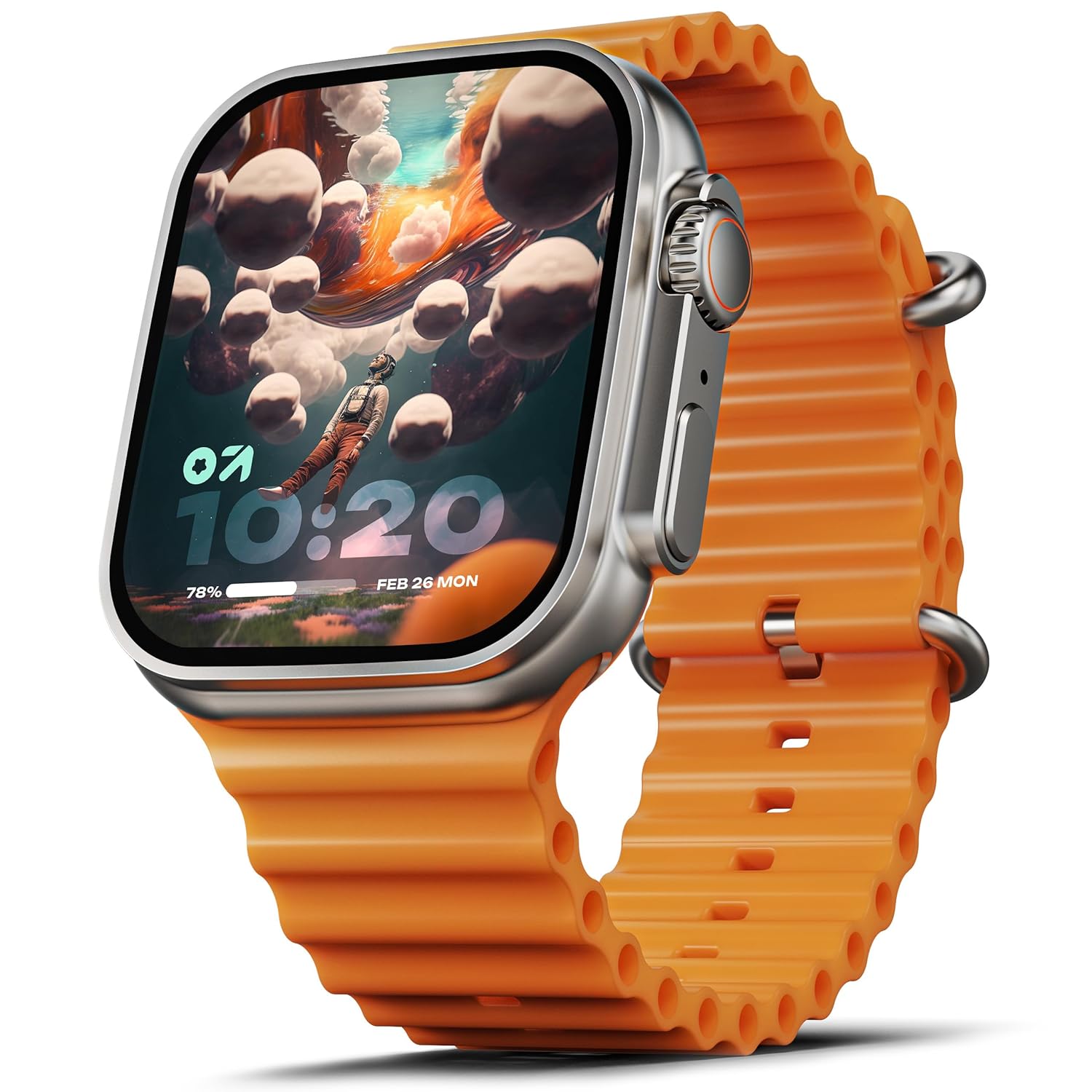
Image: The GOBOULT Crown Smart Watch, featuring a large display and an orange silicone strap.
Šta je u kutiji
Prilikom raspakivanja, molimo Vas da provjerite da li su uključene sve sljedeće stavke:
- GOBOULT Crown Smart Watch
- Kabel za punjenje
- Uputstvo za upotrebu
- Garantni list
Getting Started
1. Punjenje pametnog sata
Before initial use, fully charge your GOBOULT Crown Smart Watch. Connect the provided charging cable to the charging port on the back of the watch and to a standard USB power adapter. The watch display will indicate charging status.
2. Uključivanje / isključivanje napajanja
To power on, press and hold the side button until the GOBOULT logo appears. To power off, navigate to the settings menu on the watch, select 'Power Off', and confirm.
3. Uparivanje sa vašim pametnim telefonom
- Download the official GOBOULT companion app from your smartphone's app store (available for Android and iOS).
- Provjerite je li Bluetooth omogućen na vašem pametnom telefonu.
- Open the GOBOULT app and follow the on-screen instructions to search for and pair with your Crown Smart Watch.
- Potvrdite zahtjev za uparivanje i na telefonu i na satu.
Uputstvo za upotrebu
Prikaz i navigacija

Image: Close-up of the smartwatch display, highlighting its 1.95-inch size and 900 Nits brightness for clear visibility.
- 1.95" HD ekran: The large, high-definition screen provides clear visuals and responsive touch interaction.
- Svjetlina od 900 nita: Osigurava odličnu vidljivost čak i pri jakom osvjetljenju na otvorenom.
- Working Rotating Crown: Use the functional rotating crown on the side of the watch to scroll through menus, zoom in/out, and switch watch faces.
Slika: Eksplodirala view illustrating the internal mechanism of the working rotating crown, used for navigation and control.
Bluetooth pozivanje

Image: The smartwatch screen showing an incoming call, alongside diagrams explaining Bluetooth 5.2 calling features like call answer/reject, dial pad, and contact sync.
The GOBOULT Crown Smart Watch supports Bluetooth Calling 5.2, allowing you to make and receive calls directly from your wrist. It features a built-in speaker and microphone for clear communication.
- Odgovaranje/Odbijanje poziva: Tap the green icon to answer or the red icon to reject an incoming call.
- Taster za biranje: Access the dial pad on the watch to make outgoing calls.
- Sync Contacts: Sync your phone's contacts to the watch via the companion app.
Monitoring zdravlja
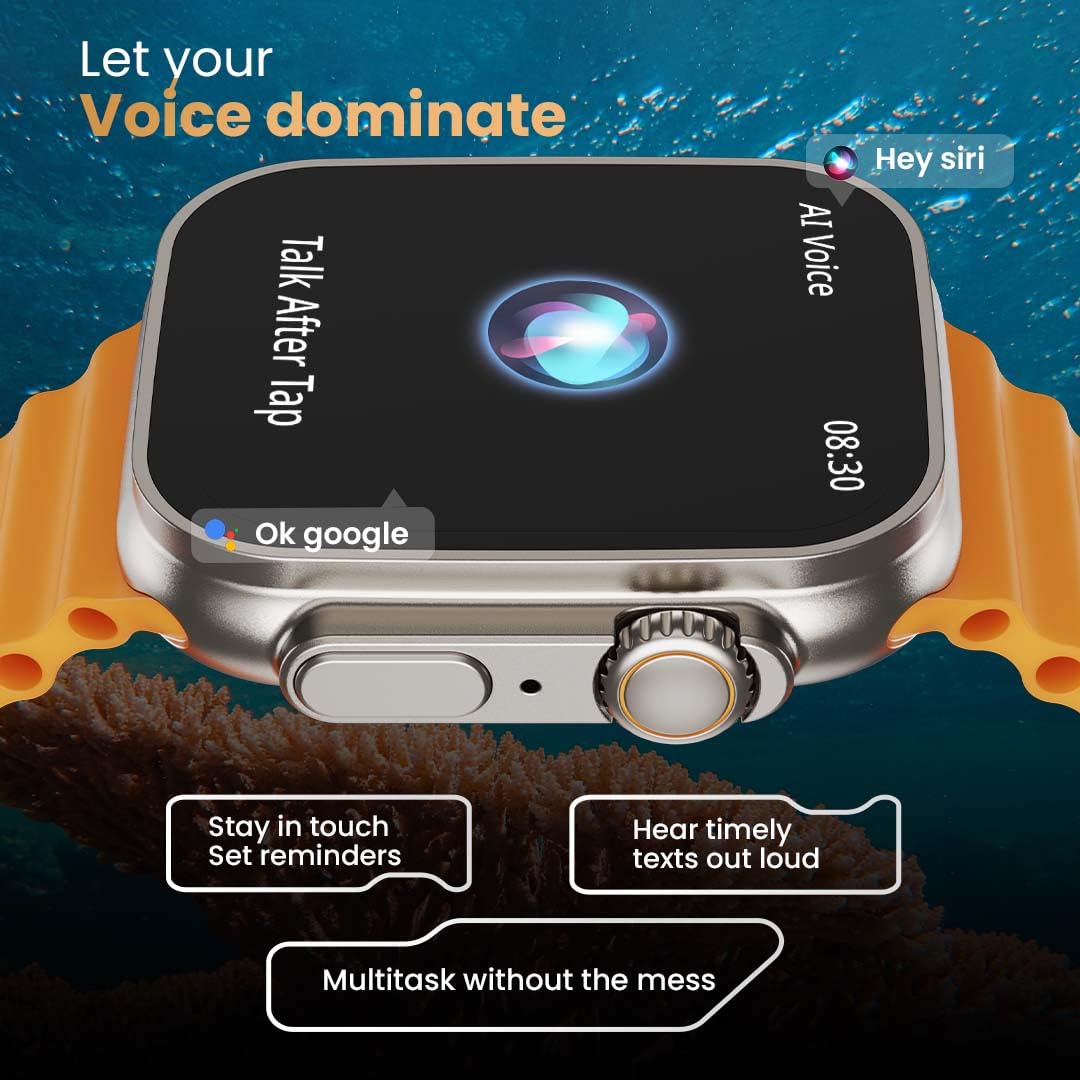
Image: The rear of the smartwatch showing its health sensors, accompanied by a list of health metrics it tracks, including heart rate, SpO2, and sleep.
The watch is equipped with an advanced health suite to help you monitor your well-being:
- Monitor otkucaja srca 24/7: Neprekidno prati vaš puls tokom cijelog dana.
- SpO2 monitor zasićenosti krvi kisikom: Mjeri nivo kisika u krvi.
- Praćenje spavanja: Analizira vaše obrasce i kvalitetu sna.
- Praćenje aktivnosti: Bilježi korake, udaljenost i potrošene kalorije.
- Praćenje ženskog menstrualnog ciklusa: Provides insights and predictions for menstrual cycles.
- Trening disanja: Vođene vježbe disanja za opuštanje.
Sportski modovi
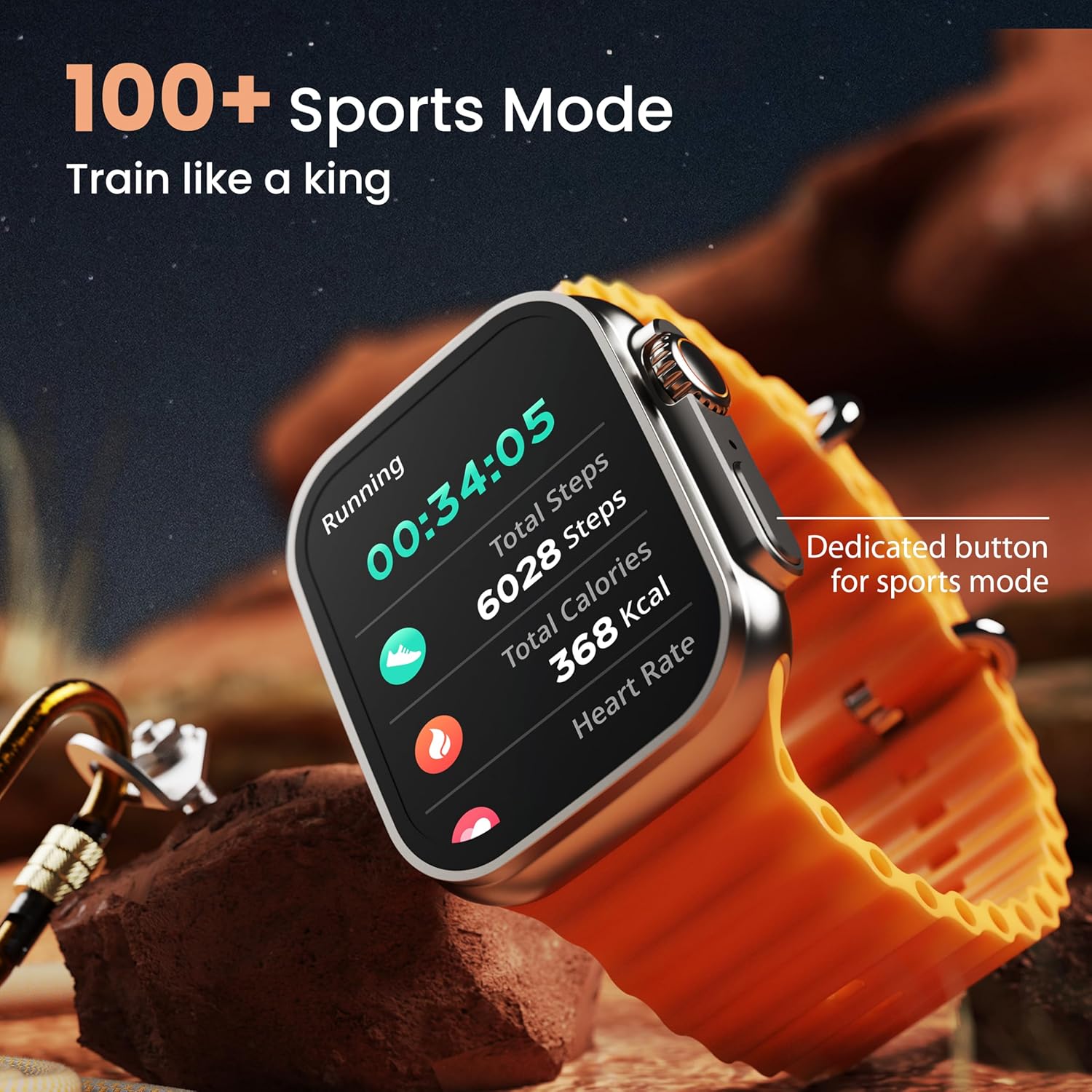
Image: The smartwatch screen showing a 'Running' sports mode with real-time metrics like duration, total steps, calories, and heart rate. A dedicated button for sports mode is also visible.
With over 120 sports modes, the GOBOULT Crown Smart Watch can track a wide range of physical activities. Select your desired sport from the watch menu to record real-time metrics, performance insights, and track your progress.
Prilagodba

Slika: Izložba kolažaasing various watch faces, including custom and animated options, along with different UI styles available for personalization on the smartwatch.
Personalizirajte iskustvo korištenja pametnog sata:
- 100+ Cloud-Based Watch Faces: Choose from a wide selection of watch faces available through the companion app.
- Opcije prilagođavanja: Customize your screen with widgets, backgrounds, and layouts to match your style.
- 8 UI Styles: Select from different user interface styles for menu navigation.
Dodatne funkcije
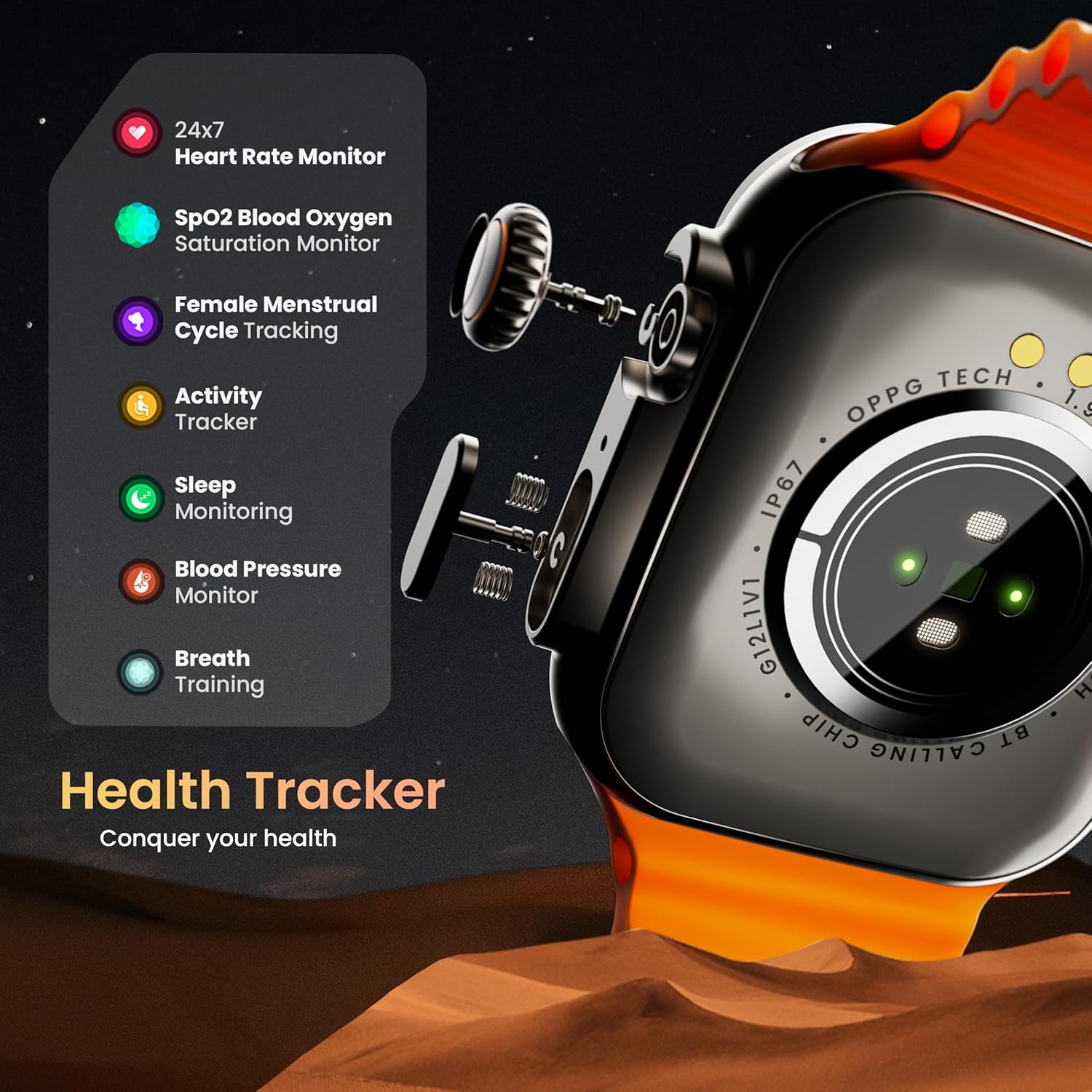
- AI glasovni asistent: Interact with your watch using voice commands (e.g., "Hey Siri" or "Ok Google") for tasks like setting reminders or hearing texts aloud.
- Pronađite moj telefon: If your paired phone is misplaced, use this feature on your watch to make it ring/vibrate.
- mini igrice: Enjoy pre-installed mini-games directly on your watch.
- Obavještenja i podsjetnici: Receive SMS, WhatsApp, social media, and mail notifications. Set goal achievement reminders.
- Kalkulator: A basic calculator function is available on the watch.
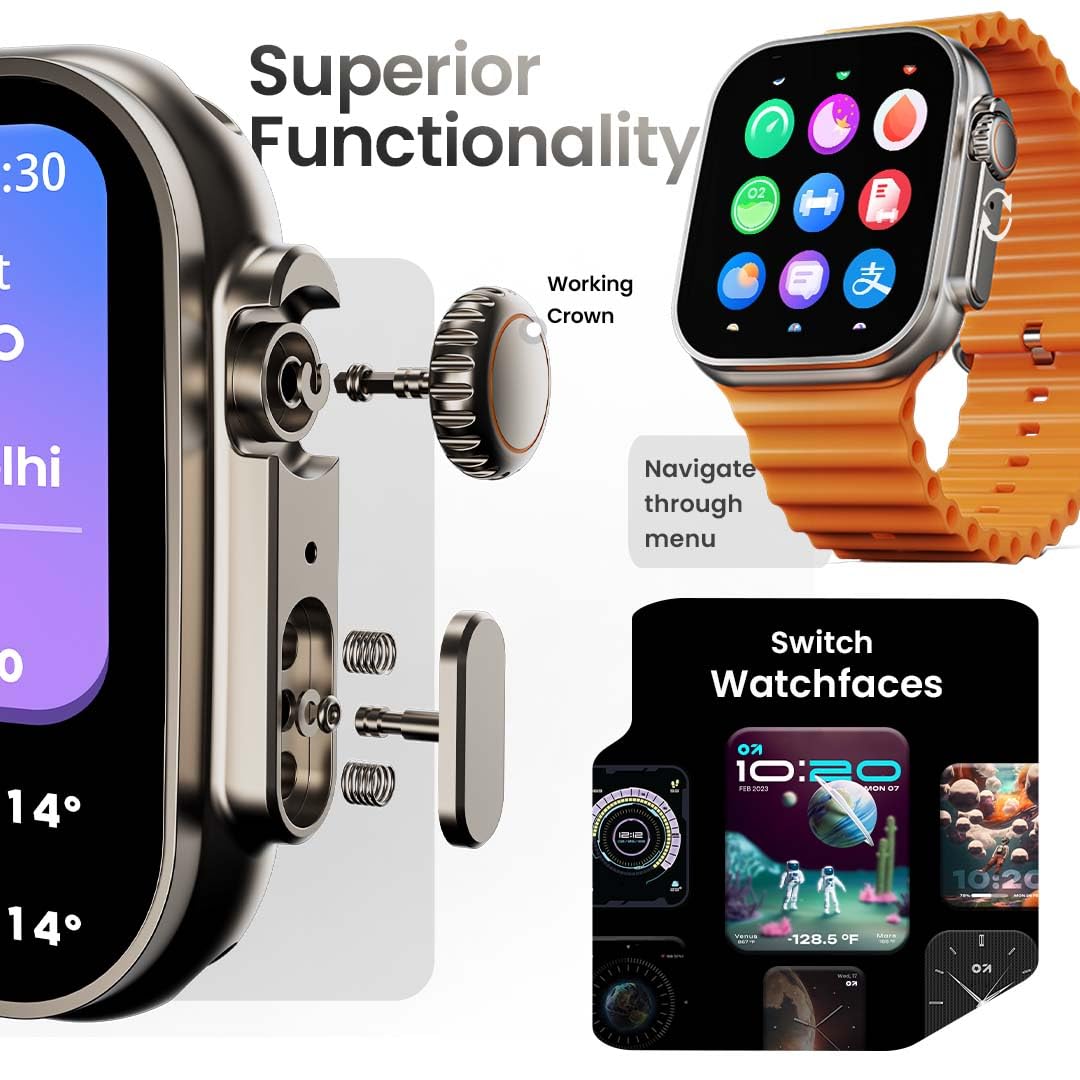
Image: The smartwatch screen showing the AI Voice Assistant interface, indicating support for voice commands like "Hey Siri" and "Ok Google".
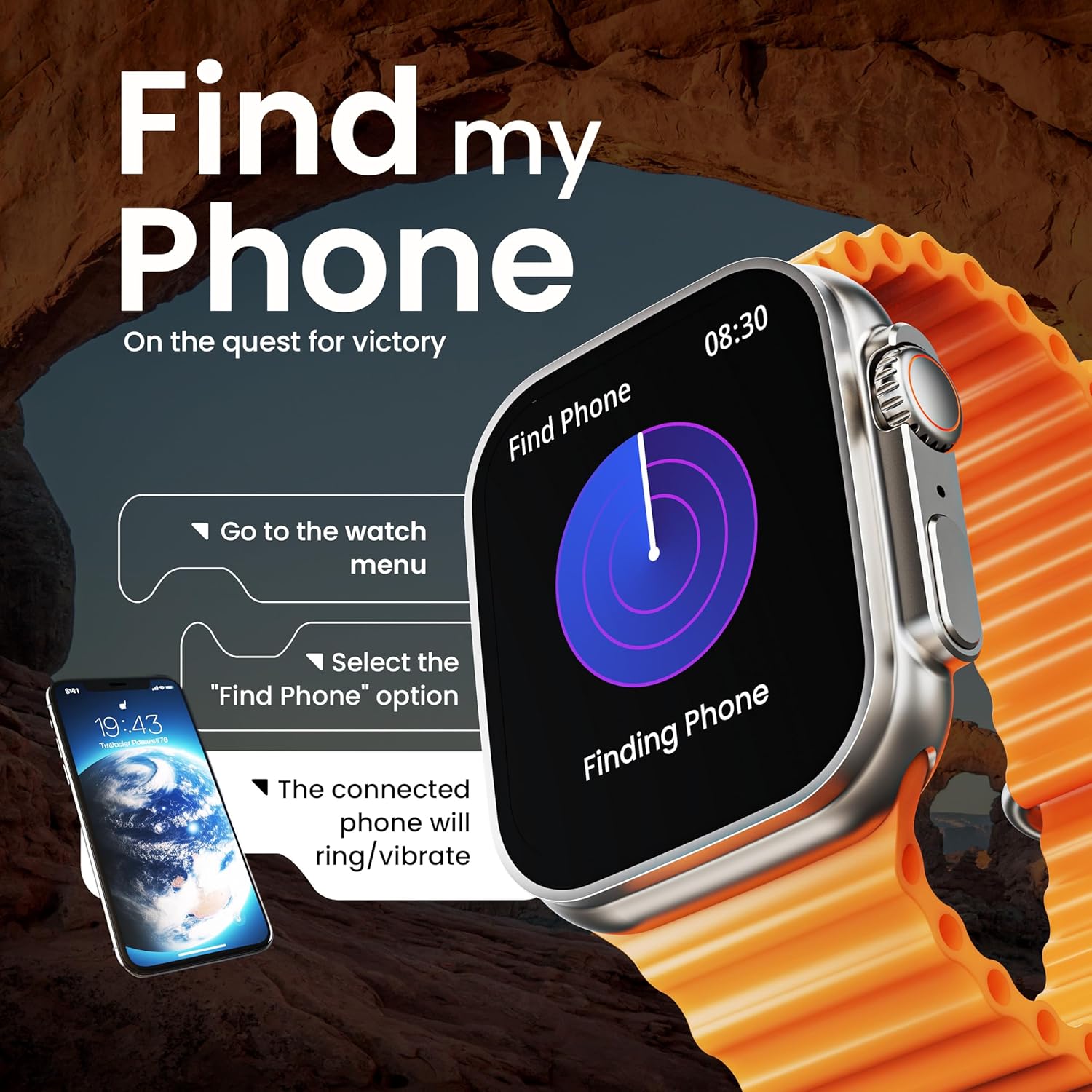
Image: The smartwatch screen illustrating the 'Find Phone' feature, with instructions on how to activate it to locate a connected smartphone.
Slika: Prikaz ekrana pametnog sataasing a selection of mini-games available on the device, such as 'Young Bird', 'Hamster', and 'Battleships'.

Image: The smartwatch screen showing a calculator interface, along with a pop-up notification and a list of reliable and robust features like sync notifications and reminders.
Održavanje
Čišćenje
Regularly clean your smartwatch and strap to prevent skin irritation and maintain device hygiene. Use a soft, lint-free cloth. If necessary, slightly dampNapržite krpu vodom. Izbjegavajte jake hemikalije ili abrazivne materijale.
Otpornost na vodu
The GOBOULT Crown Smart Watch is IP67 water resistant. This means it is protected against dust and can withstand immersion in water up to 1 meter for up to 30 minutes. It is suitable for daily use and light splashes but not recommended for swimming, showering, or diving.
Strap Care
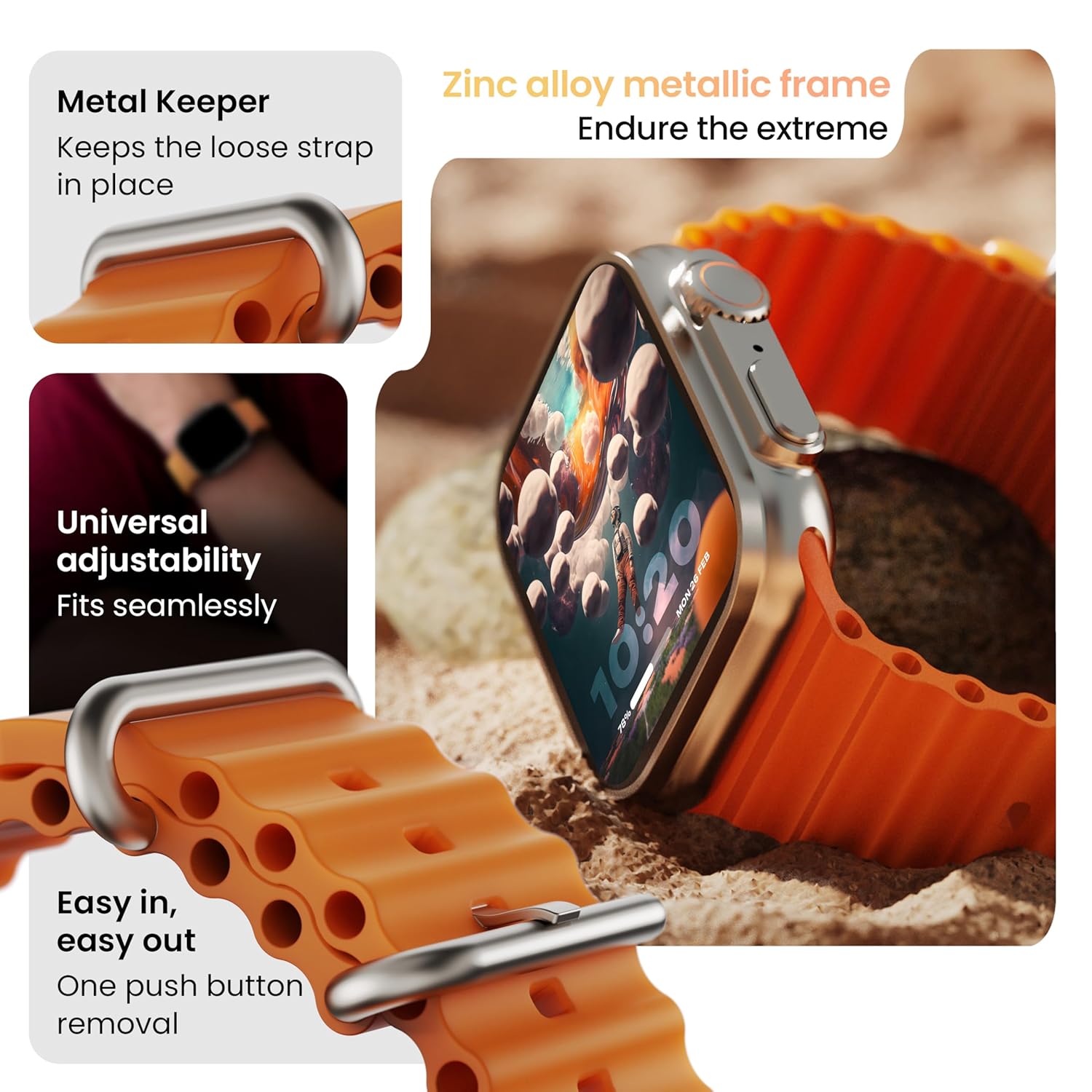
Slika: Detaljna view of the smartwatch strap, highlighting features such as the metal keeper for securing the loose end, universal adjustability for a seamless fit, and a push-button mechanism for easy removal.
The skin-friendly silicone strap is designed for comfort. Ensure it is not too tight or too loose for accurate health tracking. Clean the strap regularly, especially after workouts, to remove sweat and dirt.
Rješavanje problema
Sat se ne uključuje
- Provjerite je li sat potpuno napunjen. Spojite ga na punjač na najmanje 30 minuta.
- Pritisnite i držite bočni gumb 10-15 sekundi da biste pokušali prisilno ponovno pokretanje.
Problemi uparivanja
- Provjerite je li Bluetooth omogućen na vašem telefonu i satu.
- Ensure the watch is within the Bluetooth range (approximately 10 meters).
- Ponovo pokrenite i telefon i sat.
- Clear the Bluetooth cache on your phone or forget the device and try pairing again.
Netačni zdravstveni podaci
- Pazite da sat čvrsto prianja uz vaš zglob, ali ne previše stegnut.
- Očistite senzore na poleđini sata.
- Izbjegavajte pretjerano kretanje tokom mjerenja radi veće tačnosti.
Obavještenja se ne prikazuju
- Check if the watch is properly connected to your phone via Bluetooth.
- Verify notification permissions for the GOBOULT app in your phone's settings.
- Ensure 'Do Not Disturb' mode is not active on either your phone or watch.
Specifikacije
| Feature | Detalj |
|---|---|
| Brand | GOBOULT |
| Model | Pametni sat Crown |
| Veličina ekrana | 1.95 inča |
| Display Brightness | 900 gnjida |
| Povezivanje | Bluetooth 5.2 |
| Operativni sistem | Android Wear 1.0, iOS compatible |
| Trajanje baterije (prosječno) | 7 dana |
| Vrijeme punjenja baterije | 150 minuta |
| Kapacitet baterije | 300 Milliamp Sati |
| Otpornost na vodu | IP67 |
| Težina artikla | 40 g |
| Uključene komponente | Pametni sat, kabel za punjenje, korisnički priručnik, garantni list |
Garancija i podrška
Your GOBOULT Crown Smart Watch comes with a Warranty Card included in the box. Please refer to this card for detailed information regarding warranty coverage and terms. For technical support or further assistance, please contact GOBOULT customer service through the contact information provided on the warranty card or the official GOBOULT website.


