DIERYA M1 bežični gejmerski miš - uputstvo za upotrebu
Model: M1
Uvod
Thank you for choosing the DIERYA M1 Wireless Gaming Mouse. This manual provides detailed instructions on setting up, operating, maintaining, and troubleshooting your new mouse. The M1 offers flexible tri-mode connectivity, a high-precision optical sensor, customizable RGB lighting, and an ergonomic design for optimal performance in both gaming and professional environments.
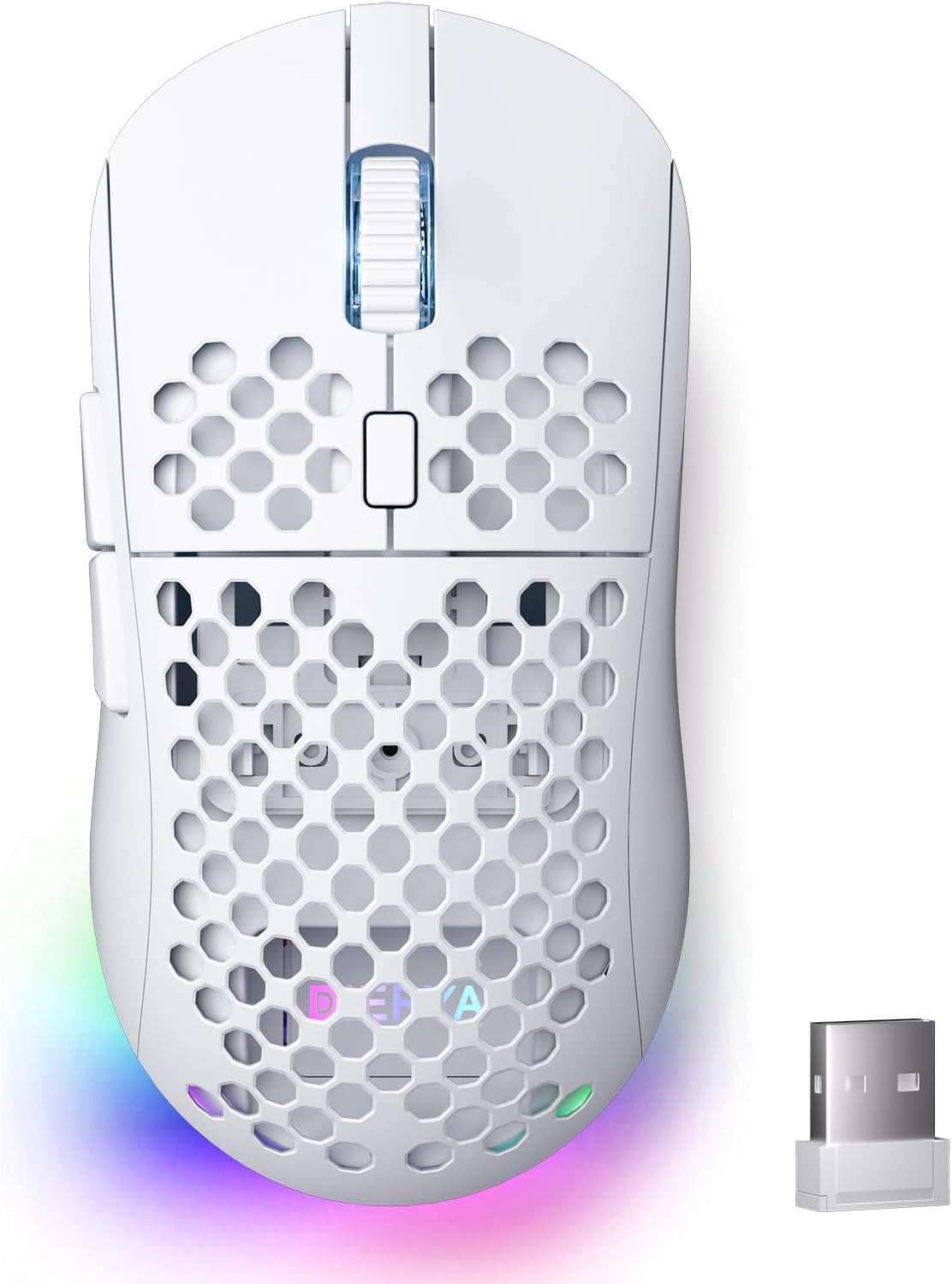
Figure 1: DIERYA M1 Wireless Gaming Mouse
Sadržaj paketa
- M1 Wireless Mouse x1
- Nylon USB-A to C Cable x1
- Uputstvo za upotrebu x1
Product Overview
Familiarize yourself with the various components of your DIERYA M1 mouse:
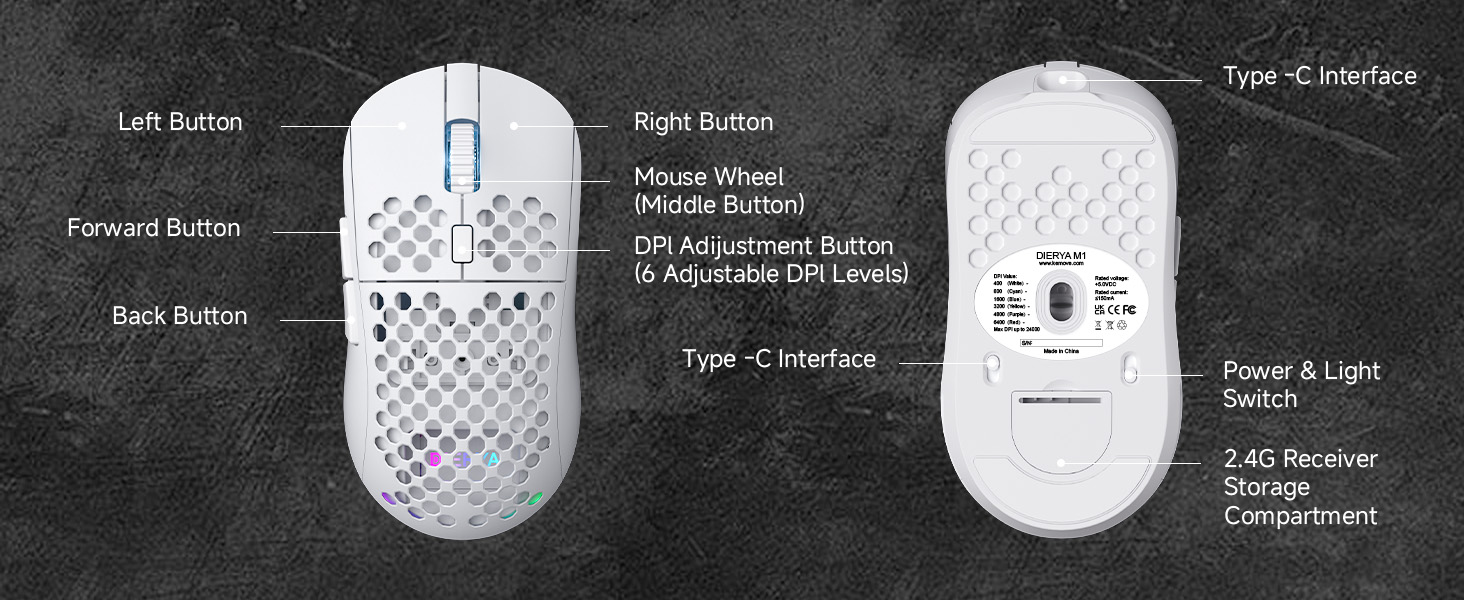
Figure 2: DIERYA M1 Mouse Components
- Lijevo dugme: Standardna funkcija lijevog klika.
- Desno dugme: Standardna funkcija desnog klika.
- Mouse Wheel (Middle Button): Pomicanje gore/dolje, klik za funkciju srednjeg dugmeta.
- Dugme za podešavanje DPI-ja: Ciklično mijenja unaprijed postavljene nivoe DPI-ja.
- Dugme naprijed: Navigira naprijed u web preglednike ili aplikacije.
- Dugme za povratak: Navigacija unazad web preglednike ili aplikacije.
- Sučelje tipa C: Za žičanu vezu i punjenje.
- Power & Light Switch: Turns the mouse on/off and controls RGB lighting.
- 2.4G Receiver Storage Compartment: Stores the USB receiver when not in use.
Setup
Punjenje miša
Connect the provided USB-A to C cable to the mouse's Type-C interface and a USB power source (e.g., computer USB port, wall adapter). The mouse features a 1000mAh rechargeable battery. A full charge takes approximately 1 hour.
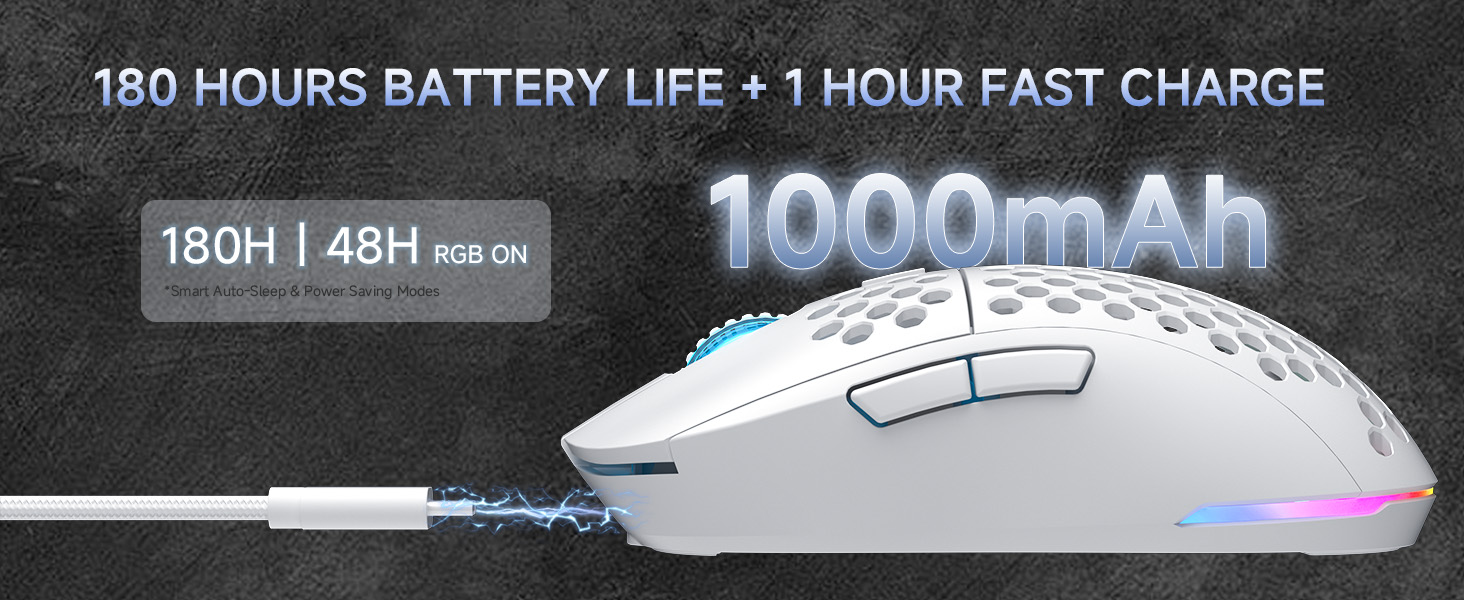
Slika 3: Punjenje i vijek trajanja baterije
Connecting the Mouse (Tri-Mode Connectivity)
The DIERYA M1 mouse supports three connection modes: 2.4GHz wireless, Bluetooth 5.2, and USB-C wired. Use the switch on the bottom of the mouse to select your desired mode.
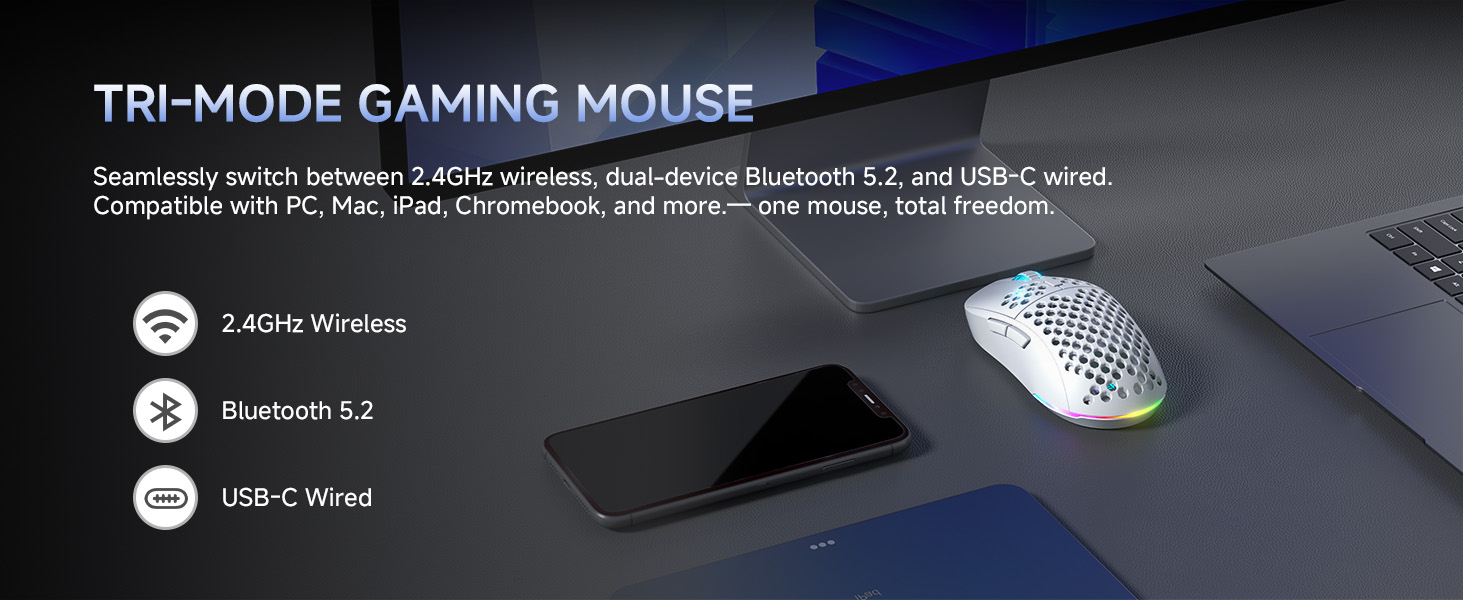
Slika 4: Opcije povezivanja u tri načina rada
2.4GHz bežični način rada
- Take out the 2.4G USB receiver from the storage compartment on the bottom of the mouse.
- Uključite USB prijemnik u slobodan USB port na vašem računaru.
- Set the switch on the bottom of the mouse to the '2.4G' position.
- The mouse will automatically connect to your computer.
Bluetooth 5.2 način rada
- Set the switch on the bottom of the mouse to the 'BT' position.
- Na računaru ili uređaju otvorite postavke Bluetootha i potražite nove uređaje.
- Select 'DIERYA M1' from the list of available devices to pair. The mouse supports dual-device pairing in Bluetooth mode.
USB-C Wired Mode
- Connect the provided USB-A to C cable to the mouse's Type-C interface and to a USB port on your computer.
- Miš će se automatski prebaciti u žični način rada i početi puniti.
Uputstvo za upotrebu
DPI podešavanje
The mouse features a 24,000 DPI sensor with six preset levels. Press the DPI adjustment button (located behind the scroll wheel) to cycle through the following DPI settings:
- 400 DPI
- 800 DPI
- 1600 DPI
- 3200 DPI
- 4800 DPI
- 6400 DPI
The scroll wheel LED and RGB lighting strip provide instant color-coded feedback to indicate the current DPI level.
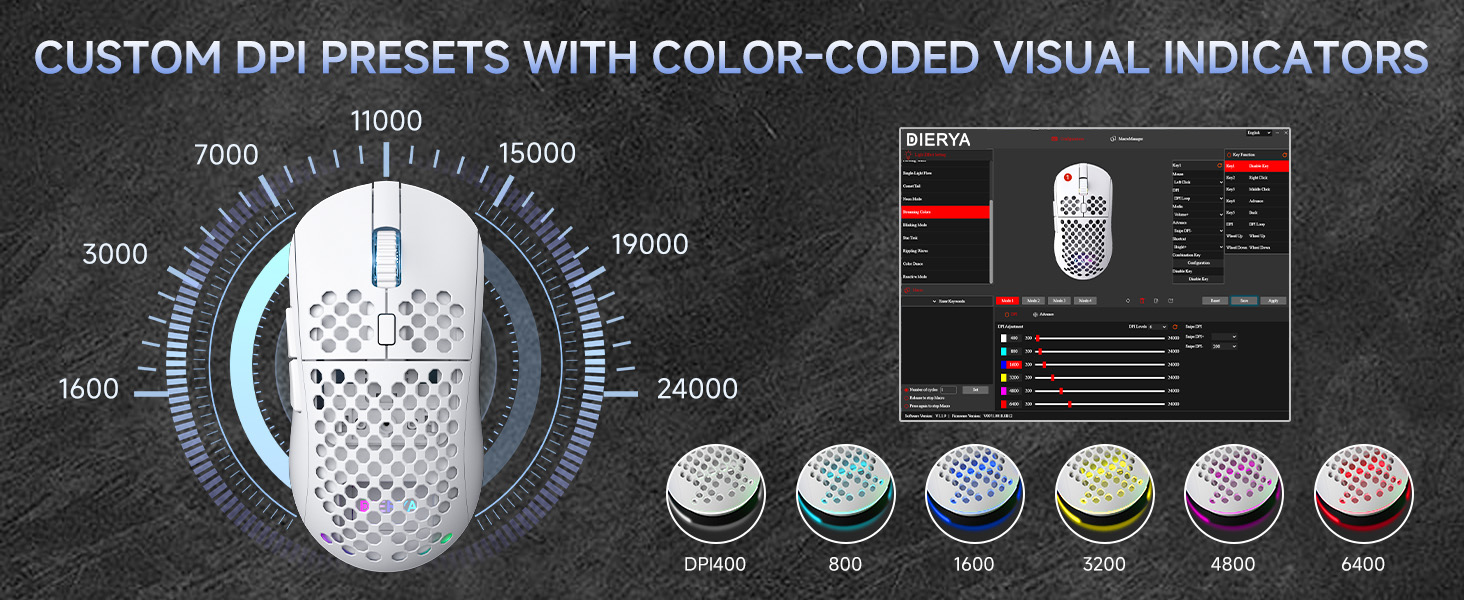
Figure 5: Custom DPI Presets and Color Indicators
Programabilna dugmad
The DIERYA M1 mouse features 6 programmable buttons. To customize button functions, create macros, or remap controls, download and install the dedicated driver software from the official DIERYA website.
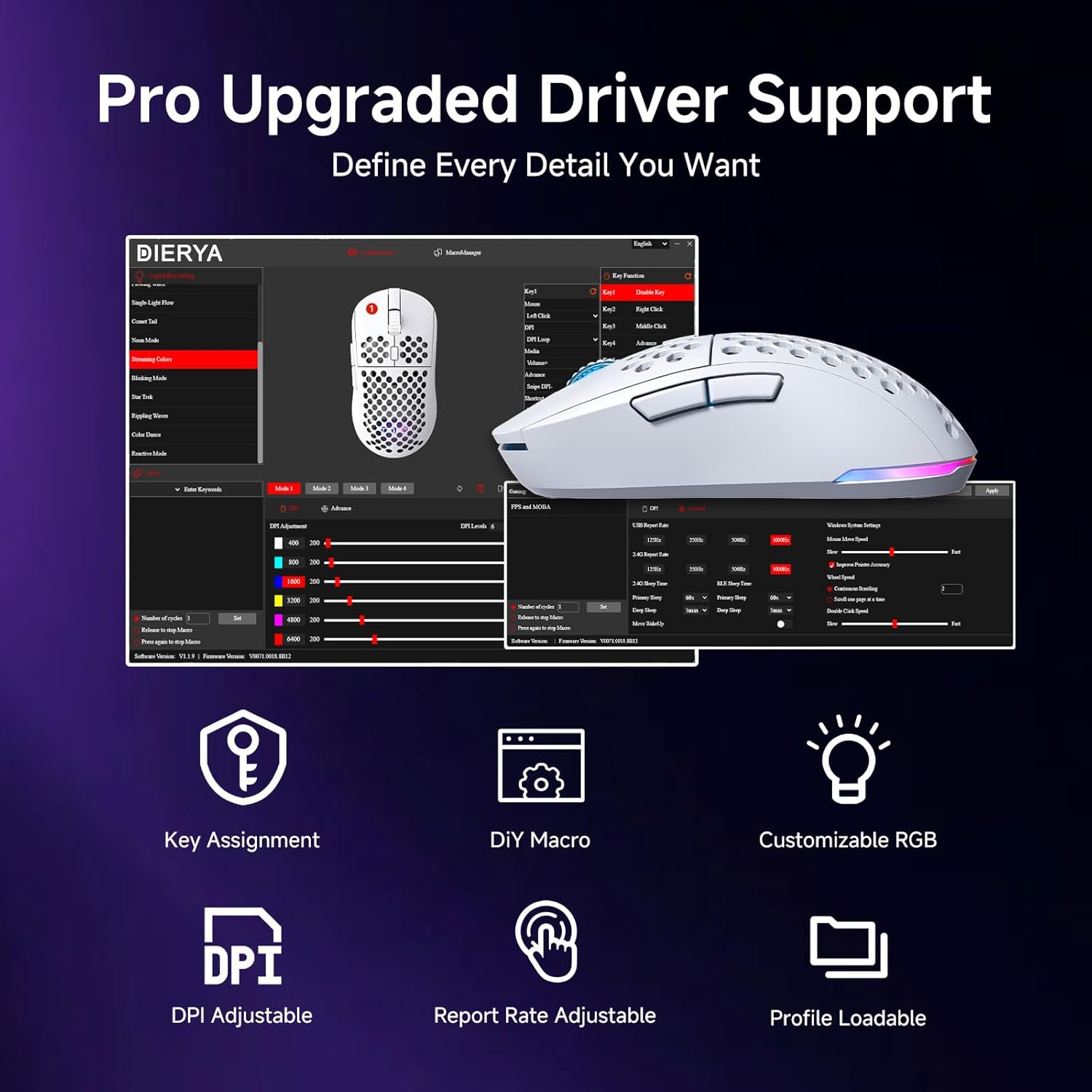
Figure 6: Driver Software Interface for Customization
RGB kontrola osvetljenja
The mouse features vibrant 16.8 million color RGB lighting with 13 different effects (e.g., Breath, Static, Flow, Starlight). Lighting effects can be customized and controlled via the dedicated driver software.
Upravljanje napajanjem
The M1 mouse is designed for efficient power consumption. It features intelligent sleep modes that activate after 1 and 5 minutes of inactivity to conserve battery life. You can quickly resume use by moving or clicking the mouse. Sleep timers can be customized through the driver software.
Održavanje
- čišćenje: Koristite meku, suhu krpu za brisanje miša. Za tvrdokornu prljavštinu, lagano obrišiteampOperite krpu vodom ili blagim rastvorom za čišćenje. Izbjegavajte jake hemikalije ili abrazivne materijale.
- Skladištenje: Čuvajte miša na hladnom i suhom mjestu, dalje od direktne sunčeve svjetlosti i ekstremnih temperatura.
- Održavanje baterije: Da biste produžili vijek trajanja baterije, izbjegavajte često potpuno pražnjenje miša. Punite ga kada je indikator baterije nizak.
Rješavanje problema
- Miš ne reaguje: Ensure the mouse is charged. Check the power switch on the bottom of the mouse. Re-plug the USB receiver (for 2.4GHz) or re-pair Bluetooth. Try wired mode to confirm functionality.
- DPI se ne mijenja: Ensure the mouse is powered on. Press the DPI button firmly. If using custom profiles, check settings in the driver software.
- RGB osvjetljenje ne radi: Check the power & light switch on the bottom of the mouse. Ensure the mouse is not in ECO mode (which may disable RGB). Adjust settings in the driver software.
- Kašnjenje ili prekidi veze u bežičnom režimu: Ensure the USB receiver is not obstructed and is close to the mouse. Avoid interference from other wireless devices. Try a different USB port.
- Buttons not working as expected: Check the button assignments in the driver software. Reset to default settings if necessary.
Specifikacije
| Feature | Detalj |
|---|---|
| Dimenzije proizvoda | 4.39 x 2.48 x 0.1 inča (125 x 63 x 41 mm) |
| Težina artikla | 5.6 unce (90 grama) |
| Tehnologija povezivanja | 2.4 GHz bežično, Bluetooth 5.2, USB-C žičano |
| Raspon DPI-ja | 200 - 24,000 DPI (6 preset levels: 400/800/1600/3200/4800/6400) |
| Polling Rate | 125-1000Hz (2.4G/USB-C), 125Hz (Bluetooth) |
| Brzina praćenja | 300 IPS |
| Ubrzanje | 35G |
| Kapacitet baterije | 1000mAh |
| Trajanje baterije | Up to 180 hours (ECO mode), 48 hours (RGB on) |
| Prekidači | Huano Micro Switches (20 million clicks) |
| Programabilna dugmad | 6 |
| RGB osvetljenje | 16.8 Million Colors, 13 Effects |
| Kompatibilni sistemi | PC, Mac, Laptop (Windows, macOS, Chrome OS, iPadOS) |
Garancija i podrška
For warranty information and technical support, please refer to the warranty card included in your product packaging or visit the official DIERYA website. You can also contact DIERYA customer service for assistance with any product-related inquiries or issues.


