Uvod
Welcome to the DIERYA M1 Wireless Gaming Mouse user manual. This guide provides detailed instructions for setting up, operating, and maintaining your new mouse. Please read this manual thoroughly to ensure proper use and to maximize your gaming and productivity experience.
Sadržaj paketa
Provjerite da li se sve stavke nalaze u vašem paketu:
- M1 bežični miš
- Nylon USB-A to C Cable
- Uputstvo za upotrebu
Product Overview
The DIERYA M1 mouse features a lightweight, ergonomic design with multiple programmable buttons and versatile connectivity options.

Opis slike: Nad glavom view of the black DIERYA M1 wireless gaming mouse, showcasing its honeycomb shell design and RGB lighting. A small USB receiver is positioned to the right of the mouse.
Komponente miša

Opis slike: An overhead and underside view of the DIERYA M1 mouse with various components labeled. These include the Left Button, Right Button, Mouse Wheel (Middle Button), DPI Adjustment Button (6 Adjustable DPI Levels), Forward Button, Back Button, Type-C Interface, Power & Light Switch, and 2.4G Receiver Storage Compartment. The mouse features a honeycomb shell design.
- Lijevo dugme: Standardna funkcija lijevog klika.
- Desno dugme: Standardna funkcija desnog klika.
- Mouse Wheel (Middle Button): Scroll and middle-click function.
- Dugme za podešavanje DPI-ja: Ciklično mijenja unaprijed postavljene nivoe DPI-ja.
- Dugme naprijed: Navigira naprijed u web preglednike ili aplikacije.
- Dugme za povratak: Navigacija unazad web preglednike ili aplikacije.
- Sučelje tipa C: Za žičanu vezu i punjenje.
- Power & Light Switch: Controls power and RGB lighting.
- 2.4G Receiver Storage Compartment: Located on the underside for storing the USB dongle.
Setup
The DIERYA M1 mouse offers three connectivity modes: 2.4GHz Wireless, Bluetooth 5.2, and USB-C Wired.

Opis slike: An illustration demonstrating the three connectivity modes of the M1 mouse: Bluetooth 5.2 pairing with a smartphone, 2.4GHz Wireless with a USB dongle connected to a laptop, and USB-C Wired connection to a laptop. Polling rates for each mode are indicated.
1. Bežična veza od 2.4 GHz
- Locate the 2.4G USB receiver in the storage compartment on the underside of the mouse.
- Uključite USB prijemnik u dostupan USB-A priključak na računaru.
- Turn on the mouse using the Power & Light Switch.
- The mouse will automatically connect to the receiver. The polling rate in this mode is 1000Hz.
2. Bluetooth 5.2 veza
- Turn on the mouse using the Power & Light Switch.
- Press and hold the dedicated connectivity mode button (refer to the product's specific button combination if not a dedicated button) to switch to Bluetooth mode. The LED indicator will show the active connection.
- On your device (PC, Mac, Laptop, iPad), go to Bluetooth settings and search for "DIERYA M1".
- Select the mouse to pair. The polling rate in Bluetooth mode is 125Hz.
- The mouse supports dual-device pairing in Bluetooth mode. Refer to the software for managing multiple Bluetooth connections.
3. Žičana USB-C veza
- Connect the provided USB-A to C cable to the Type-C interface on the front of the mouse.
- Priključite USB-A kraj kabla u slobodan USB port na računaru.
- The mouse will function immediately as a wired mouse. This mode also charges the mouse. The polling rate in wired mode is 1000Hz.
Uputstvo za upotrebu
DPI podešavanje
The mouse features a dedicated DPI adjustment button to cycle through six preset DPI levels: 400, 800, 1600, 3200, 4800, and 6400. The scroll wheel LED and RGB lighting strip provide instant color-coded feedback for the current DPI setting.
Opis slike: An image illustrating the DPI range from 200 to 24,000 and the corresponding scroll wheel LED colors for preset DPI levels (400, 800, 1600, 3200, 4800, 6400). The image also shows a software interface for advanced DPI customization.
RGB osvetljenje
The DIERYA M1 mouse features 16.8 million color RGB lighting with 13 vibrant effects, including Breath, Static, Flow, and Starlight. These can be customized via the dedicated driver software.
Programabilna dugmad
All six buttons on the DIERYA M1 mouse are fully programmable. Use the dedicated driver software to assign macros, remap functions, and customize button actions.
Upravljanje baterijom
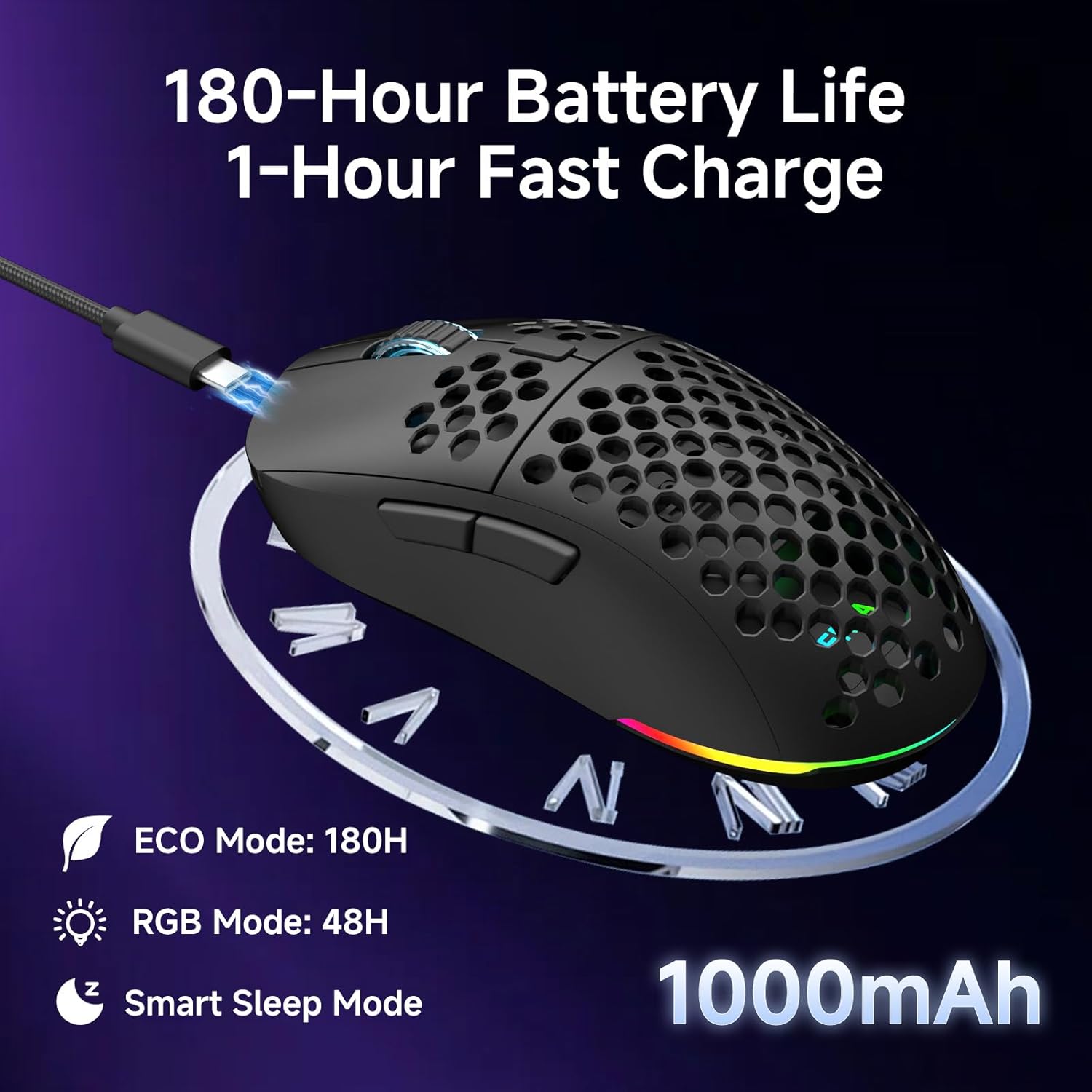
Miš je opremljen punjivom baterijom od 1000 mAh.
- Trajanje baterije: Up to 180 hours in ECO mode, or 48 hours with full RGB lighting.
- Punjenje: Fast USB-C charging allows a full charge in approximately 1 hour.
- Smart Sleep Modes: The mouse enters intelligent sleep modes after 1 and 5 minutes of inactivity to conserve power. These timers can be customized via software.

Opis slike: An image showing the DIERYA M1 mouse connected via USB-C for charging, highlighting its 1000mAh battery, 180-hour ECO mode battery life, 48-hour RGB mode battery life, and smart sleep mode feature.
Instalacija softvera i drajvera
Softver za prilagođavanje
To unlock the full potential of your DIERYA M1 mouse, including DPI customization (up to 24,000 DPI), report rate adjustment (125-1000Hz), button remapping, macro creation, RGB lighting effects, and sleep timer settings, download and install the dedicated driver software.
The software allows you to define every detail and save up to 4 device profiles.
Visit the official DIERYA website for the latest software download: www.dierya.com/support (Npramplink, stvarni link se može razlikovati).

Opis slike: A screenshot of the DIERYA M1 mouse driver software interface, showing options for key assignment, DIY macros, customizable RGB lighting, DPI adjustment, report rate adjustment, and profile loading.
Održavanje
Čišćenje i njega
- Regularly clean the mouse with a soft, dry cloth.
- Za tvrdokornu prljavštinu, lagano dampOperite krpu vodom ili blagim rastvorom za čišćenje. Izbjegavajte jake hemikalije.
- Do not immerse the mouse in water or any liquids.
- Keep the PTFE feet clean to ensure smooth gliding.
Skladištenje
- When not in use, store the 2.4G USB receiver in its dedicated compartment on the underside of the mouse.
- Čuvajte miša na hladnom i suhom mjestu, dalje od direktne sunčeve svjetlosti i ekstremnih temperatura.
Rješavanje problema
Uobičajeni problemi i rješenja
- Miš ne reaguje:
- Uvjerite se da je miš uključen.
- Provjerite nivo baterije i po potrebi je napunite.
- For 2.4GHz wireless, ensure the USB receiver is securely plugged in.
- For Bluetooth, ensure the mouse is paired and selected in your device's Bluetooth settings.
- Try connecting via USB-C wired mode to confirm functionality.
- Ponovo pokrenite računar.
- Kašnjenje ili nepravilno kretanje:
- Ensure the mouse is within range of the receiver (for 2.4GHz) or your device (for Bluetooth).
- Provjerite ima li smetnji od drugih bežičnih uređaja.
- Očistite optički senzor na donjoj strani miša.
- Ensure the mouse is used on a suitable surface (not highly reflective or transparent).
- Update mouse drivers via the software.
- DPI se ne mijenja:
- Čvrsto pritisnite dugme za podešavanje DPI-ja.
- Ensure the mouse software is installed and running correctly if custom DPI settings are configured.
- RGB osvjetljenje ne radi:
- Check the Power & Light Switch position.
- Uvjerite se da je baterija dovoljno napunjena.
- Adjust lighting settings through the driver software.
Specifikacije
Technical Details
| Feature | Detalj |
|---|---|
| Model | M1 |
| Povezivanje | 2.4 GHz bežično, Bluetooth 5.2, USB-C žičano |
| Raspon DPI-ja | 200 - 24,000 DPI |
| Polling Rate | 125-1000Hz |
| Brzina praćenja | 300 IPS |
| Ubrzanje | 35G |
| Kapacitet baterije | 1000mAh |
| Trajanje baterije | Up to 180 hours (ECO mode), 48 hours (RGB on) |
| Vrijeme punjenja | Pribl. 1 sat |
| Težina | 90 grama |
| Dimenzije | 125 x 63 x 41 mm |
| Prekidači | Huano Micro Switches (20 million clicks) |
| stopala | PTFE |
| RGB osvetljenje | 16.8 Million Colors, 13 Effects |
| Programabilna dugmad | 6 |
| Kompatibilnost | PC, Mac, Laptop, iPad, Chromebook |
Garancija i podrška
Garancija na proizvod
DIERYA products typically come with a limited warranty. Please refer to the warranty card included in your package or visit the official DIERYA webZa detaljne uslove garancije posjetite stranicu. Sačuvajte dokaz o kupovini za slučaj reklamacije.
Korisnička podrška
If you encounter any issues or have questions regarding your DIERYA M1 Wireless Gaming Mouse, please contact DIERYA customer support.
- Webstranica: www.dierya.com/support (Npramplink, stvarni link se može razlikovati)
- Email: Pogledajte ambalažu proizvoda ili webweb-stranicu za adresu e-pošte za podršku.
When contacting support, please provide your product model (M1) and a detailed description of the issue.


