1. Uvod
The TOPPING DX5 II is a high-resolution Digital-to-Analog Converter (DAC) and Headphone Amplifier combo unit designed for audiophile-grade audio reproduction. It integrates dual ES9039Q2M DAC chips, an X-Hybrid headphone amplifier, 10-band parametric equalizer (PEQ), and Bluetooth 5.1 with LDAC support, offering versatile connectivity and exceptional sound performance for various audio setups.
2. Sigurnosne informacije
- Ne rastavljajte niti modificirajte uređaj. Neovlaštene modifikacije mogu poništiti garanciju i predstavljati sigurnosni rizik.
- Držite uređaj dalje od vode, vlage i ekstremnih temperatura.
- Osigurajte odgovarajuću ventilaciju oko jedinice kako biste spriječili pregrijavanje.
- Use only the provided power adapter or a compatible power supply with the correct voltage.
- Izbjegavajte postavljanje teških predmeta na uređaj.
- Isključite kabl za napajanje tokom oluje sa grmljavinom ili kada se uređaj ne koristi duži period.
3. Sadržaj paketa
Molimo Vas da provjerite paket za sljedeće stavke:
- TOPPING DX5 II Unit
- Daljinski upravljač
- USB kabel
- 6.35mm to 3.5mm Headphone Adapter
- Kabel za naizmjeničnu struju
- Bluetooth antena
- Vodič za brzi početak
- Kartica sa informacijama o proizvodu
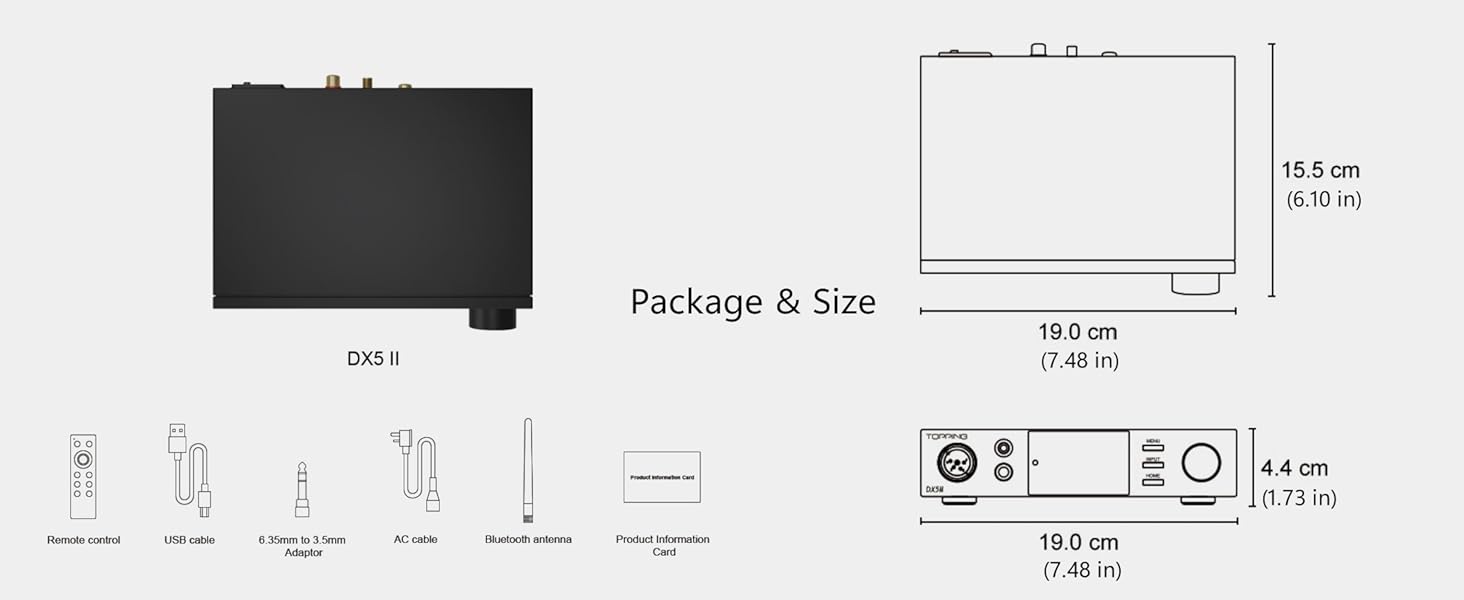
Image: Package contents including the DX5 II unit, remote, cables, and antenna, alongside dimensional drawings.
4. Proizvod je gotovview
4.1 Prednja ploča

Image: Detailed diagram of the TOPPING DX5 II front and rear panels with English labels.
- XLR 4-pin Balanced Output: Za balansirane slušalice.
- 4.4mm balansirani izlaz: For balanced headphones and IEMs.
- 6.35 mm jednostrani izlaz: For standard single-ended headphones.
- Zaslon: Shows current input, volume, sample rate, and other settings. Features Aurora UI with customizable themes.
- Dugme menija: Pristupa meniju postavki uređaja.
- Dugme za unos: Ciklično prelazi kroz dostupne ulazne izvore.
- Dugme za početnu stranicu: Returns to the main display.
- Volume Knob/Function Key: Rotates to adjust volume; press to confirm selections or access quick functions.
4.2 Zadnja ploča
- Balansirani XLR izlaz (L/R): Za povezivanje s vanjskim amplifiers ili aktivni zvučnici.
- Single-Ended RCA Output (L/R): Za povezivanje s vanjskim amplifiers ili aktivni zvučnici.
- Coaxial Digital Input: Za digitalne audio izvore.
- Optički digitalni ulaz: Za digitalne audio izvore.
- USB digitalni ulaz: For connecting to computers or other USB audio sources.
- Bluetooth priključak za antenu: For attaching the included Bluetooth antenna.
- 12V Trigger IN/OUT (3.5mm): For synchronized power control with other compatible devices.
- Ulazni terminal za napajanje: Connects to the AC power cable.
- Prekidač: Uključuje ili isključuje uređaj.
5. Podešavanje
5.1 Početno povezivanje
- Priključite Bluetooth antenu: Screw the Bluetooth antenna onto its designated port on the rear panel.
- Priključak za napajanje: Connect the AC power cable to the power input terminal on the rear panel, then plug it into a wall outlet. Ensure the power switch is in the OFF position before connecting.
- Uključi: Flip the power switch to the ON position. The device display will illuminate.
5.2 Ulazne veze
- USB ulaz: Connect a USB cable from your computer (Windows, Mac, Linux) or mobile device (iOS, Android) to the USB input port on the DX5 II. For Windows, driver installation may be required (refer to section 5.4).
- Optički/koaksijalni ulaz: Connect your digital audio source (e.g., CD player, TV, game console) to the Optical or Coaxial input ports.
- Bluetooth ulaz: After powering on, the DX5 II will be discoverable for Bluetooth pairing.
5.3 Izlazne veze
- slušalice: Plug your headphones into the appropriate front panel output (XLR 4-pin, 4.4mm balanced, or 6.35mm single-ended).

Image: Close-up of the DX5 II front panel showing XLR 4-pin, 4.4mm balanced, and 6.35mm single-ended headphone outputs.
- Eksterni AmpAktivni zvučnici/Zvučnici za život: Connect the Balanced XLR outputs or Single-Ended RCA outputs on the rear panel to your external amplifier or active speakers. Ensure the DX5 II is set to Preamp Mode if you wish to control volume from the DX5 II.
5.4 Driver Installation (for Windows USB)
For Windows operating systems, a dedicated driver may be required for optimal USB audio performance. The driver can typically be found on the official TOPPING website. Follow the instructions provided with the driver package for installation.
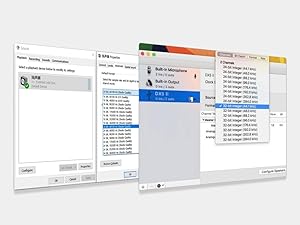
Image: Screenshot showing typical driver installation interfaces for Windows and Mac operating systems.
6. Uputstvo za upotrebu
6.1 Uključivanje/isključivanje napajanja
Use the physical power switch on the rear panel to turn the unit on or off. The front panel display will show the startup sequence.
6.2 Odabir ulaza
Pritisnite INPUT button on the front panel or the remote control to cycle through the available input sources: USB, Optical, Coaxial, and Bluetooth.
6.3 Kontrola jačine zvuka
Rotate the large knob on the front panel clockwise to increase volume and counter-clockwise to decrease volume. The current volume level is displayed on the screen.
6.4 Output Mode Selection (Headphone Amp / Preamp)
The DX5 II can operate as a dedicated headphone amplifier, a DAC with line output (Preamp Mode), or both. Use the MENU button to navigate to output settings and select your desired mode (e.g., HPA ALL for all headphone outputs, LO ALL for all line outputs, or specific balanced/single-ended options).

Image: Diagram illustrating the various headphone (HPA) and line output (LO) options available on the DX5 II.
6.5 Bluetooth uparivanje
- Select Bluetooth as the input source using the INPUT dugme.
- On your source device (smartphone, tablet, etc.), search for Bluetooth devices. The DX5 II should appear as an available device.
- Select the DX5 II to pair. Once paired, the display will indicate a successful connection.
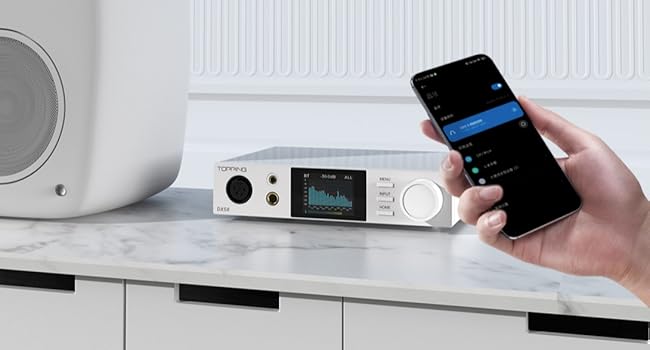
Image: The DX5 II connected via Bluetooth to a mobile device, demonstrating wireless audio streaming.
6.6 Parametric Equalizer (PEQ) Adjustment
The DX5 II features a 10-band high-precision PEQ. Access the PEQ settings via the MENU button. You can adjust frequency bands, gain, and Q-factor to customize the sound signature. Refer to the detailed user manual for advanced PEQ configuration.
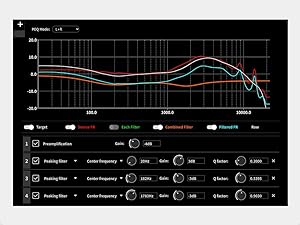
Image: Graphical representation of the 10-band Parametric Equalizer (PEQ) interface on the DX5 II, showing adjustable parameters.
6.7 Display Settings (Aurora UI)
The 2.0" Aurora UI screen offers 9 customizable themes. Navigate to the display settings in the MENU to change themes, brightness, and other visual preferences.
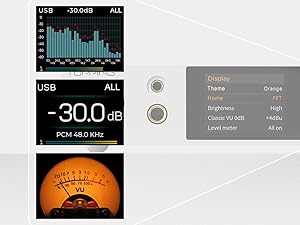
Slika: pramples of different display themes and information layouts available on the DX5 II's Aurora UI screen.
6.8 Funkcija okidanja 12V
The 12V Trigger IN/OUT ports allow the DX5 II to synchronize power on/off with other compatible audio equipment. Connect a 3.5mm trigger cable between the DX5 II and another device to enable this function.
7. Održavanje
- čišćenje: Use a soft, dry cloth to clean the exterior of the device. Avoid using abrasive cleaners or solvents.
- ventilacija: Ensure the ventilation holes are not obstructed to maintain proper airflow.
- Skladištenje: When not in use for extended periods, store the device in a cool, dry place, away from direct sunlight.
8. Otkrivanje problema
- Nema napajanja: Check if the power cable is securely connected and the power switch is ON. Verify the wall outlet is functioning.
- Nema zvuka:
- Provjerite je li odabran ispravan ulazni izvor.
- Verify volume is not muted or set too low.
- Check all cable connections (input and output).
- If using USB, ensure drivers are correctly installed and the DX5 II is selected as the audio output device on your computer.
- Confirm headphones or speakers are properly connected and functional.
- izobličeni zvuk:
- Provjerite ima li labavih kablovskih veza.
- Osigurajte izvorni zvuk file nije oštećen.
- Reduce volume if clipping occurs.
- Problemi sa Bluetooth vezom:
- Ensure the DX5 II is in Bluetooth input mode.
- Move the source device closer to the DX5 II.
- Pokušajte odvojiti i ponovo upariti uređaj.
- Provjerite da nijedan drugi uređaj ne ometa Bluetooth signal.
- Problemi sa firmverom: If experiencing unexpected behavior, check the official TOPPING webstranicu za najnovija ažuriranja firmvera i upute za instalaciju.
9. Specifikacije
| Feature | Specifikacija |
|---|---|
| DAC čipovi | Dual ESS9039Q2M |
| Slušalice Amplifier | X-Hybrid Amplifier Circuit, Fully Balanced Quad-Channel Design |
| Max Headphone Output Power | 7600mW x2 |
| Supported PCM | Up to 768kHz/32bit |
| Podržan DSD | DSD512 Native |
| Bluetooth verzija | 5.1 |
| Bluetooth kodeci | LDAC, aptX Adaptive, aptX HD, AAC, SBC |
| Equalizer | 10-Band High Precision PEQ Adjustment |
| Display | 2.0" Aurora UI Full-Color Display (9 customizable themes) |
| Inputs | USB, Bluetooth, Coaxial SPDIF, Optical SPDIF |
| Izlazi | XLR 4-pin Balanced, 4.4mm Balanced, 6.35mm Single-Ended, Balanced XLR Line Out, RCA Line Out |
| Kompatibilnost | Windows, Mac, Linux, iOS, Android |
| Trigger | 12V Trigger In/Out |
| Dimenzije | 7.48 x 6.1 x 1.73 inča (19.0 x 15.5 x 4.4 cm) |
| Težina | 3.61 funte |
| Materijal | Metal, Plastika |
| Napajanje | 12V DC |
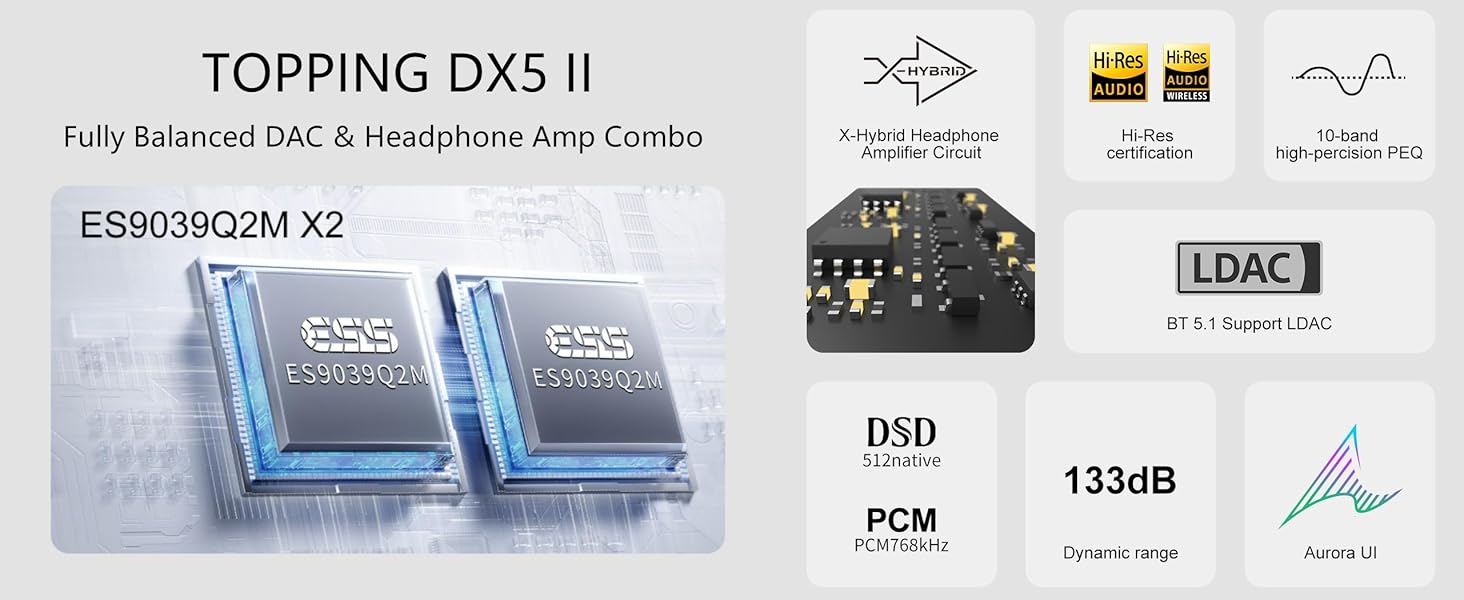
Slika: Prekoview of key features and specifications including dual ES9039Q2M DACs, X-Hybrid amp, Hi-Res certification, LDAC, DSD512, PCM768kHz, 133dB dynamic range, and Aurora UI.
10. Garancija i podrška
The TOPPING DX5 II comes with a standard manufacturer's warranty. Please refer to the warranty card included in your package for specific terms and conditions. For technical support, firmware updates, or further assistance, please visit the official TOPPING webstranice ili kontaktirajte njihovu korisničku službu.
Official TOPPING Webstranica: www.topping.audio


