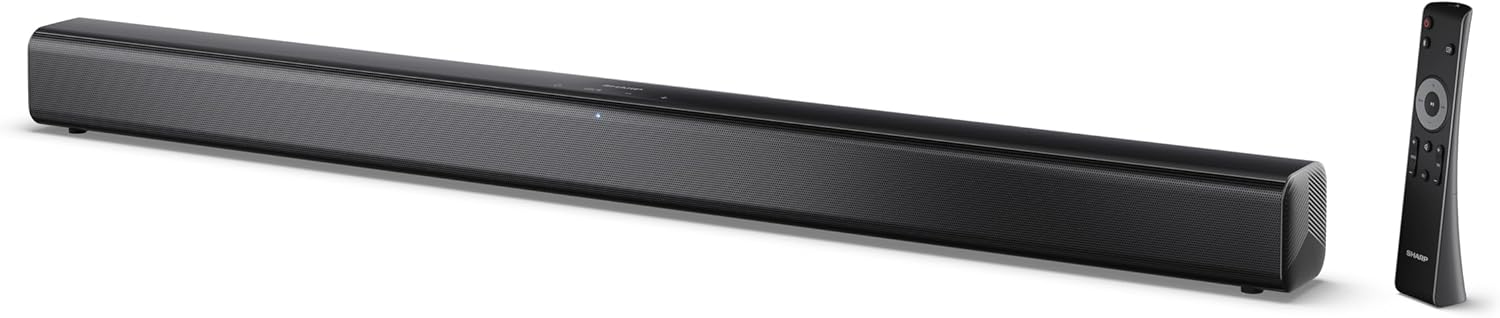
Image 0.1: The SHARP HT-SB145 2.0 Channel Soundbar shown alongside its remote control.
1. Uvod
This manual provides essential instructions for the safe and efficient operation of your SHARP HT-SB145 2.0 Channel Soundbar. Please read this manual thoroughly before use and retain it for future reference.
2. Sigurnosne informacije
Pridržavajte se sljedećih sigurnosnih mjera opreza kako biste spriječili strujni udar, požar ili oštećenje uređaja:
- Ne izlažite ovaj uređaj kapanju ili prskanju.
- Ne stavljajte predmete napunjene tečnošću, kao što su vaze, na aparat.
- Osigurajte adekvatnu ventilaciju. Ne blokirajte ventilacijske otvore.
- Ne postavljajte u blizini izvora toplote kao što su radijatori, grejni registri, peći ili drugi uređaji (uključujući ampLifiers) koji proizvode toplotu.
- Zaštitite kabl za napajanje od gaženja ili priklještenja.
- Koristite samo dodatke/pribor koje je naveo proizvođač.
- Isključite ovaj aparat iz struje tokom grmljavine ili kada ga ne koristite duže vreme.
- Sav servis prepustite kvalifikovanom serviseru.
3. Sadržaj paketa
Provjerite da li se u vašem paketu nalaze sve dolje navedene stavke:
- SHARP HT-SB145 zvučna traka
- Daljinski upravljač
- Power Cable
- Zidni nosači (2)
- Screws and Wall Plugs (for mounting)
- AAA baterije (2)
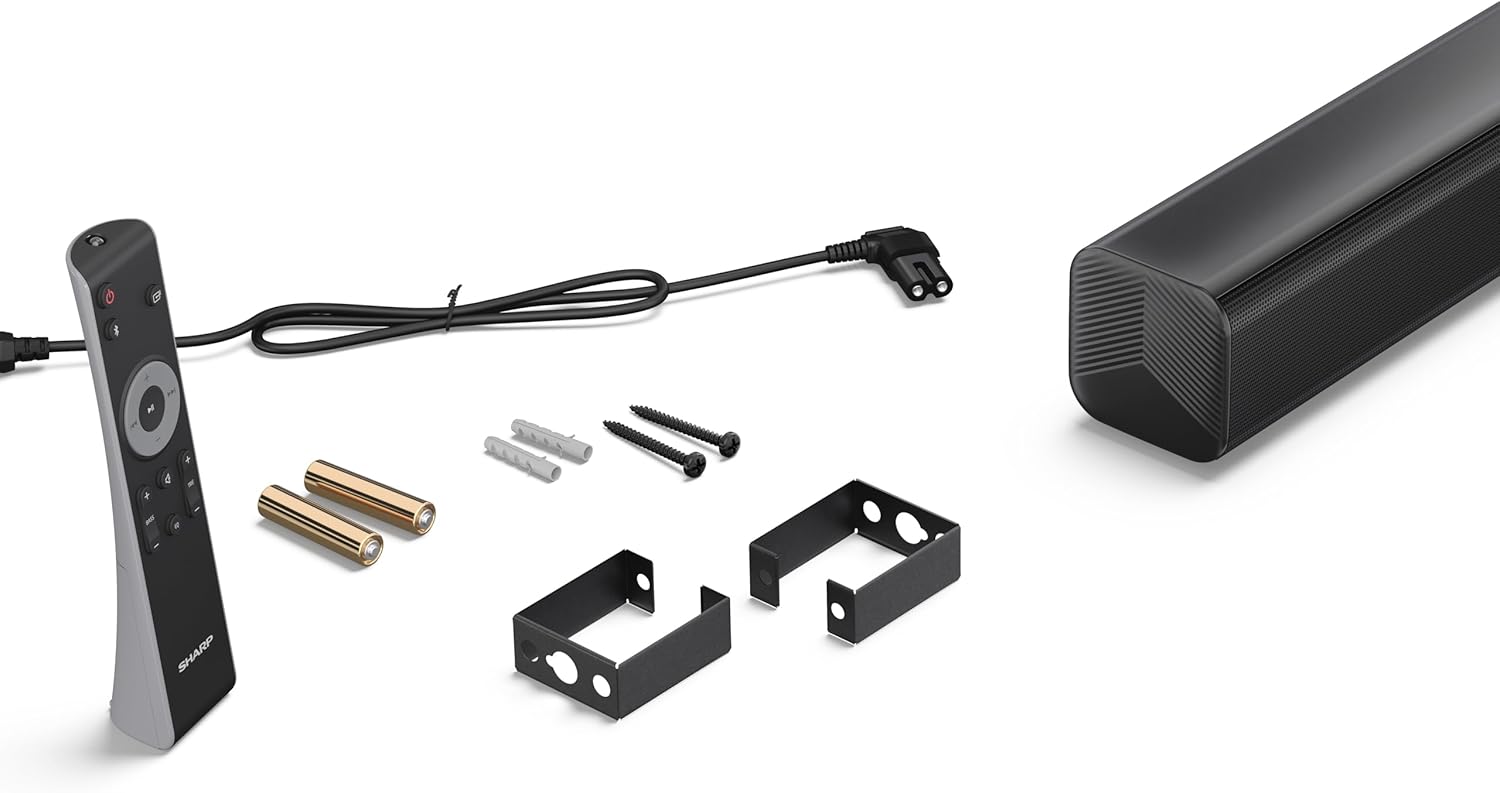
Image 3.1: Contents of the SHARP HT-SB145 Soundbar package, including the soundbar, remote control, power cable, wall mount brackets, screws, and two AAA batteries.
4. Proizvod je gotovview
4.1 Prednja i gornja strana View

Slika 4.1: Prednja strana view of the SHARP HT-SB145 Soundbar, showcasing the speaker grille and the central LED indicator.
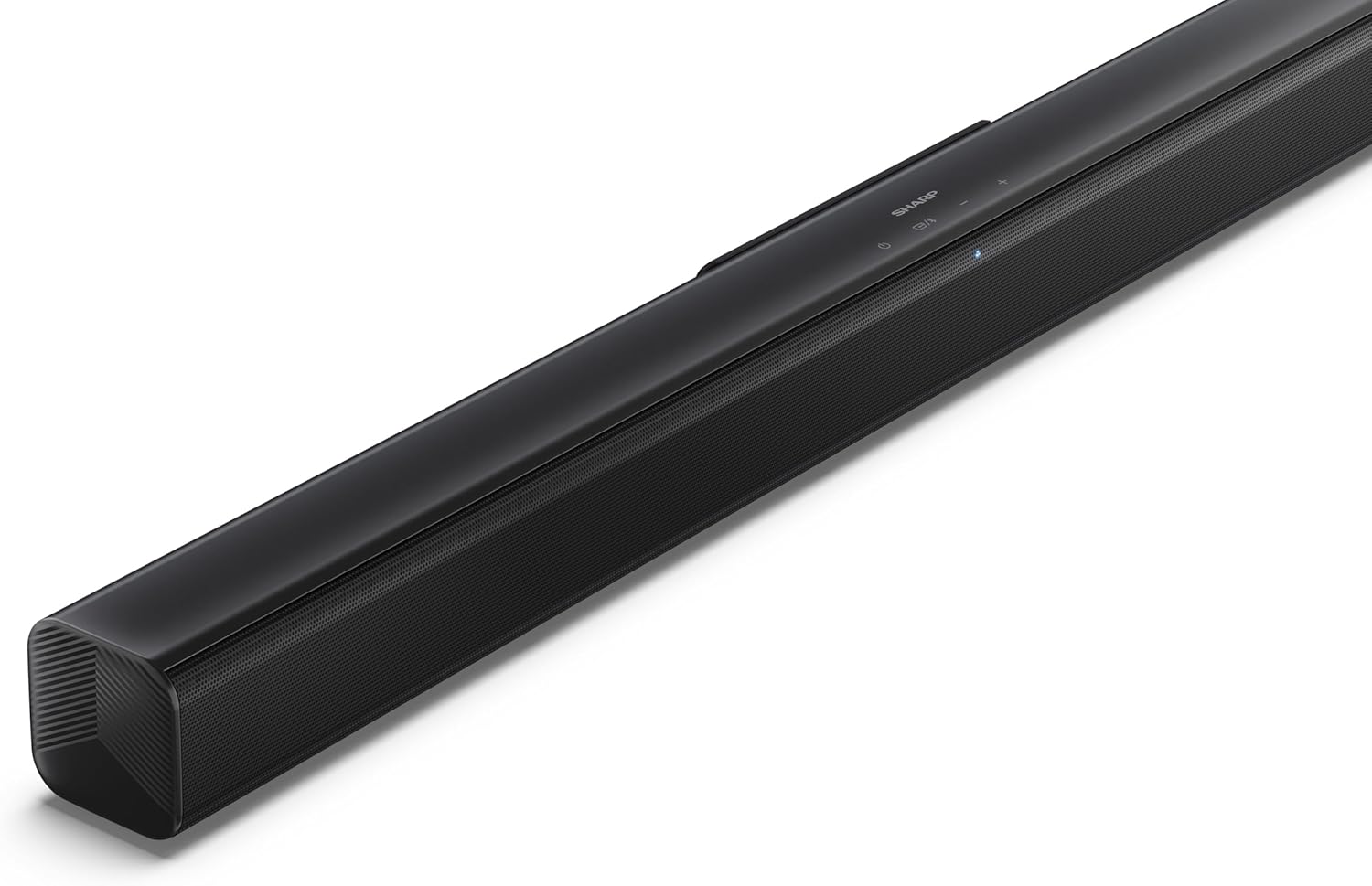
Slika 4.2: Vrh pod uglom view of the soundbar, highlighting the integrated control buttons for power, source selection, and volume adjustment, along with the SHARP logo.

Image 4.3: Close-up of the top-mounted control panel, showing the power button, source/Bluetooth button, and volume up/down buttons.
4.2 Priključci stražnje ploče

Slika 4.4: Pozadi view of the soundbar, displaying the various input ports and power connection.

Slika 4.5: Detaljno view of the rear panel connections, including OPTICAL input, USB port (5V 500mA), AUX input, and HDMI ARC (TV) port.
5. Podešavanje
5.1 Opcije smještaja
The SHARP HT-SB145 Soundbar offers flexible placement options:
- Položaj stola: Place the soundbar on a stable, flat surface in front of your TV. Ensure it does not obstruct the TV's remote sensor.
- Montaža na zid: Use the provided wall mount brackets to attach the soundbar to a wall below your TV. Refer to section 5.4 for detailed wall mounting instructions.

Image 5.1: The soundbar positioned on a media console beneath a television, demonstrating a typical tabletop setup.
5.2 Priključivanje na napajanje
- Connect the power cable to the AC IN port on the rear of the soundbar.
- Uključite drugi kraj kabla za napajanje u zidnu utičnicu.
5.3 Audio veze
Odaberite jednu od sljedećih metoda za povezivanje soundbara s televizorom ili drugim audio izvorom:
- HDMI ARC/CEC (Recommended):
Connect an HDMI cable (not included) from the HDMI ARC port on the soundbar to the HDMI ARC port on your TV. This connection allows for audio return and control via your TV remote.
- optički:
Connect an optical cable (not included) from the OPTICAL port on the soundbar to the optical digital output on your TV or audio source.
- AUX:
Connect a 3.5mm audio cable (not included) from the AUX port on the soundbar to the headphone jack or audio output on your TV or audio source.
5.4 Montaža na zid
Follow these steps for secure wall mounting:
- Determine the desired mounting location on the wall, ensuring it is level and within reach of power and audio cables.
- Mark the positions for the two wall mount brackets using a pencil. The distance between the brackets should match the mounting points on the soundbar.
- Drill pilot holes at the marked positions. Insert the wall plugs if mounting into drywall or plaster.
- Secure the wall mount brackets to the wall using the provided screws.
- Carefully attach the soundbar to the mounted brackets. Ensure it is securely seated.
6. Uputstvo za upotrebu
6.1 Uključivanje/isključivanje napajanja
- Pritisnite Snaga dugme na soundbaru ili daljinskom upravljaču da biste uključili ili isključili uređaj.
6.2 Odabir izvora
Pritisnite Izvor button on the soundbar or remote control repeatedly to cycle through the available input sources:
- HDMI ARC: For audio from a TV connected via HDMI ARC.
- OPTIČKI: For audio from a device connected via optical cable.
- AUX: For audio from a device connected via 3.5mm audio cable.
- BLUETOOTH: Za bežični audio streaming.
- USB: For audio playback from a USB drive.
6.3 Kontrola jačine zvuka
- Pritisnite Jačina zvuka + dugme za povećanje jačine zvuka.
- Pritisnite Zapremina - dugme za smanjenje jačine zvuka.
6.4 Bluetooth uparivanje
- Turn on the soundbar and select the Bluetooth source. The LED indicator will flash, indicating pairing mode.
- Omogućite Bluetooth na svom pametnom telefonu, tabletu ili nekom drugom uređaju.
- Traži "SHARP HT-SB145" in your device's Bluetooth list and select it to pair.
- Once paired, the LED indicator on the soundbar will glow steadily. You can now stream audio wirelessly.
6.5 Reprodukcija s USB-a
The soundbar supports MP3/WAV audio playback from a USB drive.
- Insert a USB drive containing MP3/WAV audio files into the USB port on the rear of the soundbar.
- Select the USB source using the Source button.
- Playback will begin automatically. Use the remote control to navigate tracks (if supported).
The USB port also provides 5V 500mA for charging compatible devices.
7. Održavanje
- čišćenje: Za čišćenje površine zvučne trake koristite meku, suhu krpu. Nemojte koristiti tekuća sredstva za čišćenje ili abrazivne materijale.
- Skladištenje: Ako uređaj skladištite duži period, isključite ga iz električne utičnice i čuvajte ga na hladnom i suhom mjestu.
8. Otkrivanje problema
| Problem | Mogući uzrok | Rješenje |
|---|---|---|
| Nema struje | Kabl za napajanje nije priključen ili utičnica nije aktivna. | Provjerite je li kabel za napajanje sigurno spojen i je li utičnica funkcionalna. |
| Nema zvuka | Incorrect input source selected, volume too low, or cable connection issue. | Select the correct input source. Increase volume. Check audio cable connections. |
| Bluetooth uparivanje nije uspjelo | Soundbar not in pairing mode, or device too far. | Ensure soundbar is in Bluetooth pairing mode (flashing LED). Move device closer. Try re-pairing. |
| Daljinski upravljač ne radi | Batteries depleted or obstructed signal. | Replace batteries. Ensure no obstructions between remote and soundbar. |
9. Specifikacije
| Feature | Detalj |
|---|---|
| Naziv modela | HT-SB145 |
| Vrsta zvučnika | Soundbar |
| Kanali | 2.0 Channel |
| Maksimalna izlazna snaga | 150 Watts |
| Bluetooth verzija | 5.3 |
| Povezivanje | HDMI ARC/CEC, Optical, AUX, Bluetooth, USB |
| USB reprodukcija | MP3 / WAV |
| USB izlaz za punjenje | 5V 500mA |
| Dimenzije proizvoda (D x Š x V) | 80 cm x 6.2 cm x 6.3 cm (31.5 in x 2.4 in x 2.5 in) |
| Težina artikla | 1.4 kilograma (3.1 lbs) |
| Uključene komponente | Remote Control, Power Cable, Wall Mount Brackets, AAA Batteries |

Image 9.1: Diagram illustrating the dimensions of the SHARP HT-SB145 Soundbar: 800mm length, 63mm height, and 63mm depth.
10. Garancija i podrška
Za informacije o garanciji i tehničkoj podršci, molimo pogledajte garantni list koji ste dobili uz proizvod ili posjetite službenu Sharpovu web stranicu. webSačuvajte dokaz o kupovini za slučaj reklamacije.
For further assistance, contact Sharp customer service.


