Uvod
Thank you for choosing the ProtoArc Wireless Number Pad EK04 N. This ergonomic numeric keypad is designed to enhance your productivity and comfort with its versatile connectivity options and thoughtful design. Please read this manual carefully to ensure proper use and to maximize your experience with the product.

Image: The ProtoArc Wireless Number Pad EK04 N, featuring a full 34-key layout and integrated wrist rest, positioned on a wooden desk alongside a laptop.
Lista pakovanja
Provjerite da li su sve stavke prisutne u paketu:
- Number Pad * 1
- USB prijemnik * 1
- Type-C kabel za punjenje * 1
- Korisnički priručnik * 1

Image: The ProtoArc EK04 N numeric keypad, USB receiver, and Type-C charging cable laid out next to the product box and user manual.
Karakteristike proizvoda
- 34 Keys Full-Size Number Pad: Includes calculator key, PgUp, PgDn, Insert, Delete, Backspace, etc.
- Dvostruko povezivanje: Supports Bluetooth 5.1 and 2.4G wireless connection, allowing connection to 2 devices simultaneously.
- Tvrdi oslonac za dlanove: Features a leather surface for extended typing comfort and wrist support. (Note: Not removable or soft cushioned).
- Low Profile Scissor-switch Keys: Provides a quiet and responsive typing experience.
- USB-C punjenje: Ugrađena punjiva litijum-jonska baterija sa 250 sati rada u stanju pripravnosti nakon 2 sata potpunog punjenja.
- Široka kompatibilnost: Compatible with Windows 8, 10, 11 and Mac OS.
Ključne karakteristike Vizualni elementi

Image: The EK04 N numeric keypad wirelessly connected to a laptop via 2.4G and a tablet via Bluetooth, demonstrating dual device connectivity.

Image: A hand comfortably resting on the hard, flat palm rest with a leather surface, highlighting the ergonomic design for wrist support.

Image: The numeric keypad shown with its adjustable tilt legs, offering two different angles for comfortable use while sitting or standing.

Image: A detailed diagram illustrating the full 34-key layout of the number pad, including special function keys like Insert, Home, PgUp, PgDn, NumLK, Delete, End, and arrow keys.

Slika: Krupni plan view revealing the low-profile scissor-switch mechanism beneath a keycap, indicating quiet and comfortable typing.

Image: The ProtoArc EK04 N numeric keypad being charged via its USB-C port, with an indicator showing 2-3 hours for full charge and 100 days standby time.
Podešavanje i povezivanje
The EK04 N offers two connection methods: 2.4G USB and Bluetooth. You can connect up to two devices simultaneously.
2.4G USB konekcija
- Turn the power switch on the number pad to ON.
- Press the 2.4G indicator button (usually marked with a Wi-Fi-like icon) until the indicator light illuminates.
- Izvadite USB prijemnik sa donje strane numeričke tastature.
- Plug the USB receiver into your computer's USB port. The number pad should connect automatically.

Image: A quick start guide diagram illustrating the steps to connect the EK04 N via 2.4G USB, including turning on power, pressing the 2.4G button, inserting the USB receiver into a computer, and confirming connection.
Bluetooth veza
- Turn the power switch on the number pad to ON.
- Press and hold the Bluetooth channel indicator button (usually marked with a Bluetooth icon) for 3-5 seconds until the indicator light flashes rapidly (Bluetooth pairing mode).
- Enable Bluetooth on your device (computer, tablet, or laptop). Traži and select "ProtoArc EK04 N" to complete pairing and connection.

Image: A quick start guide diagram illustrating the steps to connect the EK04 N via Bluetooth, including turning on power, holding the Bluetooth button for 3 seconds, and pairing with a device.
Prebacivanje između uređaja
After channels are connected, press the corresponding channel button (2.4G or Bluetooth) to switch between the two connected devices.
Uputstvo za upotrebu
The EK04 N numeric keypad provides a full range of numeric and function keys for efficient data entry and navigation.
Ključne funkcije
| Ključ | Windows funkcija | Mac OS funkcija |
|---|---|---|
| 2.4G Channel Button | 2.4G kanal | / |
| Bluetooth Channel Button | Bluetooth kanal | Bluetooth kanal |
| Calculator/Search Button | Kalkulator | PRETRAGA |
| NumLK/Clear Button | NumLK | Jasno |
The integrated wrist rest is designed to provide comfort and reduce strain during prolonged use. The low-profile scissor-switch keys offer a quiet and tactile typing experience.
Video: Prekorview of the EK04 N Ergonomic Number Pad, showcasing its design and key features in a 30-second clip.
Vodič za punjenje
- Kada je baterija slaba, crveni indikator slabe baterije treperi sve dok se numerička tastatura ne isključi.
- To charge, insert the Type-C end into the number pad and the USB-A end into your computer's USB port or a compatible USB charger. The red indicator remains solid during charging.
- A full charge takes 2-3 hours. The indicator turns green when charging is complete.
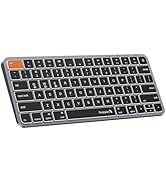
Image: A diagram illustrating how to charge the EK04 N numeric keypad using the provided USB-C cable, showing the charging port and indicator light status.
Upozorenja o održavanju i sigurnosti
- Sigurnost punjenja: Koristite samo priloženi kabel. Punite u dobro prozračenom, suhom prostoru, dalje od zapaljivih materijala.
- Rukovanje baterijom: Do not attempt to replace the item's lithium battery. Battery replacement should be conducted by qualified personnel to prevent hazards.
- Izloženost toploti: Izbjegavajte ostavljanje predmeta u okruženjima s visokom temperaturom ili na direktnoj sunčevoj svjetlosti, što može dovesti do opasnosti od požara.
- Izloženost tečnosti: Držite predmet dalje od vode i tekućina. Ne koristite ako je mokar dok se potpuno ne osuši.
- Oštećenja i curenje: Prekinite korištenje i obratite se korisničkoj službi ako je proizvod oštećen ili ako baterija curi.
- Pravilno odlaganje: Pridržavajte se lokalnih propisa za odlaganje elektronskih uređaja i baterija. Ne odlažite ih zajedno s kućnim otpadom.
- Radiofrekventne smetnje: Ovaj uređaj može uzrokovati smetnje u radu druge elektronike. Držite se na sigurnoj udaljenosti od osjetljivih uređaja.
- Sigurnost djece: Držite predmet i njegove komponente van dohvata djece kako biste izbjegli opasnost od gušenja ili gutanja baterije. Nikada ne dozvolite djeci da rukuju predmetom bez nadzora.
- OPREZ: Nepoštivanje gore navedenih upozorenja može dovesti do ozbiljnih povreda ili materijalne štete.
Rješavanje problema (Pitanja i odgovori)
How to deal with disconnection issues, keys repeating or typing delay?
- Please ensure that the number pad is fully charged. A low battery can affect the performance of the number pad.
- If using a USB dongle to connect the number pad to the device, unplug and replug the USB dongle, trying a different USB port if necessary.
- If connecting the number pad to the device via Bluetooth, delete the Bluetooth connection from your device's Bluetooth connection list, and restart your device and re-pair the number pad by following the steps in the user manual.
- If the issues persist, try to connect the number pad to other devices to check if the same issues occur and don't hesitate to contact our customer service for assistance.
How to deal with the number pad can not charge?
- Nazivna zapremina punjenjatage for the number pad is 5V. It is recommended to use the computer's USB port for charging, and using a charger is not recommended.
- Try to change another USB-C cable to recharge, in order to confirm whether it is a cable issue or a fault with the number pad.
How to deal with the key falls off the number pad?
If the key falls off the number pad and can't be installed back, please don't hesitate to contact our customer service for assistance.
Specifikacije proizvoda
| Parametar | Vrijednost |
|---|---|
| Kapacitet baterije | 280 mAh |
| Working Voltage | 3.7 V |
| Working Current | ≤2.5 mA |
| Sleeping Current | ≤0.03 mA |
| Vrijeme pripravnosti | 100 dana |
| Radno vrijeme | 112 sata |
| Vrijeme punjenja | 2-3 sati |
| Wake Up Way | Pritisnite bilo koji taster |
| Dimenzije | 152 * 206 * 16.4 mm / 5.98 * 8.11 * 0.65 inča |
| 2.4G Channel System Compatibility | Windows 7 do 11 |
| Bluetooth Channel System Compatibility | MacOS 10.10 or later, Windows 7 to 11 |
Sleep Mode
1. When the number pad is not used for more than 60 minutes, it will automatically enter into sleep mode and the indicator light will turn off.
2. When using the number pad again, just press any key, the number pad will wake up within 3 seconds, and the lights come back on and the number pad starts working.
Garancija i podrška
ProtoArc offers a 2-godišnja garancija on this product, ensuring 100% coverage for manufacturing defects.
For any questions or assistance, please contact us at:
- Email: support@protoarc.com
- Telefon: (+1) 866-287-6188
- Radno vrijeme: Monday-Friday: 10am-1pm, 2pm-7pm (Eastern Time)
- *Zatvoreno tokom praznika

Image: A card detailing ProtoArc's 2-year warranty and customer support contact information, including email and phone number.


