1. Uvod
Thank you for choosing the GOBOULT Soniq AirBass Over-Ear Bluetooth Headphones. This manual provides essential information for setting up, operating, and maintaining your headphones to ensure optimal performance and longevity. Please read this manual thoroughly before use.
2. Šta se nalazi u kutiji
- GOBOULT Soniq AirBass Over-Ear Headphones
- Kabel za punjenje tipa C
- Uputstvo za upotrebu
- Garantni list
- Jastučići za uši (unaprijed instalirani)
3. Proizvod je gotovview
Familiarize yourself with the components and controls of your GOBOULT Soniq AirBass headphones.

Slika: Front view of the GOBOULT Soniq AirBass Over-Ear Bluetooth Headphones, showcasing their sleek black design and comfortable earcups.
Kontrole i portovi

Image: Close-up of the tactile button controls on the headphone earcup, indicating volume up/down and play/pause functions.
- Dugme za napajanje: Located on the earcup, used for powering on/off and pairing.
- Dugmad za jačinu zvuka (+/-): Podešava jačinu zvuka.
- Višenamjensko dugme: Kontrolira reprodukciju/pauzu, preskakanje pjesama i upravljanje pozivima.
- Dugme za EQ režim: Cycles through various equalizer presets.
- Tip-C priključak za punjenje: Za punjenje slušalica.
- 3.5 mm AUX priključak: Za žičanu audio vezu.
- Zen™ ENC Microphone: Integrisani mikrofon za jasne pozive.

Image: Illustration highlighting the adjustable headband, foldable design, and movable earcups for enhanced comfort and portability.
4. Podešavanje
4.1 Punjenje slušalica
Before first use, fully charge your headphones. Use the provided Type-C charging cable.
- Spojite kraj kabela za punjenje s Type-C priključkom na priključak za punjenje slušalica.
- Spojite USB-A kraj na kompatibilni USB adapter za napajanje (nije uključen) ili USB priključak računara.
- LED indikator će prikazivati status punjenja (npr. crvena za punjenje, plava/isključena za potpuno napunjeno).

Image: The GOBOULT Soniq AirBass headphones connected to a Type-C charging cable, illustrating the fast charging capability.
A 10-minute charge provides approximately 8 hours of playtime. A full charge offers up to 70 hours of playtime.
4.2 Uključivanje/isključivanje
- Uključeno: Press and hold the Power button for 3-5 seconds until the LED indicator flashes.
- Iskljuciti: Pritisnite i držite dugme za napajanje 3-5 sekunde dok se LED indikator ne ugasi.
4.3 Bluetooth uparivanje
The headphones support Bluetooth 5.4 for fast and stable connections.
- Uvjerite se da su slušalice isključene.
- Pritisnite i držite dugme za napajanje otprilike 5-7 sekundi dok LED indikator ne počne naizmjenično treperiti crveno i plavo, što označava režim uparivanja.
- Na svom uređaju (pametnom telefonu, tabletu, laptopu) omogućite Bluetooth i potražite dostupne uređaje.
- Select "GOBOULT AirBass" from the list of devices.
- Nakon povezivanja, LED indikator će polako treptati plavo ili će stalno svijetliti plavo.

Image: Visual representation of the Bluetooth 5.4 Blink & Pair feature, emphasizing fast pairing and stable connection.
4.4 Dual Device Pairing
The headphones can connect to two devices simultaneously.
- Uparite slušalice s prvim uređajem kao što je opisano u odjeljku 4.3.
- Isključite Bluetooth na prvom uređaju. Slušalice će ponovo ući u način rada za uparivanje.
- Uparite slušalice sa drugim uređajem.
- Ponovo omogućite Bluetooth na prvom uređaju. Slušalice bi se trebale automatski povezati s oba uređaja.
- You can now switch audio playback between the two connected devices.
4.5 Žičana veza (AUX)
For a wired connection, use a 3.5mm audio cable (not included).
- Spojite jedan kraj 3.5 mm audio kabela na AUX priključak na slušalicama.
- Connect the other end to the 3.5mm audio jack of your device.
- The headphones will function in passive mode, even if powered off.

Image: The headphones illustrating the flexibility of use in both wireless Bluetooth mode and optional wired mode via a 3.5mm AUX cable.
5. Uputstvo za upotrebu
5.1 Osnovne audio kontrole
- Pusti/pauza: Pritisnite višenamjenski taster jednom.
- Povećavanje glasnoće: Pritisnite dugme '+'.
- Smanjivanje jačine zvuka: Pritisnite dugme '-'.
- Sljedeća pjesma: Pritisnite i držite dugme '+'.
- Prethodni zapis: Pritisnite i držite dugme '-'.
5.2 Upravljanje pozivima
The integrated Zen™ ENC Mic ensures clear communication by reducing environmental noise.

Image: Close-up of the Zen™ ENC Microphone, highlighting its features for ambient noise isolation and enhanced call clarity.
- Odgovori/Završi poziv: Pritisnite višenamjenski taster jednom.
- odbiti poziv: Pritisnite i držite višenamensko dugme 2 sekunde.
- Ponovno biranje zadnjeg broja: Dvaput pritisnite višenamensko dugme.
5.3 EQ moda
Customize your audio experience with multiple EQ modes.
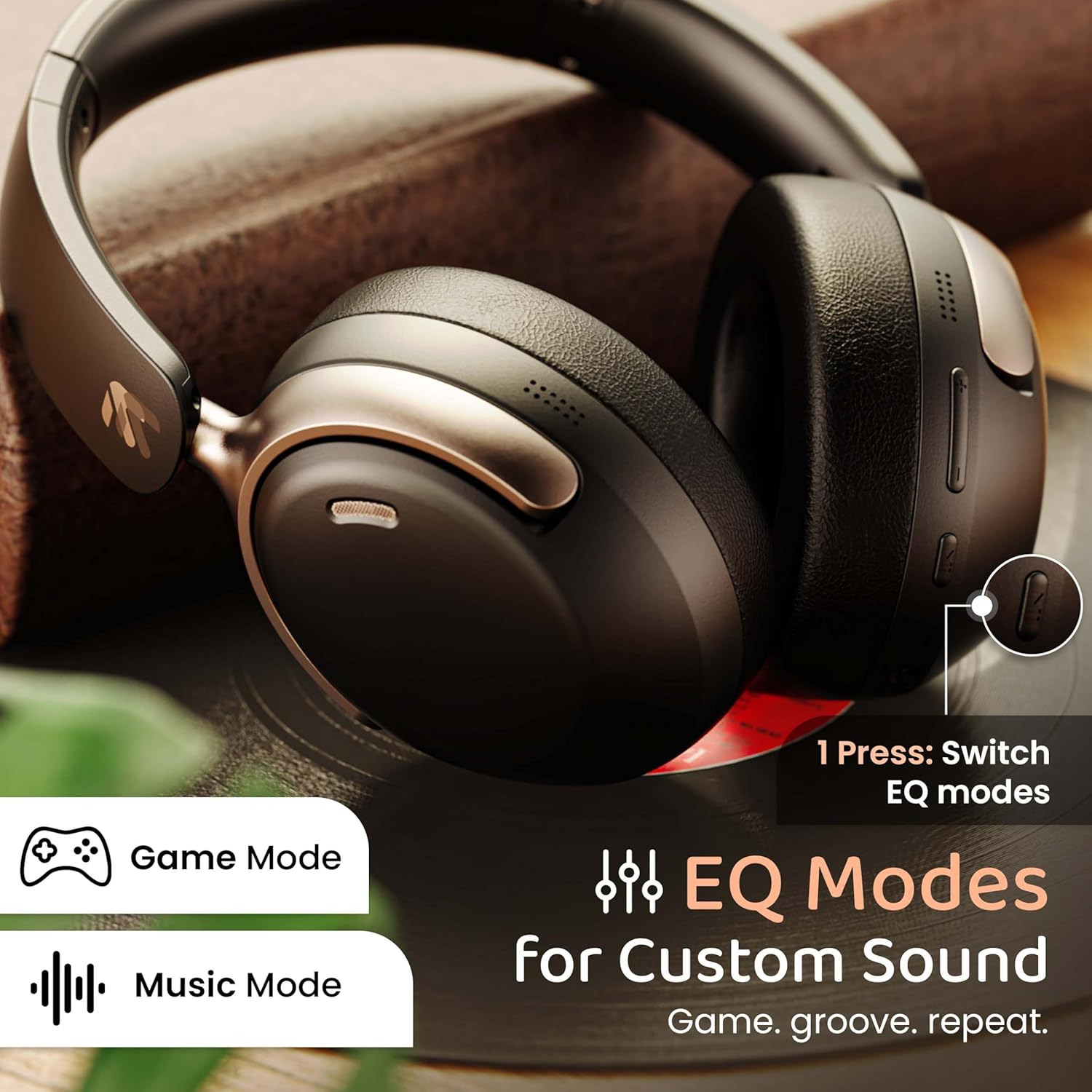
Image: The headphones with an overlay indicating different EQ modes like Game Mode and Music Mode, accessible via a single button press.
- Press the EQ Mode button to cycle through available sound profiles (e.g., Bass Boost, Balanced, Vocal, Gaming).
5.4 Glasovni asistent
Activate your device's voice assistant (Siri, Google Assistant).
- Triple-press the Multi-function button to activate the voice assistant.
6. Održavanje
6.1 Čišćenje
- Obrišite slušalice mekom, suhom krpom.
- Nemojte koristiti jake hemikalije ili abrazivne materijale.
- Clean ear cushions gently to remove any buildup.
6.2 Skladištenje
- Slušalice čuvajte na hladnom i suhom mjestu, dalje od direktne sunčeve svjetlosti i ekstremnih temperatura.
- Koristite sklopivi dizajn za kompaktno skladištenje kada se ne koristi.
6.3 Otpornost na vodu
The headphones are IPX5 water resistant, meaning they are protected against low-pressure water jets from any direction. This includes splash, rain, and sweat resistance.
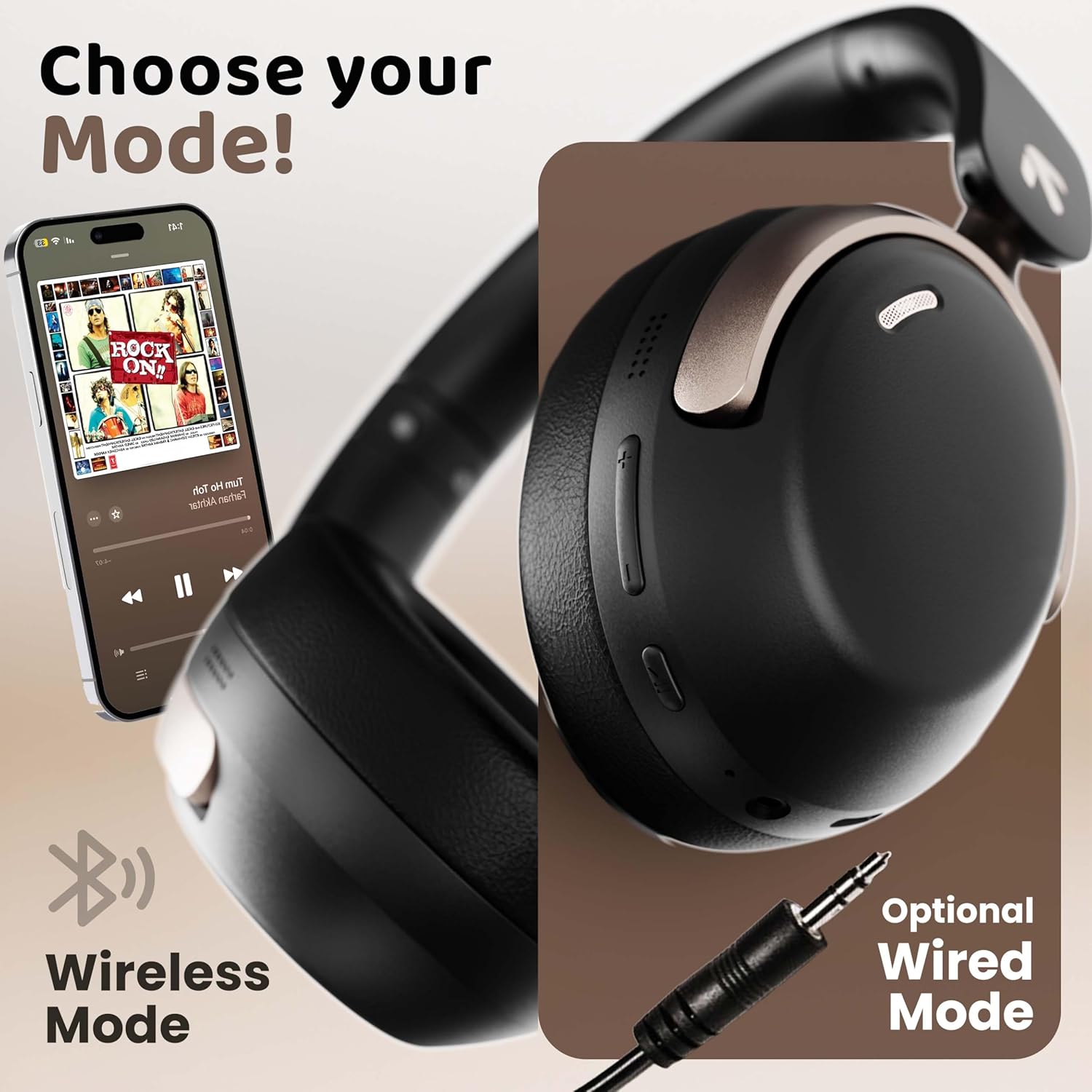
Image: The headphones displayed with icons indicating IPX5 water resistance, signifying splash, rain, and sweat proof capabilities.
Do not submerge the headphones in water or expose them to high-pressure water streams.
7. Otkrivanje problema
| Problem | Mogući uzrok | Rješenje |
|---|---|---|
| Slušalice se ne uključuju | Niska baterija | U potpunosti napunite slušalice. |
| Nije moguće upariti uređaj | Slušalice nisu u načinu rada za uparivanje; Bluetooth isključen na uređaju; uređaj je previše udaljen | Provjerite jesu li slušalice u načinu rada za uparivanje (treperi crveno/plavo). Uključite Bluetooth na svom uređaju. Približite uređaj slušalicama (unutar 10 metara). |
| Nema zvuka ili je mala jačina zvuka | Volume too low; incorrect audio output; headphones not connected | Increase headphone and device volume. Check Bluetooth connection. Ensure correct audio output is selected on your device. |
| Loš kvalitet poziva | Microphone obstructed; environmental noise; weak signal | Ensure microphone is clear. Move to a quieter environment. Check Bluetooth connection stability. |
| Intermitentna veza | Smetnje; uređaj predaleko; slaba baterija | Move away from sources of interference (Wi-Fi routers, other Bluetooth devices). Keep device within 10 meters. Charge headphones. |
8. Specifikacije
| Feature | Detalj |
|---|---|
| Naziv modela | AirBass |
| Tehnologija povezivanja | Bluetooth, Žični (AUX) |
| Bežična komunikacijska tehnologija | Bluetooth 5.4 |
| Bluetooth domet | 10 metara |
| Veličina audio drajvera | 40 milimetara |
| Vrsta audio drajvera | Dynamic Driver |
| Audio kašnjenje | 60 milisekundi (režim igre) |
| Kontrola buke | Ukidanje buke iz okoliša (ENC) |
| Trajanje baterije | Do 70 sati |
| Port za punjenje | Brzo punjenje tipa C |
| Nivo vodootpornosti | IPX5 |
| Oblik slušalice | Preko uha |
| Materijal | Memory Foam, Plastic |
| Težina artikla | 227 grama |
| Dimenzije proizvoda | 17 x 5.5 x 19 cm |
| Posebne karakteristike | Multipoint Pairing, Customizable EQ Modes, Voice Assistant Support |
9. Garancija i podrška
9.1 Garancija proizvođača
The GOBOULT Soniq AirBass Over-Ear Bluetooth Headphones come with a 1-godišnja garancija proizvođača from the date of purchase. This warranty covers manufacturing defects and ensures the reliability of your product.
Molimo sačuvajte svoj dokaz o kupovini za zahtjeve u vezi s garancijom.
9.2 Korisnička podrška
For any queries, technical assistance, or warranty claims, please contact GOBOULT customer support through the official webweb-mjesto ili kontakt informacije navedene na vašem garantnom listu.
You may also refer to the official GOBOULT store on Amazon for additional product information and support resources: GOBOULT Store


