Uvod
Thank you for choosing the Rapoo 9390M Wireless Multi-Mode Keyboard and Mouse Combo. This ultra-slim set offers versatile connectivity options, including 2.4 GHz wireless and Bluetooth 4.0/5.0, allowing seamless switching between multiple devices. Designed for efficiency and comfort, this combo features a full-size QWERTZ keyboard with multimedia keys and an ambidextrous optical mouse.
This manual provides essential information for setting up, operating, and maintaining your new Rapoo 9390M combo. Please read it carefully before use.
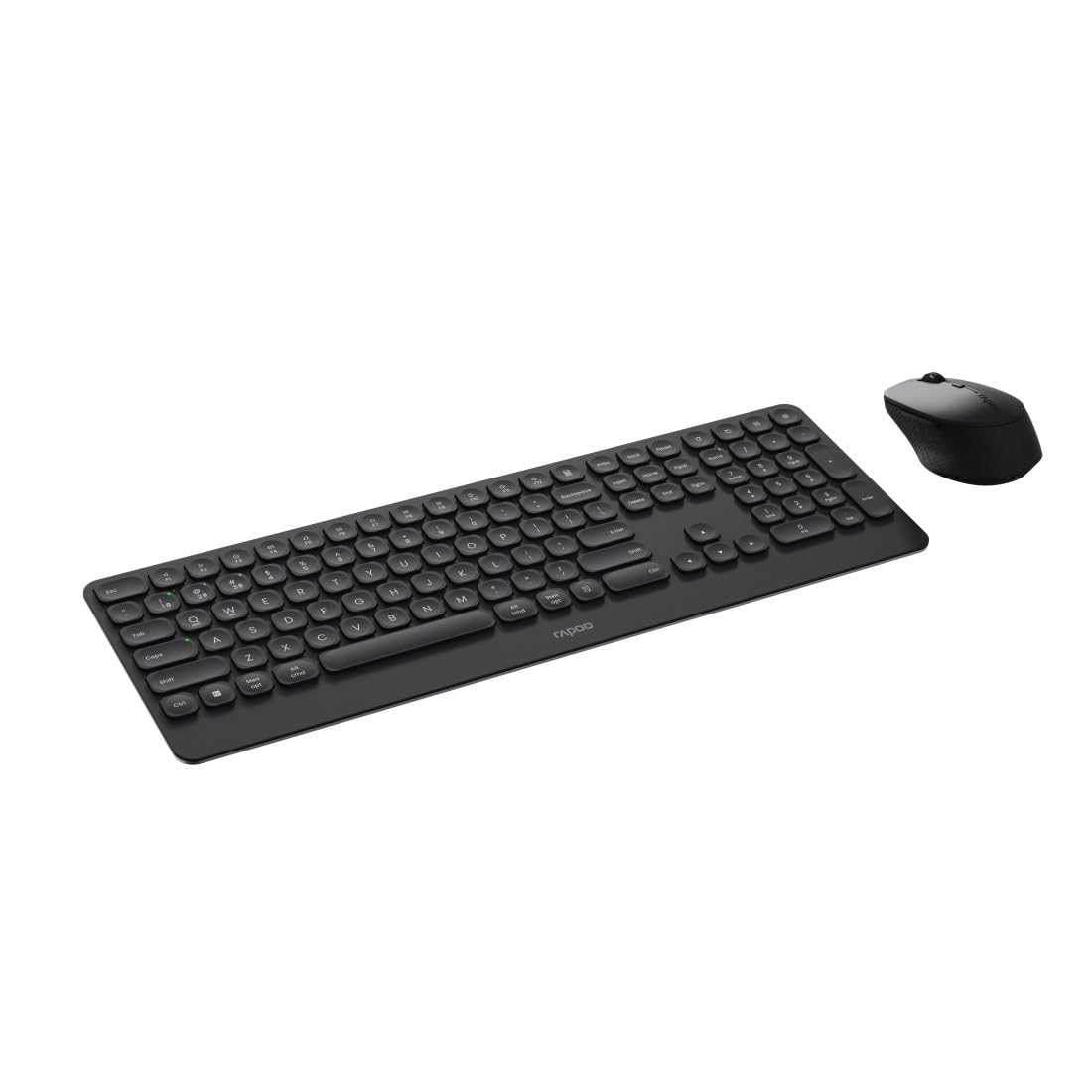
Image: The Rapoo 9390M wireless keyboard and mouse combo, showcasing its sleek design and full QWERTZ layout.
Setup
1. Instalacija baterije
The Rapoo 9390M combo requires batteries for operation. Ensure correct polarity when inserting.
- tastatura: Requires 2 x AAA alkaline batteries.
- miš: Requires 1 x AA alkaline battery.
Batteries are included in the package.

Slika: Bočni profesionalacfile of the Rapoo 9390M keyboard and mouse, illustrating their ultra-slim design. Battery compartments are typically located on the underside of each device.
2. Povezivanje uređaja
The Rapoo 9390M supports multi-mode connectivity: 2.4 GHz wireless via USB receiver and Bluetooth 4.0/5.0.
2.1. Bežična veza od 2.4 GHz
- Insert the USB receiver into an available USB Type-A port on your computer or device.
- Uključite tastaturu i miš koristeći odgovarajuće prekidače za napajanje.
- Uređaji bi se trebali automatski povezati s vašim računarom.
2.2. Bluetooth veza
The keyboard can pair with up to 3 Bluetooth devices, and the mouse with up to 2.
Keyboard Bluetooth Pairing:
- Uključite tastaturu.
- Pritisnite i držite fn+1, fn+2, ili fn+3 for 3 seconds to select a Bluetooth channel. The indicator light will flash slowly.
- Open Bluetooth settings on your device (PC, laptop, tablet, TV).
- Traži "Rapoo BT3.0 Keyboard" or "Rapoo BT5.0 Keyboard" and select to pair.
- Nakon uparivanja, indikatorska lampica će prestati treptati.
Mouse Bluetooth Pairing:
- Uključite miša.
- Press the Bluetooth pairing button on the underside of the mouse. The indicator light will flash slowly.
- Otvorite Bluetooth postavke na svom uređaju.
- Traži "Rapoo BT3.0 Mouse" or "Rapoo BT5.0 Mouse" and select to pair.
- Nakon uparivanja, indikatorska lampica će prestati treptati.
Uputstvo za upotrebu
1. Prebacivanje između povezanih uređaja
The Rapoo 9390M allows you to switch between multiple connected devices (up to 4 for keyboard, 3 for mouse, including 2.4 GHz).
- tastatura: Pritisnite fn+1, fn+2, fn+3 (for Bluetooth devices) or fn+4 (for 2.4 GHz USB receiver) to switch between paired devices.
- miš: Press the mode switch button on the underside of the mouse to cycle between Bluetooth 1, Bluetooth 2, and 2.4 GHz modes.
2. Funkcije tastature
The keyboard features a full QWERTZ layout with 110 keys, including a numeric keypad and dedicated function keys.
- Multimedijalni ključevi: Use the function keys (F1-F12) in combination with the Fn key to access multimedia controls (e.g., volume, play/pause, browser).
- Browser Buttons: Dedicated keys for browser functions may be present.

Slika: Od vrha prema dolje view of the Rapoo 9390M keyboard and mouse, highlighting the QWERTZ key layout and mouse button configuration.
3. Funkcije miša
The optical mouse features 5 buttons, including a scroll wheel, and adjustable DPI.
- DPI podešavanje: The mouse supports a DPI range of up to 2400. A dedicated DPI button (often located near the scroll wheel) allows you to cycle through different sensitivity levels.
- Ambidekstralni dizajn: The mouse is designed for comfortable use by both right-handed and left-handed users.
Održavanje
1. Čišćenje
To ensure optimal performance and longevity, keep your keyboard and mouse clean.
- Koristite meku krpu koja ne ostavlja dlačiceampnatopljen vodom ili blagim rastvorom za čišćenje.
- Avoid harsh chemicals, abrasive cleaners, or excessive moisture.
- Za tastaturu, koristite komprimirani zrak za uklanjanje prašine i prljavštine između tipki.
2. Zamjena baterije
Kada indikatorska lampica baterije treperi ili se performanse pogoršaju, vrijeme je za zamjenu baterija.
- Open the battery compartment on the underside of the keyboard (2x AAA) and mouse (1x AA).
- Uklonite stare baterije i odložite ih odgovorno u skladu s lokalnim propisima.
- Insert new alkaline batteries, ensuring correct polarity.
- Čvrsto zatvorite odeljak za baterije.
Rješavanje problema
Problemi sa povezivanjem
- No connection (2.4 GHz): Ensure the USB receiver is securely plugged into a working USB port. Try a different USB port. Ensure the keyboard and mouse are powered on.
- No connection (Bluetooth): Ensure Bluetooth is enabled on your device. Re-initiate the pairing process as described in the Setup section. Ensure the keyboard/mouse is in Bluetooth mode and not 2.4 GHz mode.
- Povremena veza: Move the devices closer to the receiver/device. Avoid placing the devices near other wireless interference sources (e.g., Wi-Fi routers, other wireless peripherals).
Input Not Registering / Lag
- Check batteries: Low batteries can cause performance issues. Replace them if necessary.
- Promjena načina rada: Ensure the keyboard and mouse are set to the correct connection mode (2.4 GHz or Bluetooth) for the device you are using.
- Ponovo pokrenite uređaje: Turn off and on the keyboard, mouse, and your computer/device.
Specifikacije
| Feature | Opis |
|---|---|
| Model | 9390M |
| Povezivanje | 2.4 GHz RF (USB Type-A receiver), Bluetooth 4.0, Bluetooth 5.0 |
| Raspored tipkovnice | QWERTZ (German) |
| Tasteri na tastaturi | 110 keys, Scissor mechanism, Laser engraved keycaps |
| Karakteristike tastature | Multimedia keys, Browser buttons, Ultra-slim design, Aluminum base |
| Senzor miša | Optički |
| DPI miša | Do 2400 DPI |
| Dugmad miša | 5 buttons (including scroll wheel) |
| Dizajn miša | Ambidextrous, High-quality plastic |
| Operativni opseg | Do 10 metara |
| Kompatibilnost OS | Windows XP / Vista / 7 / 8 / 10 / 11 |
| Izvor napajanja | Battery powered (Alkaline) |
| Baterije uključene | Yes (2x AAA for keyboard, 1x AA for mouse) |
| Keyboard Dimensions (W x D x H) | 42.6 x 14.3 x 2 cm |
| Težina tastature | 409 g |
| Mouse Dimensions (W x D x H) | 6.6 x 10.4 x 3.7 cm |
| Weight Weight | 60 g |
Garancija i podrška
For warranty information and technical support, please refer to the warranty card included in your product packaging or visit the official Rapoo webSačuvajte dokaz o kupovini za slučaj reklamacije.


