1. Uvod
The EDIFIER MP330 is a portable Bluetooth speaker designed to deliver a high-quality audio experience with its retro aesthetic and advanced features. It supports Hi-Res audio and offers versatile connectivity options.

Image: The EDIFIER MP330 portable Bluetooth speaker, showcasing its brown finish and integrated leather handle.
2. Sadržaj paketa
Molimo označite kućicu za sljedeće stavke:
- EDIFIER MP330 Speaker x 1
- Kabel USB-C na USB-C x 1
- Vodič za brzi početak x 1
- Important Safety Information x 1

Image: A visual representation of the EDIFIER MP330 speaker and its included accessories: USB-C cable, quick start guide, and safety information.
3. Proizvod je gotovview
3.1 Kontrole i portovi
The EDIFIER MP330 features intuitive controls and essential ports for various audio sources.
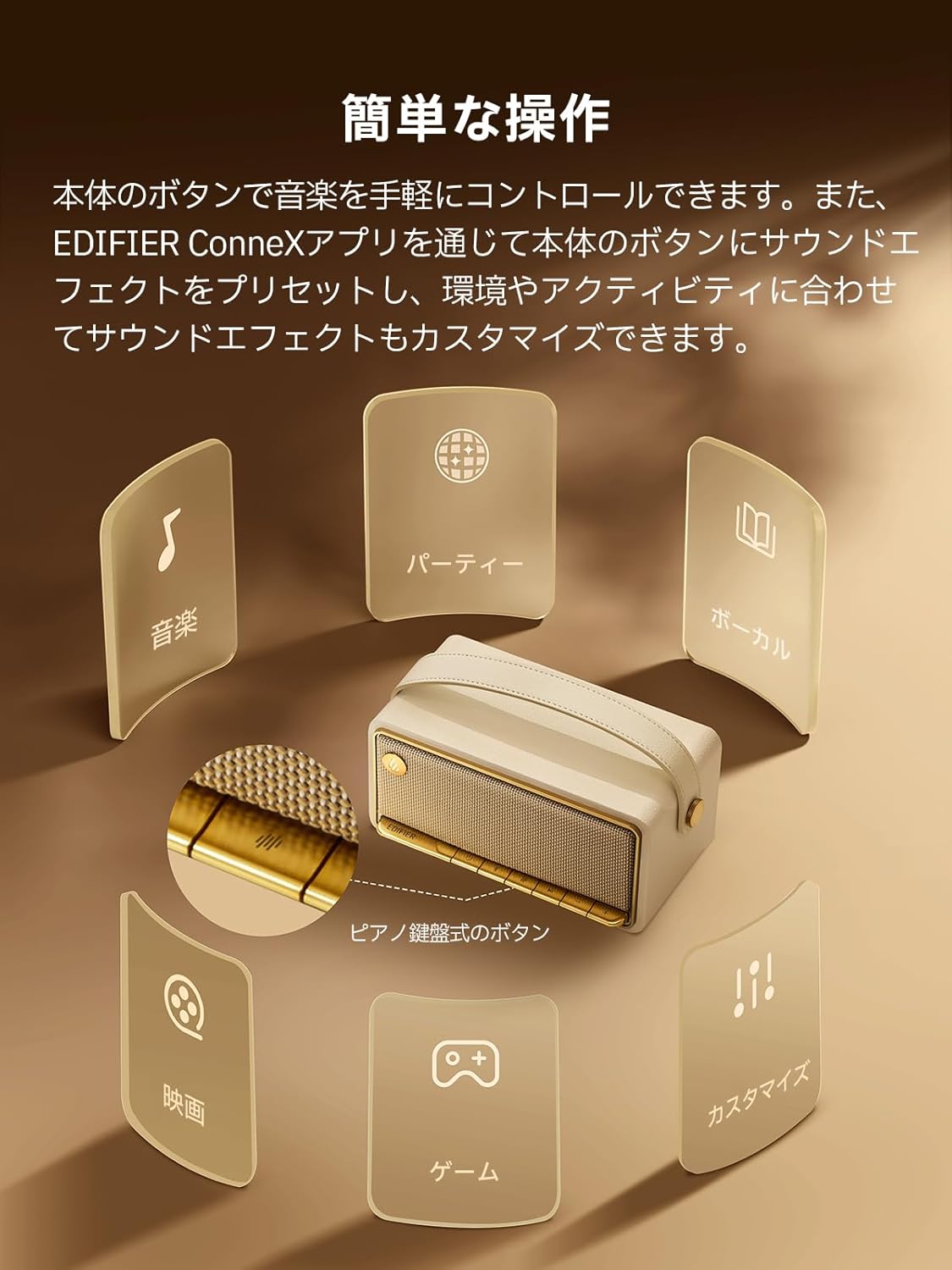
Image: A diagram illustrating the control buttons and indicator lights on the EDIFIER MP330 speaker, showing their functions for power, mode selection, playback, and volume.
- Dugme za napajanje: Pritisnite i držite za uključivanje/isključivanje.
- Dugme za način rada: Short press to cycle through Bluetooth, USB-C, and microSD card input modes.
- Dugme za reprodukciju/pauzu: Kratki pritisak za reprodukciju ili pauziranje zvuka.
- Dugme za pojačavanje zvuka/sljedeću pjesmu: Kratki pritisak za povećanje jačine zvuka, dugi pritisak za sledeću numeru.
- Dugme za smanjenje jačine zvuka/prethodnu pjesmu: Kratki pritisak za smanjenje jačine zvuka, dugi pritisak za prethodnu pjesmu.
- USB-C priključak: For charging and audio input.
- Utor za microSD karticu: Za reprodukciju zvuka files directly from a microSD card.
4. Podešavanje
4.1 Punjenje zvučnika
Before first use, fully charge the speaker using the provided USB-C cable and a compatible power adapter (not included). The indicator light will show charging status.
4.2 Uključivanje/isključivanje napajanja
- Za uključivanje: Pritisnite i držite dugme za napajanje dok se indikatorska lampica ne upali.
- Za isključivanje: Pritisnite i držite dugme za napajanje dok se indikatorska lampica ne ugasi.
4.3 Bluetooth uparivanje
Da povežete svoj uređaj putem Bluetooth-a:
- Power on the MP330 speaker. The Bluetooth indicator will flash, indicating it is in pairing mode.
- Na svom uređaju (pametnom telefonu, tabletu itd.) omogućite Bluetooth i potražite dostupne uređaje.
- Select "EDIFIER MP330" from the list of devices.
- Nakon povezivanja, Bluetooth indikator će ostati stalno svijetliti.
4.4 Višetačka veza
The MP330 supports connecting to two Bluetooth devices simultaneously. After connecting the first device, put the speaker back into pairing mode and connect the second device. You can then switch between audio sources by pausing playback on one device and starting it on the other.

Image: Two mobile phones displaying music playback interfaces, indicating a multipoint Bluetooth connection to the EDIFIER MP330 speaker.
4.5 Stereo uparivanje (TWS)
For an enhanced stereo sound experience, you can pair two MP330 speakers together:
- Ensure both MP330 speakers are powered on and not connected to any Bluetooth device.
- On one speaker, press and hold the Bluetooth button until it enters TWS pairing mode (indicator light will flash a specific pattern).
- The two speakers will automatically connect to each other. One speaker will become the left channel and the other the right.
- Nakon uparivanja, povežite uređaj s primarnim zvučnikom putem Bluetootha kao što je opisano u odjeljku 4.3.

Image: Two EDIFIER MP330 speakers, one black and one ivory, positioned to illustrate stereo pairing, with a Bluetooth logo and arrows indicating connection.
5. Uputstvo za upotrebu
5.1 Prebacivanje načina unosa
Short press the Mode button to switch between Bluetooth, USB-C, and microSD card input modes. The indicator light will change color to reflect the active mode.
5.2 USB-C Audio Playback
Connect the MP330 to your computer using the provided USB-C cable. The speaker will automatically switch to USB-C audio mode. Select "EDIFIER MP330" as the audio output device on your computer.

Image: A diagram showing the EDIFIER MP330 speaker connected to a computer via a USB-C cable, indicating USB-C audio playback.
5.3 microSD Card Playback
Umetnite microSD karticu koja sadrži zvuk files into the microSD card slot. The MP330 will automatically switch to microSD card mode and begin playback.

Image: A diagram illustrating how to insert a microSD card into the dedicated slot on the EDIFIER MP330 speaker.
5.4 Using the EDIFIER Connex App
Download the EDIFIER Connex app to unlock extended features and customize your listening experience. The app allows you to:
- Promijenite izvore ulaza.
- Kontrolirajte reprodukciju.
- Customize sound effects (equalizer presets or custom settings).
- Access the electronic user manual and other settings.

Image: Multiple smartphone screens displaying the EDIFIER Connex app interface, highlighting various control and customization options for the speaker.
6. Održavanje
To ensure the longevity and optimal performance of your EDIFIER MP330 speaker, follow these maintenance guidelines:
- čišćenje: Use a soft, dry cloth to clean the speaker's surface. Avoid using abrasive cleaners, solvents, or strong chemicals, as they may damage the finish.
- Skladištenje: Čuvajte zvučnik na hladnom i suhom mjestu, dalje od direktne sunčeve svjetlosti, ekstremnih temperatura i visoke vlažnosti.
- Izloženost vodi: The speaker is not waterproof. Avoid exposing it to water, rain, or excessive moisture.
- Rukovanje: Pažljivo rukujte zvučnikom. Izbjegavajte ispuštanje ili izlaganje jakim udarcima.
- Održavanje baterije: For optimal battery life, avoid fully discharging the battery frequently. If storing for an extended period, charge the battery to about 50% every few months.
7. Otkrivanje problema
If you encounter issues with your EDIFIER MP330 speaker, refer to the following common troubleshooting steps:
- Nema napajanja:
- Uvjerite se da je zvučnik potpuno napunjen.
- Check if the power button is pressed and held correctly to turn on the device.
- Nema zvuka:
- Verify the volume level on both the speaker and your connected device.
- Ensure the correct input mode (Bluetooth, USB-C, microSD) is selected.
- If using Bluetooth, ensure the speaker is properly paired and connected to your device.
- If using a microSD card, ensure the card is inserted correctly and contains playable audio files.
- Problemi sa Bluetooth uparivanjem:
- Provjerite je li zvučnik u načinu rada za Bluetooth uparivanje (trepćuća indikatorska lampica).
- Onemogućite i ponovo omogućite Bluetooth na svom uređaju.
- Move the speaker closer to your device and away from potential interference sources.
- Pokušajte odvojiti i ponovo upariti zvučnik iz Bluetooth postavki vašeg uređaja.
- Stereo Pairing Not Working:
- Ensure both speakers are not connected to any other Bluetooth device before initiating TWS pairing.
- Follow the TWS pairing steps carefully (Section 4.5).
- Problemi s povezivanjem aplikacija:
- Ensure Bluetooth is enabled and the speaker is connected to your device.
- Update the EDIFIER Connex app to the latest version.
- Ponovo pokrenite i zvučnik i uređaj.
If the problem persists after trying these steps, please contact Edifier customer support for further assistance.
8. Specifikacije
Detailed technical specifications for the EDIFIER MP330 speaker:

Image: A comparison chart highlighting key specifications of the EDIFIER MP330 and MP230 models, including output power, Bluetooth version, battery capacity, playback time, and Hi-Res audio support.
| Feature | Specifikacija |
|---|---|
| Naziv modela | MP330 |
| Vrsta zvučnika | Prenosivi zvučnik |
| Materijal | Drvo (MDF) |
| Boja | Brown |
| Izlazna snaga | 40W RMS |
| Bluetooth verzija | 6.0 |
| Kapacitet baterije | 4800mAh |
| Vrijeme reprodukcije | Do 19 sati (pri 50% volumena) |
| Frekvencijski odziv | 53Hz-40kHz |
| Hi-Res Audio | Supported (up to 24bit/96kHz) |
| Povezivanje | Bluetooth, USB-C, microSD card |
| Dimenzije (Š x D x V) | 20.7 x 11.6 x 10.1 cm |
| Težina | 1.13 kg |
| Kontrolni metod | Aplikacija, Pritisni dugme |
| Odnos signal/šum (S/N) | 85 dB |

Image: A technical drawing showing the dimensions (width, depth, height) and weight of the EDIFIER MP330 speaker.
9. Garancija i podrška
For warranty information, please refer to the warranty card included in your product packaging or visit the official Edifier website. If you require technical support or have questions about your EDIFIER MP330 speaker, please contact Edifier customer service through their official channels.
Edifier Official Webstranica: www.edifier.com


