Uvod
This manual provides essential information for setting up, operating, maintaining, and troubleshooting your new Monster Tulpar T7 V26.2.2 gaming laptop. Please read this guide thoroughly to ensure optimal performance and longevity of your device.
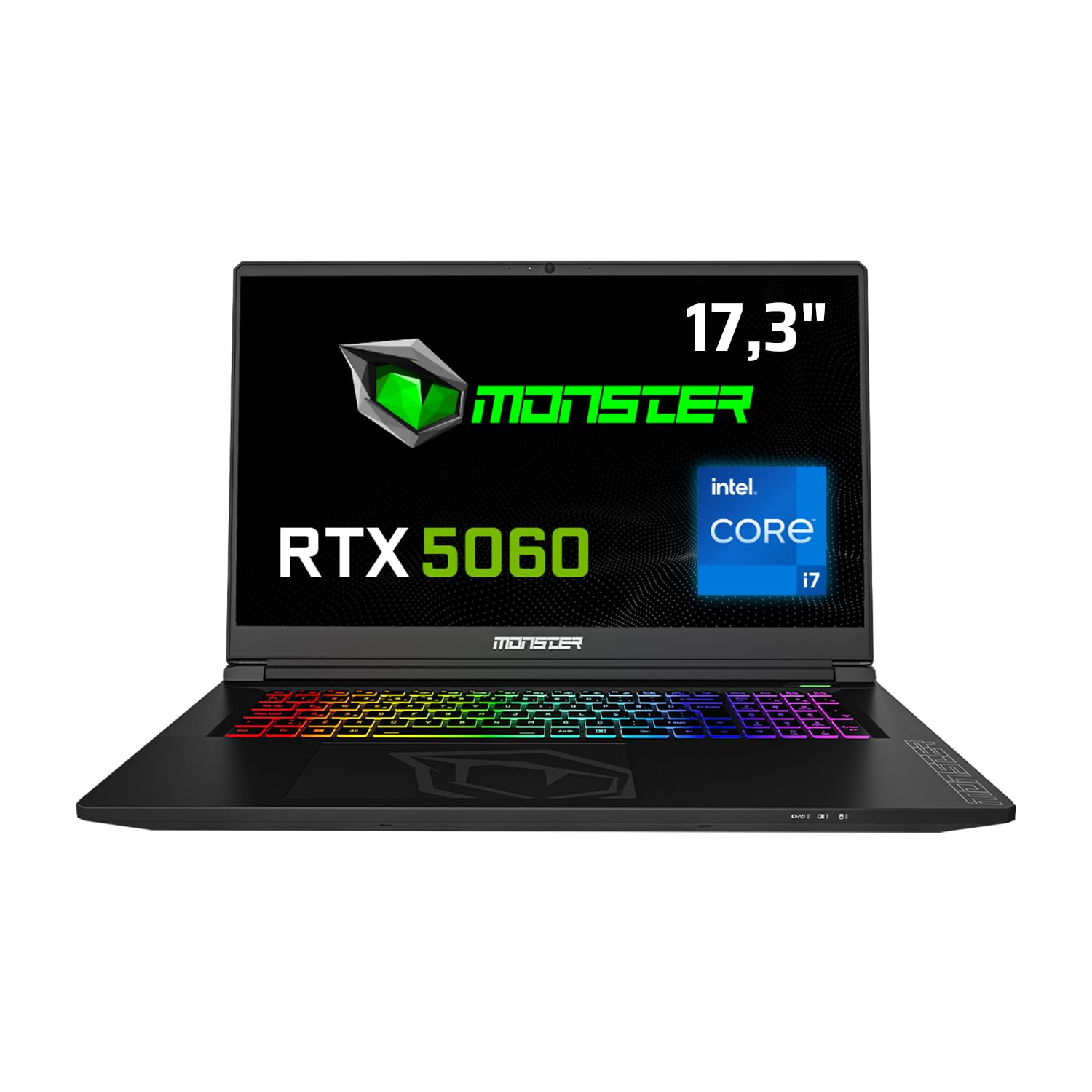
Front view of the Monster Tulpar T7 V26.2.2 Gaming Laptop, highlighting its 17.3-inch display, Intel Core i7 processor, and RTX 5060 graphics, along with a 4-year warranty badge.
Setup
Initial Power-On and Operating System Installation
Your Monster Tulpar T7 V26.2.2 laptop comes with Freedos. To begin using your laptop, you will need to install a compatible operating system (e.g., Windows, Linux). Follow the instructions provided with your chosen operating system for installation.
- Priključite napajanje: Uključite adapter za napajanje u ulazni priključak za napajanje laptopa, a zatim u zidnu utičnicu.
- Prvo pokretanje: Press the power button. The laptop will typically boot into the Freedos environment or BIOS.
- Instalacija operativnog sistema: Insert your operating system installation media (USB drive or DVD) and follow the on-screen prompts to install the OS. Ensure all necessary drivers are installed after the OS setup for full functionality.
Povezivanje perifernih uređaja
Utilize the various ports on your laptop to connect external devices such as a mouse, keyboard, external monitor, or USB drives.

Detailed diagram illustrating the various connectivity ports available on the Monster Tulpar T7 V26.2.2 laptop, including Ethernet, power input, HDMI, Mini DP, Kensington Lock, USB-A, and USB-C.
- Ethernet (RJ45): Za žičanu mrežnu vezu.
- HDMI 2.1 & Mini DP: Za povezivanje eksternih ekrana.
- USB-A (3.2 Gen1, 2.0): For general USB devices.
- USB-C (3.2 Gen2 with DP 1.4 support): Versatile port for data, display, and charging (if supported by external device).
- Microphone & Headphone Jacks: Za audio ulaz i izlaz.
- Kensingtonska brava: Za fizičku sigurnost.
Upravljanje laptopom
Prikaz i vizualno iskustvo
The 17.3-inch Full HD (1920x1080) IPS matte panel display offers a fluid gaming experience with a 144 Hz refresh rate, ensuring clear and vibrant visuals.

Prikaz ekrana laptopaasing a fluid gaming experience, emphasizing Full HD resolution, 144Hz refresh rate, and IPS matte panel technology.
Karakteristike performansi
Your Tulpar T7 V26.2.2 is equipped with high-performance components designed for demanding tasks and gaming.
- procesor: Intel Core i7-13620H (13th Gen) provides high performance for both gaming and applications. It features 6 performance cores and 4 efficiency cores, totaling 16 threads, managed by Intel Thread Director for optimal task distribution.
- grafička kartica: NVIDIA GeForce RTX 5060 with 8GB GDDR7 memory. This GPU supports ray tracing and DLSS 4 technology for realistic graphics and high frame rates. The MUX Switch (NVIDIA Advanced Optimus) allows direct GPU access to the display for maximum performance.
- RAM: 32GB DDR5 RAM at 5200 MHz ensures smooth multitasking and gaming performance. Expandable up to 64GB.
- Skladištenje: 1TB Gen4 M.2 SSD for fast boot times and rapid data access. The laptop supports two Gen4 M.2 SSD slots for expanded storage.

Performance benchmarks demonstrating high FPS in popular games like Monster Hunter World, Valorant, Cyberpunk, and Forza Horizon 5 at 1080p resolution.

Visual representation highlighting the speed advantages of DDR5 5200 MHz RAM and Gen4 SSD over previous generations, indicating up to 62% faster performance.
Tastatura i unos
The laptop features a backlit keyboard with a numeric keypad, enhancing usability in various lighting conditions and for data entry.

The Monster Tulpar T7 V26.2.2 laptop open, showcasing its vibrant RGB backlit keyboard and large trackpad.
Održavanje
Pravilno održavanje osigurava dugotrajnost i optimalne performanse vašeg laptopa.
- čišćenje: Redovno čistite ekran krpom od mikrovlakana, a tastaturu komprimiranim zrakom kako biste uklonili prašinu i nečistoće.
- Sistem hlađenja: Ensure the ventilation grilles are clear of obstructions to prevent overheating. Periodically clean the fan vents.
- Održavanje baterije: Avoid fully discharging the battery frequently. For long-term storage, keep the battery charged to around 50-60%.
- Ažuriranja softvera: Redovno ažurirajte operativni sistem i upravljačke programe kako biste osigurali stabilnost i sigurnost.
Rješavanje problema
Ovaj odjeljak se bavi uobičajenim problemima s kojima se možete susresti.
- Nema napajanja: Provjerite je li adapter za napajanje sigurno priključen i na laptop i na ispravnu utičnicu. Provjerite indikator napajanja.
- Problemi s prikazom: If the screen is blank, try connecting an external monitor to verify if the laptop is functioning. Adjust display settings or update graphics drivers.
- Usporavanje performansi: Close unnecessary applications. Check for background processes consuming high CPU or RAM. Ensure the laptop is well-ventilated to prevent thermal throttling.
- Periferni uređaj nije otkriven: Pokušajte spojiti periferni uređaj na drugi USB priključak. Provjerite jesu li instalirani upravljački programi za periferni uređaj.
For more complex issues, refer to the official Monster support websajtu ili kontaktirajte korisničku podršku.
Specifikacije
Detailed technical specifications for the Monster Tulpar T7 V26.2.2 gaming laptop.
| Feature | Specifikacija |
|---|---|
| Brand | MONSTER |
| Naziv modela | Tulpar T7 V26.2.2 |
| Proizvođač | Monster |
| Broj modela proizvoda | Tulpar T7 V26.2.2 |
| Form Factor | Prijenosni |
| Veličina ekrana | 17.3 inča |
| Laptop Display Technology | LED |
| Rezolucija ekrana | 1920 x 1080 piksela |
| Marka procesora | Intel |
| Tip procesora | Intel Core i7 |
| Brzina procesora | 4.9 GHz |
| Broj procesora | 24 (Threads) |
| Veličina RAM-a | 32 GB |
| Tehnologija memorije | DDR5 |
| Tip memorije računara | DDR5 RAM |
| Maximum Supported Memory | 64 GB |
| Brzina memorije | 5200 MHz |
| Veličina tvrdog diska | 1 TB |
| Opis tvrdog diska | SSD |
| Interfejs tvrdog diska | Solid State |
| Proizvođač grafičkih procesora | NVIDIA |
| Opis grafičke kartice | Posvećeno |
| Tip grafičkog RAM-a | GDDR7 |
| Graphics Card Memory Size | 8 GB |
| Vrsta povezanosti | Bluetooth, WiFi |
| Bežični tip | 802.11a/b/g/n/ac, Bluetooth |
| USB 2.0 Port Count | 1 |
| HDMI Port Count | 1 |
| Ethernet Port Count | 1 |
| Microphone Port Count | 1 |
| Tip optičkog pogona | Nema optičkog pogona |
| Hardverska platforma | PC |
| Operativni sistem | DOS |
| Težina artikla | 10 kilograma |
| Ključne karakteristike | Backlit Keyboard, Memory Card Slot, Numeric Keypad, Anti-Glare Coating, High Quality Audio |
| Prvi raspoloživi datum | 19. maja 2025 |
Garancija i podrška
Monster is committed to providing excellent support for your laptop.
- 4-godišnja garancija: Your Monster laptop comes with a 4-year warranty. To activate, register your product on the Monster support page within 90 days from the invoice date. The extended warranty applies only to Monster Notebook branded products.
- Lifetime Maintenance Service: Monster offers a lifetime maintenance service to ensure your laptop performs optimally for years. This service is provided by expert Monster technical services and is free of charge even after the warranty period expires.

Visual representation of Monster's 4-year warranty and lifetime maintenance service commitment.
For further assistance, visit the official Monster support webstranice ili kontaktirajte njihovu korisničku službu.


