1. Uvod
Thank you for choosing the BUGANI OWSB11 Open Ear Wireless Bluetooth Headphones. These headphones are designed to provide a comfortable listening experience while maintaining awareness of your surroundings. Featuring advanced Bluetooth 5.4 technology, immersive HiFi sound, and an IPX5 waterproof rating, they are ideal for various activities including workouts, cycling, and daily use. This manual provides detailed instructions for setup, operation, and maintenance to ensure optimal performance and longevity of your device.

Image: BUGANI B18 Open Ear Headphones banner. This image displays the product name and a tagline, showcasing the sleek design of the headphones and charging case.
2. Sadržaj paketa
Molimo Vas da provjerite paket za sljedeće stavke:
- BUGANI OWSB11 Open Ear Wireless Bluetooth Headphones (Left & Right)
- Futrola za punjenje
- USB-C kabl za punjenje
- Uputstvo za upotrebu
3. Proizvod je gotovview
Familiarize yourself with the components of your BUGANI OWSB11 headphones and charging case.

Image: BUGANI OWSB11 Open Ear Wireless Headphones in their charging case. This image shows both earbuds securely placed within the compact charging case, ready for use or charging.
Komponente slušalica:
- Kuka za uho: Pruža sigurno i udobno prianjanje preko uha.
- Kontrolno područje: Touch-sensitive surface for various functions.
- mikrofon: Za pozive i glasovne komande.
- LED indikator: Displays status (pairing, charging, etc.).
Komponente kućišta za punjenje:
- Port za punjenje (USB-C): Za spajanje kabla za punjenje.
- LED indikator punjenja: Prikazuje status punjenja kućišta.
4. Getting Started
4.1. Punjenje uređaja
For optimal performance, fully charge your headphones and charging case before first use.
- Punjenje kućišta: Connect the provided USB-C cable to the charging port on the case and to a USB power adapter (not included). The case's LED indicator will show charging status and turn solid when fully charged.
- Punjenje slušalica: Place the earbuds into the charging case. Ensure they are correctly seated. The earbuds will automatically begin charging. The LED indicators on the earbuds will show their charging status.
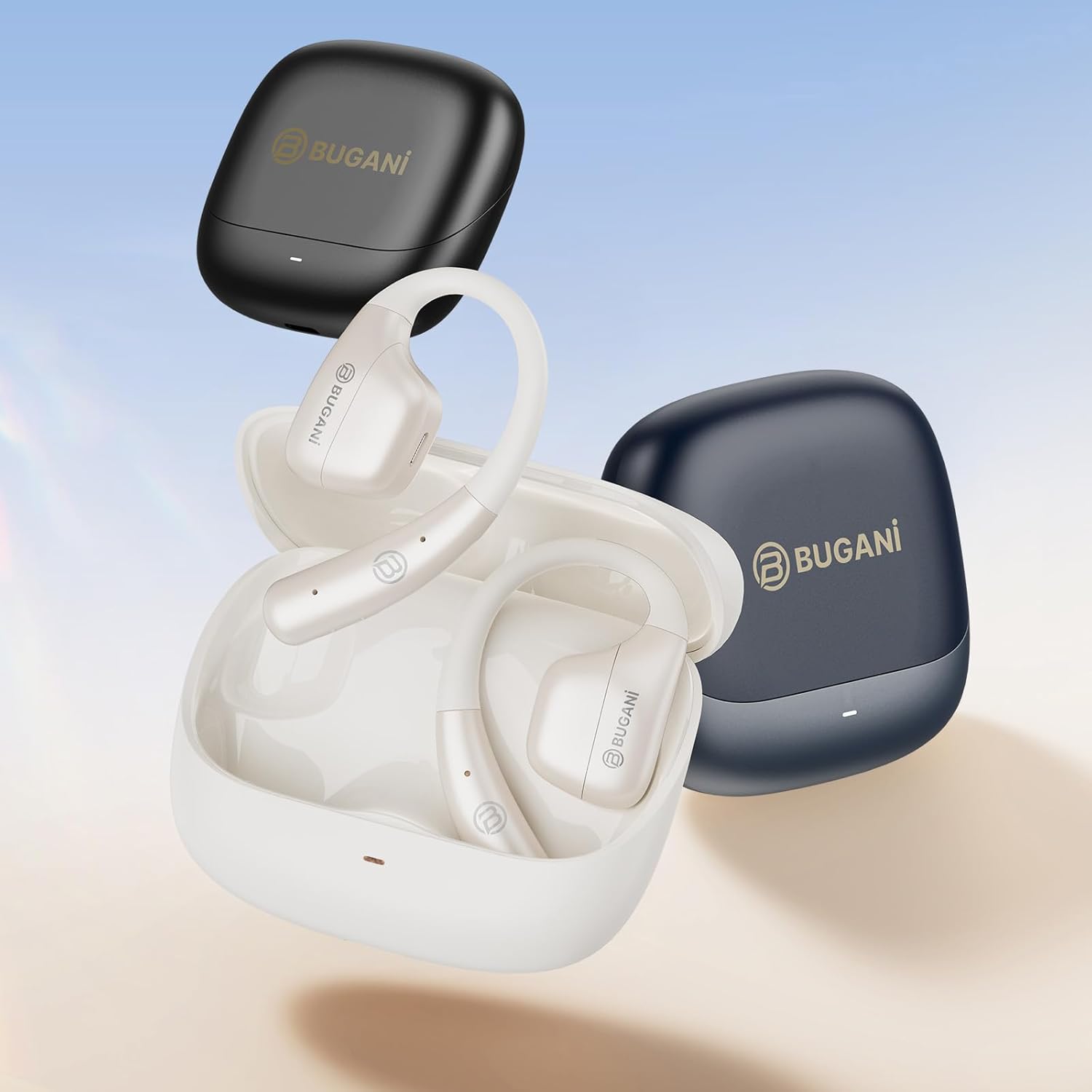
Image: An illustration showing the extended battery life cycle of the BUGANI OWSB11 headphones and charging case. This graphic highlights the 6.5 hours of music time, 1.5 hours of charging time, and 26 hours of total cycle playtime.
4.2. Uključivanje / isključivanje napajanja
- Uključeno: Otvorite kutijicu za punjenje i slušalice će se automatski uključiti. Alternativno, pritisnite i držite područje za dodirnu kontrolu na obje slušalice 3 sekunde.
- Iskljuciti: Vratite slušalice u kutijicu za punjenje i zatvorite poklopac. Automatski će se isključiti. Alternativno, pritisnite i držite područje za dodirnu kontrolu na obje slušalice 5 sekundi.
4.3. Bluetooth uparivanje
The BUGANI OWSB11 headphones utilize Bluetooth 5.4 for a fast and stable connection.
- Prvo uparivanje:
- Otvorite kutijicu za punjenje. Slušalice će automatski ući u način rada za uparivanje, a njihovi LED indikatori će treptati.
- Na svom uređaju (pametnom telefonu, tabletu itd.) omogućite Bluetooth.
- Traži "BUGANI OWSB11" in the list of available Bluetooth devices and select it to connect.
- Once connected, the earbud LED indicators will turn off or flash slowly.
- Ponovno povezivanje: After initial pairing, the earbuds will automatically connect to the last paired device when removed from the charging case and Bluetooth is enabled on your device.

Image: Diagram illustrating the Bluetooth 5.4 technology chip for stable connectivity. This image highlights the advanced Bluetooth 5.4 chip, emphasizing its role in providing a fast and reliable wireless connection.
5. Upravljanje slušalicama
The touch control area on each earbud allows you to manage music playback, calls, and other functions.
5.1. Reprodukcija muzike
- Pusti/pauza: Jednim dodirom na bilo koju slušalicu.
- Sljedeća pjesma: Dvaput dodirnite desnu slušalicu.
- Prethodni zapis: Dvaput dodirnite lijevu slušalicu.
5.2. Upravljanje pozivima
- Odgovori/Završi poziv: Jednim dodirom na bilo koju slušalicu.
- odbiti poziv: Pritisnite i držite prst na bilo kojoj slušalici 2 sekunde.
5.3. Kontrola jačine zvuka
Volume control is typically managed directly from your connected device. Some models may support earbud-based volume control; refer to specific product details if available.
5.4. Situational Awareness (Open-Ear Design)
The open-ear design of the BUGANI OWSB11 allows you to hear your audio while remaining aware of your surroundings. This feature enhances safety during outdoor activities and allows for easy conversations without removing the earbuds.

Image: A person wearing the BUGANI OWSB11 Open Ear Wireless Headphones, demonstrating the secure and comfortable fit. This image illustrates how the open-ear design sits on the ear, allowing for situational awareness.
6. Njega i održavanje
6.1. Čišćenje
Redovno čišćenje pomaže u održavanju performansi i higijene vaših slušalica.
- Obrišite slušalice i kućište za punjenje mekom, suhom krpom koja ne ostavlja dlačice.
- Ne koristite abrazivna sredstva za čišćenje, alkohol ili hemijske rastvarače.
- Provjerite jesu li kontakti za punjenje čisti i suhi.
6.2. Vodootpornost (IPX5)
The BUGANI OWSB11 headphones are rated IPX5, meaning they are protected against low-pressure water jets from any direction. This makes them suitable for workouts and light rain.
- Ne uranjajte slušalice u vodu.
- Avoid exposure to saltwater or other corrosive liquids.
- If wet, dry thoroughly before placing them back in the charging case or charging.

Image: The BUGANI OWSB11 Open Ear Wireless Headphones with water droplets, highlighting their IPX5 waterproof rating. This image visually confirms the product's resistance to sweat and splashes.
6.3. Skladištenje
Kada se ne koriste, slušalice čuvajte u kutijici za punjenje kako biste ih zaštitili i održali napunjenima.
7. Otkrivanje problema
Ako naiđete na bilo kakve probleme, pogledajte sljedeća uobičajena rješenja:
| Problem | Moguće rješenje |
|---|---|
| Slušalice se ne uključuju. | Ensure the charging case and earbuds are charged. Place earbuds in the case and close/open the lid. |
| Nije moguće uparivanje s uređajem. | Make sure Bluetooth is enabled on your device. Ensure earbuds are in pairing mode. Forget "BUGANI OWSB11" from your device's Bluetooth list and try pairing again. |
| Nema zvuka iz jedne ili obje slušalice. | Check device volume. Ensure earbuds are properly paired. Try resetting the earbuds (refer to manufacturer's webstranicu za konkretne upute za resetiranje ako je potrebno). |
| Problemi s punjenjem. | Check the USB-C cable and power adapter. Ensure charging contacts on earbuds and case are clean and dry. |
8. Specifikacije
Technical details of your BUGANI OWSB11 Open Ear Wireless Bluetooth Headphones:
- Broj modela: OWSB11
- Bluetooth verzija: 5.4
- Kapacitet baterije slušalica: 70mAh (svaki)
- Kapacitet baterije za punjenje: 500mAh
- Vrijeme reprodukcije slušalica: 8-10 sati (jedno punjenje)
- Total Playtime (with case): Do 60 sati
- Ocjena vodootpornosti: IPX5
- Težina artikla: 6.3 unce
- Dimenzije paketa: 5.12 x 4.45 x 1.85 inča
9. Sigurnosne informacije
Please read and follow these safety guidelines to prevent damage or injury:
- Nemojte rastavljati, popravljati ili modificirati proizvod.
- Proizvod držite dalje od ekstremnih temperatura, direktne sunčeve svjetlosti i otvorenog plamena.
- Izbjegavajte slušanje na visokim nivoima glasnoće tokom dužeg perioda kako biste spriječili oštećenje sluha.
- Čuvati van domašaja djece i kućnih ljubimaca.
- Odlažite proizvod i baterije odgovorno u skladu sa lokalnim propisima.
10. Garancija i podrška
BUGANI products are designed for reliability and performance. For warranty information, technical support, or customer service inquiries, please refer to the contact information provided on the BUGANI official webili vašu platformu za kupovinu. Molimo sačuvajte dokaz o kupovini za reklamacije u slučaju garancije.
Za dalju pomoć posjetite BUGANI Store on Amazon.


