Uvod
Thank you for choosing kurdene SP9i Wireless Over-Ear Bluetooth Earbuds. These earbuds are designed to provide a high-quality audio experience with exceptional comfort and stability, making them ideal for sports, meetings, workouts, and everyday use. Featuring advanced Bluetooth 5.3 technology, deep bass sound, and an impressive 60-hour total playtime, your kurdene SP9i earbuds are built for performance and convenience.
This manual will guide you through the setup, operation, maintenance, and troubleshooting of your new earbuds to ensure you get the most out of your listening experience.
Šta je u kutiji
Upon opening your kurdene SP9i package, you should find the following items:
- kurdene SP9i Wireless Over-Ear Earbuds (Left and Right)
- Prijenosna torbica za punjenje
- USB-C kabl za punjenje
- Interchangeable Ear Tips (Various Sizes)
- Uputstvo za upotrebu

Image: kurdene SP9i Wireless Over-Ear Bluetooth Earbuds in Hot Pink, shown with their charging case.
Vodič za postavljanje
1. Punjenje slušalica i kutijice
Prije prve upotrebe, potpuno napunite i slušalice i kućište za punjenje.
- Place the earbuds into the charging case. Ensure they are correctly seated; the indicator lights on the earbuds will illuminate to confirm charging.
- Spojite USB-C kabel za punjenje na priključak za punjenje na kućištu, a drugi kraj uključite u kompatibilni USB izvor napajanja.
- The charging case's indicator light will show charging status. A full charge for the case typically takes about 1.5 hours.
The earbuds offer up to 12 hours of continuous playtime on a single charge, and the charging case provides an additional 48 hours, totaling 60 hours of playtime.

Image: Visual representation of the earbud and charging case battery life, highlighting 60 hours total playtime and USB-C charging.
2. Uparivanje sa vašim uređajem
Your kurdene SP9i earbuds utilize Bluetooth 5.3 for a stable and efficient connection.
- Otvorite kutijicu za punjenje. Slušalice će automatski ući u režim uparivanja, što će biti naznačeno treperenjem LED lampica na slušalicama.
- Na vašem uređaju (pametnom telefonu, tabletu, laptopu) idite na postavke Bluetootha.
- Traži available devices and select "kurdene SP9i" from the list.
- Once connected, the earbud indicator lights will stop flashing or show a steady light, and you will hear an audio confirmation.
The Bluetooth 5.3 technology ensures faster data transfer and a reliable connection up to 33 feet, perfect for seamless audio and video synchronization.
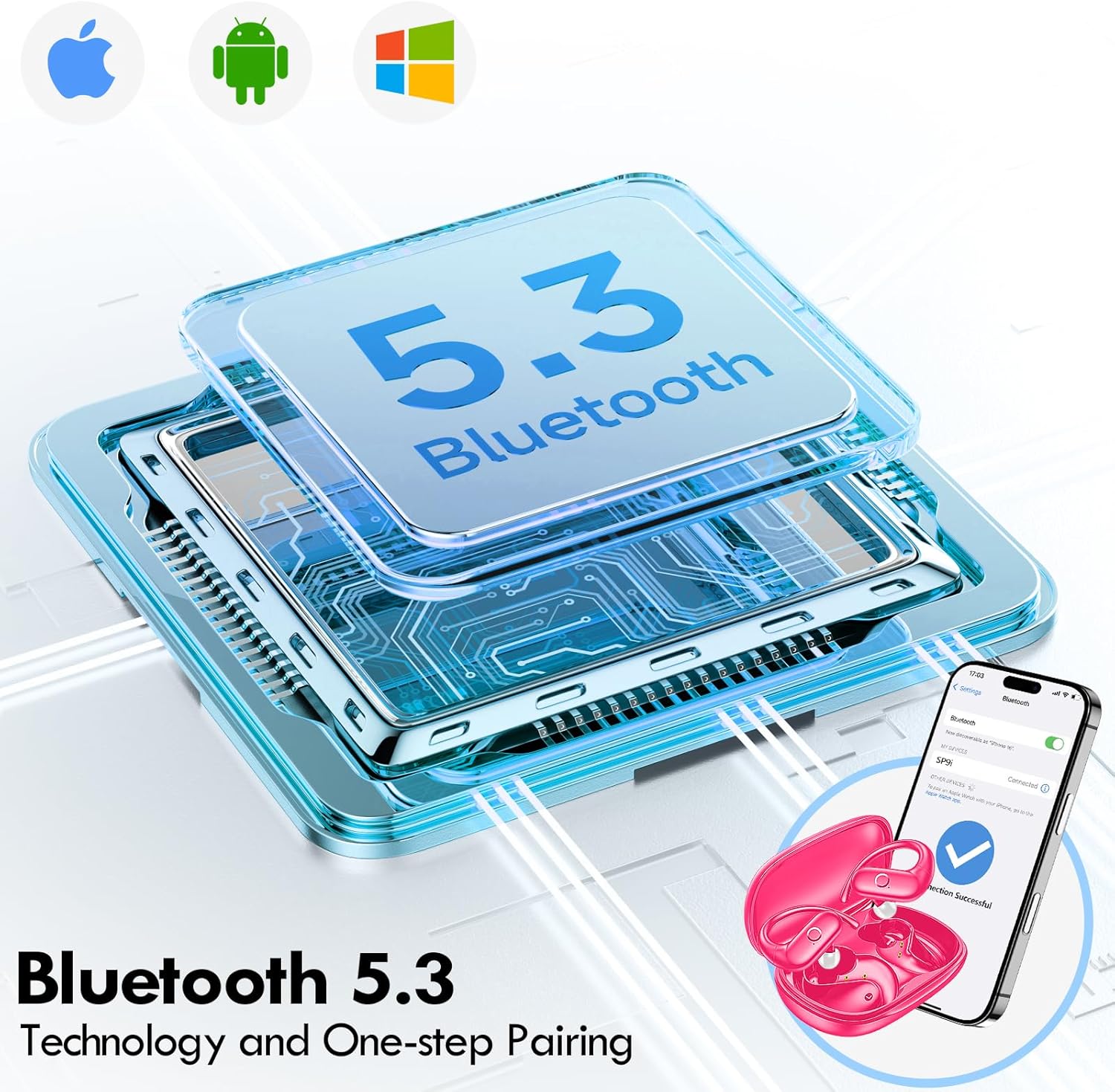
Image: Illustration of Bluetooth 5.3 technology and the one-step pairing process with a mobile device.
Uputstvo za upotrebu
1. Nošenje slušalica
The kurdene SP9i earbuds feature an over-ear design with soft silicone ear hooks for a secure and comfortable fit, especially during active use.
- Identifikujte lijeve (L) i desne (R) slušalice.
- Gently place the earbud into your ear canal and hook the ear hook over the top of your ear.
- Adjust the earbud and hook until it feels snug and comfortable. The flexible design ensures a natural, pressure-free listening experience.

Image: Visual guide to the over-ear design, emphasizing comfort and secure fit.

Image: A user wearing the earbuds during physical activity, showcasing njihovu prikladnost za aktivan način života.
2. Pametne kontrole na dodir
The earbuds feature intuitive touch controls for easy management of your audio and calls:
- Pusti/pauza: Jednim dodirom na bilo koju slušalicu.
- Sljedeća pjesma: Dvaput dodirnite desnu slušalicu.
- Prethodni zapis: Dvaput dodirnite lijevu slušalicu.
- Povećavanje glasnoće: Triput dodirnite desnu slušalicu.
- Smanjivanje jačine zvuka: Triput dodirnite lijevu slušalicu.
- Odgovori/Završi poziv: Jednokratno dodirnite bilo koju slušalicu tokom dolaznog poziva.
- odbiti poziv: Pritisnite i držite bilo koju slušalicu 2 sekunde tokom dolaznog poziva.
- Aktivirajte glasovnog asistenta: Pritisnite i držite bilo koju slušalicu 3 sekunde.
3. Sound Quality and Microphones
Equipped with 16.1mm vibrating diaphragm drivers, these earbuds deliver powerful bass, crisp mids, and clear treble for a rich, immersive sound. The built-in microphones are designed to isolate your voice, ensuring crystal-clear call quality even in noisy environments.
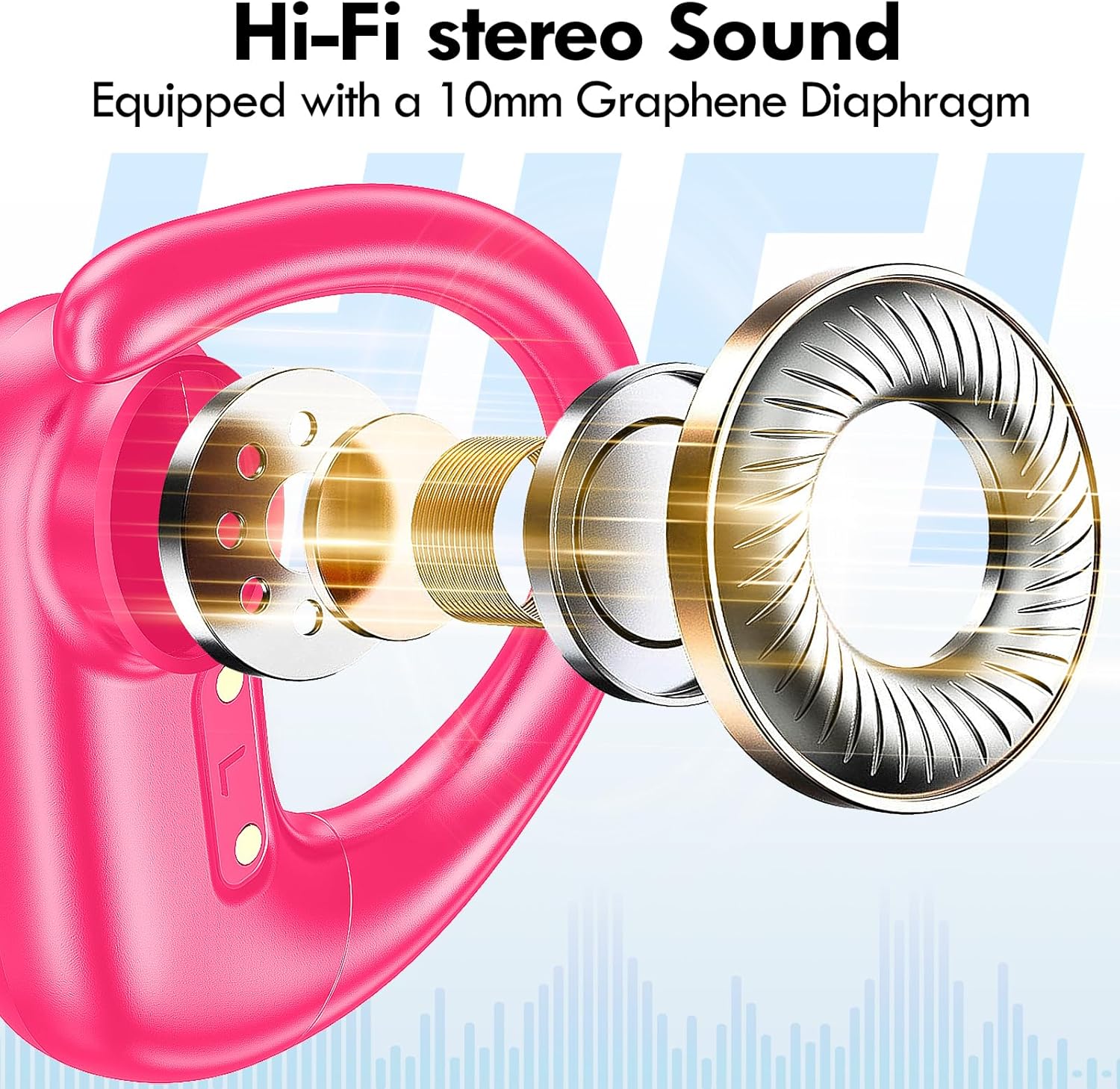
Slika: Eksplodirano view of the earbud's internal structure, emphasizing the Hi-Fi stereo sound components.

Image: Depiction of precision directional audio and 95% sound leakage reduction for an enhanced listening experience.
Održavanje
To ensure the longevity and optimal performance of your kurdene SP9i earbuds, follow these maintenance guidelines:
- čišćenje: Redovno brišite slušalice i kućište za punjenje mekom, suhom krpom koja ne ostavlja dlačice. Nemojte koristiti jake hemikalije ili abrazivne materijale.
- Savjeti za uši: Povremeno skidajte i čistite nastavke za uši blagim sapunom i vodom. Prije ponovnog stavljanja na slušalice, provjerite jesu li potpuno suhi.
- Priključci za punjenje: Keep the charging contacts on the earbuds and inside the case clean and free of debris. Use a dry cotton swab if necessary.
- Skladištenje: Kada se ne koriste, slušalice čuvajte u kutijici za punjenje kako biste ih zaštitili od prašine, oštećenja i kako biste ih održali napunjenima.
- Izbjegavajte ekstremne uslove: Do not expose the earbuds to extreme temperatures, humidity, or direct sunlight for extended periods.
Rješavanje problema
If you encounter any issues with your kurdene SP9i earbuds, please refer to the following common solutions:
- Slušalice se ne uparuju:
- Provjerite jesu li obje slušalice potpuno napunjene.
- Isključite Bluetooth na uređaju, a zatim ga ponovo uključite.
- Forget/delete "kurdene SP9i" from your device's Bluetooth list and attempt to pair again.
- Vratite slušalice u kutijicu, zatvorite poklopac, pričekajte nekoliko sekundi, a zatim ga otvorite da biste ponovo ušli u način rada za uparivanje.
- Nema zvuka ili je jačina zvuka niska:
- Provjerite nivoe jačine zvuka i na uređaju i na slušalicama.
- Provjerite da li su slušalice pravilno postavljene u uši.
- Try cleaning the ear tips and speaker mesh to remove any obstructions.
- Ponovo povežite slušalice sa svojim uređajem.
- Slušalice se ne pune:
- Provjerite je li kabel za punjenje sigurno spojen i na kućište i na izvor napajanja.
- Provjerite jesu li kontakti za punjenje na slušalicama i unutar kućišta čisti i bez nečistoća.
- Pokušajte koristiti drugi USB-C kabel ili adapter za napajanje.
- Povremena veza:
- Provjerite da li se vaš uređaj nalazi unutar dometa Bluetooth veze od 33 metara.
- Izbjegavajte fizičke prepreke između uređaja i slušalica.
- Minimizirajte smetnje od drugih bežičnih uređaja.
If these steps do not resolve your issue, please contact kurdene customer support for further assistance.
Specifikacije proizvoda
| Feature | Specifikacija |
|---|---|
| Naziv modela | SP9i |
| Brand | kurdene |
| Tehnologija povezivanja | Bežično (Bluetooth 5.3) |
| Bežična komunikacijska tehnologija | Bluetooth |
| Bluetooth verzija | 5.3 |
| Bluetooth domet | 10 metara (33 stopa) |
| Postavljanje uha | Preko uha |
| Form Factor | Preko uha |
| Kontrola buke | Sound Isolation, Passive Noise Isolation |
| Vrsta audio drajvera | Dynamic Driver |
| Trajanje baterije (slušalice) | 12 sata |
| Ukupno vrijeme reprodukcije (s kućištem za punjenje) | 60 sata |
| Kontrolni metod | Dodirnite |
| Materijal | Silikon |
| Težina artikla | 3.52 unci (0.1 kilograma) |
| Boja | Hot Pink |
| Uključene komponente | Microphone Earphones (Earbuds, Charging Case, USB-C Cable, Ear Tips) |
Garancija i podrška
kurdene products are manufactured with high-quality standards. For information regarding warranty coverage and customer support, please refer to the warranty card included in your product packaging or visit the official kurdene website. If you require assistance with your SP9i earbuds, our customer support team is ready to help.
Za najnovije informacije i podršku, posjetite: kurdene Official Store on Amazon


