1. Uvod
This manual provides detailed instructions for the ECHTPower Wireless Controller, designed for seamless compatibility with Nintendo Switch, Switch Lite, iOS, Android, and PC. This versatile controller features a robust 1000mAh battery, customizable 9-color RGB lighting, Bluetooth connectivity, programmable macro buttons, precise 6-axis gyro, immersive dual vibration, and convenient turbo functions.
Please read this manual thoroughly before using the controller to ensure proper operation and to maximize your gaming experience.
2. Sadržaj paketa
Provjerite da li se sve stavke nalaze u vašem paketu:
- 1 x ECHTPower Wireless Controller
- 1 x USB kabl za punjenje
- 1 x Korisnički priručnik (ovaj dokument)
3. Proizvod je gotovview
The ECHTPower Wireless Controller features an ergonomic design with a standard gamepad layout, ensuring comfortable use during extended gaming sessions. Key components include:
- Dual Analog Sticks with RGB lighting
- Jastučić za usmjeravanje (D-pad)
- ABXY Action Buttons
- L/R Shoulder Buttons
- ZL/ZR Trigger Buttons
- Home Button
- Dugme za snimanje
- Dugmad Plus (+) i Minus (-)
- Two Programmable Macro Buttons (M1, M2) on the rear

Slika 3.1: Prednja strana view of the ECHTPower Wireless Controller.

Slika 3.2: Pozadi view of the ECHTPower Wireless Controller highlighting the M1 and M2 buttons.
4. Podešavanje
4.1 Punjenje kontrolera
Before first use, fully charge the controller. Connect the included USB charging cable to the controller's charging port and the other end to a USB power source (e.g., console, PC, or USB wall adapter). The controller's indicator lights will show charging status. A full charge typically takes 2-3 hours.
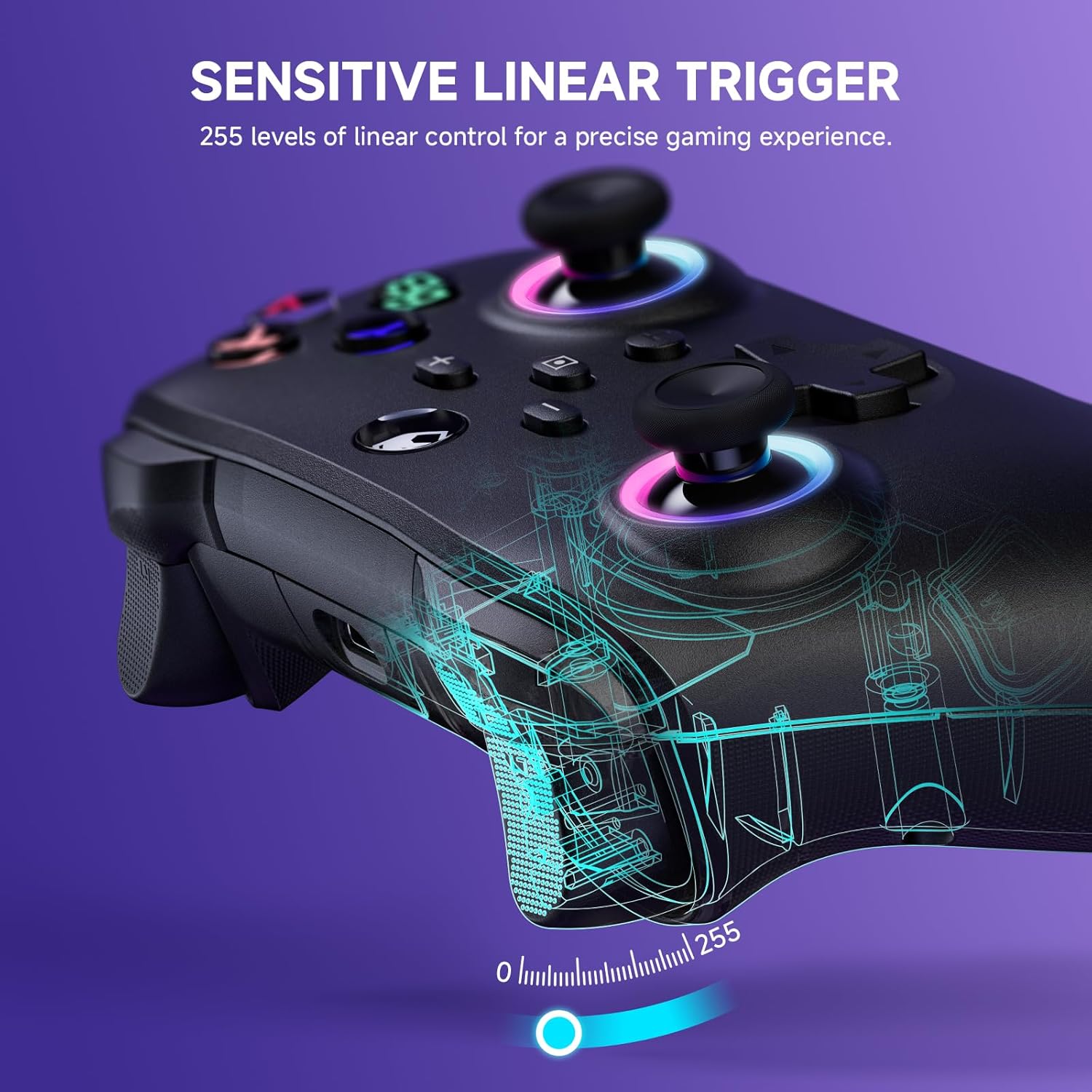
Figure 4.1: Charging the controller and battery life indication.
4.2 Uparivanje s uređajima
The controller supports both wireless (Bluetooth) and wired connections across multiple platforms.
4.2.1 Bežična veza (Bluetooth)
For the first-time connection, ensure the controller is sufficiently charged.
- Nintendo Switch/Switch Lite: From the HOME Menu, select 'Controllers' > 'Change Grip/Order'. While on this screen, press and hold the Y + HOME buttons on the ECHTPower controller simultaneously until the indicator lights begin to flash rapidly. Once paired, the corresponding player indicator light will illuminate solid.
- iOS/Android: Enable Bluetooth on your mobile device. On the controller, press and hold the Y + HOME buttons until the indicator lights flash. Select 'ECHTPower Controller' from the list of available Bluetooth devices on your phone/tablet.
- PC: Ensure your PC has Bluetooth enabled. Press and hold the Y + HOME buttons on the controller. In your PC's Bluetooth settings, add a new device and select 'ECHTPower Controller'.
For subsequent connections, simply press the HOME button on the controller to wake up and automatically reconnect to the last paired device.
4.2.2 Žičano povezivanje
Connect the controller to your device (e.g., PC, Switch dock) using the USB charging cable. The controller will automatically switch to wired mode. This mode is ideal for stable connections and charging during gameplay.
5. Uputstvo za upotrebu
5.1 RGB svjetlosnih efekata
The controller features 9 different color effects and 3 distinct light models, with 4 levels of brightness adjustment (25%, 50%, 75%, 100%).
- Zadani način rada: Breathing cycle when powered on.
- Efekti prebacivanja: Press specific key combinations (refer to the quick start guide included with the controller for exact button presses) to cycle through the light effects. The sequence of modes is: Breathing Cycle > Laser Mode > Neon Mode.
- Podešavanje svjetline: Use the designated button combination to adjust the brightness levels.

Figure 5.1: RGB Lighting on the controller.
5.2 Programmable Macro Buttons (M1, M2)
The M1 and M2 buttons on the back of the controller can be programmed to map single or multiple button functions, allowing for complex skill execution with a single press.
- Programiranje: Enter programming mode (refer to the quick start guide for specific button combinations). Select the button(s) you wish to map, then press M1 or M2 to save the macro.
- Upotreba: Once programmed, pressing M1 or M2 will execute the mapped sequence of actions.
5.3 Turbo funkcija
The turbo function allows for rapid, automatic pressing of a button, available in both auto and manual modes with three adjustable speeds: 5 rounds/s, 12 rounds/s, and 25 rounds/s.
- Aktiviranje Turbo: Select the desired button, then activate turbo mode (refer to the quick start guide for specific button combinations).
- Podešavanje brzine: Cycle through the turbo speeds using the designated button combination.

Figure 5.2: Turbo Function illustration.
5.4 Adjustable Dual Vibration
Built-in dual vibration motors provide haptic feedback with four adjustable levels: Strong, Medium, Weak, and None. This enhances game immersion.
- Adjusting Vibration: Press the designated button combination to cycle through the vibration intensity levels to suit your preference.

Figure 5.3: Dual Vibration feature.
5.5 6-osni žiroskopski senzor
The integrated 6-axis gyro sensors enable precise motion perception control, providing a realistic gaming experience, particularly in games that utilize motion controls.
6. Specifikacije
| Feature | Detalj |
|---|---|
| Broj modela | B0F845S96R |
| Povezivanje | Bluetooth, Wired (USB) |
| Kapacitet baterije | 1000mAh |
| Vrijeme punjenja | Pribl. 2-3 sati |
| Vrijeme igranja | Approx. 6-8 hours (with lights on) |
| Kompatibilnost | Nintendo Switch/Switch Lite, iOS, Android, PC |
| Gyro Sensor | 6-os |
| Vibracije | Dual motors, 4 adjustable levels |
| RGB osvetljenje | 9 colors, 3 modes, 4 brightness levels |
| Dimenzije | 6.3 x 4.72 x 2.72 inča |
| Težina | 9.91 unce |
7. Održavanje
7.1 Čišćenje
To clean the controller, use a soft, dry cloth. Do not use abrasive cleaners, solvents, or strong chemicals, as these may damage the surface or internal components.
7.2 Skladištenje
Kontroler čuvajte na hladnom i suhom mjestu, dalje od direktne sunčeve svjetlosti, ekstremnih temperatura i visoke vlažnosti. Izbjegavajte stavljanje teških predmeta na kontroler.
8. Otkrivanje problema
8.1 Kontroler se ne povezuje/uparuje
- Provjerite je li kontroler potpuno napunjen.
- Provjerite je li Bluetooth omogućen na vašem uređaju.
- Try re-pairing the controller by following the steps in Section 4.2.1.
- If connecting to PC, ensure necessary drivers are installed (usually automatic).
- Pokušajte se povezati putem žičanog načina rada kako biste potvrdili osnovne funkcionalnosti.
8.2 Input Lag or Unresponsiveness
- Check the controller's battery level; low battery can affect performance.
- Ensure there are no strong wireless interference sources nearby (e.g., other Bluetooth devices, Wi-Fi routers).
- Pokušajte se približiti povezanom uređaju.
- Switch to wired mode to see if the issue persists.
8.3 Dugmad ili džojstici ne reaguju
- Ponovo pokrenite kontroler i povezani uređaj.
- Pazite da oko dugmadi ili džojstika nema nakupljenih ostataka.
- Ako se problem nastavi, kontaktirajte korisničku podršku.
9. Garancija i podrška
The ECHTPower Wireless Controller comes with a standard manufacturer's warranty. Please refer to the warranty card included in your package for specific terms and conditions.
If you encounter any issues not covered in this manual or require further assistance, please do not hesitate to contact ECHTPower customer support. Contact information can typically be found on the product packaging or the official ECHTPower website.


