1. Uvod
This manual provides detailed instructions for the safe and efficient operation of your SUPVAN E11 Bluetooth Label Maker. Please read this manual thoroughly before using the device and retain it for future reference.
2. Proizvod je gotovview
The SUPVAN E11 is a versatile, portable label maker designed for various labeling needs in home, kitchen, office, and school environments. It supports both direct keyboard input and smart app control via Bluetooth, offering extensive customization options without the need for ink or toner.
Ključne karakteristike:
- Quick Printing via Keyboard & Smart App: Print directly from the integrated keyboard for frequent labeling tasks or design custom labels using the Bluetooth-enabled app.
- Portable with Rechargeable Battery: Compact (14×7×3 cm) and lightweight (227 g) with a 1200 mAh battery, providing up to 1 month of standby time for mobile and efficient labeling.
- Minimized Print Margins: Prints labels with only 0.5 cm margins, reducing material waste and maximizing efficiency.
- Advanced Editing Functions in the App: Customize labels with over 40 fonts, 50 frames, and 450+ icons. Create and save templates offline, all available for free.
- Compatibility with Various Label Types: Supports continuous, fixed-size, and cable labels, suitable for long texts, batch printing, and cable identification.
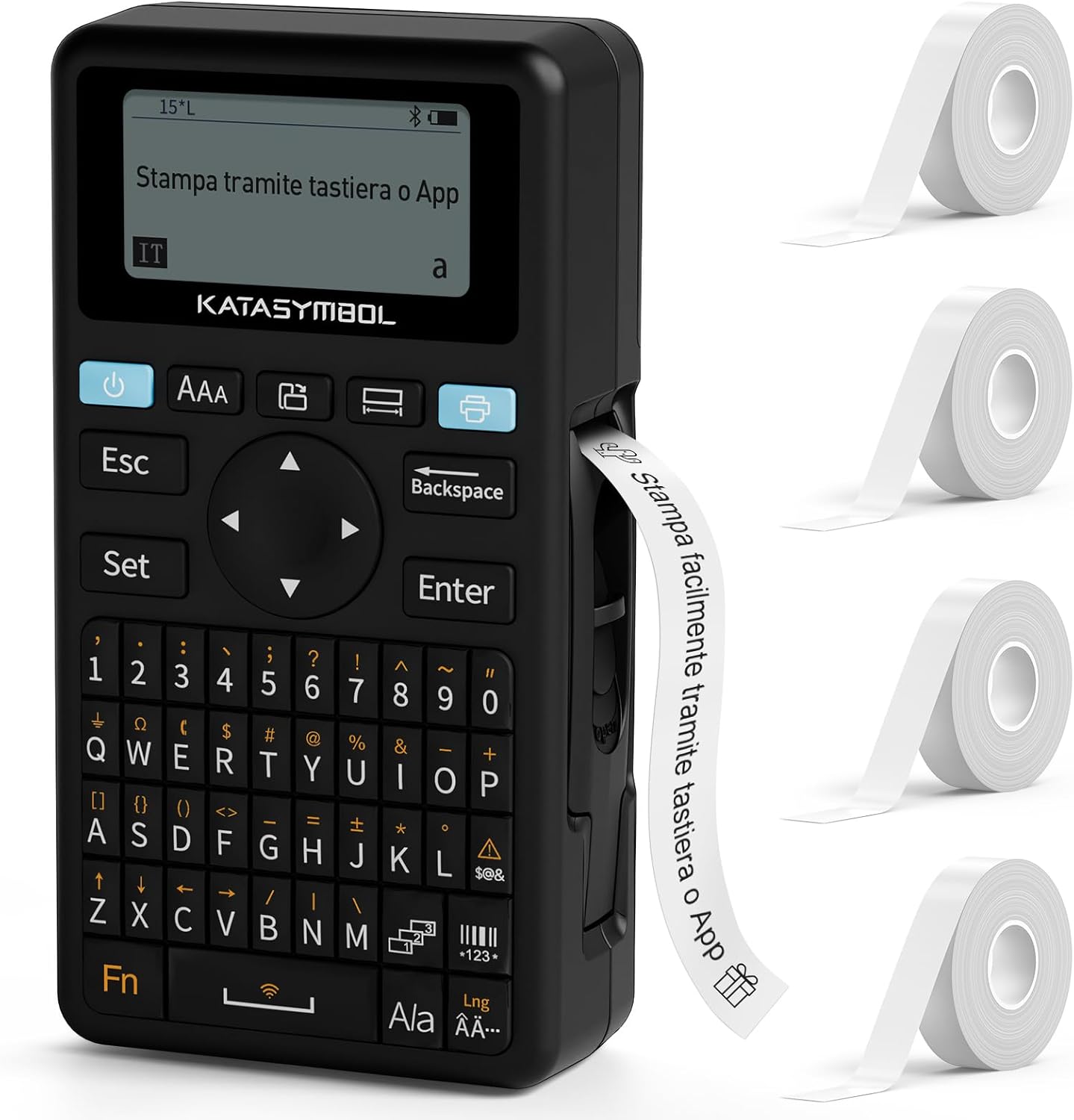
Image: The SUPVAN E11 label maker shown with four rolls of white label tape.

Image: Demonstrates printing using the integrated keyboard and designing labels via a smartphone app connected via Bluetooth.
3. Podešavanje
3.1 Raspakivanje i početni pregled
- Pažljivo izvadite sve komponente iz pakovanja.
- Provjerite da li su prisutni svi artikli navedeni na listi za pakovanje.
- Inspect the device for any signs of damage. If damaged, do not use and contact customer support.

Image: Displays the SUPVAN E11 label maker, four rolls of white label tape, a USB-C charging cable, and the user manual.
3.2 Punjenje uređaja
- Connect the provided USB-C cable to the charging port on the label maker and to a compatible USB power adapter (not included).
- The charging indicator will illuminate. Allow the device to fully charge before first use.

Image: Highlights the integrated 1200 mAh rechargeable battery, offering up to one month of standby time.
3.3 Postavljanje etiketne trake
- Otvorite poklopac odjeljka za etikete.
- Insert a roll of SUPVAN label tape, ensuring the tape feeds correctly through the guide.
- Čvrsto zatvorite poklopac odjeljka.

Image: Illustrates the process of inserting thermal label paper into the SUPVAN E11 label maker, emphasizing that no ink or toner is required.
3.4 App Installation (Optional)
- Download the official SUPVAN app from your device's app store (Android and iOS compatible).
- Omogućite Bluetooth na pametnom telefonu ili tabletu.
- Open the app and follow the on-screen instructions to pair with your E11 label maker.
4. Uputstvo za upotrebu
4.1 Uključivanje/isključivanje
- Da biste uključili uređaj, pritisnite i držite dugme za napajanje dok se ekran ne osvijetli.
- Da isključite, pritisnite i držite dugme za napajanje dok se uređaj ne isključi.
4.2 Printing from Keyboard
- Uključite uređaj za izradu etiketa.
- Koristite QWERTY tastaturu za unos željenog teksta.
- Press the 'Print' button to print the label.
4.3 Printing via App (Bluetooth)
- Ensure the label maker is powered on and paired with the app.
- Open the SUPVAN app on your smartphone/tablet.
- Odaberite predložak ili kreirajte novi dizajn etikete.
- Utilize the app's editing features (fonts, icons, frames) to customize your label.
- Tap the 'Print' button within the app to send the label to the E11.

Image: Illustrates the two printing methods: direct input via the QWERTY keyboard and advanced editing and printing via the connected smartphone app.

Image: Showcases the app's extensive customization options, including over 40 fonts, 50 frames, 450+ icons, and support for barcodes and QR codes.
4.4 Label Types and Applications
The E11 supports various label types for diverse applications:
- Fixed-Size Labels: Ideal for standard item identification (e.g., food containers, office files).
- Kontinuirane oznake: Suitable for longer texts or custom lengths.
- Oznake kablova: Designed for organizing and identifying cables.
- Okrugle etikete: Perfect for small items or decorative purposes.

Image: Displays examples of different label types supported by the E11, including cut-to-print, continuous roll, round, and cable labels.

Image: Shows various practical applications of the label maker, such as labeling bottles, office binders, storage boxes, and notebooks.
5. Održavanje
5.1 Čišćenje glave za štampanje
- Prije čišćenja provjerite je li uređaj isključen iz struje.
- Gently wipe the print head with a soft, lint-free cloth moistened with isopropyl alcohol.
- Allow the print head to dry completely before use.
5.2 Njega baterija
- Redovno punite bateriju, čak i ako se uređaj ne koristi često, kako biste održali njeno zdravlje.
- Izbjegavajte izlaganje uređaja ekstremnim temperaturama.
5.3 Pohranjivanje etiketa
- Store label rolls in a cool, dry place away from direct sunlight to prevent degradation.
6. Otkrivanje problema
Uobičajeni problemi i rješenja:
| Problem | Mogući uzrok | Rješenje |
|---|---|---|
| Uređaj se ne uključuje | Slaba baterija; Kvar uređaja | Charge the device; Contact support if issue persists |
| Loš kvalitet štampe | Dirty print head; Incorrect label type; Low battery | Clean print head; Ensure correct label tape is used; Charge device |
| Etikete se ne uvlače ispravno | Improper tape installation; Tape jammed | Reinstall label tape correctly; Clear any jams carefully |
| Povezivanje putem Bluetooth-a nije moguće | Bluetooth off; Device not paired; App issue | Ensure Bluetooth is on; Re-pair device in app; Restart app/device |
7. Specifikacije
- Brand: SUPVAN
- Model: E11
- Dimenzije proizvoda: 17 x 9 x 5.2 cm
- Težina artikla: 230 grama
- baterija: 1 litijum-polimer (1200 mAh)
- Tehnologija povezivanja: Bluetooth
- Tehnologija štampe: Thermal
- Max Paper Size Supported: 15 mm x 6 m
- Max Print Resolution (Black & White): 203 dpi
- Max Print Speed (Black & White): 40 Pages per minute (Note: This is a standard printer metric, actual label printing speed may vary)
- Interfejs: USB-C (za punjenje)
- Ulazni interfejs: Tastatura
- Tip kontrolera: Android and iOS (via app)
- Posebne karakteristike: Portable, Inkless Printing, Minimized Margins
8. Garancija i podrška
8.1 Informacije o garanciji
Please refer to the warranty card included with your product for specific warranty terms and conditions. Typically, SUPVAN products come with a limited warranty covering manufacturing defects from the date of purchase.
8.2 Korisnička podrška
For technical assistance, troubleshooting, or warranty claims, please contact SUPVAN customer support through the official webweb-mjesto ili kontakt informacije navedene u pakovanju vašeg proizvoda. Također možete posjetiti SUPVAN Brand Store za više informacija.


