1. Uvod
This manual provides instructions for the setup, operation, maintenance, and troubleshooting of your CRUA 27-inch 240Hz QHD IPS Gaming Monitor. This monitor features a 2560x1440 QHD resolution, a 240Hz refresh rate, an IPS panel for wide viewing angles, AMD FreeSync support, a blue light filter for eye protection, and built-in speakers. Please read this manual thoroughly before using the product.
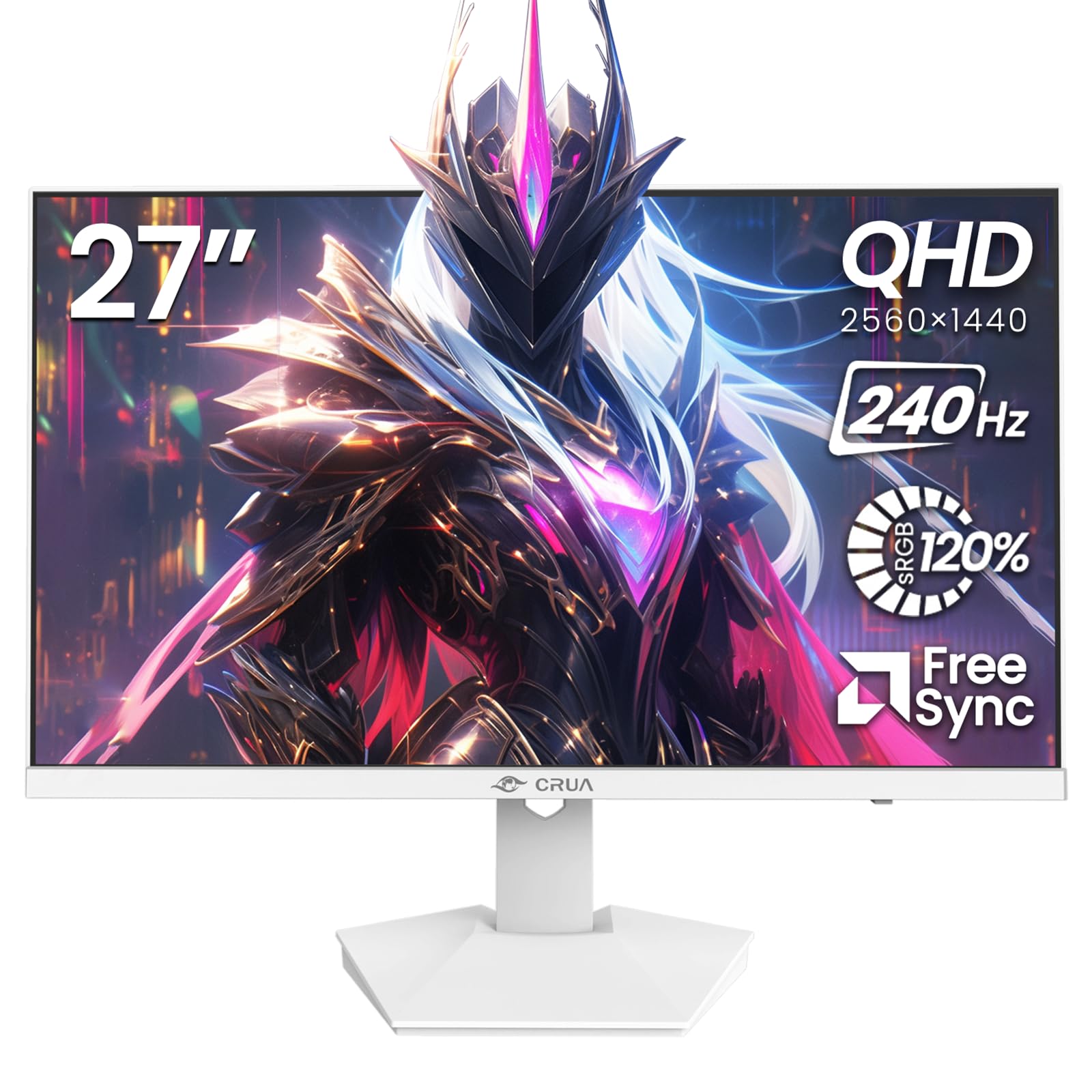
Slika: Front view of the CRUA 27-inch 240Hz QHD IPS Gaming Monitor.
2. Sadržaj paketa
Provjerite da li su sve stavke prisutne u paketu:
- CRUA 27-inch 240Hz QHD IPS Gaming Monitor
- Stalak za monitor (baza i vrat)
- Adapter za napajanje i kabl
- HDMI kabl
- DisplayPort (DP) kabel
- Korisnički priručnik (ovaj dokument)
3. Podešavanje
3.1 Sastavljanje postolja
- Pažljivo izvadite monitor iz ambalaže i postavite ga licem prema dolje na meku, čistu površinu kako biste spriječili ogrebotine.
- Pričvrstite vrat postolja na ploču monitora. Provjerite da li je sigurno uglavljen na svoje mjesto.
- Attach the stand base to the stand neck. Tighten any screws if provided.
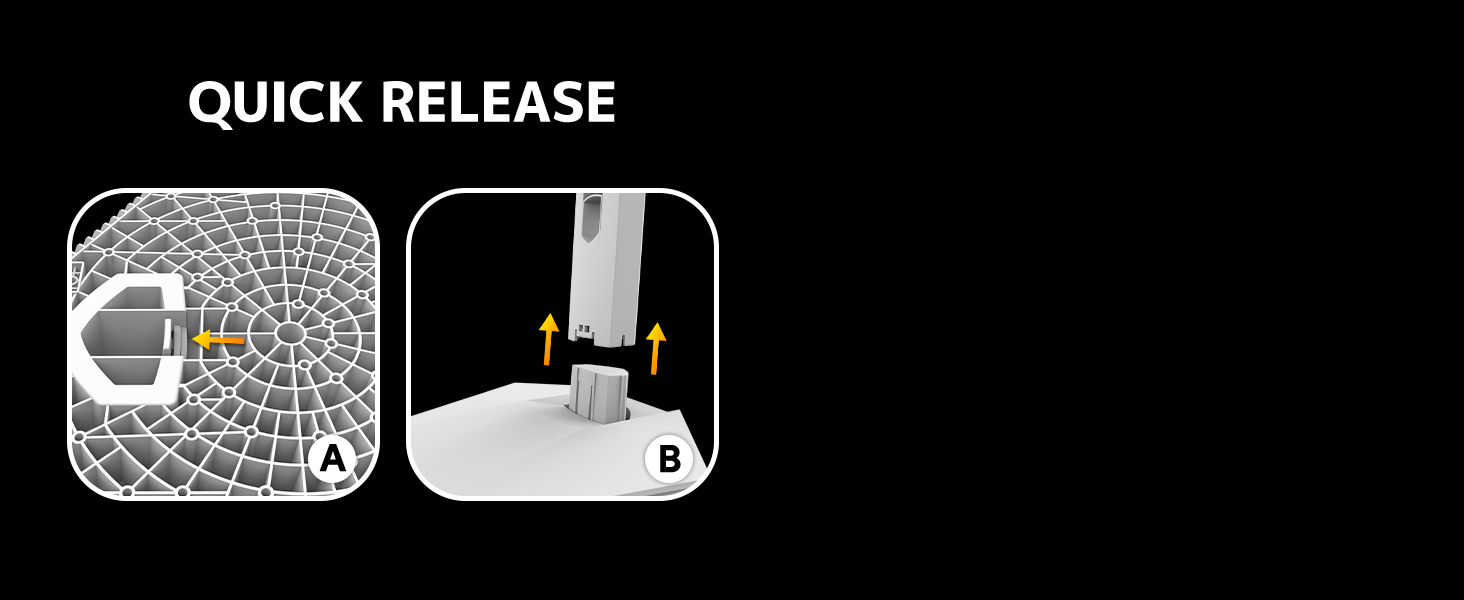
Image: Diagram illustrating the quick release stand assembly.
3.2 Montiranje na zid (opciono)
The monitor supports VESA wall mounting (75mm x 75mm). To wall mount:
- Remove the stand from the monitor if it is already attached.
- Attach a VESA-compatible wall mount bracket (not included) to the monitor using appropriate screws.
- Follow the instructions provided with your wall mount for secure installation.

Slika: Stražnja strana view of the monitor showing VESA mount points (75x75mm) and built-in speakers.
3.3 Povezivanje sa računarom
Connect the monitor to your computer using one of the following methods:
- DisplayPort (DP 1.4): For optimal performance, especially at 240Hz QHD resolution, use the included DisplayPort cable.
- HDMI (HDMI 2.0): Use an HDMI cable for QHD resolution at up to 144Hz.
Spojite adapter za napajanje na ulaz za napajanje monitora, a zatim ga uključite u utičnicu.

Slika: Stražnja strana view of the monitor displaying the input ports, including HDMI and DisplayPort.
4. Uputstvo za upotrebu
4.1 Uključivanje/isključivanje napajanja
Press the power button located on the back of the monitor to turn it on or off. The power button may resemble a joystick for OSD navigation.
4.2 On-Screen Display (OSD) meni
The OSD menu allows you to adjust various monitor settings. Use the joystick-like button on the back of the monitor to navigate the menu:
- Pritisnite dugme: Otvara OSD meni.
- Pomicanje gore/dolje: Navigacija kroz opcije menija.
- Pomicanje lijevo/desno: Adjusts selected settings or enters sub-menus.
- Pritisnite ponovo: Confirms selection or exits a sub-menu.
4.3 Postavke ekrana
Unutar OSD menija možete podesiti:
- Svjetlina/kontrast: Podesite ukupnu svjetlinu i omjer kontrasta.
- Postavke boja: Fine-tune color temperature, hue, and saturation. The monitor offers 120% sRGB color coverage for accurate and vibrant visuals.
- Izvor ulaza: Ručno odaberite između HDMI i DisplayPort ulaza.

Image: Details on true color accuracy, including 120% sRGB, 8-bit color depth, and 16.7 million colors.
4.4 Funkcije za igranje
- Brzina osvježavanja: The monitor supports up to 240Hz refresh rate for smooth motion. Ensure your graphics card and cable support this rate.
- AMD FreeSync: Enable FreeSync in the OSD menu and on your AMD graphics card settings to eliminate screen tearing and stuttering.

Slika: Vizuelno poređenje koje prikazuje glatkoću brzine osvježavanja od 240Hz u odnosu na 60Hz.

Image: Illustrates the effect of Adaptive Sync (FreeSync) on reducing screen tearing and stuttering.
4.5 Zaštita očiju
The monitor includes a built-in blue light filter to reduce eye strain during extended use. This feature can be enabled or adjusted through the OSD menu.
5. Održavanje
Da biste održali performanse i izgled vašeg monitora:
- Čišćenje ekrana: Nježno obrišite ekran mekom krpom koja ne ostavlja dlačice. Za tvrdokorne mrlje koristite sredstvo za čišćenje specifično za monitore naneseno na krpu, a ne direktno na ekran.
- Čišćenje C-aasing: Koristite meku, suhu krpu za brisanje monitora casing. Izbjegavajte abrazivna sredstva za čišćenje ili rastvarače.
- Iskljuciti: Uvijek isključite monitor i iskopčajte ga iz električne utičnice prije čišćenja.
6. Otkrivanje problema
| Problem | Mogući uzrok | Rješenje |
|---|---|---|
| Nema slike na ekranu | Monitor is off or not receiving signal. | Ensure power cable is connected and monitor is on. Check video cable connection (HDMI/DP) to both monitor and computer. Select correct input source via OSD. |
| Treperenje ili kidanje slike | FreeSync not enabled or incompatible settings. | Enable FreeSync in the monitor OSD and your graphics card control panel. Ensure your graphics card drivers are up to date. |
| Poor picture quality (blurry, incorrect colors) | Incorrect resolution, color settings, or faulty cable. | Set display resolution to 2560x1440. Adjust brightness, contrast, and color settings in the OSD. Try a different video cable. |
| Nema zvuka iz ugrađenih zvučnika | Volume too low, incorrect audio output selected. | Increase monitor volume via OSD. Ensure the monitor is selected as the audio output device in your computer's sound settings. |
| Mrtvi pikseli | Manufacturing defect. | Refer to warranty information for pixel policy. Contact customer support if within warranty. |
7. Specifikacije
| Feature | Specifikacija |
|---|---|
| Broj modela | CR270I |
| Veličina ekrana | 27 inča |
| Tip panela | IPS |
| Rezolucija | 2560 x 1440 (QHD) |
| Refresh Rate | 240Hz |
| Aspect Ratio | 16:9 |
| Gamut boja | 120% sRGB |
| Osvetljenost | 300 cd/m² |
| Kontrast Ratio | 1000:1 |
| Viewing Angle | 178° (horizontalno/vertikalno) |
| Video ulazi | HDMI 2.0, DisplayPort 1.4 |
| Audio | Ugrađeni zvučnici |
| VESA Mount | 75mm x 75mm |
| Dimenzije proizvoda | 1.78 x 24 x 14 inča |
| Težina artikla | 12.62 funte |
8. Garancija i podrška
CRUA provides high-quality computer monitors and premium services. If you have any questions or require assistance, please contact CRUA customer support. Refer to your purchase documentation for specific warranty terms and contact information.


