1. Uvod
This manual provides detailed instructions for the setup, operation, maintenance, and troubleshooting of your BOSGAME P3 Mini PC. Please read this manual thoroughly before using the device to ensure optimal performance and longevity.
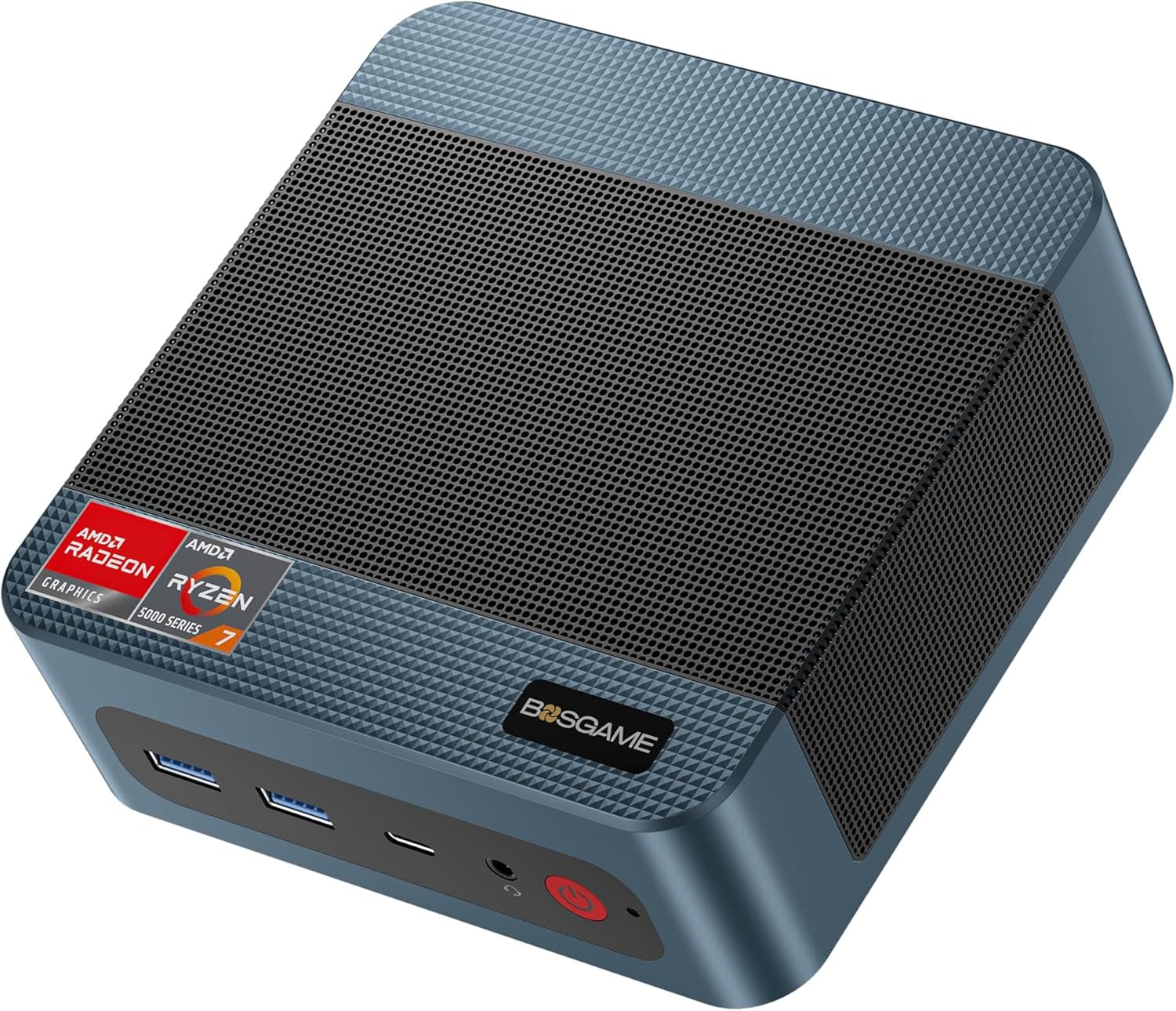
Image 1.1: The BOSGAME P3 Mini PC, a compact desktop computer.
2. Šta se nalazi u kutiji
Provjerite da li su sve stavke prisutne u paketu:
- 1 × BOSGAME P3 Mini PC
- 1 × HDMI kabl
- 1 × adapter za napajanje
- 1 × VESA Mount & Screws
- 1 × Korisnički priručnik (ovaj dokument)

Image 2.1: Contents of the BOSGAME P3 Mini PC package, including the mini PC, HDMI cable, power adapter, VESA mount, and user manual.
3. Proizvod je gotovview
3.1. Ključne karakteristike
- procesor: AMD Ryzen 7 6800H (8 Cores, 16 Threads, up to 4.7GHz)
- Grafika: AMD Radeon 680M GPU (1900MHz)
- Memorija: 32GB (16GB x2) Dual-channel DDR5 4800MHz RAM (expandable to 64GB)
- Skladištenje: 1TB M.2 2280 PCIe 4.0 SSD (expandable to 4TB)
- Izlaz ekrana: Triple display support via 1x HDMI 2.0, 1x DisplayPort, and 1x USB4 (8K@60Hz)
- mreža: Dual 2.5G LAN, WiFi 6E
- bežični: Bluetooth 5.2
- USB portovi: USB4 port with PD 3.0 (up to 100W), USB 3.2 Gen2 10Gbps, USB 2.0 480Mbps

Slika 3.1: Prednja strana view of the BOSGAME P3 Mini PC highlighting its compact size and key specifications like AMD Ryzen 7 6800H, DDR5 RAM, NVMe SSD, triple screen support, Radeon Graphics, Wi-Fi 6E, Bluetooth 5.2, and 2.5G RJ45 LAN.
3.2. Portovi i interfejsi
The BOSGAME P3 Mini PC features a variety of ports for connectivity:
- Prednja ploča: Power button, Audio Jack, USB4 (Full-featured, PD 3.0), 2x USB 3.2 Gen2 10Gbps
- Zadnji panel: DC power input, 2x RJ45 2.5G LAN, HDMI 2.0, DisplayPort, 2x USB 2.0

Slika 3.2: Detaljno view of the front and rear interfaces of the BOSGAME P3 Mini PC, showing USB ports, audio jack, power button, DC input, LAN ports, HDMI, and DisplayPort.
3.3. Unutrašnje komponente
The Mini PC is equipped with high-performance components for efficient operation:
- Memorija: Two SODIMM slots for DDR5 4800MHz RAM.
- Skladištenje: One M.2 2280 NVMe PCIe 4.0 SSD slot.

Slika 3.3: Unutrašnje view showing the SODIMM DDR5 4800MHz memory modules and the M.2 2280 NVMe PCIe 4.0 SSD slot.
3.4. Heat Dissipation and Noise
The BOSGAME P3 Mini PC incorporates an efficient cooling system to maintain optimal operating temperatures and minimize noise.

Image 3.4: Diagram illustrating the highly efficient heat dissipation system with a cooling fan and heat conduits.
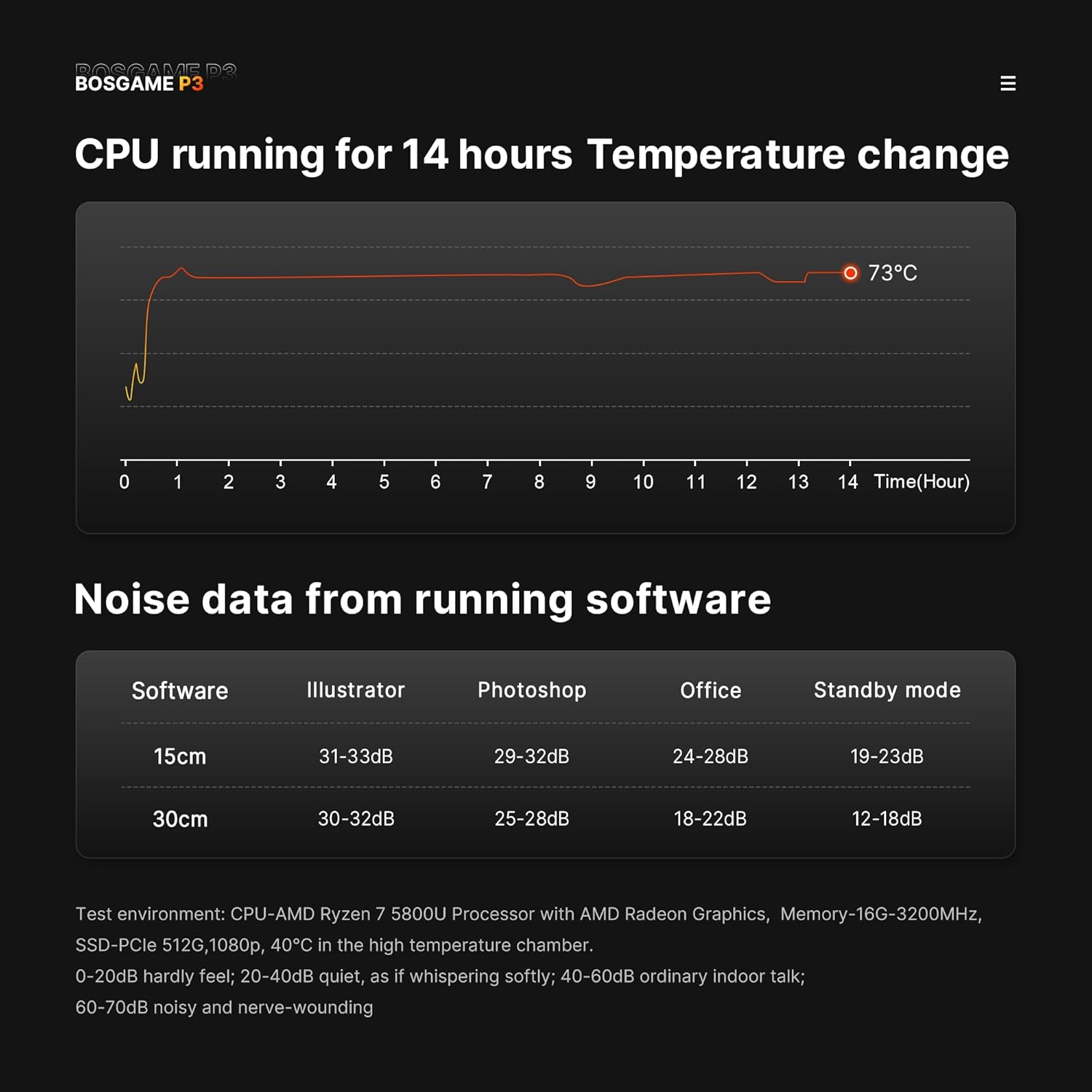
Image 3.5: Graphs showing CPU temperature change over 14 hours and noise levels (dB) during various software operations, indicating quiet performance.
4. Vodič za postavljanje
4.1. Povezivanje perifernih uređaja
- Poveži ekran: Connect your monitor(s) to the HDMI, DisplayPort, or USB4 port using appropriate cables. The device supports up to three displays simultaneously.
- Povežite tastaturu i miš: Priključite USB tastaturu i miš u dostupne USB portove.
- Poveži mrežu (opciono): For a wired internet connection, connect an Ethernet cable from your router or modem to one of the 2.5G LAN ports.
- Priključite napajanje: Plug the power adapter into the DC input port on the rear of the Mini PC, then plug the adapter into a power outlet. Alternatively, use a compatible USB-C PD 3.0 power source (up to 100W) with the front USB4 port for power.
4.2. Početno uključivanje
- Press the power button on the front panel of the Mini PC. The power indicator light will illuminate.
- Follow the on-screen instructions to complete the operating system setup (e.g., Windows 11 Pro).
Video 4.1: Overview of the BOSGAME P3 Mini PC, demonstrating its compact size, internal components, connectivity options, and multi-display capabilities. This video provides a visual guide to the product's features and potential uses.
5. Uputstvo za upotrebu
5.1. Uključivanje/isključivanje
- Za uključivanje: Pritisnite dugme za napajanje jednom.
- Za isključivanje: Click the Start menu in your operating system and select 'Power' > 'Shut down'.
- To Force Shut Down: Press and hold the power button for approximately 5-7 seconds until the device powers off. Use this only if the system is unresponsive.
5.2. Konfiguracija ekrana
The Mini PC supports triple display output. To configure multiple displays:
- Connect all desired monitors to the available HDMI, DisplayPort, and USB4 ports.
- U Windowsu, kliknite desnim tasterom miša na radnu površinu i izaberite "Postavke ekrana".
- Arrange your displays, set resolutions, and choose display modes (e.g., Extend, Duplicate) as needed.
5.3. Mrežna povezanost
- Žična veza: Ensure an Ethernet cable is connected to a 2.5G LAN port. The system should automatically detect the connection.
- Bežična veza (Wi-Fi 6E): In Windows, click the network icon in the taskbar, select your Wi-Fi network, enter the password, and connect.
- Bluetooth 5.2: Da biste uparili Bluetooth uređaje, idite na Postavke sustava Windows > Uređaji > Bluetooth i drugi uređaji i slijedite upute za dodavanje novog uređaja.
6. Održavanje
6.1. Čišćenje
- Redovno čistite spoljašnjost Mini PC-a mekom, suhom krpom.
- Use compressed air to gently clear dust from the ventilation grilles to ensure proper airflow and heat dissipation. Do not insert objects into the vents.
6.2. Ažuriranja softvera
Keep your operating system and drivers updated to ensure optimal performance and security. Check for updates regularly through your operating system's settings.
6.3. Upravljanje skladištem
Periodically check your SSD storage usage and delete unnecessary files to maintain system speed. Consider external storage solutions for large data archives.
7. Otkrivanje problema
7.1. Nema struje
- Provjerite je li adapter za napajanje sigurno priključen i na Mini PC i na ispravnu utičnicu.
- Testirajte utičnicu s drugim uređajem kako biste potvrdili da je funkcionalna.
- If using a USB-C PD power source, ensure it meets the 100W requirement and is connected to the correct USB4 port.
7.2. Nema izlaza za prikaz
- Verify that the monitor is powered on and set to the correct input source (HDMI, DisplayPort, or USB-C).
- Check that the display cables are securely connected to both the Mini PC and the monitor.
- Try connecting to a different display port or using a different cable to rule out faulty components.
7.3. Problemi s mrežnom povezivošću
- Ožičeno: Ensure the Ethernet cable is properly connected and your router/modem is working. Check network adapter settings in the operating system.
- bežični: Verify Wi-Fi is enabled and you are connecting to the correct network with the correct password. Restart your router/modem.
7.4. Problemi s performansama sistema
- Zatvorite nepotrebne aplikacije koje rade u pozadini.
- Ensure the system has adequate ventilation and is not overheating.
- Run a disk cleanup and defragmentation (if applicable) or check SSD health.
- Ažurirajte drajvere i operativni sistem.
8. Specifikacije
| Feature | Specifikacija |
|---|---|
| Procesor | AMD Ryzen 7 6800H (8 Cores, 16 Threads, up to 4.7GHz) |
| Grafika | AMD Radeon 680M (integrisana grafika) |
| RAM | 32GB DDR5 4800MHz (2x16GB, expandable to 64GB) |
| Skladištenje | 1TB M.2 2280 PCIe 4.0 SSD (expandable to 4TB) |
| Operativni sistem | Windows 11 Pro |
| Display Output | 1x HDMI 2.0 (4K@60Hz), 1x DisplayPort (4K@60Hz), 1x USB4 (8K@60Hz) |
| Mreža | Dual 2.5G RJ45 LAN, WiFi 6E |
| Bežični | Bluetooth 5.2 |
| USB portovi | 1x USB4 (Full-featured, PD 3.0), 2x USB 3.2 Gen2 10Gbps, 2x USB 2.0 |
| Težina artikla | 2.6 funte |
| Dimenzije paketa | 6.5 x 4.92 x 4.17 inča |
9. Garancija i podrška
BOSGAME provides a 1-year professional factory support warranty for this product. Additionally, free and reliable lifetime after-sales service is available, along with 24/7 online customer service.
For technical assistance, warranty claims, or any inquiries, please contact BOSGAME customer support through the official channels provided at the time of purchase or visit the BOSGAME Store on Amazon.
All products have FCC, ROHS, and CE certifications.


