1. Proizvod je gotovview
The Hodozzy 9-inch Android Car Stereo is designed for Ford Fiesta models manufactured between 2009 and 2014. This high-performance unit features the latest Android 15 system, 4GB RAM, and 64GB ROM, ensuring smooth operation for music, video, and navigation. The 1280*720 high-definition screen offers a clear visual experience and supports customizable themes and homepage apps for a personalized in-car environment.
Key features include wireless CarPlay and Android Auto for seamless smartphone integration, built-in GPS for navigation, WiFi connectivity for online services, Bluetooth 5.0 for hands-free communication and audio streaming, a 32-band DSP equalizer for enhanced sound quality, and FM/RDS radio functionality.
2. Šta se nalazi u kutiji
Nakon otvaranja pakovanja, provjerite da li su sve komponente prisutne:
- Hodozzy 9-inch Android Car Stereo Unit with Frame
- Power Cable / Canbus
- Originalni USB kabel
- USB kabel
- Radio antena
- RCA kabel
- GPS antena
- mikrofon (MIC)
- Ulazni kabel zadnje kamere
- Zadnja kamera
- Alat za instalaciju
- Korisnički priručnik (ovaj dokument)
Video: This video demonstrates the unboxing process and shows all the components included in the package for the Hodozzy Android Car Stereo.

Image: A visual representation of all items included in the Hodozzy Android Car Stereo package, including the main unit, various cables, GPS antenna, microphone, rear camera, and installation tools.
3. Instalacija
Before beginning installation, ensure your vehicle is turned off and the battery is disconnected to prevent electrical damage. Compare the dash size and shape of your car with the provided unit to confirm compatibility. Professional installation is recommended.
3.1 Sastavljanje komponenti
The main unit comes pre-assembled with the custom frame for the Ford Fiesta. Carefully remove the unit from its packaging.
Video: This video demonstrates the initial handling of the car stereo unit and its frame, showing how it fits together before vehicle installation.
3.2 Ožičenje
Connect the provided wiring harnesses to the corresponding ports on the car stereo and your vehicle's existing wiring. Refer to the wiring diagram in the included user manual for specific connections.
- Power Cable/Canbus: Connect the main power harness and Canbus decoder to the vehicle's power and data lines.
- Radio antena: Connect the radio antenna adapter to ensure FM/RDS reception.
- USB kablovi: Connect the original USB cable and additional USB cable for external devices.
- RCA kabel: Use for external audio/video input/output, including subwoofer connections.
- GPS antena: Postavite GPS antenu na mjesto sa čistim view neba za optimalan prijem signala.
- Mikrofon (MIC): Povežite eksterni mikrofon za bolji kvalitet poziva.
- stražnja kamera: Connect the rear camera input cable and the rear camera for parking assistance.
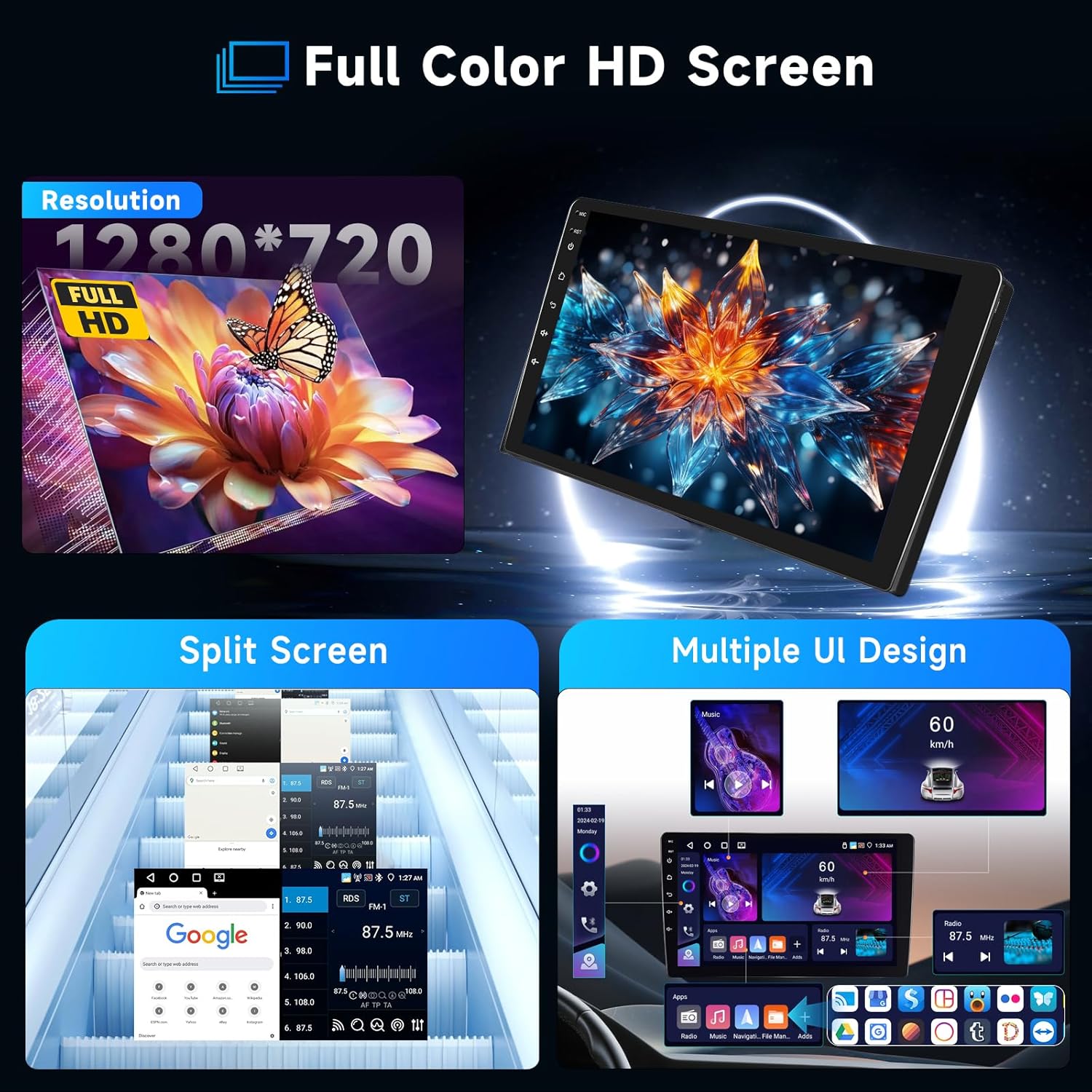
Image: Detailed wiring diagram showing connections for power, RCA, USB, GPS, and camera inputs for the Hodozzy Android Car Stereo.
3.3 Upravljanje volanom (SWC)
The Canbus decoder typically handles steering wheel control integration automatically. If manual configuration is required, access the SWC settings in the system menu.
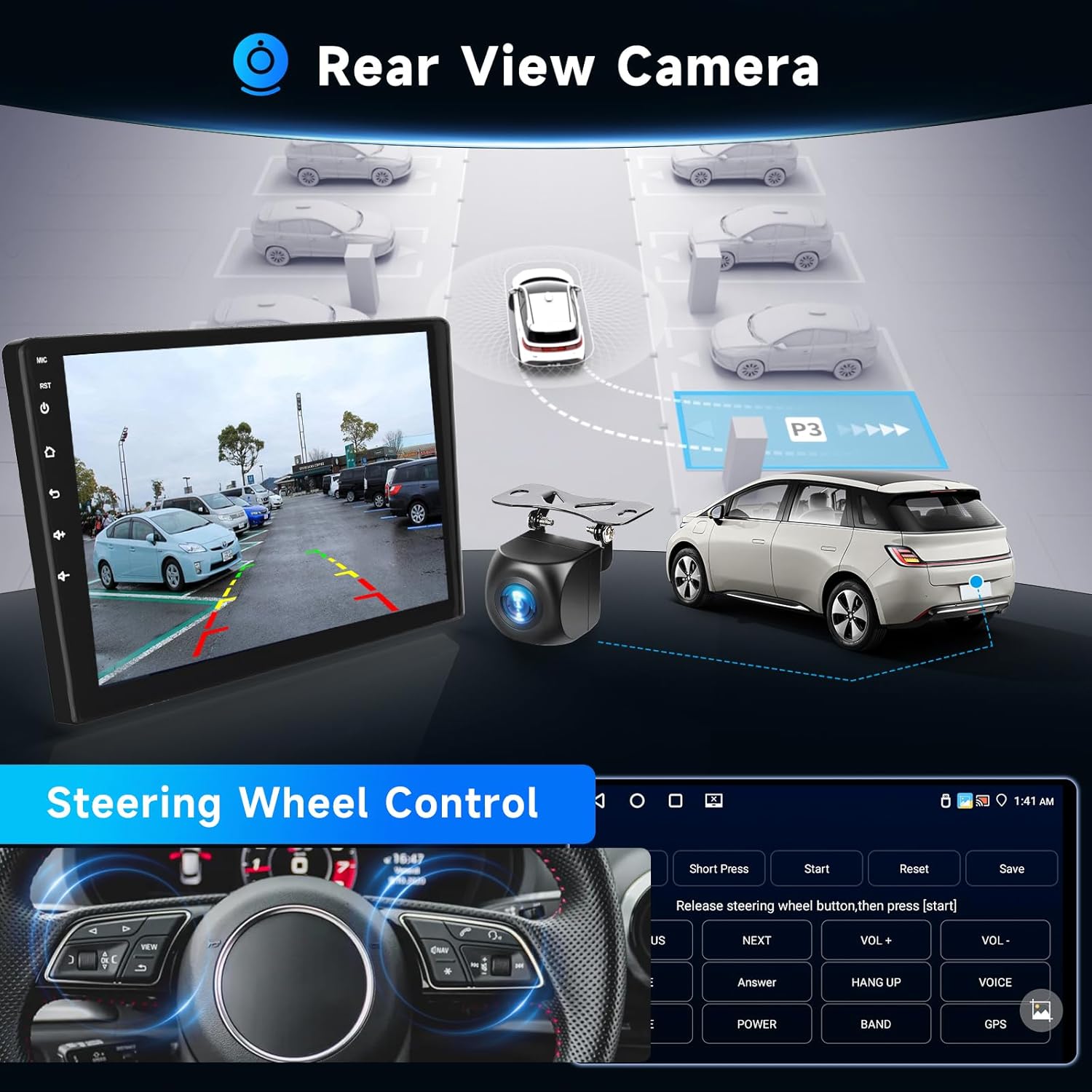
Image: Illustrates the rear view camera functionality and the on-screen interface for configuring steering wheel controls.
4. Početno podešavanje
After installation, reconnect the vehicle battery and power on the unit. Follow the on-screen prompts for initial setup.
- Odabir jezika: Choose your preferred system language.
- Vrijeme i datum: Podesite tačnu vremensku zonu, datum i vrijeme.
- WiFi veza: Connect to a local WiFi hotspot (e.g., from your smartphone) to enable online features and download apps.
- GPS kalibracija: Ensure the GPS antenna is properly installed and the system acquires a satellite signal for accurate navigation.
5. Uputstvo za upotrebu
5.1 Bežični CarPlay i Android Auto
This unit supports wireless CarPlay for iOS devices and wireless Android Auto for Android devices. Connect your smartphone via Bluetooth to access messaging, contacts, navigation, and music through the car stereo interface. Voice assistants (Siri/Google Assistant) are integrated for hands-free control.
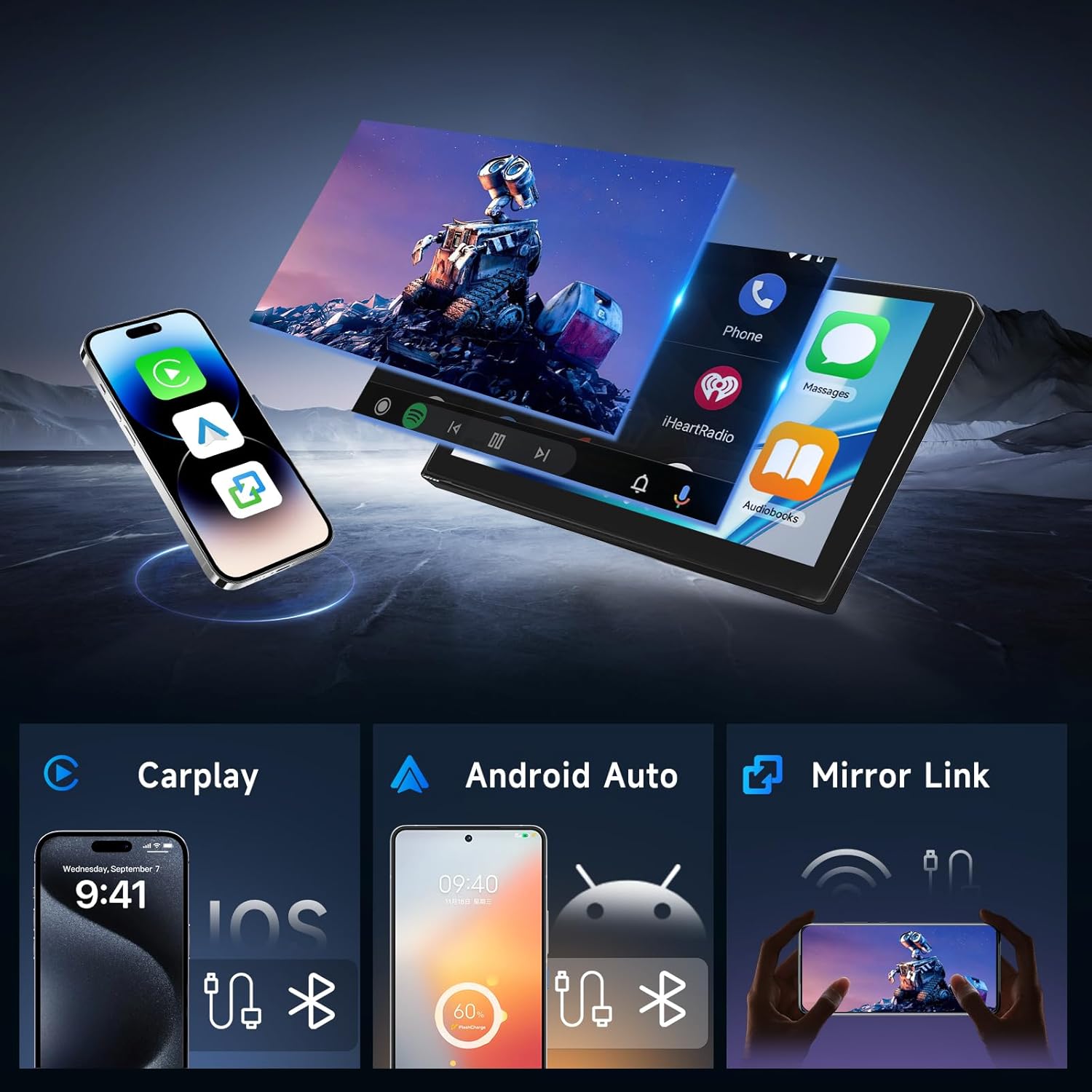
Image: Demonstrates the user interface for Wireless CarPlay, Android Auto, and Mirror Link, showing how smartphone content is displayed on the car stereo screen.
5.2 GPS navigacija
The built-in GPS antenna supports online navigation using pre-installed map applications. You can also download offline maps for navigation without an internet connection.

Image: Shows the GPS navigation interface with route display and highlights the WiFi connection capability for online services.
5.3 Bluetooth 5.0
Pair your smartphone via Bluetooth for hands-free calling and music streaming. The system supports auto-connect functionality for convenience. An external microphone is included for high-quality call audio.
5.4 FM/RDS radio
Access FM radio stations with RDS (Radio Data System) support. The unit provides 18 preset radio stations (FM 87.50-108.0 MHz).

Image: Displays the graphical interface for the 32-band DSP equalizer, Bluetooth phone functions, and the FM/RDS radio tuner.
5.5 Digitalni procesor zvuka (DSP)
Utilize the integrated 32-band equalizer and various preset sound styles (e.g., rock, jazz, classical) to customize and enhance your audio experience.
5.6 Funkcionalnost podijeljenog ekrana
Funkcija podijeljenog ekrana omogućava vam istovremeno pokretanje dvije aplikacije na 9-inčnom ekranu, kao što su navigacija i reprodukcija muzike.
Image: Highlights the 1280*720 Full HD resolution screen, demonstrates the split-screen capability, and shows examples of different user interface designs.
6. Specifikacije
| Feature | Specifikacija |
|---|---|
| Operativni sistem | Android 15 |
| RAM | 4GB |
| ROM | 64GB |
| Veličina ekrana | 9 inča |
| Rezolucija | 1280 x 720 |
| Povezivanje | Bluetooth 5.0, WiFi, USB |
| Posebne karakteristike | Wireless CarPlay, Android Auto, Mirror Link, GPS, DSP, FM/RDS Radio, Steering Wheel Control, Rear-view Camera Input, RCA Output, Split Screen |
| Vrsta montaže | Montaža na instrument tabli |
| Težina artikla | 4.33 funte |
| Dimenzije paketa | 14.37 x 12.17 x 7.09 inča |
7. Održavanje
To ensure the longevity and optimal performance of your Hodozzy car stereo, follow these maintenance guidelines:
- čišćenje: Za čišćenje ekrana i vanjske površine koristite meku, suhu krpu. Izbjegavajte abrazivna sredstva za čišćenje ili rastvarače.
- Ažuriranja softvera: Periodically check for and install system software updates to improve performance and add new features.
- temperatura: Izbjegavajte izlaganje uređaja ekstremnim temperaturama, i visokim i niskim, tokom dužeg perioda.
- Snaga: Ensure stable power supply to prevent damage. If installing accessories, consult a professional.
8. Otkrivanje problema
Ako imate problema sa stereo uređajem u automobilu, pogledajte sljedeće uobičajene probleme i rješenja:
- Nema napajanja: Check all power cable connections. Ensure the vehicle's battery is charged and properly connected. Verify fuses.
- Nema zvuka: Provjerite priključke zvučnika. Uvjerite se da zvuk nije isključen ili prenisko postavljen. Provjerite postavke audio izlaza.
- Gubitak GPS signala: Ensure the GPS antenna is mounted in a clear location. Check antenna connection.
- Problemi sa Bluetooth vezom: Provjerite je li Bluetooth omogućen i na stereo uređaju i na telefonu. Izbrišite prethodna uparivanja i pokušajte se ponovo povezati.
- CarPlay/Android Auto se ne povezuje: Ensure your phone's Bluetooth and WiFi are on. Check for software updates on both the stereo and your phone.
- Ekran na dodir ne reaguje: Restart the unit. If the issue persists, a factory reset might be necessary (note: this will erase all user data).
Za uporne probleme koji nisu ovdje obuhvaćeni, obratite se korisničkoj podršci.
9. Garancija i podrška
Your Hodozzy Android Car Stereo comes with a standard warranty. For specific warranty details, please refer to the documentation included with your purchase or contact customer support.
9.1 Planovi zaštite
Prošireni planovi zaštite dostupni su za kupovinu zasebno:
- Dvogodišnji plan zaštite
- Dvogodišnji plan zaštite
9.2 Korisnička podrška
For technical assistance, troubleshooting, or warranty inquiries, please contact Hodozzy customer support:
Email: hodozzyofficial@163.com
We aim to reply within 18 hours.


