1. Uvod
This manual provides essential information for the safe and efficient operation of your DOOGEE Blade10 Energy rugged smartphone. Please read this manual thoroughly before using your device to ensure proper functionality and to prevent damage.
The DOOGEE Blade10 Energy is designed for durability and performance, featuring an Android 15 operating system, an octa-core processor, a 6.56-inch HD+ 90Hz display, a 16MP camera, and IP68/IP69K water and dust resistance.
2. Sadržaj paketa
Provjerite da li su sve stavke prisutne u paketu:
- DOOGEE Blade 10 Energy rugged phone
- USB kabel Type-C
- Punjač
- Tempered Glass Protective Film (Pre-applied)
- Sling
- Uputstvo za upotrebu
- Garantni list
- Zaštitna torbica

Image: Contents of the DOOGEE Blade10 Energy retail package, including the phone, charger, cable, and accessories.
3. Izgled uređaja
Upoznajte se s fizičkim komponentama vašeg pametnog telefona.
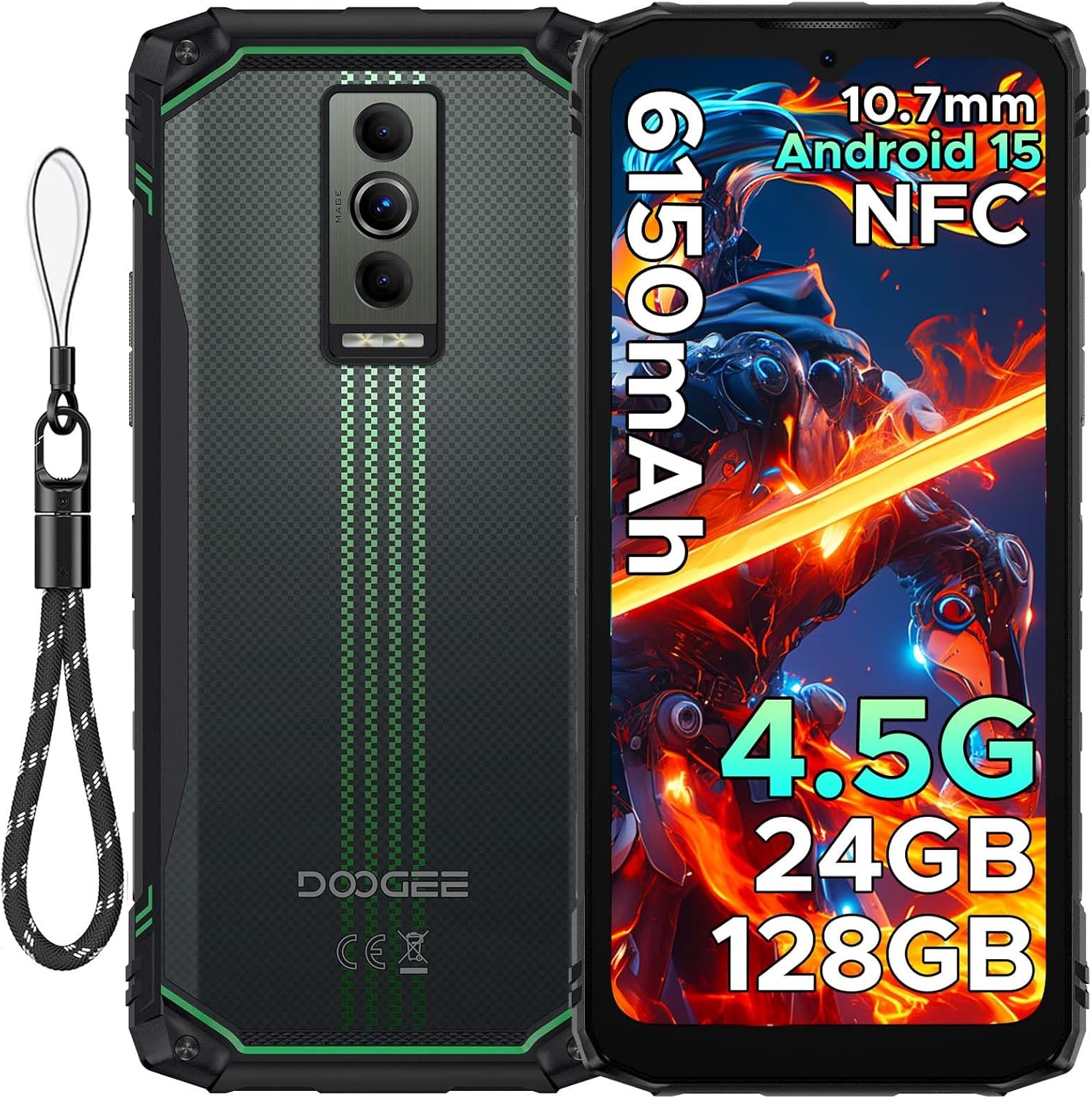
Slika: Prednja i zadnja strana view of the DOOGEE Blade10 Energy smartphone, highlighting the display, cameras, and side buttons.
- Prednji dio: 6.56" HD+ Display, 8MP Front Camera
- pozadi: 16MP Main Camera, Flashlight
- strane: Power Button, Volume Buttons, SIM/MicroSD Card Slot, USB Type-C Port
4. Podešavanje
4.1. Instalacija SIM kartice i MicroSD kartice
- Pronađite utor za SIM/MicroSD karticu sa strane uređaja.
- Koristite priloženi alat za izbacivanje SIM kartice da biste otvorili ladicu.
- Pažljivo umetnite Nano-SIM kartice i/ili MicroSD karticu u predviđene utore. Osigurajte pravilnu orijentaciju.
- Lagano gurnite ladicu nazad u utor dok se ne poravna s tijelom telefona.

Image: Close-up of the SIM/MicroSD card tray, illustrating the correct placement of cards.
4.2. Početno punjenje
Before first use, fully charge your device using the provided Type-C USB cable and charger.
- Connect the Type-C cable to the phone's charging port.
- Drugi kraj kabla priključite na punjač, a zatim uključite punjač u utičnicu.
- Indikator punjenja će se pojaviti na ekranu.

Image: The DOOGEE Blade10 Energy connected to its charger via a Type-C cable.
5. Uputstvo za upotrebu
5.1. Uključivanje/isključivanje i ponovno pokretanje
- Uključeno: Pritisnite i držite tipku za uključivanje / isključivanje dok se zaslon ne uključi.
- Isključivanje/Ponovno pokretanje: Press and hold the Power button until the power options menu appears. Select "Power off" or "Restart".
5.2. Operativni sistem Android 15
Your DOOGEE Blade10 Energy runs on Android 15, offering enhanced performance, smarter interactions, and improved privacy features. Navigate through the interface using touch gestures.

Image: Screenshot of the Android 15 home screen and app icons on the DOOGEE Blade10 Energy.
5.3. Karakteristike ekrana
The 6.56-inch HD+ display with a 90Hz refresh rate provides a smooth visual experience. Widevine L1 support ensures high-definition streaming content playback.

Image: The DOOGEE Blade10 Energy display showcasinžive boje i glatko kretanje.
5.4. Rad kamere
Capture photos and videos using the 16MP rear camera and 8MP front camera. The device also features an underwater shooting mode for aquatic environments.

Image: The DOOGEE Blade10 Energy camera interface, highlighting the underwater shooting mode.
5.5. Sigurnosne karakteristike
Unlock your phone using Face ID for quick and secure access.

Image: An illustration of the Face ID recognition feature in use on the DOOGEE Blade10 Energy.
5.6. NFC funkcionalnost
The NFC (Near Field Communication) feature allows for contactless payments, data sharing, and card emulation. Enable NFC in your phone's settings to use these functions.

Image: The DOOGEE Blade10 Energy being used for a contactless payment via NFC.
6. Karakteristike izdržljivosti
The DOOGEE Blade10 Energy is built to withstand harsh environments with its IP68/IP69K and MIL-STD-810H certifications.
- IP68/IP69K: Provides dustproof and waterproof protection. The phone can withstand immersion in water up to 1.5 meters deep for 30 minutes.
- MIL-STD-810H: Certified for drop resistance up to 1.5 meters.

Image: The DOOGEE Blade10 Energy shown in various rugged scenarios, highlighting its dustproof, drop-proof, and waterproof design.
Video: This video demonstrates the IP68/IP69K waterproof capabilities of the DOOGEE Blade10 Energy.
7. Upravljanje baterijom
The device is equipped with a 6150mAh silicon anode battery for extended usage. It also supports reverse charging.
Image: The DOOGEE Blade10 Energy showcasing its 6150mAh battery and the reverse charging capability with another device.
7.1. Obrnuto naplaćivanje
To use your phone as a power bank, connect a compatible device to your Blade10 Energy using a USB-C to USB-C cable or a USB-C to the appropriate cable for the other device. Ensure reverse charging is enabled in the settings if it doesn't start automatically.
Video: This video highlights the ultra-thin design and long battery life of the DOOGEE Blade 10 series, including the Blade10 Energy.
8. Povezivanje
- 4.5G Dvije SIM kartice: Supports dual SIM cards for flexible network usage.
- GPS: Integrated with Beidou, Galileo, GLONASS, and GPS for accurate positioning.
- Wi-Fi: Supports standard Wi-Fi connectivity.
9. Održavanje
To ensure the longevity and optimal performance of your DOOGEE Blade10 Energy, follow these maintenance guidelines:
- Održavajte uređaj čistim tako što ćete ga obrisati mekom krpom, damp tkanina. Izbjegavajte jake hemikalije.
- Ensure all port covers are securely closed when the device is exposed to water or dust.
- Izbjegavajte izlaganje uređaja ekstremnim temperaturama ili direktnoj sunčevoj svjetlosti tokom dužeg perioda.
- Redovno pravite sigurnosne kopije podataka kako biste spriječili njihov gubitak.
10. Otkrivanje problema
Ako naiđete na probleme s uređajem, pogledajte sljedeća uobičajena rješenja:
| Problem | Rješenje |
|---|---|
| Uređaj se ne uključuje | Provjerite je li baterija napunjena. Spojite je na punjač i pričekajte nekoliko minuta prije nego što je ponovo pokušate uključiti. |
| Loš mrežni signal | Provjerite instalaciju SIM kartice. Premjestite se na područje s boljom pokrivenošću mrežom. Ponovo pokrenite uređaj. |
| Ekran osjetljiv na dodir ne reagira | Restart the device. If the issue persists, perform a factory reset (note: this will erase all data). |
| Baterija se brzo prazni | Close unused applications. Reduce screen brightness. Disable unnecessary features like Wi-Fi, Bluetooth, or GPS when not in use. |
11. Specifikacije
| Feature | Detalj |
|---|---|
| Naziv modela | Blade10 Energy |
| Operativni sistem | Android 15 |
| CPU model | Mediatek Dimensity 9000 (Octa-Core, 1.8 GHz) |
| RAM | 24 GB (4GB Basic + 20GB Extended) |
| Interna pohrana | 128 GB |
| Proširiva pohrana | Up to 2 TB (MicroSD/TF card) |
| Veličina ekrana | 6.56 inča |
| Rezolucija | 720 x 1600 (HD+) |
| Refresh Rate | 90 Hz |
| Glavna kamera | 16 MP |
| Prednja kamera | 8 MP |
| Kapacitet baterije | 6150 mAh |
| Povezivanje | 4.5G Dual SIM, Wi-Fi, NFC |
| Navigacija | Beidou, Galileo, GLONASS, GPS |
| Trajnost | IP68/IP69K, MIL-STD-810H |
| Dimenzije | 6.45 x 2.98 x 0.33 inča |
| Težina | 6.9 unci (195 grama) |
12. Garancija i podrška
Your DOOGEE Blade10 Energy comes with a two-year warranty. For technical support or warranty claims, please refer to the contact information provided on the warranty card included in your package or visit the official DOOGEE support website.
The package includes a Warranty Card and a Service Card for your reference.


