Uvod
Thank you for choosing the ADESSO Xtream T2 Bluetooth Wireless Earbuds. These earbuds are designed to provide a high-quality audio experience with features such as Active Noise Cancelling (ANC), a built-in microphone for calls, and convenient touch controls. This manual will guide you through the setup, operation, and maintenance of your new earbuds.
Šta je u kutiji
- ADESSO Xtream T2 Wireless Earbuds (Left and Right)
- Futrola za bežično punjenje
- USB kabl za punjenje
- Više veličina nastavka za uši (S, M, L)
- Uputstvo za upotrebu
Product Overview
The ADESSO Xtream T2 earbuds feature an ergonomic in-ear design for a secure and comfortable fit. The compact charging case not only protects your earbuds but also provides additional battery life and supports wireless charging.

Image: The ADESSO Xtream T2 wireless earbuds are shown resting inside their open white charging case. The case has the 'adesso' logo on the front and four small LED indicator lights below it. The earbuds are white with a sleek, minimalist design.

Slika: Krupni plan view of the two white ADESSO Xtream T2 earbuds, showing their in-ear design and the small microphone openings. The left and right indicators are visible on the stems.
Setup
1. Punjenje slušalica i kutijice
Before first use, fully charge the earbuds and the charging case. Place the earbuds into the charging case. Connect the USB charging cable to the charging port on the case and to a power source. The LED indicators on the case will show the charging status. Alternatively, place the charging case on a compatible wireless charging pad.
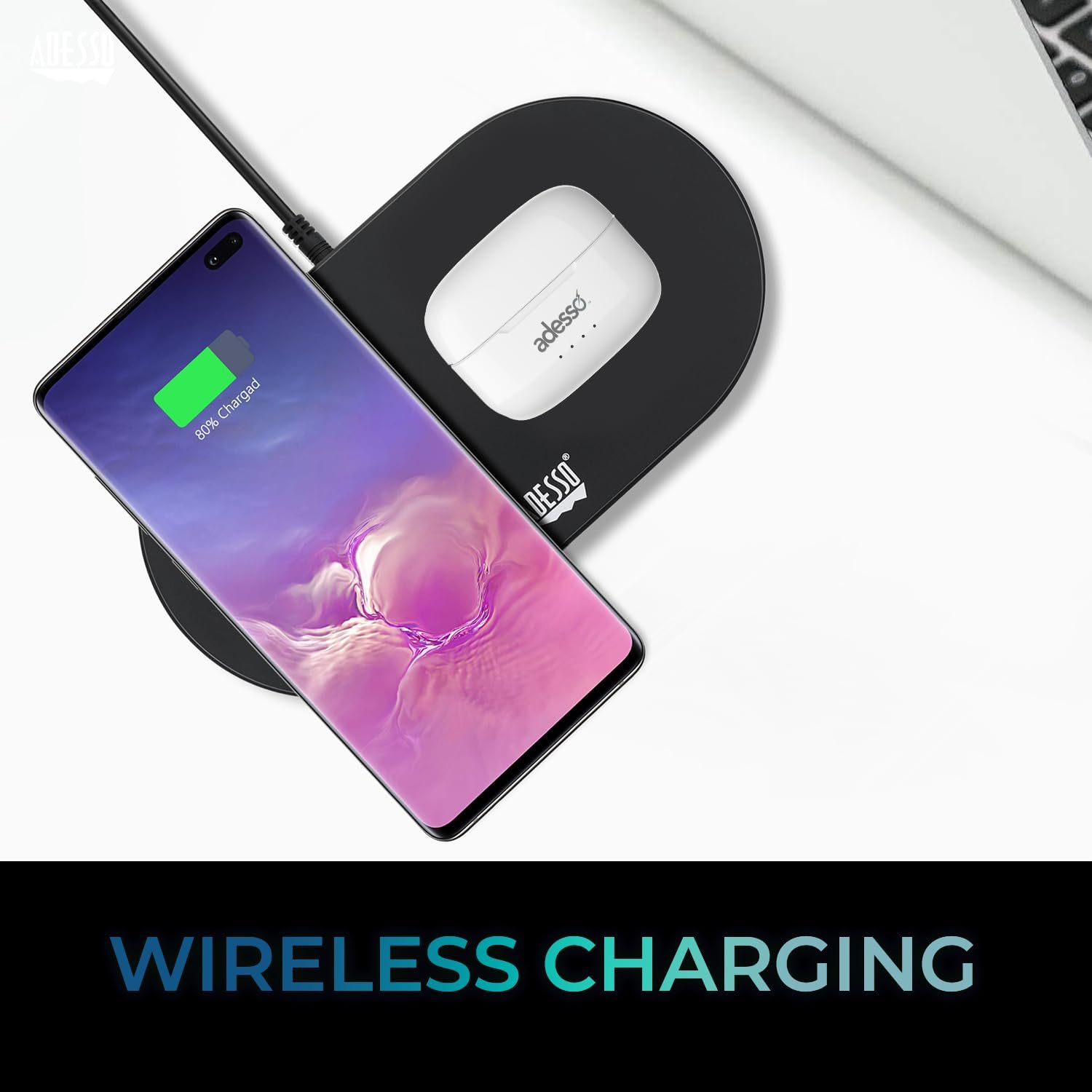
Image: The white ADESSO Xtream T2 charging case is placed on a black wireless charging pad next to a smartphone that is also wirelessly charging. This illustrates the wireless charging capability of the earbud case.
2. Bluetooth uparivanje
- Uvjerite se da su slušalice napunjene.
- Otvorite kutijicu za punjenje. Slušalice će automatski ući u način rada za uparivanje, što će biti naznačeno trepćućim LED svjetlom na slušalicama.
- Na vašem uređaju (pametnom telefonu, tabletu itd.) idite na postavke Bluetootha.
- Traži dostupni uređaji i odaberite "ADESSO Xtream T2" sa liste.
- Once connected, the LED indicator on the earbuds will stop flashing, and your device will confirm the connection.
Slušalice će se automatski ponovo povezati s posljednjim uparenim uređajem kada se izvade iz kutijice, ako je Bluetooth omogućen na uređaju.

Image: A stylized image depicting a Bluetooth chip on a circuit board, with the ADESSO Xtream T2 earbuds in their charging case in the foreground. This visually represents the Bluetooth wireless connectivity feature.
Uputstvo za upotrebu
Dodirnite Kontrole
The Xtream T2 earbuds feature intuitive touch controls on each earbud. The specific functions may vary slightly depending on the operating system of your connected device.

Image: A woman is shown gently touching the side of her white ADESSO Xtream T2 earbud, demonstrating the touch control feature. She is smiling and looking at her smartphone.
| Akcija | Funkcija |
|---|---|
| Jedan dodir (lijeva/desna slušalica) | Reprodukcija/Pauziranje muzike, Odgovor/Završetak poziva |
| Dvostruki dodir (desna slušalica) | Next Track |
| Dvaput dodirnite (lijeva slušalica) | Previous Track |
| Trostruki dodir (desna slušalica) | Volume Up |
| Trostruki dodir (lijeva slušalica) | Utišavanje zvuka |
| Dugi pritisak (2 sekundi) | Aktivirajte glasovnog asistenta (Siri, Google asistent) |
| Dugi pritisak (3 sekundi) | Uključi/isključi ANC/režim transparentnosti |
| Incoming Call Long Press (2 seconds) | Odbiti poziv |
Aktivno poništavanje buke (ANC)
The Xtream T2 earbuds feature Active Noise Cancelling technology to reduce ambient noise, allowing for a more immersive listening experience. To activate or deactivate ANC, long-press the touch sensor on either earbud for approximately 3 seconds until you hear an audible prompt.

Image: A graphic illustrating sound waves being blocked around the ADESSO Xtream T2 earbuds, with text indicating "30dB" and "Active Noise Cancelling." This highlights the noise reduction capability.
Trajanje baterije i punjenje
The earbuds provide approximately 6-7 hours of talk and listen time on a single charge. The charging case extends this duration by providing multiple recharges. For optimal performance, ensure both earbuds and case are regularly charged.

Image: A woman is using the ADESSO Xtream T2 earbuds while looking at her phone. A battery icon with a full charge is displayed, indicating "6-7 Hour Talk & Listen Time."
Održavanje
Čišćenje
Redovno čišćenje pomaže u održavanju kvalitete zvuka i higijene:
- Koristite meku, suhu krpu koja ne ostavlja dlačice za brisanje slušalica i kućišta za punjenje.
- Pažljivo uklonite ušni vosak ili ostatke s vrhova slušalica i mrežice zvučnika pomoću male, meke četkice ili pamučnog štapića.
- Ne koristite abrazivna sredstva za čišćenje, alkohol ili hemijske rastvarače.
Skladištenje
Kada se ne koriste, slušalice čuvajte u kutijici za punjenje kako biste ih zaštitili od prašine, oštećenja i kako biste ih održali napunjenima.
Rješavanje problema
| Problem | Moguće rješenje |
|---|---|
| Slušalice se ne uparuju | Provjerite jesu li slušalice napunjene. Isključite i uključite Bluetooth na svom uređaju. Zaboravite uređaj u postavkama Bluetootha i ponovo ih uparite. |
| Samo jedna slušalica radi | Place both earbuds back in the case, close it, then open it again. Ensure both earbuds are charged. |
| Nema zvuka | Check device volume. Ensure earbuds are connected. Try playing audio from a different application or device. |
| ANC ne radi | Ensure ANC is activated via touch control (long press). Check for proper earbud fit. |
| Problemi s punjenjem | Ensure charging cable is securely connected. For wireless charging, ensure the case is correctly placed on a compatible pad. Clean charging contacts on earbuds and case. |
Specifikacije

Image: The ADESSO Xtream T2 earbuds and charging case are shown in front of various electronic devices including a smartphone, tablet, laptop, and desktop computer, illustrating their multi-platform compatibility.
| Feature | Detalj |
|---|---|
| Naziv modela | Xtream T2 |
| Tehnologija povezivanja | bežični (Bluetooth) |
| Bluetooth verzija | 5.3 |
| Kontrola buke | Otkazivanje aktivne buke (ANC) |
| Mikrofon | Ugrađeni |
| Tip kontrole | Touch Control |
| Oblik slušalice | In-Ear |
| Materijal | Plastika, silikon |
| Težina artikla | 37 grama (slušalice i kutijica) |
| Bežično punjenje | Podržano |
| Kompatibilni uređaji | Smartphones, Tablets, Laptops, Desktops, Smart Speakers, Televisions, Cars, Motorcycles |
| UPC | 783750011013 |
Garancija i podrška
For warranty information and technical support, please refer to the warranty card included with your product or visit the official ADESSO website. You can also contact ADESSO customer service for assistance with any product-related inquiries.
Webstranica: www.adesso.com (Npramplink, molimo provjerite stvarnu podršku URL)


